AI & Automation
AI Receptionist for Gyms: Complete Selection and Setup Guide
Learn how an AI receptionist for gyms handles calls, texts, bookings, follow-up, and dues—plus what to compare, configure, and monitor before you buy one.
 Watch · 20s
A missed call at 7:10 p.m. is not just a missed call. It may be a prospect asking about tomorrow’s intro class, a member trying to update a booking, or someone ready to join after comparing three local gyms.
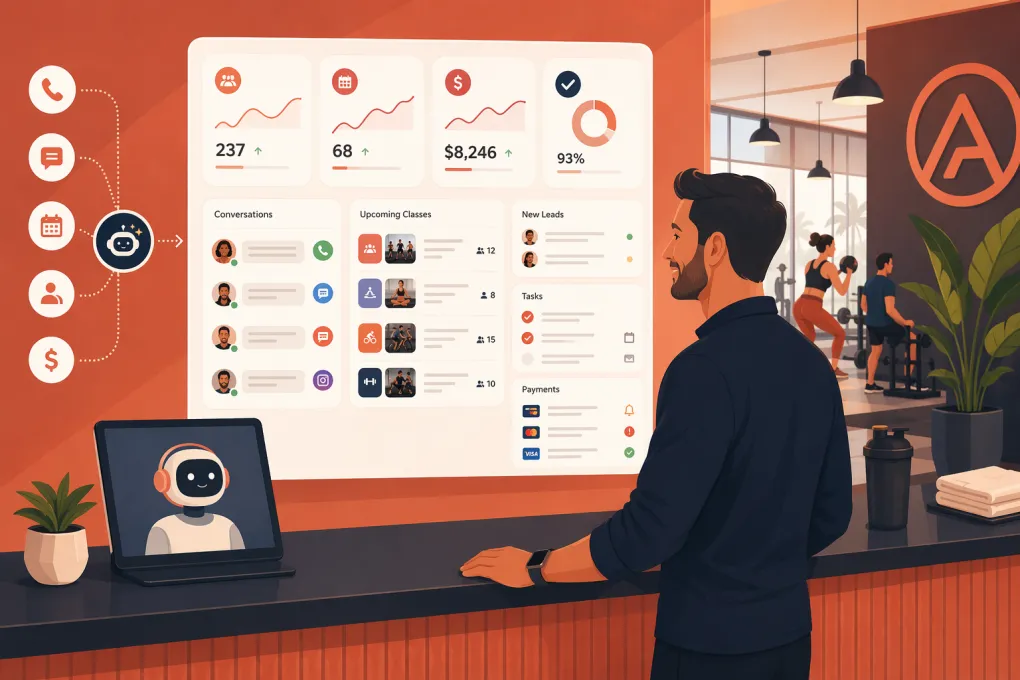
An AI receptionist for gyms gives those conversations somewhere to go when the front desk is busy, the team is coaching, or the facility is closed. The right system can answer routine questions, capture leads, book appointments, follow up, and route sensitive issues to a person.
That does not mean every AI receptionist is ready to run your front desk. Gym operators need to evaluate what the system can actually do, how it connects to existing software, and what happens when the conversation falls outside the script.
What an AI gym receptionist actually does
An AI receptionist communicates with prospects and members through channels such as phone, text, website chat, or email. Unlike a traditional phone tree, it can interpret conversational requests and respond using information supplied by the business.
Depending on the product and integrations, it may be able to:
- Answer questions about hours, amenities, pricing, classes, and policies
- Capture a caller’s name, contact details, interests, and preferred location
- Book tours, consultations, intro sessions, or classes
- Send confirmations, reminders, and rescheduling links
- Follow up with leads who have not booked or purchased
- Handle common member requests or direct them to self-service tools
- Send payment reminders and secure payment links
- Transfer urgent, complex, or sensitive conversations to staff
- Record conversation outcomes in a CRM or gym management platform
The distinction between answering and completing matters. A basic tool may tell someone when a class starts. A properly integrated system may check availability, verify eligibility, make the booking, and send confirmation without staff involvement.
Where AI receptionists create the most operational value
The best use cases are repetitive, time-sensitive, and governed by clear rules. These are the conversations that interrupt staff all day but rarely require managerial judgment.
New lead response
Prospects often ask the same initial questions: What does membership cost? Do you offer a trial? Is childcare available? When is the beginner class?
An AI receptionist can answer immediately, collect qualification details, and move the prospect toward a defined next step. That step should be concrete: book a tour, reserve an intro class, schedule a consultation, or speak with a membership advisor.
Avoid turning every conversation into a long qualification interview. Ask only for information needed to recommend and book the next step.
Class and appointment booking
Booking automation is useful only when it respects your operating rules. The AI needs access to current schedules, capacity, instructor availability, location, prerequisites, and cancellation policies.
A good workflow might:
- Identify the requested service and location.
- Check whether the person is a prospect or current member.
- Offer eligible times with live availability.
- Complete the reservation in the system of record.
- Send confirmation and preparation instructions.
- provide a clear way to cancel or reschedule.
If the AI merely collects a preferred time for staff to confirm later, describe it as a booking request—not a confirmed appointment.
Missed-call recovery
If a call cannot be completed, the system can immediately continue by text, provided your messaging practices follow applicable consent and opt-out requirements. The message should identify the business, acknowledge the call, and offer a useful next action.
For example: “This is Northside Fitness following up on your call. I can help with class times, membership questions, or booking a tour. What do you need?”
That is more useful than a generic “How can we help?” and keeps the conversation tied to the original intent.
Follow-up and reactivation
AI can run approved follow-up sequences for unbooked leads, missed appointments, expiring offers, and former members. The system should stop or change the sequence when the person replies, books, buys, opts out, or asks for a staff member.
Frequency and tone matter. More messages do not automatically produce a better result. Build sequences around useful decisions and deadlines, not constant check-ins.
Payment reminders
An AI receptionist can explain an outstanding balance, send a secure payment link, or route a billing dispute to staff. It should not ask someone to send full card details through ordinary text or chat.
Define which situations can be automated. A simple expired-card reminder is different from a disputed charge, cancellation complaint, hardship request, or collections issue.
AI receptionist vs. staff and answering services
An AI receptionist is not a direct replacement for every front-desk responsibility. It is strongest when the request has a known answer and an approved action.
| Option | Best suited for | Main limitation |
|---|---|---|
| Front-desk staff | Relationship building, judgment calls, in-person service | Cannot cover every conversation around the clock |
| Traditional answering service | Human message-taking and basic routing | May lack live access to gym schedules, CRM records, and booking rules |
| AI receptionist | Immediate answers, repetitive workflows, booking, and follow-up | Requires careful setup, integrations, and escalation rules |
The practical model is usually shared coverage. Let automation handle routine demand and give staff clean handoffs for conversations where empathy, discretion, or authority is required.
What to look for before choosing a system
A polished demo is not enough. Test the product against real conversations from your facility.
1. Native actions, not just answers
Ask the vendor to demonstrate a complete workflow. Can the AI create a lead, check a live schedule, book the correct service, update the customer record, and trigger confirmation? Or does it simply send staff a transcript?
2. Gym software integrations
Confirm which data moves between systems and in which direction. Important integration points include:
- Lead and member records
- Class and appointment availability
- Bookings and cancellations
- Membership status and eligibility
- Conversation notes and outcomes
- Payment status and secure payment links
- Staff tasks and escalation alerts
Ask what happens if an integration is temporarily unavailable. The AI should not invent availability or claim that an action was completed when it was not.
3. Channel coverage
Determine whether the product supports voice, SMS, website chat, email, or only one channel. Also check whether conversation context follows the person across channels. A prospect should not have to repeat the entire story after moving from a call to text.
4. Escalation controls
You need rules for both live transfer and asynchronous handoff. Decide where each type of issue goes, during and outside staffed hours.
Escalation categories may include:
- Injuries, threats, or emergencies
- Billing disputes and refund requests
- Cancellation complaints
- Accessibility questions requiring review
- Safeguarding concerns involving minors
- Media, legal, or law-enforcement inquiries
- Repeated failure to understand the request
For emergencies, the system should direct the person to appropriate emergency services rather than implying that gym staff can provide immediate assistance.
5. Transparency and conversation review
Customers should understand when they are interacting with automation. Operators also need access to transcripts, call summaries, bookings, failed actions, and escalation history.
If calls are recorded or messages are used for marketing, review the consent and disclosure rules that apply to your jurisdictions and communication channels. Do not treat a vendor’s default configuration as legal guidance.
6. Multi-location controls
Multi-location operators need location-specific schedules, amenities, pricing, offers, staff routing, and policies. Test ambiguous requests such as “Can I come in Saturday?” The system should establish the correct location before giving an answer or making a reservation.
How to implement an AI receptionist without creating chaos
Start with a narrow, high-volume workflow instead of automating the entire customer journey at once.
Build a reliable source of truth
Document the information the AI is allowed to use:
- Facility and staffed hours
- Current services and membership options
- Trial and guest policies
- Class descriptions and prerequisites
- Booking, cancellation, and no-show rules
- Age restrictions
- Parking and arrival instructions
- Escalation contacts
- Claims the AI must not make
Assign an owner to review this information whenever pricing, schedules, policies, or promotions change.
Write rules around outcomes
Do not script every possible sentence. Define the outcome, required information, permitted actions, and stopping conditions.
For a tour-booking workflow, specify which locations offer tours, available appointment types, required contact fields, lead-assignment rules, confirmation content, and when staff must take over.
Test messy conversations
Customers will not speak in clean menu options. Test interruptions, slang, background noise, vague dates, multiple questions, strong accents, and changed decisions.
Include difficult prompts such as:
- “I want the same class I took last week.”
- “Can my 15-year-old train alone?”
- “You charged me after I canceled.”
- “I need to freeze my account because I’m injured.”
- “Book my wife too, but she isn’t a member.”
Review whether the AI asks a sensible clarifying question, takes an approved action, or escalates instead of guessing.
Launch with active supervision
Review conversations frequently during the initial rollout. Correct outdated information, weak handoffs, false confirmations, and dead-end responses. Expand into additional workflows only after the first one is stable.
Platforms such as WTF Go take this broader operating-system approach. Its Fitty AI agent is designed to handle lead conversations, bookings, follow-up, and dues workflows while keeping the activity connected to gym operations. Whatever system you consider, evaluate it with your own policies and real customer scenarios rather than relying on a generic demo.
What to measure after launch
Measure completed business outcomes, not how many messages the AI sent. A useful scorecard can include:
- Calls or conversations successfully answered
- Qualified leads captured
- Tours, intros, consultations, or classes booked
- Booking requests that required staff correction
- Conversations escalated and time to staff response
- Failed integrations or unconfirmed actions
- Opt-outs, complaints, and repeated misunderstandings
- Outstanding balances resolved through approved workflows
Review a sample of successful conversations as well as failed ones. A booking can appear successful in a dashboard while still containing the wrong location, service, or expectation.
The standard to hold an AI receptionist to
The question is not whether the AI sounds impressively human. The question is whether it gives accurate information, completes approved tasks, protects the customer experience, and knows when to stop.
A useful AI receptionist reduces routine front-desk load without hiding mistakes behind automation. Give it a controlled scope, current information, direct system access, and firm escalation rules. Then manage it like any other operational process: test it, review it, and improve it.
Frequently asked questions
Can an AI receptionist book gym classes and appointments?
Yes, if it integrates with the system holding live availability and booking rules. Confirm that it creates an actual reservation rather than only sending staff a booking request.
Can an AI receptionist answer gym phone calls after hours?
Many AI receptionists can answer calls outside staffed hours, respond to common questions, capture leads, and book approved services. Complex or sensitive issues should be routed to a defined staff workflow.
Will an AI receptionist replace front-desk staff?
It is better suited to repetitive questions, scheduling, follow-up, and routine payment reminders. Staff remain important for in-person service, relationship building, exceptions, disputes, and situations requiring judgment.
What gym software should an AI receptionist integrate with?
At minimum, it should connect to the systems used for lead records, member status, schedules, bookings, conversation history, and payment workflows. The exact requirements depend on which tasks you want the AI to complete.
How do I test an AI receptionist before launching it?
Use real questions from calls, texts, and front-desk conversations. Test unclear requests, policy exceptions, schedule changes, billing disputes, integration failures, and escalation to a human.
Keep reading



Run your gym on autopilot with WTF Go
Fitty — your AI receptionist — answers calls and DMs, fills classes, follows up with every lead, and collects dues while you coach.