Comparisons
Youth Strength Training Gym Management Software Compared
Compare youth strength training gym management software for family accounts, evaluations, camps, billing, attendance, waivers, and parent follow-up.
 Watch · 20s
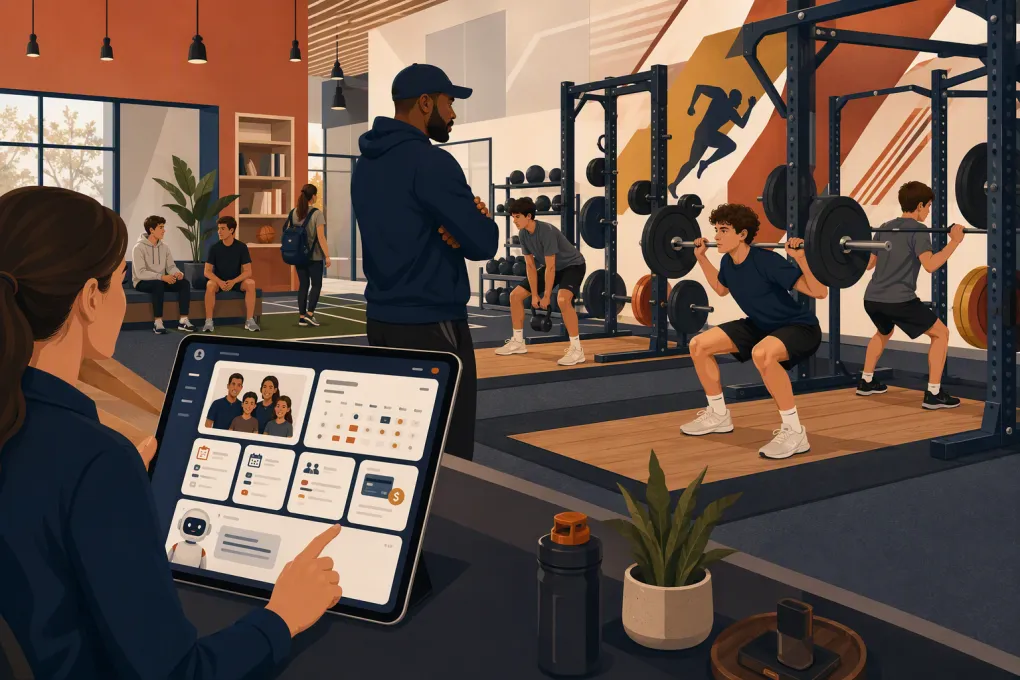
Youth strength training gym management software has to manage two customers at once: the athlete receiving the coaching and the parent or guardian making the buying, scheduling, and payment decisions. Software built around one adult member and one credit card often handles that relationship poorly.
For a youth performance gym, the real test is not whether software has “scheduling” or “CRM” on its feature page. It is whether a parent can inquire after hours, book an evaluation for the correct child, complete the right forms, buy the recommended program, receive schedule updates, and manage payment without staff rebuilding the account manually.
This comparison was reviewed on August 20, 2026. It uses publicly available vendor materials linked below and an operator-focused workflow analysis. We did not invent hands-on findings, customer results, or unpublished prices. Product configurations change, so use the included demo script to verify each workflow in the current product before signing.
The youth performance workflow most software misses
A typical evaluation-led facility does not sell immediate open-gym access. Its enrollment path looks more like this:
- A parent asks whether training is appropriate for a 12-, 15-, or 17-year-old.
- Staff qualify the athlete by age, goals, experience, injury considerations, and schedule.
- The parent books and pays for an evaluation or trial.
- A guardian completes required documents.
- A coach recommends the appropriate group, frequency, or private-training plan.
- The payer purchases the program and the athlete enters an eligible roster.
- Attendance, renewals, missed sessions, and failed payments trigger different follow-up.
Camps add another model: fixed dates, capacity limits, sibling registrations, one-time payments, and time-sensitive forms. Multi-location operators also need to know whether a family, credit, waiver, and athlete history follow the athlete between facilities.
That is why a generic feature checklist is insufficient. The account relationships and handoffs matter more than the number of dashboard widgets.
See how Fitty can respond to parent inquiries and move qualified families toward an evaluation →
Comparison methodology and evidence
We evaluated each option against seven workflows relevant to youth strength businesses:
- Guardian, payer, and athlete account relationships
- Evaluation-led sales and follow-up
- Recurring programs, camps, and private coaching
- Forms, waivers, attendance, and staff access
- Parent-facing booking and communication
- Multi-location administration
- Pricing transparency and likely cost drivers
The linked official pages are the source of record for publicly described features and pricing structures. This is not an independent security audit or a claim that every feature was tested in a production account. Where a youth-specific workflow is not clearly documented, the table says to verify it rather than assuming support.
Youth strength training software comparison
| Platform | Documented focus and strengths | Youth-specific issue to test | Automation and AI | Pricing information | Best fit |
|---|---|---|---|---|---|
| WTF Go + Fitty | Gym operations connected to lead response, booking, follow-up, and dues workflows; WTF Go product information | Demonstrate guardian-athlete relationships, age eligibility, family payments, waiver status, and pickup procedures using your configuration | Fitty is an AI receptionist for answering leads, booking, follow-up, and dues outreach; channels, integrations, permissions, and escalation must be configured | Current packaging is obtained from WTF Go. Request an itemized quote covering locations, communication usage, payment processing, onboarding, migration, and AI functionality | Evaluation-led performance gyms where missed calls and inconsistent follow-up are major constraints |
| Jackrabbit Class | Family accounts, registration, classes, tuition, attendance, and parent portal workflows for youth activity businesses; official product site | Test assessment-to-program conversion and whether strength-program eligibility is visible before enrollment | Administrative automation and family communication are core; verify lead-pipeline depth and any external AI requirements | Jackrabbit publishes plan information tied to enrollment or usage on its official pricing page. Check payment, messaging, website, and onboarding charges | Family-heavy youth programs, camps, and structured class enrollment |
| iClassPro | Purpose-built administration for children’s activity centers, including family enrollment, classes, camps, billing, attendance, and a customer portal; official product site | Confirm that its class-centric workflow supports evaluations, coach recommendations, semi-private training, and performance memberships | Parent communication and operational tools are available; verify sales CRM, phone handling, and AI separately | Review current packages through the vendor’s official pricing information. Ask whether pricing is per location and which portal, app, payment, or communication services cost extra | High-volume youth class programs and camp-heavy facilities |
| Pike13 | Scheduling, client management, appointments, classes, recurring billing, and staff administration for service businesses; official product site | Require a live demonstration of dependents, multiple guardians, payer ownership, sibling enrollment, and guardian-signed documents | Supports routine client workflows and communications; AI receptionist depth should not be assumed | Pike13 provides current package details through its pricing page. Compare base subscription, payment processing, messaging, branded features, and added locations | Facilities combining private coaching, appointments, and recurring small groups |
| TeamUp | Fitness-focused memberships, class booking, forms, payments, and customer management; official product site | Test dependent profiles, guardian communications, family billing, camp registration, and access to emergency information | Booking and member automations are available; verify phone answering and conversational AI requirements | TeamUp’s official pricing page uses an active-customer model or calculator. Model seasonal camp enrollment before comparing costs | Straightforward class-based programs with relatively simple family structures |
| Zen Planner | Fitness-oriented memberships, billing, scheduling, attendance, and member administration; official product site | Show the full parent-inquiry-to-athlete-enrollment journey, including payer notices and multiple children | Standard member communication and automation are available; verify current lead-response and AI capabilities | Consult Zen Planner’s official site for current plans or a quote. Request separate figures for onboarding, processing, communications, websites, and added locations | Established fitness or martial arts-style membership operations that also serve youth |
Pricing cannot be compared responsibly from a base subscription alone. A youth facility should calculate the first-year and ongoing cost of payment processing, text or phone usage, additional locations, branded apps, websites, data migration, onboarding, and seasonal enrollment changes. Ask every vendor for the same itemized quote.
Recommendations by facility type
Evaluation-led sports performance gyms
Prioritize CRM speed, phone and message response, evaluation booking, coach assignment, and post-evaluation conversion. A family-account system is still necessary, but it will not solve missed calls or leads sitting untouched while every coach is on the floor.
WTF Go with Fitty is the most relevant option in this comparison when receptionist workload and lead follow-up are the primary problems. Pike13 may also warrant evaluation when private appointments and recurring small-group sessions dominate. In either case, require a live demonstration of how the recommended program is attached to the correct athlete and purchased by the correct payer.
Camp-heavy and family-heavy programs
Start with Jackrabbit Class and iClassPro. Their documented focus on children’s activity businesses makes them natural candidates for sibling enrollment, parent portals, camps, tuition, and family administration.
The limitation to investigate is sales flow. A system can be excellent at registering an already-convinced family but less capable of qualifying an uncertain parent, handling a phone conversation, and following up after an unbooked inquiry.
Hybrid private coaching and classes
Pike13 is worth examining when the schedule mixes evaluations, one-to-one appointments, semi-private sessions, and recurring groups. TeamUp may suit a simpler membership-and-class model.
Do not accept “family support” as an answer. Ask the rep to create two siblings with different programs, one payer, two authorized contacts, and separate attendance histories during the demo.
Multi-location youth operators
Multi-location support should mean more than adding location names. Test whether an athlete can attend another site, whether waivers and credits carry over, whether staff access can be limited by location, and whether revenue and attendance reports can be viewed both locally and centrally.
Also ask whether each location requires a separate database, merchant account, phone number, app, subscription, or AI configuration. Those details affect both daily work and total cost.
What “Fitty collects dues” should mean operationally
Fitty does not replace a payment processor, obtain unrestricted access to a bank account, or resolve every billing dispute autonomously. In a properly configured WTF Go workflow, “collecting dues” means the AI agent can support the collection process: identify an account that requires follow-up, contact the responsible payer through enabled channels, explain the approved next step, direct the payer into the configured payment workflow, and record or route the outcome.
The actual charge and storage of payment credentials remain functions of the connected billing and payment systems. Exact capabilities depend on the integrations, communication channels, permissions, and policies enabled for the business.
Before deployment, define escalation rules for:
- A parent disputing a charge or cancellation date
- Requests for refunds, hardship arrangements, or payment-plan changes
- Repeated payment failure
- A mismatch between payer and guardian records
- Threats, legal complaints, or safeguarding concerns
- Any question the agent cannot answer from approved information
A human should own exceptions. Staff should also approve message timing, tone, retry limits, quiet hours, and the point at which automated outreach stops.
A concrete demo script for your facility
Screenshots and canned presentations rarely expose account problems. Give each vendor this scenario and watch the representative complete it live:
Jordan Lee is 14 and wants off-season strength training. Jordan’s mother is the primary contact, the father is the payer, and both need schedule notices. A younger sibling is enrolling in a summer camp. Jordan must complete an evaluation before entering the advanced group. The evaluation is missed, the camp reaches capacity, and the recurring payment later fails.
Ask the vendor to show, without skipping screens:
- How the original phone or web inquiry enters the system.
- Which adult receives the evaluation confirmation and waiver.
- How the athlete is prevented from self-enrolling in an ineligible group.
- How staff follow up after the missed evaluation.
- How the sibling joins a camp waitlist without creating a duplicate family.
- Which person receives the failed-payment notice.
- What the coach can see versus what billing staff can see.
- How an unresolved issue escalates to a human.
- How the family and transaction history are exported.
Record the demo with the vendor’s permission or capture screenshots for your internal buying team. Score the number of manual workarounds, not just whether the workflow is technically possible.
Implementation details that prevent opening-week problems
Before importing data, define separate fields for athlete, guardian, payer, emergency contact, authorized pickup contact, birth date, program eligibility, waiver status, and location. Do not bury these relationships in free-text notes.
Then complete a test migration with several difficult accounts: siblings, split payers, credits, expired memberships, incomplete waivers, and future camp bookings. Reconcile balances and upcoming sessions against the old system.
Finally, run role-based acceptance testing. A coach, front-desk employee, billing manager, and location manager should each log in with their real permission level. Confirm that they can access what they need—and cannot access what they do not.
The best youth strength training gym management software is the one that preserves the family relationship while making the athlete’s path from inquiry to appropriate training unmistakably clear. Buy against that workflow, not against a generic list of fitness features.
Frequently asked questions
Which software is best for an evaluation-led youth performance gym?
Prioritize fast inquiry response, evaluation booking, follow-up, athlete eligibility, and payer-linked billing. WTF Go with Fitty is designed around the lead and follow-up problem, while Pike13 may merit consideration for appointment-heavy operations.
Which platforms are strongest for camps and sibling enrollment?
Jackrabbit Class and iClassPro are strong candidates because they focus on children’s activity businesses and family administration. Confirm current pricing and test your exact camp, waitlist, waiver, and sibling workflows.
Can Fitty charge a parent’s card automatically?
Payment execution depends on the connected billing and payment systems and the permissions configured by the business. Fitty can support dues outreach and route a payer into the approved payment workflow, while disputes and exceptions should escalate to staff.
How should I compare gym software pricing?
Request an itemized first-year and ongoing quote covering subscriptions, locations, payment processing, communication usage, AI features, apps, onboarding, migration, and support. Use the same enrollment and transaction assumptions for every vendor.
What should I test during a youth gym software demo?
Test two siblings, multiple guardians, a separate payer, evaluation prerequisites, a camp waitlist, an incomplete waiver, a failed payment, staff permissions, and human escalation. Require the vendor to perform the workflow live.
Keep reading



Run your gym on autopilot with WTF Go
Fitty — your AI receptionist — answers calls and DMs, fills classes, follows up with every lead, and collects dues while you coach.