Comparisons
The Operator's Guide to Med Spa Lead Management Software
Compare med spa lead management software features, workflows, and buying criteria to capture inquiries, automate follow-up, and book more new consults.
 Watch · 20s
A med spa rarely loses a lead because nobody wanted the appointment. Leads are lost in the operational gaps: a call after closing, an Instagram message buried under notifications, a web form answered the next morning, or a consultation request that never receives a second follow-up.
Med spa lead management software should close those gaps. It should capture inquiries, organize conversations, automate appropriate follow-up, and move qualified prospects toward a booked consultation. It also needs to fit alongside scheduling, payments, marketing, and any clinical system your practice uses.
That is a bigger job than storing names in a basic CRM. The right system gives your team a repeatable process without making every conversation feel automated.
See how Fitty handles med spa inquiries and follow-up around the clock →
What med spa lead management software should actually do
A lead management system should help staff answer five operational questions immediately:
- Where did this inquiry come from?
- What treatment or service is the person interested in?
- Has anyone responded?
- What is the next action, and who owns it?
- Did the lead book, cancel, no-show, purchase, or go cold?
If answering those questions requires checking a shared inbox, personal phones, spreadsheets, and the appointment calendar, the business does not have a reliable lead process. It has disconnected tools held together by staff memory.
Strong software creates one trackable journey from first inquiry to consultation and follow-up.
A practical med spa lead pipeline
Keep pipeline stages simple enough that staff will use them consistently:
- New inquiry: No meaningful response has occurred.
- Contacted: A staff member or approved automation has responded.
- Qualified: Service interest, location, timing, and basic eligibility are understood.
- Consultation booked: The lead has a confirmed date and time.
- Consultation completed: The appointment occurred.
- Treatment booked or purchased: The prospect converted into a client.
- Nurture: Interested, but not ready to book now.
- Closed: Not eligible, not interested, duplicate, or otherwise inactive.
Define exactly what moves a lead between stages. Otherwise, reports become subjective and follow-up tasks are easy to miss.
Features that matter most
Centralized inquiry capture
Your software should consolidate leads from the channels you actively use, such as website forms, phone calls, text messages, paid campaigns, social platforms, referrals, and walk-ins.
At minimum, each record should preserve:
- Contact information and communication preferences
- Original lead source and campaign when available
- Service or treatment interest
- Preferred location and provider, if relevant
- Conversation history
- Assigned owner
- Current status and next action
- Consent and opt-out records
Ask vendors how duplicate records are handled. One person may call, submit a form, and send a social message before anyone responds. Those should not become three unrelated prospects.
Fast response and two-way communication
Lead response should not depend entirely on front-desk availability. Look for two-way texting, calling or call handling, email, templates, and a shared conversation history.
Automation can acknowledge an inquiry, answer common operational questions, collect basic details, and offer an appropriate consultation slot. Staff should be able to take over when a person asks about medical suitability, complications, contraindications, or treatment-specific clinical guidance.
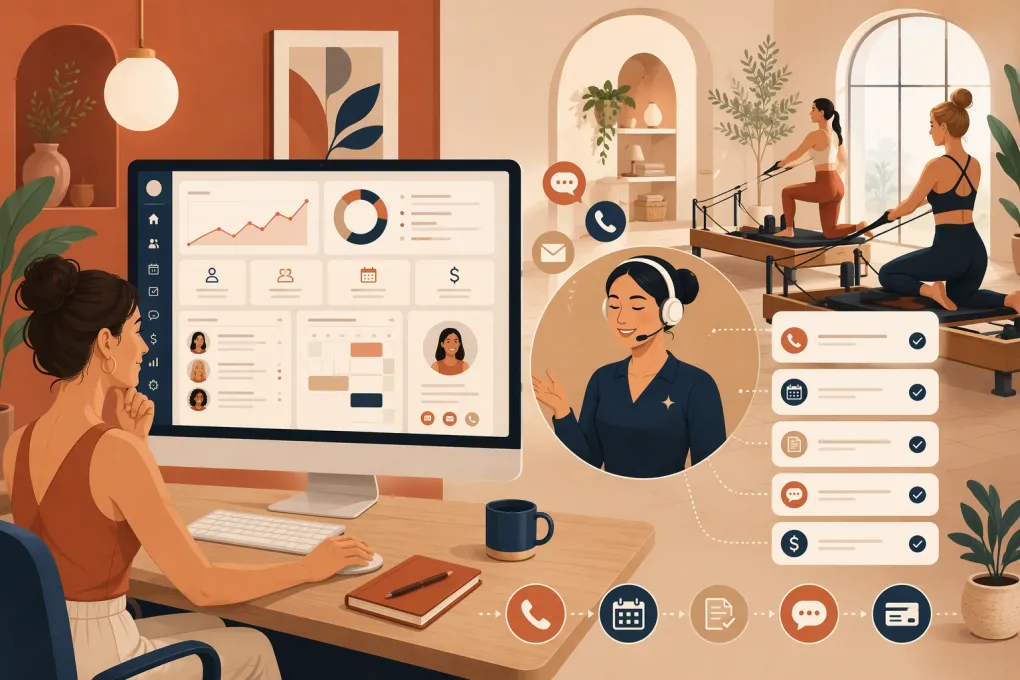
Fitty, WTF Go’s AI receptionist and agent, is designed for this operational layer: answering leads, following up, booking supported services, and helping collect dues 24/7. It gives prospects a path forward even when the desk is busy or the practice is closed.
See how Fitty can turn after-hours med spa inquiries into booked conversations →
Booking rules that match your operation
A generic calendar link is not always enough. Med spas may need different appointment lengths, consultation types, provider qualifications, room availability, deposits, cancellation rules, or location-specific schedules.
During a demo, test whether the system can enforce the actual rules for your busiest services. Confirm how it handles rescheduling, waitlists, deposits, reminders, and consultations that must be reviewed before confirmation.
Follow-up that stops when it should
Useful automation reacts to behavior. It should not keep asking someone to book after that person has already scheduled or opted out.
Common workflows include:
- Immediate acknowledgement of a new inquiry
- Follow-up when a lead does not reply
- Consultation confirmation and reminders
- Rescheduling outreach after a cancellation
- Staff alerts for unanswered questions
- Nurture for prospects who are not ready yet
- Post-consultation follow-up when no treatment is booked
Every sequence needs stop conditions, ownership rules, and a clear human escalation path.
Attribution and conversion reporting
Lead volume alone does not tell you whether marketing is working. Your reports should connect sources with meaningful outcomes, including consultations booked, consultations completed, and treatments purchased when that data is available.
Ask how the software defines a conversion and whether staff can correct attribution. Also check whether reports can be separated by location, service, campaign, and team member without exporting everything to a spreadsheet.
Med spa lead management software comparison
Capabilities, packages, and integrations change. Treat this as a shortlist, then verify current functionality and contract terms directly with each vendor.
| Platform | Lead and CRM workflows | Booking and operations | Automation and AI | Clinical depth | Multi-location and reporting | Pricing approach and best fit |
|---|---|---|---|---|---|---|
| WTF Go with Fitty | Centralizes lead conversations and follow-up within an all-in-one wellness business platform | Booking, business operations, and payment-related workflows | Fitty acts as a 24/7 AI receptionist for lead response, booking, follow-up, and dues collection | Operators with specialized charting or medical-record requirements should confirm how WTF Go fits beside their clinical system | Built for independent and multi-location fitness and wellness operators; confirm the reporting setup needed for your locations | Confirm current plans, usage, and onboarding directly; best for operators prioritizing responsive lead handling and consolidated operations |
| Mindbody | Broad customer management and marketing capabilities, with access to a large consumer marketplace | Established scheduling, payments, memberships, and class or appointment management | Marketing and communication tools are available; evaluate whether the specific lead-response workflow requires add-ons or integrations | Primarily a business-management platform rather than a specialized aesthetic EMR | Supports multi-location businesses, though configuration and reporting needs should be tested | Plans and add-ons vary; best for businesses that value a mature booking ecosystem and marketplace visibility |
| Vagaro | Customer profiles, messaging, marketing, forms, and related business tools | Scheduling, payments, memberships, and marketplace discovery | Offers automated communications and optional business modules; verify channel and workflow requirements | Useful forms and spa workflows, but confirm whether separate clinical documentation is required | Can support multiple locations and staff; validate consolidated reporting during the demo | Uses a package and add-on approach; often attractive to smaller practices wanting broad operational functionality |
| Zenoti | Extensive CRM, marketing, and customer engagement capabilities | Deep scheduling, payments, inventory, and enterprise spa operations | Broad automation and engagement tooling; test AI features against your exact use cases | Strong spa operations, but clinical requirements and medical records should be evaluated separately | Particularly oriented toward complex, multi-location brands and centralized management | Generally sales-led and quote-based; best for larger groups prepared for a more involved implementation |
| PatientNow | Lead management and marketing tools designed around elective medical and aesthetic practices | Practice-management workflows alongside patient engagement | Automation capabilities support follow-up and patient communication; verify channels and configuration | Greater emphasis on medical-aesthetic workflows and EMR capabilities | Suitable for growing aesthetic practices; test location-level permissions and consolidated reporting | Typically demo and quote-led; best for practices prioritizing an industry-specific clinical and business platform |
| Aesthetic Record | Patient and prospect management within an aesthetics-focused platform | Booking, payments, patient engagement, and practice workflows | Includes communication and marketing functionality; evaluate the depth of lead routing and conversational automation | Stronger focus on aesthetic charting, records, and clinical workflows than general wellness software | Supports aesthetic practices with multiple providers and locations; validate enterprise reporting needs | Review current packages directly; best for injectors and aesthetic practices that put specialized clinical workflows first |
No platform wins every category. A medically complex practice may prioritize EMR depth. A multi-location brand may put permissions, centralized reporting, and implementation support first. An operator losing leads after hours may get more immediate value from responsive AI and disciplined follow-up.
Clinical data, consent, and compliance questions
Lead management and medical recordkeeping are not automatically the same thing. Avoid collecting detailed medical histories through ordinary lead forms or general marketing conversations unless the system and workflow are approved for that purpose.
Before signing, ask:
- Will the vendor sign a business associate agreement when required?
- Which data is encrypted, and how is access logged?
- Can permissions be limited by role and location?
- How are records exported when the contract ends?
- Which subprocessors or communication providers handle data?
- How are retention and deletion requests managed?
- Can consent and opt-out records be produced if needed?
Text and email rules also matter. Marketing messages, appointment communications, and one-to-one replies may be treated differently. Build consent language and opt-out handling with qualified legal guidance, especially when using automated outreach. Software features do not replace your responsibility to configure and use them lawfully.
How to evaluate software without sitting through a generic demo
Give each vendor the same realistic scenarios. A polished feature tour is less useful than watching the system perform your daily work.
Use these five demo tests
- After-hours lead: A prospect asks about a popular service at 9:30 p.m. Can the system respond, answer approved questions, and offer the correct consultation?
- No response: The lead goes silent. What happens next, when does it happen, and when does automation stop?
- Human handoff: The prospect asks a clinical question. Can the conversation be routed to the right person without losing context?
- Multi-location request: The preferred location is full. Can the system offer another location while preserving attribution and ownership?
- No-show recovery: The prospect misses a consultation. Can staff trigger a compliant rescheduling workflow without rebuilding the conversation?
Then inspect the resulting record and report. You should be able to see the source, messages, status changes, appointment outcome, and responsible team member.
Plan implementation before you migrate
Buying software does not fix an undefined process. Before importing leads, document:
- Pipeline stages and required fields
- Which team owns each stage
- Approved answers to common questions
- Topics that require clinical escalation
- Booking, deposit, cancellation, and rescheduling rules
- Follow-up timing and stop conditions
- Location and provider permissions
- Reporting definitions
Clean the data before migration. Remove obvious duplicates, preserve consent records, and decide whether stale leads should be imported into active workflows. Do not automatically enroll an old database in a new marketing sequence without checking consent and suppression requirements.
WTF Go can bring lead handling, booking, follow-up, and core business workflows into one operating system, while Fitty covers the conversations that would otherwise wait for staff availability.
Explore WTF Go and build a med spa lead workflow that does not clock out →
The bottom line
The best med spa lead management software is not the product with the longest feature list. It is the system that reliably captures each inquiry, responds through the right channel, books according to your rules, escalates clinical questions, and shows which leads become consultations and clients.
Choose based on your operating bottleneck. If the biggest problem is clinical documentation, start with clinical depth. If it is enterprise coordination, prioritize permissions and centralized reporting. If leads are waiting too long or follow-up is inconsistent, prioritize an always-on response layer, clear automation, and a shared pipeline your team will actually use.
Frequently asked questions
What is med spa lead management software?
It is software that captures inquiries, tracks each prospect through a defined pipeline, manages conversations, automates follow-up, and connects leads with consultation booking and reporting.
Does a med spa CRM replace an EMR?
Not necessarily. A CRM manages prospects and customer relationships, while an EMR supports clinical documentation and medical records. Some platforms combine both, while others need to be used together.
Can AI follow up with med spa leads?
Yes, AI can handle approved operational questions, basic qualification, reminders, and booking workflows. Clinical questions should be escalated to appropriately qualified staff.
What should a multi-location med spa prioritize?
Prioritize location-based permissions, centralized reporting, lead routing, shared customer records, cross-location booking rules, and clear ownership when a prospect contacts more than one location.
How should med spas compare software pricing?
Compare the total operating cost, including implementation, messaging or AI usage, payment processing, add-ons, integrations, support, data migration, and the cost of any separate clinical system.
Keep reading


Run your gym on autopilot with WTF Go
Fitty — your AI receptionist — answers calls and DMs, fills classes, follows up with every lead, and collects dues while you coach.