Comparisons
Youth Basketball Training Facility Management Software Guide
Compare youth basketball training facility management software for scheduling, family accounts, payments, court space, lead follow-up, and safer operations.
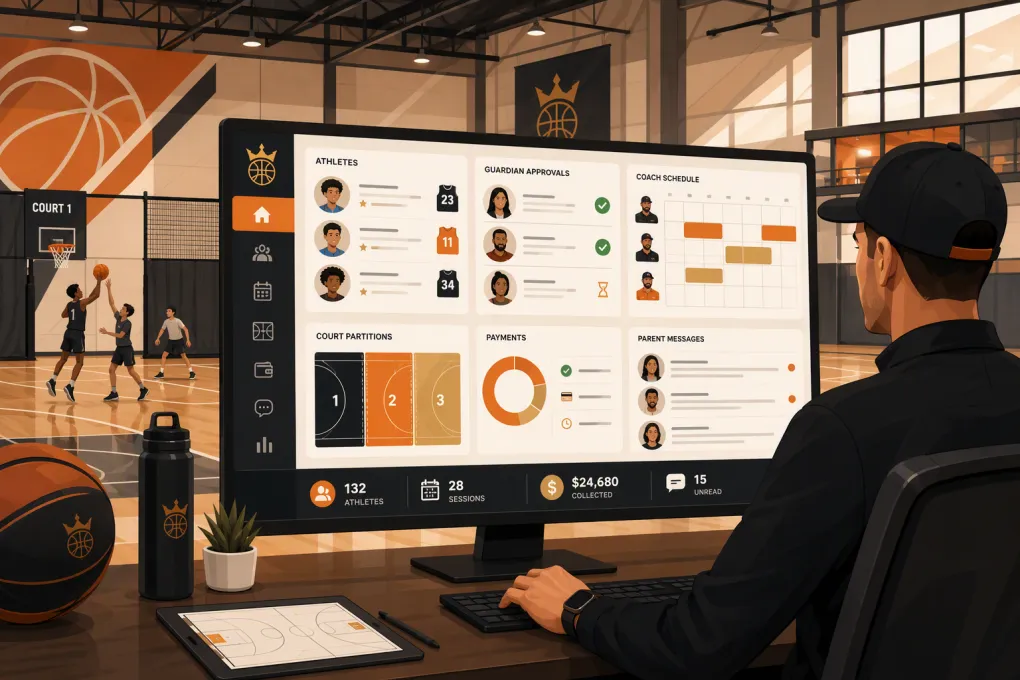 Watch · 20s
Youth basketball training facility management software has to manage more than classes and payments. The customer may be a parent, the participant is a minor, the service might use half a court, and the assigned coach may need documented clearance. Add camps, evaluations, private lessons, memberships, waivers, athlete notes, and evening inquiries, and generic scheduling software starts showing its limits.
The right system depends on your operating model. A skills academy needs different tools from a league, tournament operator, or court-rental complex. This guide gives you a basketball-specific framework and a transparent comparison of several real options.
Editorial methodology: This comparison was prepared on September 5, 2026, using publicly described vendor capabilities and product positioning. No hands-on product test, paid account audit, screenshot review, or vendor-sponsored demonstration was performed for this article. Pricing and plan-level entitlements can change; exact features should be verified in a live demo and current proposal before purchase. Official vendor pages are linked where relevant.
Start with the workflows generic gym software can miss
A normal booking system may let someone reserve a session. It may not understand that the purchaser and athlete are different people, that a coach needs access only to assigned athletes, or that Court 1 can become two simultaneous half-court stations.
Before comparing vendors, map these basketball-specific requirements.
Guardian consent and household accounts
The software should connect each athlete to the correct parent or guardian without forcing staff to create confusing duplicate records. Check whether it can manage:
- Multiple athletes under one household
- More than one authorized guardian
- Emergency contacts and pickup permissions
- Age-specific waivers and policy acknowledgments
- Media-release consent
- Guardian signatures with timestamps
- Athlete-specific purchases, attendance, and communication
Ask what happens when siblings attend different programs or when guardians need separate login and communication access.
Athlete notes and development history
Coaches may need to record goals, assessment results, injuries reported by the family, skill-group placement, and recommended next steps. These notes require appropriate access controls because they may contain sensitive information.
Verify whether notes are searchable, dated, attributed to a staff member, and restricted by role. The system should not treat a coaching note like a general marketing note visible to every user.
Coach compliance and permissions
Do not assume a staff scheduling module tracks coach screening. Ask whether the platform can record background-check status, expiration dates, certifications, and required documents—or whether that process needs a separate compliance system.
Software should support your safeguarding procedures, not replace them. Background-check requirements and youth-protection obligations vary by organization and jurisdiction.
Courts, baskets, and partitioned training space
One gym may be sold as a full court, two half courts, or several stations. A useful resource model should prevent staff from booking the full court while either half is occupied.
Test these scenarios explicitly:
- Full-court team rental versus two half-court lessons
- One coach assigned to consecutive sessions in different spaces
- Shared shooting stations with capacity limits
- Setup and teardown buffers
- Recurring rentals with date-specific exceptions
- Court closures and maintenance blocks
This is one of the clearest differences between a class calendar and actual facility management.
Lead response and enrollment
Parents frequently inquire outside staffed hours and ask specific questions about age, skill level, schedule, and program fit. The workflow should capture the inquiry, preserve the conversation, identify an appropriate next step, and offer an evaluation or eligible session.
WTF Go describes Fitty as an AI receptionist and agent that answers leads, books sessions, follows up, and collects dues 24/7. Those are vendor-stated capabilities, not independently tested claims in this article. In a demo, verify the exact channels, booking rules, escalation controls, payment permissions, and human handoff process for your facility.
See how WTF Go demonstrates after-hours basketball inquiry handling →
Software comparison for youth basketball facilities
The products below approach the market from different directions. Upper Hand is sports-business oriented; Jackrabbit Class emphasizes youth-program enrollment; TeamUp and Mindbody come from fitness and membership operations; CourtReserve centers on reservable court facilities; WTF Go combines operating workflows with its Fitty AI agent.
| Platform | Family and athlete workflows | Scheduling and space | CRM, communication, and automation | Pricing and plan verification | Best fit and important limitation |
|---|---|---|---|---|---|
| WTF Go | Intended to connect lead, member, booking, and payment records; operators should request a demonstration of multi-athlete households, guardian signatures, and restricted athlete notes | Supports class and appointment operations; hierarchical full-court and half-court conflict handling should be tested | Vendor states that Fitty answers leads, books, follows up, and collects dues 24/7; verify channels, guardrails, escalation, and plan inclusion | Obtain current pricing and written feature scope directly from WTF Go; no plan-level audit was performed for this guide | Strong candidate when lead response and front-desk automation are priorities; basketball-specific roster, compliance, and court-partition features require validation |
| Upper Hand | Sports-focused customer and participant management for programs such as lessons, camps, and teams | Built around sports scheduling, staff, events, and facilities; test nested court resources and recurring exceptions | Offers sports-business administration, communication, and customer-management tools; confirm which marketing or automation functions are included | Packaging and pricing should be confirmed through the vendor’s current sales process | Relevant to sports academies with varied programming; operators should test sales-pipeline depth and household edge cases |
| Jackrabbit Class | Youth-program orientation makes family accounts, enrollment, billing, attendance, and parent access central evaluation areas | Strong fit for recurring classes; confirm private-training appointments, rentals, and full-court versus half-court dependencies | Parent communication and administrative workflows are established areas; verify lead nurturing and conversational AI requirements separately | Jackrabbit publishes product and pricing information, but current tiers, usage rules, and add-ons should be checked on its official site | Good shortlist option for class-heavy academies; less naturally aligned with complex court rentals or basketball team operations |
| TeamUp | Supports customer accounts, forms, memberships, and class participation; test guardian-child relationships rather than assuming adult fitness accounts will translate | Suitable for classes and appointments; confirm nested facilities, camps, and roster controls | Includes member communication and operational automation; verify lead routing, two-way messaging, and AI availability | Public pricing information may be available from TeamUp, but current limits and included features require direct confirmation | Practical for membership-driven skills programs; not designed primarily as league, tournament, or safeguarding software |
| Mindbody | Broad client-management platform; youth household structures, guardian permissions, and athlete-specific documentation need a scripted demo | Supports classes and appointments across fitness and wellness models; detailed court partitioning should be validated | Offers marketing, client-management, and marketplace capabilities, with availability dependent on current products and packages | Pricing is generally handled through vendor consultation; request an itemized proposal identifying add-ons and messaging costs | Fits operators wanting a broad fitness ecosystem; breadth may create complexity for a focused basketball academy |
| CourtReserve | Provides member and event administration for court-based organizations; test sibling accounts, guardian consent, and youth-specific restrictions | Court reservations, lessons, events, and facility resources are core evaluation strengths; verify basketball-specific partition logic | Offers member communication and operational tools; compare lead CRM and automated sales follow-up against dedicated systems | Review current public pricing or request a proposal, then confirm location, member, feature, and communication limits | Strong candidate when court inventory and rentals drive the business; skills-academy sales pipelines and athlete development notes need verification |
This table is a shortlist, not a substitute for testing. Vendor websites describe intended capabilities, but only a configured demonstration can show whether a feature supports your rules and is included in the proposed plan.
Run the same basketball test with every vendor
Do not let each sales team choose the demo path. Give every vendor the same operating script and score how many steps require workarounds.
- Create one household with two guardians and two athletes.
- Record separate waivers, media consent, emergency contacts, and pickup permissions.
- Enroll one athlete in a recurring academy and the other in a private evaluation.
- Reserve a half court without blocking the other half, then attempt a conflicting full-court rental.
- Assign a coach and display whether required compliance documents are current.
- Add a restricted athlete assessment note visible to authorized coaches but not general desk staff.
- Move an athlete from a waitlist and notify the correct guardians.
- Sell a monthly membership, a private-session package, and a multi-day camp registration.
- Process a failed recurring payment and show the family and staff communication trail.
- Capture a late-evening inquiry from a parent of a beginner and book an age-appropriate evaluation.
- Build a roster by session, coach, age group, and attendance status.
- Export customer, payment, attendance, waiver, and note data.
Ask the vendor to identify the exact plan, add-on, integration, or custom configuration used for every completed step. Request those commitments in writing.
Examine safety, privacy, and payment controls
No management platform automatically makes a youth program compliant or safe. It should, however, give your policies a reliable operating structure.
Review role permissions carefully. Coaches may need rosters and selected athlete notes but not household balances or full payment details. Front-desk employees may need registration access without permission to export the complete customer database. Managers need an audit trail for refunds, credits, account edits, and waiver activity.
Also ask how the platform handles:
- Payment tokenization and processor responsibilities
- Staff account security and multifactor authentication
- Guardian requests to inspect or update records
- Data retention and deletion
- Waiver version history
- Document expiration reminders
- Incident documentation and access restrictions
- Data exports when the contract ends
Have qualified legal and compliance advisers review your policies. A software feature is not legal advice.
Compare the full operating cost
Subscription price matters, but it is not the whole cost. Request a written breakdown covering the base platform, onboarding, migration, payment processing, text or email usage, premium support, additional locations, required hardware, and optional automation.
Then estimate the operational burden without inventing a theoretical return. Track your own baseline for several weeks:
- Inquiries received outside staffed hours
- Median response time
- Evaluations booked and attended
- Manual payment follow-ups
- Registration corrections
- Schedule conflicts
- Staff time spent copying data between systems
Use the same measures after implementation. Your own records are more useful than an unsupported industry benchmark.
Decide according to your revenue model
A league operator should prioritize rosters, team registration, standings, and tournament workflows. A rental complex should emphasize resource dependencies and repeat reservations. A skills academy needs household accounts, assessments, private lessons, recurring programs, lead conversion, and retention workflows.
WTF Go is most relevant when the operational bottleneck is the path from inquiry to booking and payment. Fitty is positioned to handle repetitive lead and account conversations continuously, but buyers should still test when it responds, what it can change, when it asks for a human, and how every action appears in the customer record.
Book a WTF Go walkthrough using your real basketball enrollment scenarios →
Choose software only after it completes your actual workflows with the correct permissions and plan. A polished calendar is not enough. The system must understand who is paying, who is participating, who is coaching, which part of the gym is occupied, and what needs to happen next.
Frequently asked questions
What features should youth basketball facility software include?
Prioritize household accounts, guardian consent, athlete notes, roster and attendance tools, coach permissions, memberships, payments, and scheduling that can represent full courts, half courts, and training stations.
Can management software track coach background checks?
Some systems may store compliance documents, statuses, or expiration dates, while others require a separate platform. Ask for a live demonstration and confirm who remains responsible for verification.
How should I compare software pricing?
Request an itemized proposal covering subscription fees, onboarding, migration, processing, messaging, add-ons, locations, support, and contract terms. Confirm which plan includes every feature shown in the demo.
Is court reservation software enough for a basketball academy?
It may be if rentals drive the business. Academies selling evaluations, memberships, camps, and private training should also test family accounts, athlete records, lead follow-up, and payment workflows.
What should I verify about Fitty?
Ask WTF Go to demonstrate lead answers, booking, follow-up, dues collection, escalation, permissions, and conversation records using your actual schedules and policies. Confirm each capability and channel in the proposed package.
Keep reading



Run your gym on autopilot with WTF Go
Fitty — your AI receptionist — answers calls and DMs, fills classes, follows up with every lead, and collects dues while you coach.