Comparisons
Women's Health Clinic Management Software Buyer's Guide
Compare women's health clinic management software for scheduling, billing, patient communication, security, and growth—without overlooking daily workflows.
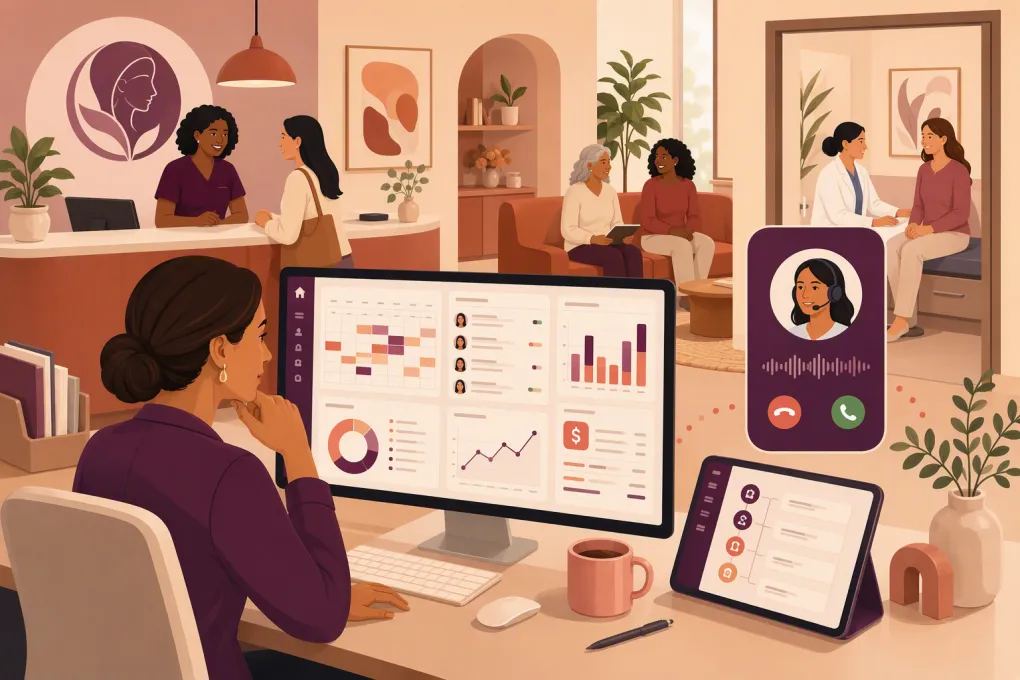 Watch · 20s
Women’s health clinics do not have one standard operating model. An OB-GYN practice submitting insurance claims has different requirements from a pelvic health clinic, fertility support practice, sexual wellness center, med spa or membership-based menopause clinic. That is why choosing women’s health clinic management software starts with your workflows—not a vendor’s feature list.
The right system should reduce front-desk work, protect sensitive information and make the patient journey easier. The wrong one creates duplicate entry, disconnected inboxes and a staff-built maze of workarounds.
What the software actually needs to manage
Most clinics need several connected capabilities, but not every platform handles all of them equally well.
Clinical and administrative workflows
A medical practice may require:
- Electronic health records and specialty-specific charting
- Electronic prescribing, lab connectivity and referral management
- Insurance eligibility, coding, claims and denial workflows
- Patient intake, consent forms and document storage
- Appointment scheduling with provider, room and equipment rules
- Patient portal and secure clinical messaging
- Role-based access, audit trails and data export controls
A wellness-oriented clinic may care more about lead response, consultations, packages, memberships, recurring payments and ongoing engagement. For these businesses, a heavyweight medical billing platform can be excessive, while a basic booking tool may leave major revenue workflows uncovered.
The first decision is whether you need a clinical system of record, an operating platform for the commercial side of the clinic, or both.
See how WTF Go and Fitty support lead response, bookings and recurring wellness workflows →
Start by defining your clinic type
Before booking demos, document which of these models best describes the business.
Insurance-based medical practice
OB-GYN and other physician-led practices generally need an EHR and practice management system built around clinical documentation, claims and payer processes. Specialty templates, lab interfaces, e-prescribing and revenue cycle management should carry more weight than marketing features.
Cash-pay clinical practice
Cash-pay menopause, hormone health and specialty consultation clinics may not need the same claims infrastructure. They still need appropriate clinical records, consent management, secure communication and payment workflows. Online booking and patient acquisition may be more important here.
Allied health or multidisciplinary clinic
Pelvic floor therapists, dietitians, counselors and other allied health providers often need flexible charting, telehealth, scheduling and superbills. Multidisciplinary clinics should check whether permissions, forms and documentation can vary by practitioner type.
Wellness, aesthetics or membership model
Women’s wellness centers, recovery businesses and med spas often operate more like appointment- and membership-based service businesses. Lead conversion, consultation booking, packages, subscriptions and follow-up automation can be as important as the treatment calendar.
If your business crosses categories, do not force one platform to perform work it was not designed to do. A clinical EHR can remain the source of truth while an operating platform manages leads, memberships and non-clinical communication—with carefully controlled data boundaries.
Women’s health clinic management software comparison
The products below serve different segments. The best choice depends on clinical complexity, billing model and the amount of front-office automation required.
| Option | Core strength | Booking and communication | Clinical and billing scope | Automation and AI | Pricing and implementation | Best fit and limitation |
|---|---|---|---|---|---|---|
| WTF Go with Fitty | Lead management, booking, follow-up, payments and wellness operations | Fitty can respond to leads, handle booking workflows and follow up around the clock | Not a replacement for a medical EHR, e-prescribing, lab connectivity or insurance claims system | AI receptionist and agent workflows are central to the platform | Confirm package, configuration and migration scope with WTF Go | Strong fit for wellness, membership and cash-pay front-office workflows; medical clinics may use it alongside a clinical system |
| Jane | Integrated administration and charting for allied health and multidisciplinary practices | Online booking, forms, reminders and patient-facing workflows | Charting and payment features are available; confirm fit for complex OB-GYN billing and specialty interfaces | Workflow automation is available, but capabilities should be tested against the clinic’s exact use cases | Plan-based pricing varies by market and configuration | Often suited to allied health and smaller multidisciplinary clinics; may not match the clinical depth required by complex medical groups |
| Tebra | Combined practice operations, patient engagement and clinical tools for independent practices | Scheduling, communications and digital practice tools | EHR, practice management and billing-related capabilities are available | Offers automation across patient and practice workflows; verify current AI functionality | Generally requires a vendor quote based on selected services | Broad option for independent medical practices; implementation scope and specialty fit require close review |
| athenaOne | Cloud-based medical practice operations and revenue cycle workflows | Patient engagement, scheduling and portal capabilities | Broad EHR, claims and revenue cycle functionality | Automation is embedded across workflows; current AI features vary by product and release | Vendor quote; commercial model can depend on selected services | Suited to medical organizations needing substantial clinical and billing infrastructure; may be more system than a small cash-pay clinic needs |
| AdvancedMD | Configurable medical practice management and EHR ecosystem | Scheduling, patient communication and telehealth capabilities | EHR, billing and revenue cycle options | Provides workflow automation; confirm specific AI use cases during the demo | Custom packages and vendor quotes are common | Useful for practices wanting configurable medical operations; configuration and training should be planned carefully |
| DrChrono | Mobile-friendly EHR and practice management | Scheduling, reminders and patient-facing functions | Clinical documentation, billing and related medical workflows | Automation varies by workflow and package | Plans and quotes depend on functionality | Worth considering for smaller medical practices that value mobile workflows; validate specialty templates, reporting and multi-location needs |
| SimplePractice | Straightforward administration for solo and smaller health practices | Online booking, forms, reminders, portal and telehealth options | Documentation and billing support are available, but complex specialty and enterprise workflows may require more | Includes administrative automation, with features varying by plan | Subscription tiers and add-ons; check current pricing | Accessible for solo and small allied health practices; less suitable for complex OB-GYN groups or advanced multi-location operations |
Software products change frequently. Use this table to build a shortlist, then confirm current functionality, contract terms, interfaces and data-handling practices directly with each vendor.
Seven criteria that matter during evaluation
1. Scheduling rules, not just an online calendar
Ask the vendor to configure a realistic schedule during the demo. Include new-patient consultations, follow-ups, procedures, rooms, equipment, provider restrictions and buffer time.
Test what happens when a patient cancels, arrives late or needs to move between locations. If staff must manually repair the calendar after every exception, the booking feature is not operationally complete.
2. Lead response versus patient communication
A sales inquiry and a clinical message are not the same thing. Your system should route each appropriately.
An AI receptionist can be valuable for answering common service questions, capturing leads and booking permitted appointments after hours. It should not improvise medical advice or place sensitive clinical details into an unapproved marketing system. Define exactly what information the agent may collect and when it must transfer the conversation to staff.
See how Fitty can cover after-hours inquiries without adding another front-desk shift →
3. Billing model support
Insurance-based clinics should test eligibility, coding, claim creation, payment posting, denials and patient balances. Cash-pay clinics should test deposits, cancellation fees, packages, memberships and recurring payments.
Do not accept “payments included” as a complete answer. Ask how refunds, failed payments, split payments, credits and disputed transactions appear in reporting.
4. Security and vendor accountability
No software purchase automatically makes a clinic compliant. Ask each vendor about:
- Business associate agreements when applicable
- Role-based permissions and audit logs
- Encryption and backup practices
- Incident response and breach notification terms
- Data retention, ownership and deletion
- Export formats and termination assistance
- Subprocessors and third-party integrations
- Payment processor responsibilities
Have qualified legal, compliance and security professionals review requirements for your practice and jurisdiction.
5. Multi-location control
Multi-location operators should test centralized reporting, staff access by location, cross-location booking, provider scheduling and location-specific services or pricing. Ask whether a patient has one record across the organization and how duplicate records are handled.
6. Reporting that follows the patient journey
Operational reports should answer practical questions: Where did the inquiry come from? Was it answered? Was a consultation booked? Did the patient show up? Was payment collected? Are balances or memberships at risk?
A long report menu is not enough. Request a demonstration using the decisions your managers make every week.
7. Migration and exit planning
Get the migration scope in writing. Identify which appointments, balances, forms, notes, documents, payment tokens and communication histories can move. Vendors may differ in what they import, and payment credentials may be subject to processor restrictions.
Also test the exit. Ask for sample exports before signing, not after cancellation.
A practical demo script
Give every shortlisted vendor the same scenarios:
- A new lead contacts the clinic after closing and wants the next appropriate consultation.
- A patient submits information that should be treated as a clinical message rather than a sales inquiry.
- A provider calls out and tomorrow’s appointments need to be moved.
- A recurring membership payment fails.
- A patient uses two locations and sees multiple provider types.
- A manager needs to trace an inquiry from source through booking and collected payment.
- An administrator needs to export a complete patient or customer record.
Let your receptionist, biller, clinician and location manager score the demonstration independently. They will notice different failure points.
When WTF Go fits the operating model
WTF Go is most relevant when a women’s wellness business needs more than passive scheduling. Fitty acts as an AI receptionist and agent that can answer leads, support bookings, follow up and help collect dues around the clock. That makes it useful for consultation-driven, membership and recurring-service models where slow responses and inconsistent follow-up create preventable leakage.
For a regulated medical practice, WTF Go should not be mistaken for an EHR or clinical decision system. Define the boundary between marketing or operational workflows and protected clinical workflows, then verify the required agreements and controls before connecting systems.
Explore WTF Go for women’s wellness lead, booking and membership operations →
The best women’s health clinic management software is not the product with the longest feature page. It is the system—or deliberately connected set of systems—that handles your real patient journey with fewer handoffs, clear accountability and appropriate safeguards.
Frequently asked questions
What is women's health clinic management software?
It is software used to manage workflows such as scheduling, intake, patient communication, billing, reporting and, in some products, clinical records. The required scope depends on whether the clinic is medical, allied health, cash-pay or wellness-focused.
Does a women's health clinic need both an EHR and practice management software?
Many medical clinics do, although both functions may come in one platform. Wellness and non-clinical businesses may instead need booking, CRM, membership and payment tools without a full medical EHR.
Can an AI receptionist be used by a women's health clinic?
Yes, for appropriately designed workflows such as answering service questions, capturing leads and arranging permitted bookings. The clinic must define escalation rules, prevent medical advice and verify privacy, security and contractual requirements.
How should a clinic compare software pricing?
Compare total operating cost rather than the subscription alone. Include implementation, migration, training, payment processing, billing services, integrations, add-ons, support and the staff time required to maintain workarounds.
Keep reading



Run your gym on autopilot with WTF Go
Fitty — your AI receptionist — answers calls and DMs, fills classes, follows up with every lead, and collects dues while you coach.