Comparisons
Tanning Salon Management Software: Complete Buyer’s Guide
Compare tanning salon management software by booking, memberships, billing, POS, automation, compliance, and multi-location support before you commit.
 Watch · 20s
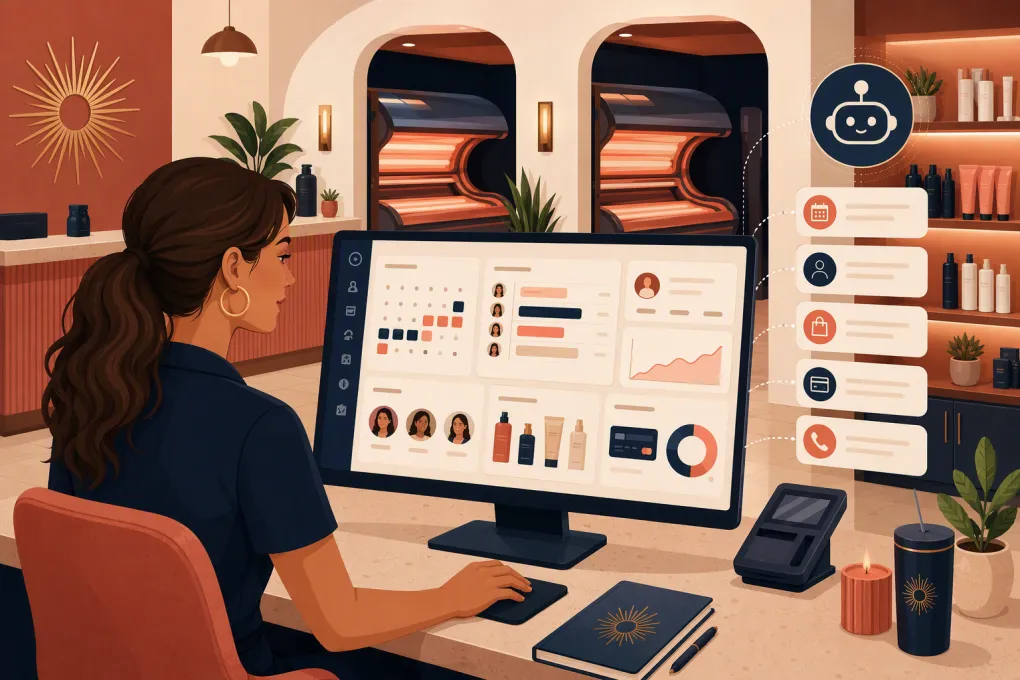
Tanning salon software has to manage more than a calendar. A workable system needs to coordinate rooms or beds, sell memberships and session packages, process recurring payments, track retail inventory, store waivers, and give staff a clear view of every client interaction.
The wrong platform creates work instead of removing it. Staff end up switching between booking software, a payment terminal, spreadsheets, waiver forms, and a shared phone. Leads wait for a callback while employees are helping clients or cleaning rooms. Billing issues stay unresolved because nobody owns the follow-up.
The right tanning salon management software should reduce those handoffs without forcing the business into workflows that do not fit how tanning salons operate.
See how WTF Go and Fitty handle booking, lead response, follow-up, and dues collection →
What tanning salon management software should handle
Start by mapping the complete client journey, not by comparing feature counts. A tanning salon client may discover the business online, ask about packages, sign a waiver, book a room, purchase eyewear or lotion, start a membership, freeze it, and later need help with a failed payment.
Your software should support that journey across six operational areas.
Booking and room availability
Basic appointment booking is not enough if your business assigns specific equipment or room types. Look for:
- Online booking with real-time availability
- Resource-based scheduling for rooms, beds, or booths
- Configurable service durations and turnaround time
- Capacity and eligibility rules
- Waitlists, confirmations, and reminders
- Controls for late arrivals, no-shows, and walk-ins
- A simple front-desk view for checking clients in
If equipment control or timer integration matters, ask the vendor to confirm compatibility with your exact hardware. Do not accept a general statement that the platform supports tanning equipment. Request the supported manufacturer, controller, model, and required middleware in writing.
Memberships, packages, and recurring billing
Tanning salons often sell a mix of recurring memberships, limited-session packages, upgrades, drop-ins, and retail products. The platform should make those products understandable to both clients and staff.
Test whether it can manage:
- Monthly and annual memberships
- Session packs and expiration rules
- Upgrade fees and premium equipment access
- Proration for mid-cycle changes
- Freezes, cancellations, and reactivations
- Card and ACH payment options, where available
- Failed-payment retries and staff alerts
- Outstanding-balance collection workflows
- Tax treatment for services and retail products
Ask what happens when a recurring charge fails. A dashboard alert is useful, but it still leaves the collection work with your team. Automated outreach and a clear payment-update process are more valuable.
Point of sale and inventory
Tanning salons commonly sell lotion, eyewear, skincare products, and other retail items. Your tanning salon POS should connect those sales to the client record and inventory count.
Useful capabilities include barcode scanning, product variants, stock adjustments, purchase-order support, low-stock alerts, discounts, commissions, refunds, gift cards, and end-of-day reconciliation.
Run a real checkout during the demo. Include a membership, a retail product, a discount, and a split or alternative payment scenario that your staff regularly encounters. A polished feature list does not show how many clicks the front desk will need during a rush.
Client records, waivers, and compliance support
The platform should centralize contact details, visit history, purchases, membership status, notes, signed documents, and communication history. Role-based permissions are important because not every employee should have access to payment, reporting, or sensitive client information.
Depending on your location and services, you may also need age verification, parental consent, exposure or session records, skin-type information, and state-specific forms. Software can support these workflows, but it does not make the business compliant by itself. Confirm requirements with qualified legal or regulatory guidance in every state where you operate.
Lead management and communication
A missed inquiry is not just a phone problem. It is a broken sales workflow. Prospects frequently want quick answers about first visits, pricing, preparation, availability, membership terms, or spray-tan options.
Look for a system that can:
- Capture calls, forms, and other inquiries
- Create a lead record automatically
- Respond outside staffed hours
- Answer routine questions consistently
- Move the prospect toward an appropriate booking
- Follow up when a lead does not schedule
- Record communication for staff visibility
- Re-engage former or inactive clients
This is where a conventional booking platform and an operational AI agent differ. Fitty, WTF Go’s AI receptionist, can answer leads, help book services, follow up, and assist with dues collection around the clock.
See how Fitty can cover after-hours tanning salon inquiries →
Reporting and multi-location control
At minimum, operators need reporting on sales, membership status, recurring billing, unpaid balances, attendance, product performance, staff activity, and location performance.
For multi-location businesses, verify whether client profiles, packages, waivers, pricing, and memberships can be shared across sites. Also ask whether permissions and reporting can be managed by location. A platform can call itself multi-location while still requiring substantial manual administration between stores.
Tanning salon management software comparison
There is no universal best platform. Tanning-specific systems may offer deeper equipment and salon workflows, while broader wellness platforms may provide stronger marketing, consumer discovery, or appointment-management tools. WTF Go is worth considering when lead response and AI-assisted operations are central requirements.
| Platform | Core strengths | Booking and billing | Automation or AI | Multi-location | Pricing approach | Important limitation to assess |
|---|---|---|---|---|---|---|
| WTF Go | All-in-one operations for gyms, studios, spas, and wellness businesses; Fitty AI receptionist | Booking, client management, payments, follow-up, and dues workflows | Fitty answers leads, books, follows up, and supports collections | Designed for independent and multi-location operators | Request current scope and pricing | Confirm compatibility if you require dedicated tanning timers, controllers, or other specialized hardware |
| SalonTouch | Tanning-focused salon administration, POS, memberships, and client management | Built around tanning salon sales and member workflows | Operational and marketing tools vary by product configuration | Options are available for larger salon operations | Contact the vendor for current pricing and modules | Confirm cloud, hardware, payment, and support requirements for the version being evaluated |
| Tan-Link | Cloud-based tanning salon management with booking, POS, memberships, and reporting | Tanning-oriented packages and recurring billing workflows | Includes communication and business-management tools; confirm current automation depth | Suitable for operators evaluating centralized access | Obtain a current vendor quote | Verify exact equipment integrations, payment terms, and feature availability before migrating |
| SunLync | Tanning salon and chain management, including POS and operational controls | Membership, package, client, and transaction management | More focused on salon administration than conversational AI | Often considered by multi-salon operators | Contact the vendor for current terms | Evaluate interface, implementation needs, and compatibility with your existing equipment stack |
| Vagaro | Broad salon, spa, and wellness booking, POS, marketing, and marketplace capabilities | Strong general appointment, membership, and retail workflows | Offers automated communication and marketing features, often through plan features or add-ons | Supports multiple business locations | Public plan structure may vary by location count and add-ons | It is not tanning-specific; validate room, exposure, consent, and equipment requirements |
| Mindbody | Large wellness ecosystem, consumer marketplace, booking, memberships, and business tools | Established class, appointment, and recurring-payment workflows | Marketing and communication capabilities depend on package and configuration | Commonly used by growing and multi-location wellness brands | Typically requires a sales conversation for current packaging | May be broader and more complex than an independent tanning salon needs; tanning hardware fit requires validation |
Product packaging changes. Treat this table as a shortlist, then verify current features, integrations, payment processing rules, support, and contract terms directly with each vendor.
How to run a useful software demo
Do not let the salesperson control the entire demonstration. Send your own test script beforehand and ask them to perform each workflow live.
Use scenarios such as:
- A new lead calls after closing and asks about a first visit.
- A client buys a monthly membership plus a retail product.
- A member upgrades to a premium room for one session.
- A recurring payment fails and the client needs to update the payment method.
- A client freezes, cancels, and later reactivates a membership.
- A parent or guardian needs to complete a required form.
- A member visits a second location.
- A manager reconciles the day and reviews unpaid balances.
- Inventory is received, sold, returned, and adjusted.
- A former client is contacted with an appropriate reactivation offer.
Count the manual steps. Note where employees have to re-enter information, open another application, or remember to follow up later.
Questions to ask before signing
A software contract can affect payment processing, data access, hardware, and daily operations. Get clear answers to these questions:
- Is payment processing mandatory, and what contract governs it?
- Can stored payment credentials be migrated, or must clients re-enter them?
- Who owns the client, transaction, and communication data?
- Can the business export complete records in a usable format?
- Which tanning controllers and equipment models are supported?
- Are online booking, forms, texting, email, reporting, and support included?
- Are there separate fees for locations, staff, devices, messages, or add-ons?
- How are membership freezes and cancellations documented?
- What onboarding, data migration, and staff training are provided?
- What happens to data access after cancellation?
- How are outages handled at the front desk?
- Which security and payment-compliance responsibilities belong to the vendor versus the salon?
Ask for written answers when a requirement is critical. Verbal assurances are difficult to enforce after implementation.
Plan the migration before choosing a launch date
Migration problems usually come from incomplete data and unclear ownership rather than the import itself. Before moving, clean up duplicate client profiles, inactive products, expired packages, old staff permissions, and inconsistent membership names.
Create a migration inventory covering:
- Client contact information and consent status
- Active memberships and next billing dates
- Package balances and expiration dates
- Outstanding balances and account credits
- Signed waivers and required records
- Future appointments
- Inventory quantities and product identifiers
- Gift cards and stored value
- Staff roles and permissions
- Historical reports needed for accounting or compliance
Run a test import and reconcile totals before going live. Keep read-only access to the old platform if contract terms allow it, and avoid switching during a major promotion or seasonal peak.
If the bigger migration goal is to consolidate booking, lead response, follow-up, and collections instead of recreating another disconnected stack, talk to WTF Go about an operational setup built around Fitty →.
Choose for the workflow, not the feature list
Tanning-specific hardware support may be the deciding factor for one operator. Another may care more about recurring billing, multi-location reporting, or making sure every after-hours lead receives an immediate response.
Define your non-negotiable workflows first. Then score each platform on real demonstrations, implementation effort, staff usability, data access, and total contract obligations. The best tanning salon management software is the one your team can operate consistently while giving clients a clean path from first inquiry to repeat membership.
Frequently asked questions
What is tanning salon management software?
It is a business platform for managing client records, bookings, memberships, recurring billing, point of sale, inventory, waivers, reporting, and salon communications. Some systems also support tanning equipment or timer integrations.
Does tanning salon software connect to tanning beds and timers?
Some tanning-specific platforms support equipment or controller integrations, but compatibility varies by manufacturer and model. Get written confirmation for your exact hardware before signing.
Can tanning salon software collect overdue membership payments?
Many platforms can identify failed recurring charges and support payment retries or reminders. Systems with automated follow-up, such as WTF Go with Fitty, can reduce the manual work involved in contacting members.
Can I move existing memberships to new tanning salon software?
Membership records can often be imported, but stored payment credentials may not always transfer between processors. Confirm data formats, payment-token portability, migration support, and reconciliation steps with both vendors.
Should a tanning salon choose industry-specific or general salon software?
Choose tanning-specific software when equipment control and specialized session workflows are essential. A broader wellness platform may be a better fit when booking, CRM, marketing, AI lead response, or multi-service operations matter more.
Keep reading



Run your gym on autopilot with WTF Go
Fitty — your AI receptionist — answers calls and DMs, fills classes, follows up with every lead, and collects dues while you coach.