Comparisons
Swim School Instructor Scheduling Software Compared
Compare swim school instructor scheduling software by staffing, qualifications, substitutes, lanes, payroll, pricing, and parent booking workflows.
 Watch · 20s
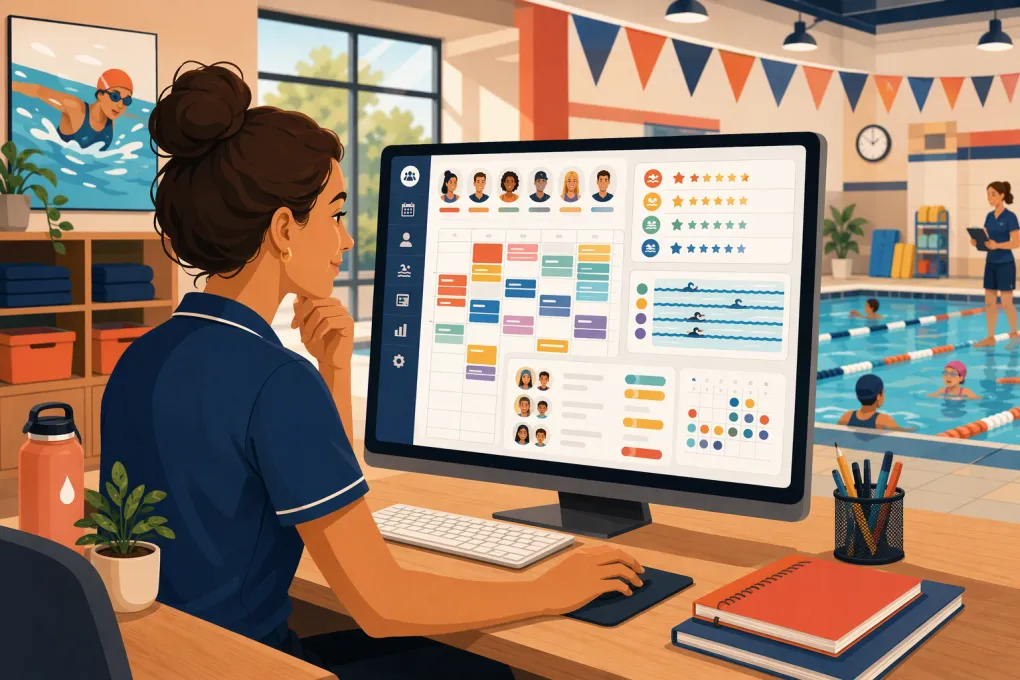
Swim school instructor scheduling software has to coordinate more than employee shifts. Every assignment may depend on instructor availability, lesson level, student enrollment, pool space, credentials, attendance, billing, and parent communication.
That makes product selection difficult. Some platforms are built specifically for swim schools. Others are broader class-management or recreation systems. Each may cover “scheduling,” but not necessarily instructor qualification matching, substitute coverage, lane allocation, or payroll-ready records in the same way.
This comparison uses publicly described product capabilities available as of October 2026. It is not based on hands-on testing, and product packaging can change. Vendor pages are useful for building a shortlist, not proving that a system supports your exact workflow. Treat any item marked verify as a live-demo requirement and request written confirmation before signing.
See how WTF Go connects parent inquiries, bookings, follow-up, and collections →
What is being compared
To avoid treating every feature as equivalent, this guide uses five implementation labels:
- Native: The vendor describes the capability as part of its own platform.
- Configurable: The workflow may be built using platform settings, custom fields, permissions, or automations; setup is required.
- Integration: Another system performs some or all of the job through a software connection.
- Export: Data can be transferred for work in another system, such as payroll.
- Manual or verify: Public materials do not clearly establish the complete workflow, or staff intervention is likely.
“Native” does not automatically mean effective. For example, a native staff calendar may show availability but still fail to match instructors by certification or account for travel between facilities.
Swim school instructor scheduling software comparison
The table below focuses on publicly documented positioning and capabilities rather than assuming every vendor uses the same definition of scheduling. Sources and verification notes follow the table.
| Software | Instructor scheduling and qualifications | Substitutes and pool resources | Registration, billing, and payroll | Multi-site operations | Public pricing | Practical assessment |
|---|---|---|---|---|---|---|
| Jackrabbit Swim | Native: Staff and class administration within a swim-specific class-management system. Staff availability and time-clock functions are publicly described. Verify: Automatic matching by certification, level, or credential expiration. | Native/configurable: Classes, instructors, rooms, and resources can be managed within class operations. Verify: Qualification-filtered substitute search, one-action family notifications, and lane-level conflict rules. | Native: Online registration, attendance, family accounts, tuition billing, and payments. Native/export: Time clock and payroll-related reporting are described; verify direct payroll integrations and pay-rule handling. | Supports multiple locations within class operations; verify cross-location permissions, family records, instructor travel warnings, and consolidated reporting. | Jackrabbit publishes tiered monthly pricing based primarily on active student count, plus plan terms and potential add-ons. Consult its current pricing page for the amount matching your enrollment. | The most swim-specific option in this group. Strong shortlist candidate when class enrollment, family billing, and attendance are central. Complex workforce rules still require a scenario-based demo. |
| iClassPro | Native: Class, staff, attendance, and enrollment management for swim and other youth activity businesses. Verify: Credential expiration controls and automatic instructor-to-level eligibility rules. | Native/configurable: Class scheduling uses rooms and equipment/resources. A staff portal supports schedule access and substitute-related workflows. Verify: Whether managers can identify only qualified substitutes and update every affected record from one action. | Native: Customer portal, registration, attendance, account billing, and payments. Export/integration: Confirm the current payroll handoff and whether actual taught hours, substitutions, and varied rates export cleanly. | Multi-location businesses are supported through account packaging and location management. Verify whether customer records, reporting, and permissions behave as one organization or separate databases. | iClassPro publishes package pricing by location and offers optional products or services. Review its current pricing page because totals depend on selected package and add-ons. | Mature choice for family-facing class administration. Buyers should test staff qualification logic, payroll reconciliation, and cross-location reporting rather than infer them from general scheduling features. |
| Amilia SmartRec | Native: Program, staff, facility, activity, and registration administration for recreation organizations. Configurable/verify: Aquatics-specific qualification matching and credential controls. | Native: Facility and resource scheduling is a core part of the broader recreation model. Verify: Swim-lane granularity, substitute matching, and automated family notifications after an instructor change. | Native: Online registration, account management, payments, and financial administration. Integration/export: Payroll treatment depends on the organization’s setup; verify supported connections and export fields. | Designed for organizations managing multiple facilities, programs, or departments. Confirm role permissions, shared customer records, and organization-wide reporting for your structure. | Amilia generally uses quote-based packaging rather than a simple public swim-school price. Request an itemized quote covering implementation, payment processing, support, and optional modules. | Strong candidate when facility and recreation management extend beyond swim lessons. It may introduce more configuration and organizational complexity than a small swim-only operator needs. |
| Pike13 | Native: Staff scheduling, classes, appointments, client management, and staff-facing tools. Configurable/verify: Swim-level eligibility, certifications, and credential expiration logic. | Native: Staff and service schedules are supported. Verify: Dedicated pool-lane resource logic, qualification-filtered substitutes, and linked parent notifications. | Native: Online booking, client accounts, recurring billing, attendance, and payments. Export/integration: Confirm payroll options, current integrations, and treatment of different instructional rates. | Supports multi-location service businesses, but buyers should verify shared records, centralized permissions, reporting, and location-specific schedules. | Pike13 publishes or quotes subscription plans depending on current packaging; payment processing and optional services may be separate. Obtain a current written total for all locations. | Flexible when a school mixes private appointments and group classes. It is not swim-specific, so progression, lanes, credentials, and makeup policies need careful testing. |
| WTF Go | Configurable/verify: WTF Go connects scheduling with CRM and operational workflows. Public positioning does not establish a swim-specific credential matrix or automatic instructor-to-level matching. Require a configured demonstration using your qualification rules. | Verify: Do not assume native qualification-filtered substitutions, lane conflict controls, or pool-resource optimization. Document whether these are configured records, manual manager actions, or supported through another system. | Native: Lead handling, booking, follow-up, customer communication, and dues collection are central workflows. Verify/export/integration: Confirm swim-family billing rules, attendance, timekeeping, payroll exports, and accounting connections required by your operation. | Intended for fitness and wellness operators, including multi-location businesses. Verify location permissions, shared customer records, consolidated reporting, and instructor travel controls against your structure. | Pricing is not presented here because current scope depends on the required system and setup. Request a written quote separating subscription, implementation, messaging or usage charges, payment processing, integrations, and migration. | Best evaluated when the main gap is front-desk response and sales automation around scheduling. Fitty can address inquiries and follow-up, but buyers should not treat that as proof of swim-specific staffing, lane, or payroll depth. |
Sources and verification standard
For current due diligence, review each vendor’s official product, support, and pricing materials:
These links are provided as primary vendor sources, not independent validation. Because this article does not claim hands-on testing, screenshots would risk implying that a workflow was tested when it was not. Ask vendors to record your scenario-based demo or provide screenshots of the completed workflow, including settings and resulting reports.
How to get pricing you can actually compare
A base subscription is only one part of software cost. Published prices may use different units, such as active students, locations, users, or feature packages. Quote-based vendors may bundle capabilities that another platform sells separately.
Send every vendor the same pricing worksheet and request a written response covering:
- Monthly or annual platform subscription
- Pricing unit: location, student, user, account, or another measure
- Required implementation and training fees
- Data migration scope and cost
- Payment processing rates and fixed transaction charges
- Messaging, email, phone, or AI usage charges
- Required add-ons for portals, mobile apps, reporting, or automation
- Integration fees
- Support tier and response channels
- Contract term, renewal terms, and cancellation requirements
- Cost of adding another location
Do not publish or rely on a single quoted total without documenting assumptions. A quote for one pool and one administrator is not comparable with a quote covering several facilities, migration, messaging, and payment processing.
Test the five workflows that expose scheduling gaps
Feature pages establish what a product category covers. They rarely show how many manual steps remain. Give each shortlisted vendor the same test data and require the salesperson to operate the product live.
1. Same-day instructor absence
Ask the vendor to:
- Remove an instructor from two lessons.
- Show only available substitutes qualified for each lesson level.
- Assign different substitutes to each lesson.
- Notify the replacements and affected families.
- Show the revised attendance, timekeeping, and payroll records.
- Show the audit trail for the change.
Record which steps are native, configured, exported, or manual. If staff must check credentials in a spreadsheet or send separate texts, the substitution workflow is not fully contained in the software.
2. Pool lane conflict
Create two lessons that overlap in the same lane. Then change one lesson to a different teaching zone while preserving instructor, student, and billing records.
The vendor should demonstrate whether a lane is treated as a bookable resource, a text label, or a room. Those approaches can look similar on a calendar but produce different conflict controls.
3. Qualification and credential expiration
Create an instructor who can teach beginner group lessons but not infant, adaptive, or advanced instruction. Add an expiring credential. Attempt an invalid assignment.
Look for a hard block, warning, alert, or no control at all. Ask who receives expiration notices and whether past assignments remain auditable after a credential changes.
4. Parent booking and waitlist conversion
Use a realistic request: two siblings at different levels who need lessons at the same facility on the same evening. Test staff booking and mobile self-service.
Then cancel one enrollment. Confirm whether the next eligible family is contacted automatically, how long the opening is held, and whether staff can see every contact attempt.
5. Payroll reconciliation
Change an instructor, cancel one class, record a no-show, and add paid non-instruction time. Ask the vendor to produce the file or integration output that payroll would receive.
A schedule export is not automatically a payroll-ready export. Verify employee identifiers, earning categories, rates, locations, substitutions, corrections, and approval controls.
Where AI reception fits—and where it does not
AI can reduce front-desk work around the schedule. It can answer routine questions, respond after hours, follow up with leads, help families reach a booking path, and pursue outstanding dues.
It does not automatically solve instructor credentialing, pool-resource conflicts, labor compliance, or payroll approval. Those require explicit system capabilities and accountable management processes.
Fitty, WTF Go’s AI receptionist, is most relevant when calls and inquiries are being lost outside staffed hours or follow-up depends on employees remembering to send it. A swim school considering WTF Go should evaluate that benefit separately from swim-specific instructor operations.
See how Fitty handles after-hours swim lesson inquiries and follow-up →
Build a defensible vendor scorecard
Weight the scorecard according to operational risk rather than the length of a feature list.
Core scheduling controls
- Instructor availability and recurring schedules
- Qualification and credential rules
- Class, lane, room, and equipment conflicts
- Substitute discovery and reassignment
- Multi-location travel constraints
- Role-based schedule permissions
Family and revenue workflows
- Mobile registration and booking
- Sibling and household accounts
- Waitlists and makeup policies
- Recurring billing and failed-payment follow-up
- Cancellation and change notifications
- Lead response outside business hours
Administrative controls
- Attendance and lesson history
- Planned-versus-worked reporting
- Payroll integrations or exports
- Change audit trails
- Data export and ownership
- Location-level and consolidated reporting
Score each item twice: once for capability and once for implementation type. A native automated workflow should not receive the same implementation score as a manual workaround, even if both eventually produce the same outcome.
The bottom line
Jackrabbit Swim and iClassPro deserve consideration when swim or youth-class administration is the center of the operation. Amilia SmartRec is relevant when broader facility and recreation management matters. Pike13 may fit schools combining appointments and classes. WTF Go is strongest in this comparison as a front-desk, lead-response, follow-up, and collections layer, but its swim-specific qualification, substitution, lane, payroll, and multi-site workflows must be demonstrated rather than assumed.
The right choice is the one that completes your hardest staffing change accurately, communicates it to everyone affected, and produces clean operational and payroll records without hidden spreadsheets. Make vendors prove that workflow with your data before comparing contracts.
Frequently asked questions
Which swim school software is best for instructor scheduling?
There is no universal winner. Swim-specific platforms such as Jackrabbit Swim and iClassPro are logical starting points, while broader systems may fit organizations with appointment, recreation, facility, or AI-reception needs.
How should I compare swim school software pricing?
Request itemized quotes using identical assumptions for students, locations, users, migration, payment processing, messaging, integrations, support, and add-ons. Compare total operating cost and contract terms, not only the advertised subscription.
Can swim school software automatically find qualified substitute instructors?
Some systems support staff availability and substitution workflows, but automatic filtering by lesson qualification or current credentials should be demonstrated. Ask the vendor to complete a same-day absence scenario live.
Does instructor scheduling software manage pool lanes?
Some platforms can schedule rooms or resources, but lane-level behavior varies. Verify conflict prevention, lane changes, capacity rules, and whether updates flow to instructors and families.
Can Fitty replace swim-specific scheduling software?
Fitty is designed to handle inquiries, booking assistance, follow-up, and collections. Do not assume it replaces swim-specific credential, lane, substitution, attendance, or payroll functions unless those workflows are demonstrated for your setup.
Keep reading



Run your gym on autopilot with WTF Go
Fitty — your AI receptionist — answers calls and DMs, fills classes, follows up with every lead, and collects dues while you coach.