Comparisons
Best Swim Lesson Scheduling Software: 2026 Guide
Compare swim lesson scheduling software for family accounts, levels, attendance, makeups, billing, security, and automation using an operator-first scorecard.
 Watch · 20s
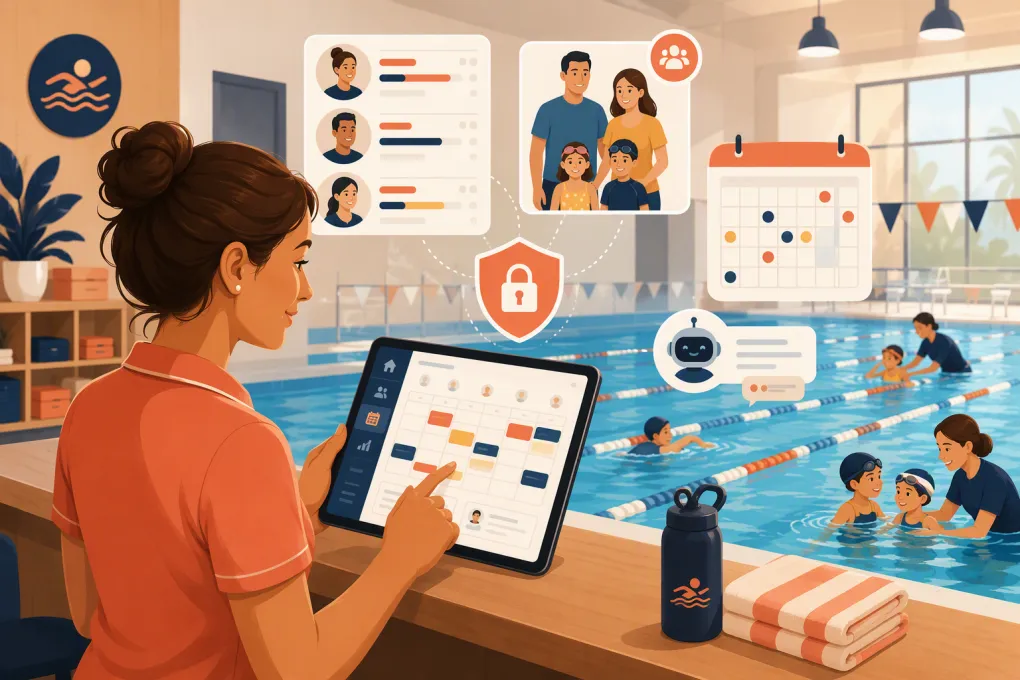
Swim lesson scheduling software has to manage more than a calendar. A serious system connects guardians, swimmers, skill levels, instructors, class capacity, attendance, billing, waitlists, and makeup rules. If one of those pieces sits in a spreadsheet, staff still carry the operational burden.
That distinction matters when comparing products. Some platforms are purpose-built swim school management systems. Others are broad class-management products. WTF Go and Fitty belong in a third category: an operating and AI front-office layer focused on inquiries, booking conversations, follow-up, and dues communication. It should not be presented as a proven replacement for specialized swim administration unless your required swimmer-level workflows have been demonstrated and documented.
See how Fitty can support inquiry response and enrollment follow-up around your swim system →
Best swim lesson scheduling software by use case
These are practical selections, not universal rankings:
- Best overall dedicated swim school platform: Jackrabbit Swim — Built specifically around swim school administration and family-based enrollment.
- Best for structured class programs and parent self-service: iClassPro — Strong fit for swim, gymnastics, and other recurring youth classes.
- Best for municipal recreation and multi-program organizations: Amilia SmartRec — Designed for organizations managing activities, memberships, facilities, and community programs.
- Best for camps and broader children’s enrichment: Sawyer — Family-friendly registration across classes, camps, and youth programs.
- Best for mixed classes and private appointments: Pike13 — Useful when an operator schedules both group instruction and one-to-one services.
- Best AI front-office complement: WTF Go + Fitty — Relevant when unanswered inquiries, inconsistent lead follow-up, booking assistance, or overdue-account communication are the main problems.
The correct choice depends on which category you actually need. A swim school replacing its central enrollment database should begin with dedicated aquatics or youth-class systems. An operator keeping an existing swim platform but trying to improve response coverage should evaluate Fitty as a complementary workflow.
Comparison methodology and evidence limits
This comparison evaluates product positioning and capabilities described in publicly available vendor materials. Primary sources include the official pages for Jackrabbit Swim, iClassPro, Amilia SmartRec, Sawyer for Business, Pike13, and WTF Go.
We did not create paid production accounts or run each platform with real minor, payment, and attendance records. We therefore do not claim firsthand validation of every feature, screen, integration, or edge case. Vendor documentation is evidence of offered functionality, not proof that a workflow will fit your policies.
Pricing also changes by plan, location, enrollment volume, payment processing, messaging, implementation, and add-ons. Where a vendor does not provide a stable public rate applicable to every buyer, the table says quote or current pricing page rather than publishing a figure that could be inaccurate. Buyers should obtain a dated written quote showing subscription, implementation, payment, messaging, support, and cancellation costs.
Granular software comparison
| Product | Family and child records | Levels, skills, and attendance | Waitlists and makeups | Resources and locations | Automation | Pricing access | Best fit and principal limitation |
|---|---|---|---|---|---|---|---|
| Jackrabbit Swim | Swim-oriented family accounts and student records | Supports class administration, attendance, and skill/progression workflows described in its swim product materials | Waitlist and class-management capabilities are offered; confirm exact makeup-credit rules | Built for swim school operations; verify lane-level resource enforcement and multi-site reporting | Billing and customer communication workflows; not positioned primarily as a conversational AI receptionist | Obtain current pricing from the vendor and confirm payment and onboarding fees | Best overall dedicated option. Confirm unusual makeup, evaluation, and lane rules before signing. |
| iClassPro | Parent accounts and student profiles for youth class businesses | Attendance and skill tracking are part of its class-management focus | Offers waitlist and makeup-related workflows; policy configuration should be tested | Supports class programs and location-based operations | Parent communication and administrative automation; AI depth varies by product and package | Use the vendor’s current pricing or sales process; request all location and add-on charges | Strong for structured recurring classes and parent self-service. Test custom reports and complex aquatics policies. |
| Amilia SmartRec | Household-oriented registration and participant records | Supports activity registration and attendance; swim progression may require configuration | Registration and capacity tools are available; verify swim-specific makeup accounting | Notable fit for facilities, memberships, activities, and multi-program recreation | Administrative and communication tools rather than a dedicated AI receptionist | Request current plan and implementation details | Best for municipalities, recreation departments, and broad program catalogs. Less swim-specific out of the box. |
| Sawyer | Family profiles designed for children’s activities | Rosters and program administration; not positioned as a dedicated swim progression system | Supports registration-oriented capacity workflows; validate makeup-credit handling | Appropriate for classes, camps, and youth programs; test complex pool-resource scheduling | Customer communication and registration workflows | Check the current official pricing page and payment terms | Best for camps and enrichment programs. Advanced lane, ratio, and progression rules may need workarounds. |
| Pike13 | Client and dependent-style service records should be tested against your household structure | General class and appointment management; swim levels are not its core specialization | Capacity and scheduling tools are available; confirm swim-specific makeup rules | Useful for staff, classes, appointments, and multiple service types | General business workflows; evaluate lead-response and AI requirements separately | Request current pricing and clarify payment, messaging, and setup charges | Best for mixed private lessons and group services. Less specialized for swim-school progression. |
| WTF Go + Fitty | Do not assume native swim-family records without a demonstrated configuration or integration | Core swim levels, instructor attendance, and progression tracking must be verified; Fitty is not represented here as a dedicated swim student-information system | Makeup credits, lane allocation, and swim-specific waitlist rules require explicit validation | Relevant as an operating or front-office layer; confirm how locations and the system of record synchronize | AI-assisted inquiry response, booking conversations, follow-up, and configured dues communication | Request current pricing based on locations, workflows, channels, and implementation | Best as an AI front-office complement. Not the default winner for replacing specialized swim administration. |
What operators should verify before buying
Family accounts and eligibility
Have the vendor demonstrate one guardian managing multiple swimmers at different levels. Verify that balances, waivers, attendance, skill records, and enrollment eligibility remain attached to the correct swimmer.
Then test whether the booking flow prevents an ineligible swimmer from entering a class. A searchable custom field labeled “level” is not the same as a rule that controls enrollment.
Attendance, progression, and makeups
Ask an instructor to record attendance and update a skill from a phone or poolside device. Then have a manager review the change history.
For makeups, document your policy before the demo. Test whether the system can:
- Create eligibility from an approved absence rather than every absence
- Restrict a makeup to the correct level and location
- Preserve class capacity and instructor-to-swimmer ratios
- Set expiration dates
- Prevent duplicate use
- Show staff why a credit was created or removed
Pools, lanes, and instructor conflicts
Many products schedule classes and instructors. Fewer enforce every physical constraint important to an aquatics operator. Ask whether pools and lanes are bookable resources or merely text fields.
Build a conflict deliberately: assign one instructor or lane to simultaneous lessons. The system should either prevent the conflict or make the warning impossible to overlook.
Where Fitty fits—and where it does not
Fitty is most relevant before and around the core lesson-management transaction. It can be configured to respond to inquiries, continue follow-up, assist with booking, and send account-related communications outside staffed hours.
“Collects dues 24/7” should not be interpreted as Fitty independently moving money or operating as an unrestricted debt collector. In practice, dues workflows should direct an authorized customer to an approved payment experience or trigger a configured process through the business’s payment stack. Actual payment processing, card storage, refunds, disputes, and settlement remain subject to the connected processor and merchant setup.
Operators must define:
- Which channels Fitty may use, such as web, text, or other configured channels
- What consent is required before automated messaging
- Permitted contact hours and opt-out handling
- When the conversation moves to a human
- Whether staff approval is required for payment plans, credits, or account changes
- How disputed balances and sensitive complaints are escalated
- Which federal and state consumer communication or debt-collection rules apply
Fitty should not receive unrestricted access to children’s health notes, emergency records, or other data it does not need. Apply least-privilege access and keep specialized swim records in the appropriate system of record.
Ask WTF Go to map Fitty to your existing swim enrollment and payment workflow →
Privacy and security questions swim operators cannot skip
Swim schools hold information about minors, guardians, emergency contacts, medical considerations, waivers, attendance, and payments. That requires more diligence than checking whether a vendor uses the word “secure.”
Ask every shortlisted vendor for written answers covering:
- Encryption in transit and at rest
- Role-based permissions for instructors, desk staff, managers, and owners
- Multi-factor authentication and single sign-on options
- Audit logs for profile, level, waiver, payment, and account changes
- Data retention, deletion, export, and backup procedures
- Subprocessors and where data is hosted
- Security incident notification terms
- Payment architecture and PCI responsibilities
- Whether full card data ever touches the vendor’s systems
- Messaging consent, opt-out records, and communication logs
- Parent or guardian access to minor records
- Restrictions on using customer data to train AI models
Do not describe ordinary swim records as automatically subject to HIPAA. HIPAA applicability depends on the entities and transactions involved. Even where HIPAA does not apply, health and minor-related information still deserves strict access controls and may be covered by contracts or other laws. Obtain legal advice for your jurisdiction and operating model.
Run the same acceptance test with every finalist
Give each vendor anonymized sample data and require a live demonstration of this sequence:
- A parent inquires after closing.
- Two siblings need different levels.
- One child requires an evaluation.
- The preferred class is full.
- A place opens and the family is contacted.
- The guardian enrolls, signs waivers, and pays.
- An instructor records attendance and progression.
- An approved absence creates one valid makeup.
- A payment fails and the customer receives a compliant update path.
- A manager reviews who changed each record.
Capture screenshots or a recording with permission, count staff steps, and document every workaround. Include those artifacts in the buying file alongside the vendor’s written answers. This produces stronger evidence than a polished sales tour.
Migration and final selection
Before signing, request a sample import covering guardians, swimmers, levels, future enrollments, balances, credits, attendance, waivers, and staff permissions. Confirm whether payment credentials can transfer; processor and tokenization rules may require customers to reauthorize payment methods.
Choose the platform that completes your real acceptance test with the fewest risky workarounds. For a dedicated swim system of record, Jackrabbit Swim and iClassPro are sensible starting points. Amilia deserves attention for public recreation and broad facilities, while Sawyer and Pike13 fit different mixed-program models.
If the scheduling database already works but leads go unanswered or staff spend too much time on repetitive follow-up, replacing the entire swim platform may be unnecessary. That is the clearer case for adding WTF Go and Fitty as a controlled front-office layer rather than forcing it into a role specialized swim software already performs.
Frequently asked questions
What is the best swim lesson scheduling software?
Jackrabbit Swim is a strong starting point for dedicated swim schools, while iClassPro suits structured youth-class programs. The best choice still depends on your makeup, progression, resource, billing, and multi-location rules.
Does swim lesson software manage levels and makeup credits?
Some dedicated platforms support skill tracking, attendance, waitlists, and makeup workflows, but the exact rules vary. Test eligibility, expiration, capacity, duplicate use, and audit history with your actual policy.
Can WTF Go replace dedicated swim school software?
Not automatically. WTF Go and Fitty are strongest for inquiries, booking assistance, follow-up, and configured dues communication; core swim workflows such as levels, lanes, attendance, family records, and makeups must be demonstrated before treating it as a replacement.
What security features should swim schools require?
Look for role-based access, multi-factor authentication, encryption, audit logs, secure payment handling, data export and deletion controls, messaging-consent records, and clear restrictions on access to minors' information.
How should I compare swim software pricing?
Request a dated quote that separates subscription, locations, users, implementation, data migration, payment processing, messaging, support, add-ons, and cancellation costs. Do not compare base subscription prices alone.
Keep reading



Run your gym on autopilot with WTF Go
Fitty — your AI receptionist — answers calls and DMs, fills classes, follows up with every lead, and collects dues while you coach.