Comparisons
Sports Recovery Studio Management Software: Buyer’s Guide
Compare sports recovery studio management software for booking, memberships, intake, automation, payments, and multi-location control before you choose.
 Watch · 20s
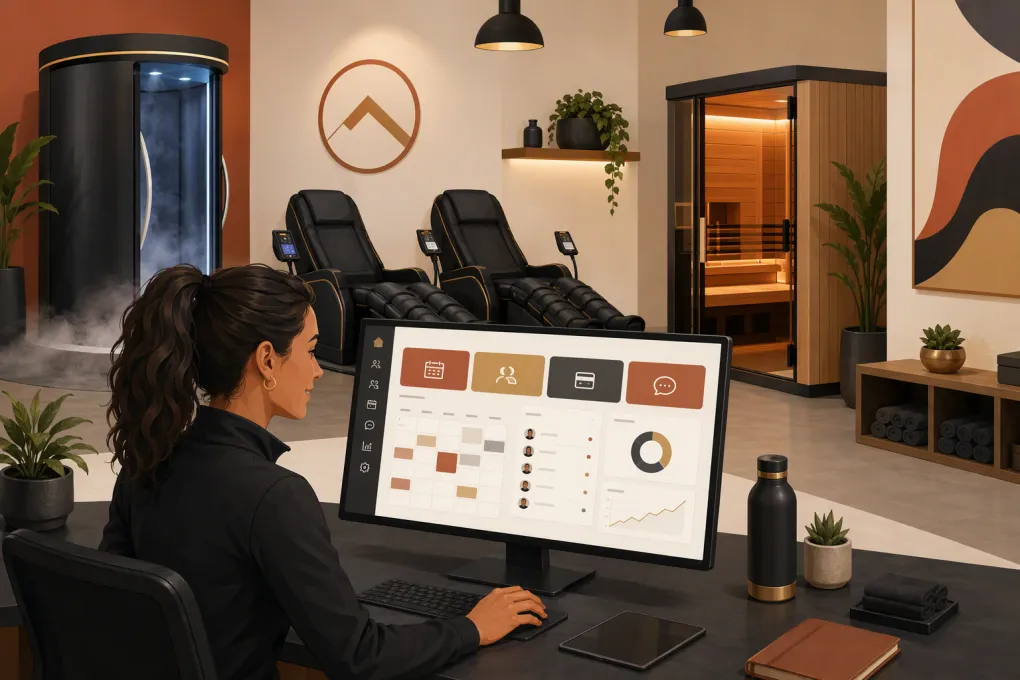
Sports recovery studios do not fit neatly into the standard gym or spa software box. A single location might sell cryotherapy appointments, infrared sauna sessions, compression therapy, assisted stretching, memberships, packages and drop-ins—all with different capacity, timing and intake requirements.
That makes choosing sports recovery studio management software less about finding the longest feature list and more about matching the system to how your facility actually operates. The wrong platform creates manual work at the front desk, booking conflicts and membership exceptions nobody can explain. The right one gives staff a clear schedule, gives clients an easy way to buy and book, and keeps leads from disappearing between inquiry and appointment.
See how WTF Go helps recovery studios manage leads, bookings and follow-up →
Start With Your Operating Model, Not a Vendor Demo
Before comparing software, document what clients can buy and what each purchase allows them to book. This exposes the operational rules a vendor needs to support.
Create a list covering:
- Every service and modality
- Appointment duration and cleanup buffer
- Room, device or station capacity
- Whether staff supervision is required
- Services that can run concurrently
- Drop-in, package and membership pricing structures
- Member booking limits and advance-booking windows
- Cancellation and no-show rules
- Intake forms or waivers required for each service
- Access rules across locations
For example, a compression area may accommodate several clients simultaneously, while a cryotherapy chamber may only accept one booking per time slot. An infrared sauna room may require turnaround time that should not appear available online. If the software only schedules employees—not rooms, devices and capacity—it may create conflicts even when the calendar looks open.
Ask every vendor to build one of your real services during the demo. Do not settle for a slideshow.
Essential Features for a Sports Recovery Studio
Appointment, Class and Resource Booking
Recovery businesses often need more than a basic appointment calendar. Look for a system that can coordinate clients, staff, rooms and equipment without forcing employees to maintain separate calendars.
Confirm that it can handle:
- One-on-one appointments and group sessions
- Multiple clients using the same modality at once
- Room or equipment assignment
- Setup and turnaround buffers
- Recurring appointments
- Waitlists and automatic opening notifications
- Online rescheduling and cancellation
- Booking restrictions based on membership or package status
- Different availability by location
Test the client experience on a phone. Count how many screens it takes to select a service, choose a time, complete intake and pay. Every unnecessary step gives a prospective client another place to stop.
Memberships, Packages and Session Credits
Many recovery studios combine recurring memberships with session packs and one-time services. The software needs to know exactly what each client owns and when it can be used.
During a demo, test these common situations:
- A member uses all monthly credits early.
- A client tries to book an expired package.
- A membership is frozen and later reactivated.
- A payment fails before an upcoming appointment.
- A client upgrades to a higher service allowance mid-cycle.
- Staff need to issue a courtesy credit without changing the contract.
Ask how the system handles rollover credits, expiration dates, prorated changes and service-specific entitlements. If those rules depend on front-desk memory or spreadsheet adjustments, the platform is not reducing operational risk.
Digital Intake, Waivers and Client Records
Recovery services can require health screening, consent forms and modality-specific instructions. Your software should make those forms easy to complete before arrival and easy for authorized staff to review.
Useful capabilities include:
- Digital signatures and timestamps
- Required forms based on the booked service
- Version tracking when a waiver changes
- Alerts for missing or expired forms
- Secure permissions for sensitive client information
- Notes that are visible only to appropriate staff
Do not assume ordinary gym or spa software is suitable for regulated health records. If your business collects protected health information or operates alongside licensed medical services, ask the vendor directly about security, data handling, access controls and any compliance obligations that apply to your model. Business management software is not automatically an electronic health record system.
Lead Response and Follow-Up
A recovery studio can lose a lead before anyone reaches the booking screen. Prospects often ask practical questions first: What should I wear? Is this appropriate before a race? Which service should I choose? Do I need an appointment?
The CRM should capture the inquiry source, conversation history, next action and booking outcome. It should also support follow-up when a prospect asks a question but does not schedule.
This is where WTF Go’s Fitty provides a concrete operational advantage. Fitty acts as an AI receptionist that responds to leads, answers configured business questions, books classes, follows up and helps collect dues around the clock. It reduces dependence on an employee noticing a voicemail or social inquiry between appointments.
See how Fitty handles recovery studio inquiries and follow-up after hours →
When evaluating any AI tool, ask how answers are controlled, when conversations transfer to staff and whether the interaction is saved in the client record. Automation should create accountability, not another disconnected inbox.
Payments and Failed-Dues Workflows
The system should connect purchases, bookings and client eligibility. At minimum, evaluate recurring billing, saved payment methods, package sales, refunds, taxes, receipts and failed-payment follow-up.
Ask what happens operationally after a card declines:
- Is the client notified automatically?
- Can the payment method be updated through a secure link?
- Does staff receive a task or alert?
- Are future bookings restricted?
- Can the account be restored without manual reconciliation?
Also review payment processing terms separately from the software subscription. Contract length, processing rates, hardware, add-on modules and implementation charges can materially change the total cost.
Reporting and Multi-Location Control
Basic revenue totals are not enough. Operators need to understand what is being sold, booked and actually used.
Look for reporting on:
- Revenue by service, membership and location
- Booked capacity versus available capacity
- No-shows and late cancellations
- Package and credit liability
- Membership starts, freezes and cancellations
- Failed payments and recovered dues
- Lead source and booking conversion
- Staff activity and schedule utilization
Multi-location operators should also verify centralized client profiles, cross-location access, shared or location-specific memberships, permissions and consolidated reporting. Never assume a feature available at one location works cleanly across several.
Sports Recovery Studio Software Comparison
The best option depends on whether your business behaves more like a boutique fitness studio, appointment-based spa or enterprise wellness chain. Product capabilities and pricing change, so verify current details directly with each provider.
| Platform | Core strength | Booking model | Automation and CRM | Multi-location fit | Pricing approach | Main limitation to examine |
|---|---|---|---|---|---|---|
| WTF Go | All-in-one operations with Fitty, an AI receptionist and agent | Designed for gym, studio, spa and wellness workflows; confirm specialized resource rules in a demo | Strong emphasis on lead response, booking follow-up and dues collection | Suitable for independent and multi-location operators | Contact WTF Go for current packaging | Confirm requirements for clinical charting or highly specialized device scheduling |
| Mindbody | Established fitness and wellness marketplace plus broad business tools | Supports classes and appointments | Marketing and client communication features vary by plan and configuration | Commonly used by multi-location wellness businesses | Tiered or sales-led packaging; confirm current modules and fees | Breadth can add complexity; verify which workflows require add-ons |
| WellnessLiving | Broad scheduling, membership and client management suite | Supports appointments, classes and service businesses | Includes marketing and automation tools, depending on package | Offers multi-location capabilities | Plans and optional features should be quoted directly | Test advanced resource capacity and reporting against real scenarios |
| Vagaro | Appointment-led salon, spa, fitness and wellness operations | Strong appointment scheduling with class capabilities | Client communication and marketing options are available | Supports multiple locations | Base subscription plus potential add-ons; verify current terms | Add-on costs and complex membership rules need careful review |
| Boulevard | Polished client experience for appointment-based self-care businesses | Primarily oriented around appointments and service providers | Client messaging, forms and marketing capabilities | Supports growing and multi-location brands | Generally sales-led pricing | Confirm fit for classes, session credits and shared recovery equipment |
| Zenoti | Enterprise spa, salon and wellness management | Broad appointment and resource scheduling | Extensive enterprise marketing and operational tools | Strong focus on multi-location organizations | Custom quote and implementation process | May be heavier than an independent studio needs to deploy or manage |
How to Run a Useful Software Demo
Send vendors a demo script in advance. Your goal is to watch the platform complete your workflows without hidden spreadsheets or unexplained workarounds.
Ask the salesperson to demonstrate these tasks live:
- Capture a new lead from an after-hours inquiry.
- Recommend the correct service without making unsupported health claims.
- Sell a monthly membership with service-specific credits.
- Book a room or device with a required cleanup buffer.
- Send and collect the correct intake form.
- Process a failed recurring payment and restore account access.
- Move a client from one location to another.
- Show revenue, utilization and outstanding package liability.
- Export client, transaction and booking data.
- Restrict sensitive notes by staff role.
Score each platform from one to five for client experience, front-desk workload, reporting, automation, migration and total cost. Add written notes explaining every score. This prevents a polished interface from outweighing operational fit.
Plan the Migration Before Signing
Software replacement affects billing, future appointments, waivers, credits and client trust. Ask for a written migration scope that identifies exactly which records will transfer.
Clarify whether migration includes:
- Client contact information
- Active memberships and billing dates
- Saved payment credentials or payment update workflows
- Remaining package credits
- Future appointments
- Signed waivers and intake history
- Staff accounts and permissions
- Historical transactions and reports
Run a sample import before committing to the full migration. Then reconcile active members, recurring billing totals, unused credits and the next several weeks of appointments. Keep read-only access to the previous system when practical, and document what will remain archived there.
Talk with WTF Go about consolidating recovery studio operations and Fitty into one system →
Choose for the Work You Want to Eliminate
Sports recovery studio management software should remove repetitive coordination, not simply digitize it. Focus on the work currently consuming staff time: answering routine questions, correcting booking conflicts, checking package balances, chasing failed payments and following up with undecided leads.
Choose the platform that handles those workflows clearly while preserving a simple client experience. Specialized clinical businesses may need separate medical systems, while enterprise chains may prioritize deep location controls. Independent and growing recovery studios should put extra weight on fast lead response, flexible booking, membership accuracy and automation that operates when the front desk cannot.
Frequently asked questions
What is sports recovery studio management software?
It is a business platform for managing recovery service bookings, memberships, packages, client records, payments, communications and reporting. Some platforms also coordinate staff, rooms and equipment.
Can recovery studio software schedule equipment and rooms?
Some platforms can, but the depth varies. Ask the vendor to demonstrate capacity limits, room assignment, equipment availability and cleanup buffers using one of your actual services.
Does a recovery studio need both CRM and booking software?
You need both functions, but they do not have to be separate products. An integrated system keeps lead conversations, bookings, purchases and follow-up attached to the same client record.
Is wellness studio software automatically HIPAA compliant?
No. If you collect protected health information or provide regulated medical services, confirm your legal obligations and review the vendor's security, access controls, data practices and contractual support.
How should I compare recovery studio software pricing?
Compare the full operating cost, including subscriptions, locations, users, payment processing, add-ons, messaging, hardware, implementation and migration. Also consider the staff time required to maintain manual workarounds.
Keep reading



Run your gym on autopilot with WTF Go
Fitty — your AI receptionist — answers calls and DMs, fills classes, follows up with every lead, and collects dues while you coach.