Comparisons
Sports Chiropractic Practice Management Software: Guide
Compare sports chiropractic practice management software for scheduling, charting, billing, automation, and growth so you can choose the right system.
 Watch · 20s
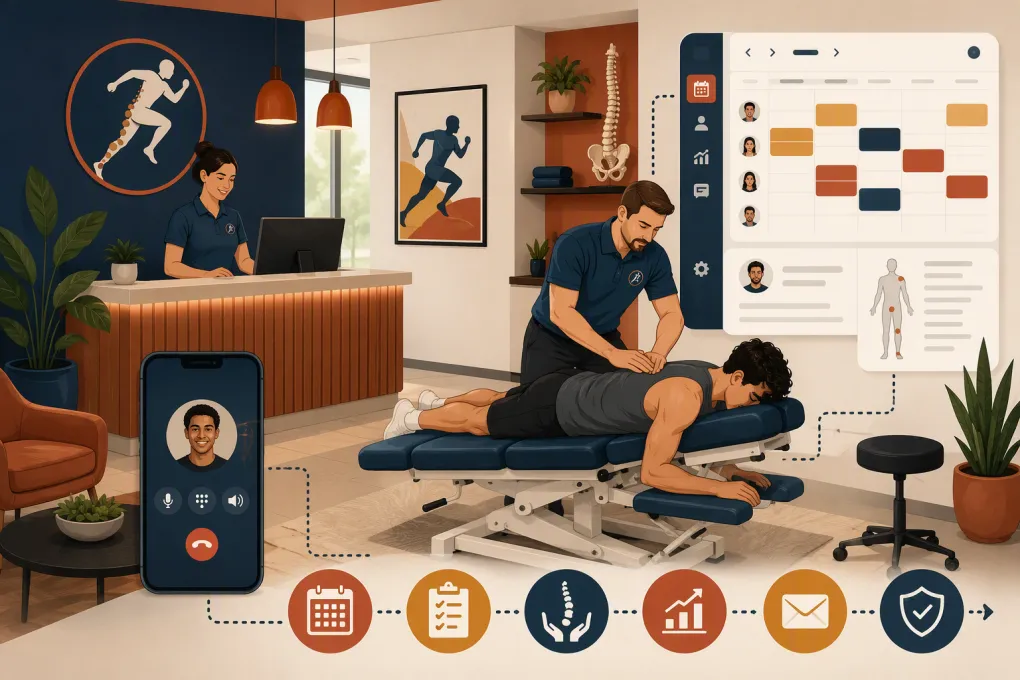
Sports chiropractic practices are operationally complicated. You may manage new-patient evaluations, recurring adjustments, rehab sessions, recovery services, team appointments, packages, memberships, and insurance claims—all while responding to leads who expect an immediate answer.
The wrong software adds more screens without fixing the underlying workflow. The right sports chiropractic practice management software should connect the patient journey from first inquiry through booking, treatment, payment, follow-up, and reactivation.
That does not always mean buying one system for everything. A clinically focused practice may need a chiropractic EHR plus a stronger front-office automation platform. A cash-pay sports recovery clinic may be able to consolidate more of its operation into one system.
Start With Your Practice Model
Software recommendations are only useful when they match how the practice gets paid and delivers care. Define your model before comparing feature lists.
Most sports chiropractic businesses fall into one of these categories:
- Insurance-based clinic: Documentation, coding, claims, eligibility, payment posting, and audit-ready records are central.
- Cash-pay practice: Online booking, card collection, packages, care plans, and patient communication often matter more than claims management.
- Hybrid practice: The system must keep insurance workflows separate from cash services, memberships, or performance programs.
- Chiropractic and recovery facility: The business may offer adjustments alongside massage, stretching, compression, sauna, classes, or personal training.
- Multi-location group: Central reporting, location-level permissions, standardized workflows, and patient routing become essential.
Write down your revenue streams, appointment types, staff roles, locations, and billing methods. That list is more valuable than a generic checklist downloaded from a vendor.
If missed calls and slow follow-up are already costing your front desk opportunities, see how Fitty answers leads, books services, and follows up around the clock →.
Sports Chiropractic Software Comparison
No platform is automatically the best choice for every practice. The following options serve different operational needs. Product packages and capabilities can change, so confirm current details directly with each vendor.
| Platform | Core strength | Booking and patient workflows | Clinical charting and billing | Automation and AI | Best fit | Important limitation to evaluate |
|---|---|---|---|---|---|---|
| WTF Go with Fitty | Lead management, booking, follow-up, collections, and wellness-business operations | Supports inquiry handling, scheduling, classes, services, and ongoing communication | Not presented here as a replacement for a chiropractic EHR; confirm whether your clinical workflow requires a separate system | Fitty acts as a 24/7 AI receptionist for lead response, booking, follow-up, and dues collection | Cash-pay or hybrid sports chiropractic, recovery, fitness, and wellness businesses that need stronger front-office execution | Confirm how it should connect with your clinical records, insurance billing, and compliance requirements |
| ChiroTouch | Chiropractic-specific practice management and EHR workflows | Scheduling and patient administration designed around chiropractic practices | Chiropractic documentation and billing are core areas; exact capabilities depend on the selected product and configuration | Includes administrative workflow tools; evaluate current patient communication and AI capabilities in a live demo | Practices prioritizing chiropractic charting, claims, and specialty-specific workflows | Review implementation, training, data migration, contract terms, and whether front-office automation meets your growth needs |
| Jane | Cloud-based administration for chiropractic and other allied health practices | Online booking, scheduling, intake, patient communication, and payments | Offers charting and administrative tools; insurance workflows vary by market and configuration | Provides reminders and communication features; verify current automation depth for new leads | Multidisciplinary clinics wanting a user-friendly system across several provider types | Confirm US insurance requirements, complex billing needs, and after-hours lead handling |
| Cliniko | Straightforward cloud practice management for allied health clinics | Online booking, appointment management, treatment notes, invoices, and patient communication | Supports clinical notes and general billing workflows, but practices should validate chiropractic-specific claims requirements | Routine reminders and communications are available; assess advanced sales or AI reception separately | Cash-pay or multidisciplinary clinics seeking a clean operational system | May require other tools for specialized US insurance billing, lead CRM, or advanced marketing automation |
| AdvancedMD | Broad medical practice management and EHR infrastructure | Scheduling, patient administration, and medical-office workflows | Stronger emphasis on medical documentation, revenue cycle, and insurance operations | Administrative automation is available, but evaluate consumer lead response separately | Larger or medically oriented practices with complex insurance and reporting requirements | Can be more system than a small cash-pay sports practice needs; implementation complexity should be tested |
A useful shortlist might include one clinical-first system, one flexible allied-health platform, and one growth-focused option. Comparing fundamentally different categories exposes which problems you actually need the software to solve.
Capabilities That Matter in a Sports Chiropractic Practice
Fast lead response and appointment conversion
A prospective patient may call from the gym parking lot, after a game, or after your staff has gone home. Your system should capture the inquiry, answer basic operational questions, recommend an appropriate appointment type, and offer a booking path.
Test whether the software can:
- Answer calls, texts, and website inquiries consistently
- Distinguish a new evaluation from an existing-patient visit
- Route urgent or clinically sensitive questions to a person
- Collect only the information needed to secure the appointment
- Send confirmations, intake instructions, and location details
- Follow up when someone inquires but does not book
Do not let an automated system diagnose injuries or make unsupported treatment promises. Its job is to handle administrative conversations and escalate clinical questions.
Scheduling that reflects real clinic capacity
A calendar must account for more than provider availability. Sports practices may have limited treatment rooms, rehab space, equipment, or support staff.
Look for configurable appointment durations, buffers, resource scheduling, recurring visits, waitlists, cancellation rules, and location-specific availability. If you run classes or recovery sessions, verify that the platform supports both one-to-one appointments and capacity-based bookings.
During a demo, ask the vendor to build three real services from your current schedule. Do not accept a slide presentation as proof that the workflow works.
Documentation and patient records
Clinical documentation requirements depend on your services, payer relationships, and jurisdiction. At minimum, evaluate intake forms, consent management, treatment notes, care plans, file storage, record access, audit history, and data export.
Insurance-based practices should also inspect coding, claim creation, clearinghouse workflows, remittance handling, rejected-claim queues, and reporting. Ask who owns each step: your team, the software vendor, an external billing company, or an integration.
Any platform handling protected health information should be reviewed for appropriate safeguards and contractual terms. Confirm whether the vendor will enter into a business associate agreement when required. Also verify role-based access, account termination procedures, backups, and breach-response processes with qualified compliance counsel.
Packages, memberships, and collections
Sports chiropractic businesses often sell more than isolated appointments. You may offer visit packages, monthly recovery memberships, family plans, classes, or performance programs.
Make the vendor demonstrate how the system handles:
- Package balances and expiration rules
- Recurring charges and failed-payment follow-up
- Membership pauses, cancellations, and upgrades
- Different prices by service, provider, or location
- Refunds, credits, and partially used packages
- Revenue reporting for delivered versus unused services
A generic payment screen is not enough. The workflow must remain understandable to staff and patients when exceptions occur.
Where an AI Receptionist Fits
An AI receptionist is most valuable between the moments your staff can actively work the queue. It can answer routine questions, capture intent, book approved services, send follow-ups, and keep unpaid balances from being forgotten.
Fitty is designed for this front-office gap. For a sports chiropractic business, that can mean responding to an after-hours inquiry, explaining the difference between an evaluation and a follow-up visit using your approved language, offering available times, and escalating injury-specific questions to the clinic.
Set clear operating rules before deploying any AI agent:
- Define which services it may book directly.
- Write approved answers for pricing, insurance, parking, attire, and preparation.
- Create escalation triggers for urgent symptoms, complaints, refunds, and clinical questions.
- Specify what patient information may be collected in each channel.
- Review transcripts and booking outcomes regularly.
AI should reduce repetitive administrative work while preserving human control over care decisions.
How to Run a Useful Software Demo
Give each vendor the same test instead of letting vendors control the demonstration.
Ask them to complete these workflows live:
- A new athlete calls after hours and books an evaluation.
- The patient completes intake and receives confirmation instructions.
- The provider documents the visit and recommends a recurring plan.
- The patient buys a package or membership.
- A payment fails and the system starts the approved follow-up process.
- The patient cancels late and joins a waitlist for another time.
- A manager compares bookings, collections, and lead sources across locations.
- An administrator exports the patient record and financial history.
Score each workflow for staff effort, patient friction, manual re-entry, reporting quality, and exception handling. Also ask about support hours, onboarding responsibilities, data ownership, export formats, implementation timing, and current pricing structure.
Plan the Migration Before Signing
Migration problems usually come from unclear ownership rather than the data transfer itself. Identify what must move: active patients, appointment history, clinical notes, intake forms, package balances, memberships, payment tokens, outstanding claims, communication preferences, and future appointments.
Then assign an owner and validation method to each category. Run a small test import, check records manually, reconcile financial balances, and keep the old system accessible according to your record-retention obligations.
Avoid changing every workflow on launch day. Stabilize scheduling, records, payments, and communications first. Add advanced automation after the team can operate the core system reliably.
If your clinical platform works but your calls, leads, follow-ups, and recurring collections remain fragmented, explore WTF Go and Fitty as the operating layer around your patient-growth workflow →.
Choose for the Workflow, Not the Feature Count
The best sports chiropractic practice management software is the one your team can operate consistently while meeting your clinical, financial, and compliance needs. Insurance-heavy clinics may put specialty documentation and claims first. Cash-pay and hybrid practices may prioritize booking, memberships, communication, and lead conversion.
Map the full patient journey, test real scenarios, and identify where a clinical system ends and front-office automation begins. That approach produces a better decision than comparing feature lists in isolation.
Frequently asked questions
What is sports chiropractic practice management software?
It is software used to manage scheduling, patient administration, documentation, billing, communication, and reporting in a sports chiropractic practice. Some platforms also support memberships, classes, lead follow-up, and automated reception.
Does a sports chiropractic practice need a chiropractic-specific EHR?
It depends on the practice model. Insurance-based clinics often need specialty documentation and claims workflows, while cash-pay practices may prioritize flexible scheduling, payments, packages, and communication.
Can an AI receptionist answer chiropractic patient calls?
An AI receptionist can handle approved administrative tasks such as answering routine questions, booking appointments, and sending follow-ups. Clinical questions, urgent symptoms, and treatment recommendations should be escalated according to practice rules.
What should I ask about when switching chiropractic software?
Ask about data ownership, export formats, clinical record migration, future appointments, package balances, payment data, insurance claims, staff training, support, contract terms, and compliance responsibilities.
Can WTF Go replace a chiropractic EHR?
WTF Go and Fitty focus on lead response, booking, follow-up, collections, and wellness-business operations. Practices requiring specialized clinical charting or insurance billing should confirm whether they need a separate chiropractic EHR.
Keep reading



Run your gym on autopilot with WTF Go
Fitty — your AI receptionist — answers calls and DMs, fills classes, follows up with every lead, and collects dues while you coach.