Comparisons
Somatic Movement Studio Management Software: 2026 Guide
Compare somatic movement studio management software for scheduling, intake, payments, follow-up, and client care—then choose a system that fits your practice.
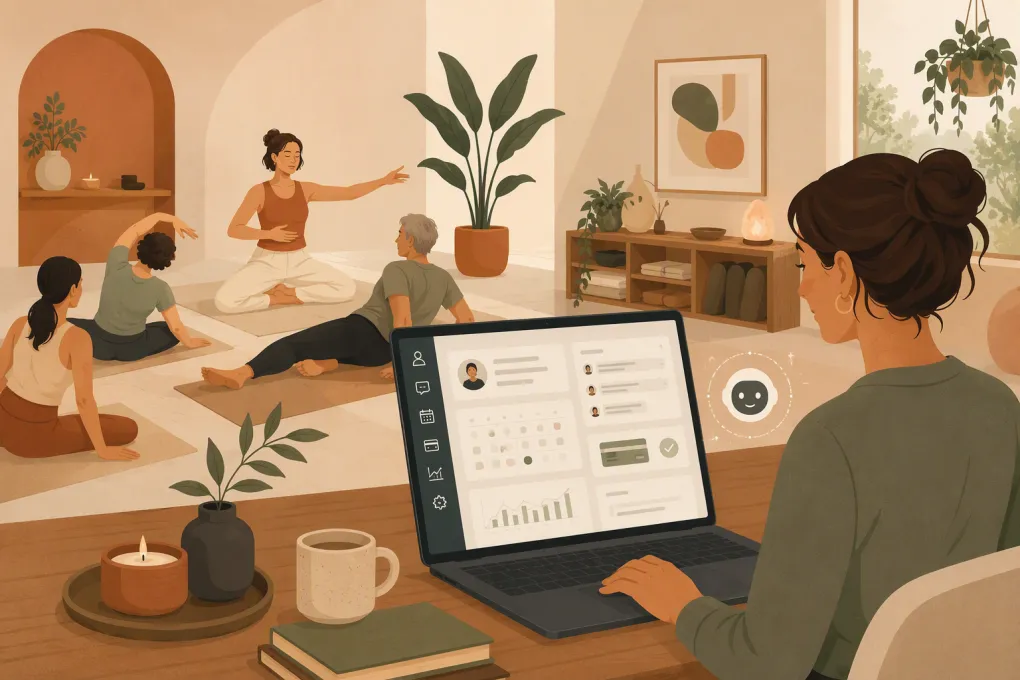 Watch · 20s
Somatic movement studios do not operate exactly like gyms, yoga chains, or medical practices. A single business may run group classes, private sessions, workshops, memberships, packages, and online programs—with different intake requirements for each.
That operational mix creates a specific software problem. Basic appointment schedulers can be too limited, while large fitness platforms may impose workflows built around high-volume classes. The right somatic movement studio management software should support the way clients actually enter, experience, and continue with your practice.
It also needs to reduce administrative work without making a high-trust service feel automated or impersonal.
See how WTF Go and Fitty handle studio inquiries, booking, follow-up, and dues →
What somatic movement studios need from their software
Start with your operating model, not a vendor’s feature list. Document every service you sell and how a client moves through it.
A typical somatic studio may need to manage:
- Recurring group classes
- One-to-one sessions
- Multi-week courses or cohorts
- Introductory consultations
- Workshops with limited capacity
- Memberships and class packages
- In-person, virtual, and hybrid services
- Practitioner-specific schedules
- Intake forms, agreements, and policies
- Waitlists, cancellations, and make-up sessions
Software that handles only the calendar leaves your team manually managing the rest. Software designed only for memberships may struggle with private appointments or progressive courses.
Flexible booking rules
Look beyond whether a platform offers “class booking.” Ask whether it can represent your actual rules.
Can you set different capacities by room or service? Can a new client book a private session only after completing an intake step? Can an existing client use a package for one class type but not another? Can you prevent late cancellations without blocking staff from making reasonable exceptions?
Test recurring series carefully. A six-week course is not always the same as six unrelated drop-in classes. Confirm how registration, attendance, missed sessions, and refunds work before committing.
Intake without unnecessary friction
Somatic practitioners often need context before a client’s first visit. That may include goals, movement history, accessibility needs, emergency contacts, or consent to studio policies.
Collect only what the business genuinely needs. Health-adjacent information deserves careful handling, and using a general wellness platform does not automatically make a workflow compliant with healthcare privacy requirements. If your practice is subject to HIPAA or another professional standard, obtain direct documentation from the vendor and appropriate legal guidance.
At minimum, confirm that forms can be assigned by service, completed before arrival, stored with appropriate access controls, and updated when necessary.
Human follow-up at operational scale
Many prospects have questions before booking somatic work because the service may be unfamiliar. They may ask what to wear, whether a class is appropriate for beginners, how private sessions differ from classes, or what a particular modality involves.
Those inquiries arrive through calls, forms, texts, and social channels—often while the owner is teaching. A delayed response can leave an interested prospect without a clear next step.
The useful role of automation is not to imitate clinical judgment. It is to answer approved logistical questions, collect lead details, offer the right booking path, and alert a person when a question requires practitioner attention.
Comparing somatic movement studio software options
No single platform is right for every practice. A solo practitioner with appointment-based work needs something different from a multi-location studio running classes throughout the day.
| Platform | Core booking model | CRM and follow-up | Multi-location and integrations | Pricing approach | Best fit and limitations |
|---|---|---|---|---|---|
| WTF Go + Fitty | Built for fitness and wellness businesses managing classes, appointments, leads, payments, and ongoing client operations | Fitty acts as a 24/7 AI receptionist that answers leads, books, follows up, and helps collect dues | Intended as an all-in-one operating system; confirm required integrations and migration scope during evaluation | Contact WTF Go for current plan and implementation details | Strong fit for operators who want booking and revenue workflows connected to AI-powered front-desk coverage. Confirm modality-specific forms and policies during setup. |
| Mindbody | Broad class and appointment scheduling with consumer marketplace visibility | Includes business management and marketing capabilities, with features varying by plan | Supports larger and multi-location wellness operations with a broad partner ecosystem | Plans, add-ons, and payment terms should be verified directly | Established option for studios wanting a large wellness platform and marketplace presence. Its breadth can create more setup and complexity than a small practice needs. |
| WellnessLiving | Classes, appointments, memberships, attendance, and client management | Provides marketing and client communication tools, depending on configuration | Supports a range of studio sizes and locations; verify any essential integration | Tiered packaging and available features can change | Broad studio-management option for businesses mixing classes and appointments. Evaluate onboarding, reporting, and the exact automation included in the proposed plan. |
| Vagaro | Appointment and class scheduling with payments and business-management tools | Offers client communication and marketing capabilities, with optional features | Serves beauty, spa, fitness, and wellness businesses; confirm location and integration requirements | Base services and optional features may be priced separately | Useful for appointment-heavy wellness or spa-style operations that also offer classes. Review the total configuration rather than comparing only entry pricing. |
| Acuity Scheduling | Primarily appointment scheduling with forms, calendars, and payment connections | Supports confirmations and scheduling-related communication but is not a full studio CRM | Works well with common website and calendar workflows; multi-location operations may require careful setup | Subscription tiers vary by required functionality | Practical for solo or small appointment-led practices. Less suitable when complex memberships, attendance, waitlists, and class inventory drive the business. |
Vendor capabilities and packaging change. Treat this table as a shortlist, then verify the current product against your own workflows in a live demonstration.
Where an AI receptionist fits—and where it should not
An AI receptionist is most valuable when it owns defined administrative tasks. For a somatic movement studio, those tasks may include:
- Answering hours, location, parking, pricing, and preparation questions
- Explaining the difference between published service types
- Sending booking links or completing eligible bookings
- Following up with a lead who has not scheduled
- Reminding clients about an unpaid balance
- Routing accessibility or practitioner-specific questions to staff
- Responding after hours without requiring the owner to monitor a phone
Set boundaries around clinical, therapeutic, and suitability questions. The AI should not diagnose, promise outcomes, or decide whether someone with a particular condition should participate. Create a clear escalation rule for anything involving pain, injury, trauma, medical history, contraindications, or practitioner judgment.
Fitty is built to connect front-desk conversations to the operating system rather than leaving them in a separate chatbot inbox. That matters because an answer is only useful if the prospect can move directly into the correct booking and follow-up workflow.
See how Fitty can cover after-hours studio inquiries without making clinical decisions →
A practical demo checklist
Do not let the vendor control the entire demonstration. Give each company the same scenarios and ask the representative to complete them live.
Booking and service setup
Ask the vendor to show how the system would:
- Book a new client into an introductory private session.
- Require the correct intake form before that visit.
- Sell a multi-session package with service restrictions.
- Register one client for an entire progressive course.
- Move a waitlisted client into an available class space.
- Handle a practitioner substitution or room change.
- Offer both virtual and in-person versions of a service.
Watch how many manual workarounds are needed. A technically possible workflow can still be too cumbersome for daily use.
Lead response and communication
Submit a test inquiry outside staffed hours. Check what happens next.
Does the system capture the person’s name and contact details? Does it answer from information you control? Can it direct the person to the correct service rather than a generic calendar? Is the conversation visible to your team? Can staff take over without asking the prospect to repeat everything?
Also review message consent, opt-out handling, templates, conversation history, and escalation controls.
Payments and revenue administration
Test the awkward cases, not just a clean membership sale:
- An expired card on a recurring plan
- A partially used package
- A workshop cancellation
- A refund or account credit
- A paused membership
- A client purchasing for another person
- Different tax or fee treatment where applicable
Ask which payment functions are native, which depend on a processor, and which require staff intervention. Review contracts and processing terms carefully rather than focusing only on the monthly software fee.
Reporting and access
Your reporting should answer operational questions without spreadsheet reconstruction:
- Which leads have not booked?
- Which services fill consistently?
- Which sessions have open capacity?
- Which packages or memberships are approaching renewal?
- Which payments need attention?
- How does performance differ by service, practitioner, or location?
Check user permissions as well. Practitioners may need their schedules and client preparation notes without access to company-wide financial data.
Plan migration before signing
Migration is where otherwise sound software decisions become painful. Ask what the vendor imports, who performs the work, and what must be rebuilt manually.
Create an inventory of:
- Active and inactive client records
- Remaining package credits
- Membership status and billing dates
- Future appointments and class registrations
- Signed agreements and intake forms
- Gift cards or account credits
- Staff schedules and permissions
- Historical attendance and transaction data
Payment credentials may not always be portable between processors. Clarify that early so you can plan client communication and avoid surprise rebilling work.
Run test records through the new system before launch. Then choose a cutover date, assign an owner for exceptions, and keep an export of the previous system according to your legal and record-retention obligations.
Choosing the right system for your studio
The best somatic movement studio management software is the one that supports your service model with fewer disconnected handoffs. It should make it easier for a curious prospect to get a trustworthy answer, choose the right offering, complete required steps, pay, and arrive prepared.
Favor software that your team can operate consistently. Sophisticated features have little value if staff still rely on personal texts, paper notes, and separate spreadsheets to finish the job.
For studios ready to combine scheduling, lead management, payments, follow-up, and round-the-clock front-desk coverage, WTF Go offers a purpose-built path. Fitty handles defined customer conversations while your practitioners stay focused on the work only they can do.
Explore WTF Go for your somatic movement studio →
Frequently asked questions
What is somatic movement studio management software?
It is software used to manage classes, private appointments, client records, intake, memberships or packages, payments, communications, and day-to-day studio operations.
Can regular gym software work for a somatic movement studio?
It can if it supports your mix of appointments, courses, classes, forms, and payment rules. Test your real workflows because some gym systems are optimized primarily for recurring memberships and high-volume group classes.
Does a somatic studio need HIPAA-compliant software?
That depends on the services provided, the information collected, and whether the business is a covered entity or business associate. Do not assume general wellness software is HIPAA compliant; obtain vendor documentation and professional legal guidance.
What should an AI receptionist handle for a somatic studio?
It can answer approved logistical questions, capture leads, book eligible services, follow up, and route sensitive questions to staff. It should not diagnose conditions, assess contraindications, or replace practitioner judgment.
How should I compare studio software pricing?
Compare the total operating cost, including subscriptions, add-ons, payment processing, messaging, onboarding, migration, and staff time. Also confirm contract length, cancellation terms, and which features are included in the quoted plan.
Keep reading



Run your gym on autopilot with WTF Go
Fitty — your AI receptionist — answers calls and DMs, fills classes, follows up with every lead, and collects dues while you coach.