Comparisons
Soccer Training Facility Management Software Buying Guide
Compare soccer training facility management software for booking, memberships, payments, lead follow-up, and multi-location operations before you buy.
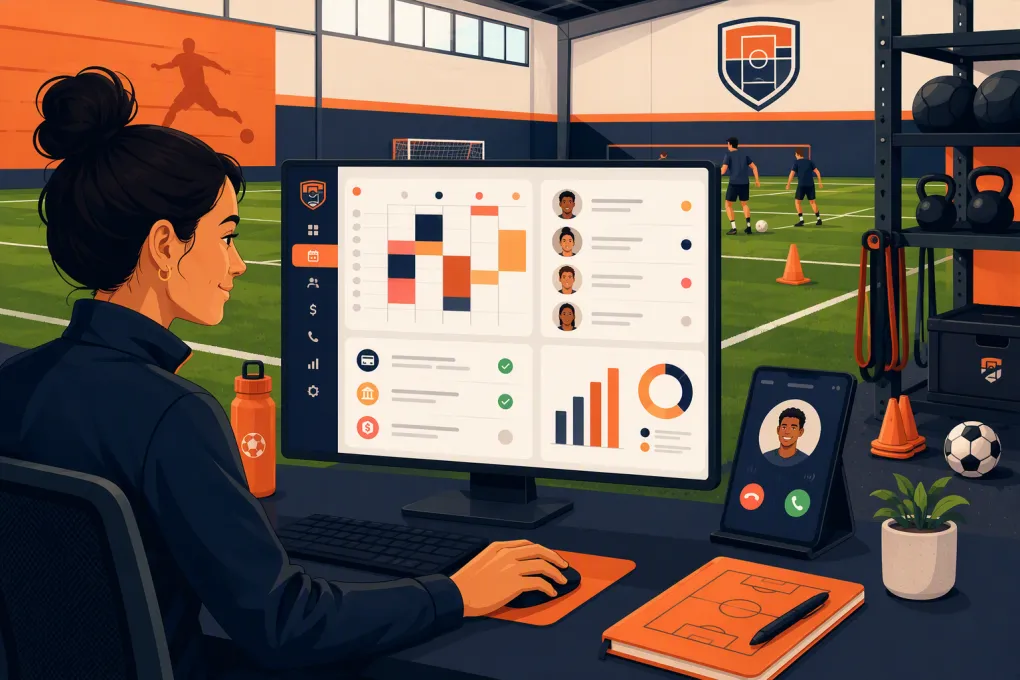 Watch · 20s
A soccer facility can sell private lessons, group training, camps, memberships, field rentals, and team programs—all against the same limited inventory of turf, coaches, and time. Generic calendars and disconnected payment tools make that complexity harder to manage, not easier.
The right soccer training facility management software should prevent scheduling conflicts, make enrollment simple, collect money reliably, and help your staff respond to leads without living at the front desk. The wrong platform creates duplicate records, manual workarounds, and reports nobody trusts.
This guide explains what to evaluate, which software categories belong on your shortlist, and how to test each system against the way your facility actually operates.
See how WTF Go and Fitty handle soccer training inquiries, booking, follow-up, and dues →
Start With Your Operating Model, Not a Feature List
Soccer businesses often use the same words for different workflows. A booking might mean an athlete reserving a private lesson, a parent enrolling two children in camp, or a team renting half a field every Tuesday.
Document what you sell before scheduling demos.
Training programs
List every bookable service and its rules:
- Private lessons with a specific trainer
- Small-group sessions with capacity limits
- Recurring academy programs
- Drop-in technical or goalkeeper training
- Camps, clinics, and combines
- Team training packages
- Assessments or trial sessions
For each service, note whether customers choose the coach, whether the system must reserve turf automatically, and whether enrollment is one-time or recurring.
Facility rentals
Rentals require resource scheduling, not just class scheduling. Your software may need to manage:
- Full fields, half fields, cages, classrooms, or party areas
- Setup and cleanup buffers
- One-time and recurring reservations
- Different rates by time, resource, or customer type
- Deposits, balances, cancellations, and rental agreements
- Conflicts between internal programming and outside rentals
A platform can be excellent at class enrollment but weak at visual field allocation. If rentals are a major revenue line, test this workflow carefully.
Memberships and packages
Determine whether you sell monthly memberships, session packs, family plans, program installments, or combinations of these. Ask how the software handles expiration dates, usage limits, freezes, failed payments, credits, and siblings under one payer.
Soccer Facility Software Comparison
No single option is automatically best. The right fit depends on whether your business is primarily a training academy, a rentable sports venue, a team organization, or a membership-based performance facility.
| Platform | Core strength | Booking and scheduling | CRM, automation, and AI | Multi-location | Pricing approach | Best fit and limitation to examine |
|---|---|---|---|---|---|---|
| WTF Go | All-in-one operations for gyms, studios, spas, and wellness businesses | Supports class and customer booking workflows; confirm complex field-grid and divisible-resource requirements during the demo | Fitty can answer leads, book classes, follow up, and collect dues around the clock | Relevant for operators managing more than one facility; verify location-level permissions and reporting for your structure | Request current package and implementation details | Strong fit when lead response, enrollment, member communication, and payment follow-up are priorities. Facilities dominated by intricate field rentals should validate resource scheduling first. |
| EZFacility | Sports and fitness facility administration | Known for facility scheduling, rentals, memberships, and related sports workflows | Operational communication and management tools are available; evaluate the depth of conversational AI and lead qualification | Ask for a demonstration using your location structure | Pricing depends on the selected product and requirements | Worth considering for venues where facility and resource scheduling are central. Test the customer-facing sales journey and automation against your expectations. |
| Upper Hand | Sports training business management | Designed around lessons, camps, events, memberships, staff, and athlete-facing workflows | Includes customer and business management capabilities; verify the exact lead-response automation included in the current package | Suitable for growing sports businesses; confirm consolidated reporting and controls | Request current pricing based on business needs | Strong candidate for training academies and coaching businesses. Confirm support for your most complex rentals, accounting process, and communication rules. |
| Mindbody | Fitness and wellness classes, appointments, memberships, and consumer discovery | Mature class and appointment booking, but soccer-specific field allocation may require workarounds | Offers marketing and business automation capabilities; review current AI features and package boundaries | Commonly evaluated by multi-site wellness operators | Plans and add-ons vary; obtain a complete written quote | Useful for class-heavy performance concepts seeking a broad fitness platform. Less naturally aligned with team administration or detailed turf rental grids. |
| TeamSnap for Business | Registration, team, club, and program administration | Stronger orientation toward registrations, rosters, teams, and schedules than front-desk facility operations | Communication and organization tools are central; evaluate lead CRM, sales follow-up, and dues recovery separately | Can support larger organizations; verify facility-level reporting needs | Packages vary by organization and selected capabilities | Logical option for clubs and leagues. A facility selling public lessons, memberships, and hourly rentals may need additional operational tools. |
Product capabilities and packages change. Treat the table as a shortlist, then require each vendor to demonstrate your workflows in a live environment.
Seven Capabilities That Matter Most
1. Resource-aware scheduling
The system should understand that a session may require more than a coach. A private lesson could need Trainer Alex, Field 1B, and a ball-tracking station at the same time.
During a demo, try to create deliberate conflicts. Confirm whether the software prevents double-booking across staff, spaces, and equipment rather than merely displaying a warning.
2. Parent, athlete, and household records
Youth soccer creates a specific account structure: the purchaser is often a parent, while the participant is a child. The system should keep contact, waiver, eligibility, attendance, and purchase data attached to the correct people.
Test sibling registration, multiple guardians, authorized pickup information, and communications intended for either the payer or athlete.
3. Fast lead response
Many inquiries arrive while trainers are on the turf or after the front desk closes. Prospects want immediate answers about age groups, skill levels, schedules, pricing, trials, and availability.
A useful system should capture the inquiry, answer approved questions, recommend the right program, offer an available booking, and continue following up when the prospect does not enroll immediately. It should also know when to escalate unusual requests to a person.
See how Fitty works as a 24/7 AI receptionist for training facilities →
4. Flexible enrollment and payments
Your software should match how you sell rather than forcing every program into a monthly membership. Test:
- Recurring dues
- One-time camp registration
- Multi-session packs
- Program installment plans
- Rental deposits and remaining balances
- Discounts and account credits
- Failed-payment follow-up
- Refunds, cancellations, and freezes
Ask what happens when a card fails. A dashboard alert is not the same as an automated recovery process.
5. Waivers and minor consent
Operators need a reliable way to collect required agreements and identify missing documents before participation. Confirm that staff can quickly see waiver status at check-in and retrieve the accepted version when needed.
Software does not determine whether your waiver is legally sufficient. Have appropriate counsel review your language and retention requirements.
6. Actionable reporting
A large report library is less valuable than a few reports your managers use every week. Look for visibility into:
- Leads by source and current status
- Trials booked, attended, and converted
- Enrollment and attendance by program
- Field or resource utilization
- Revenue by service line
- Outstanding balances and failed payments
- Coach schedules and program capacity
- Performance by location
Ask whether reports can be filtered, exported, and scheduled. Also confirm how refunds, credits, taxes, and deferred program revenue appear if those details affect your accounting.
7. Staff permissions and auditability
Coaches may need rosters and attendance without access to financial reports. Front-desk staff may need to issue credits but not change global pricing. Regional managers may need multiple locations while local managers see only their own facility.
Require role-based access appropriate to your operation and a record of meaningful account changes.
Put AI Receptionist Features Through a Real Test
An AI label alone does not improve operations. The agent needs accurate information, access to live availability, and clear boundaries.
Give each vendor realistic inquiries such as:
- My 11-year-old is new to competitive soccer. Which program fits?
- Can I book goalkeeper training after 6 p.m.?
- Do you have space for a team rental every Wednesday?
- Can two siblings attend the same camp?
- I missed a payment. How do I update my card?
Evaluate whether the agent asks useful qualification questions, avoids making unsupported promises, and records the conversation for staff. Also test handoff: urgent, sensitive, or nonstandard requests should reach the right person with context attached.
Fitty is built for this operational gap. It answers incoming leads, supports booking, follows up, and helps collect dues so opportunities do not depend entirely on front-desk coverage.
Use a Scripted Demo Scorecard
Do not let vendors control the entire demonstration. Send the same scenarios to every provider and score the result.
A practical demo script should include:
- A parent submits an inquiry after hours and books an assessment.
- Staff enroll two siblings in a camp under one payer.
- A coach schedules a private lesson requiring a specific turf area.
- A team requests a recurring half-field rental with a deposit.
- A member’s payment fails and the recovery workflow begins.
- A manager moves a session without losing customer notifications.
- An owner compares lead, revenue, and utilization data by location.
- Staff export customer and transaction data.
Score each workflow for completion, number of manual steps, customer experience, and reporting accuracy. Record any required workaround and who will own it after launch.
Plan Migration Before Signing
Migration is where a promising software purchase becomes an operational problem. Ask for a written plan covering what will and will not transfer.
Inventory your current data:
- Customer, parent, and athlete profiles
- Memberships and package balances
- Future bookings and recurring rentals
- Waiver status
- Payment tokens, where portable and permitted
- Account credits and outstanding balances
- Attendance and purchase history
- Staff accounts and permissions
Clean duplicate and inactive records before importing them. Run a test migration, reconcile active balances, and have managers approve the results before the final cutover.
Avoid changing systems immediately before a major camp launch or seasonal registration deadline. Give staff time to practice check-in, enrollment, rescheduling, refunds, and payment recovery in a test environment.
Make the Decision on Operational Fit
The best soccer training facility management software is the one that handles your highest-volume and highest-risk workflows without side spreadsheets. For a rental-heavy complex, that may mean deep resource scheduling. For a training academy, the priority may be household enrollment, coach scheduling, and program billing. For a growth-focused facility, rapid lead response and consistent follow-up may carry more weight.
WTF Go is designed for operators who want booking, customer operations, payments, and AI-assisted front-desk work connected in one system. Fitty addresses the expensive gap between an inquiry arriving and a staff member having time to respond.
Explore WTF Go for your soccer training facility and test Fitty against your real inquiries →
Frequently asked questions
What is soccer training facility management software?
It is software used to manage training schedules, customer records, enrollment, memberships, payments, communications, and often facility resources such as fields or cages.
Can soccer facility software prevent double-booked fields?
Some platforms can reserve staff and facility resources together, but the depth varies. Ask the vendor to demonstrate conflicts involving divided fields, recurring rentals, buffers, and simultaneous programs.
What is the difference between soccer club and facility management software?
Club software typically emphasizes teams, rosters, registration, and league communication. Facility software is more likely to prioritize public bookings, resource rentals, memberships, point-of-sale workflows, and lead management.
Can an AI receptionist book soccer training sessions?
Yes, if it is connected to accurate program information and live availability. It should also qualify the athlete, follow approved booking rules, and escalate requests it cannot safely complete.
How should I compare soccer facility software pricing?
Compare the complete cost, including subscriptions, locations, users, payment processing, messaging, add-ons, migration, training, and contract terms. Request a written quote based on your actual operating model.
Keep reading



Run your gym on autopilot with WTF Go
Fitty — your AI receptionist — answers calls and DMs, fills classes, follows up with every lead, and collects dues while you coach.