Comparisons
Reflexology Practice Management Software: 2026 Buyer Guide
Compare reflexology practice management software for booking, notes, automation, payments, and pricing. Use this 2026 guide to choose the right platform.
 Watch · 20s
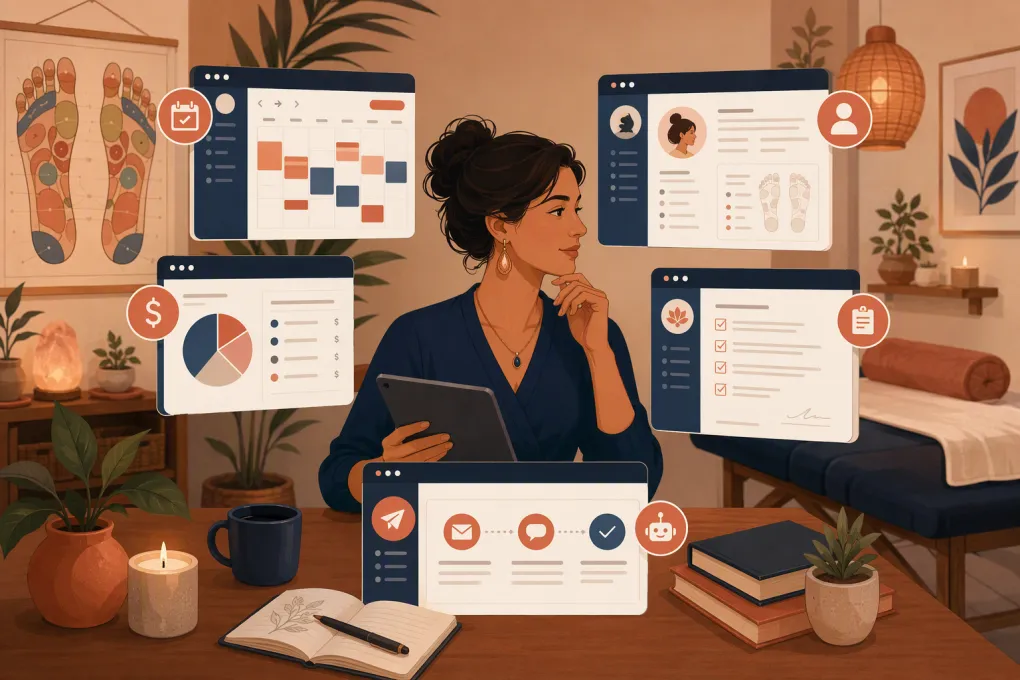
Reflexology practice management software should eliminate work, not simply move it from a paper diary into five browser tabs. A useful platform connects inquiries, scheduling, intake, client records, payments, packages, reminders, and rebooking without forcing practitioners to maintain duplicate systems.
Most reflexology businesses will not find software built only for reflexology. The realistic options include wellness practice platforms, massage-business systems, spa software, and general appointment schedulers. This guide compares five established options plus WTF Go, with clear distinctions between clinical documentation, basic scheduling, broader business management, and AI-assisted front-desk work.
Disclosure and comparison methodology
WTF Go publishes this article and sells one of the platforms evaluated. That affiliation is material: we believe WTF Go is a strong option for wellness operators that need lead response and front-desk automation, but it will not be the best choice for every practice.
The shortlist was selected using four criteria:
- The product serves appointment-based wellness or bodywork businesses in the US.
- It supports individual practitioners or small teams, rather than only enterprise organizations.
- Official product information covers scheduling plus at least one adjacent workflow, such as intake, notes, payments, memberships, or marketing.
- Pricing information or a sales-led pricing process is available from the vendor.
Feature and pricing details below were reviewed against vendors’ public US product and pricing pages on August 11, 2026. This was a desk review, not a controlled hands-on test. We did not independently test uptime, support quality, migration accuracy, or every feature configuration. Prices can vary by billing frequency, account structure, add-ons, payment processing, messaging use, and location. Follow the linked vendor pages and request a written quote before signing.
If your main problem is unanswered inquiries rather than documentation, see how WTF Go and Fitty handle wellness lead response and booking →. If clinical charting is the priority, compare Jane and MassageBook first.
Quick shortlist by practice type
- Solo reflexologist needing straightforward scheduling: Acuity Scheduling
- Documentation-heavy wellness practice: Jane
- Massage or bodywork-oriented independent practice: MassageBook
- Spa with retail, inventory, and broader salon workflows: Vagaro
- Larger wellness business seeking marketplace reach: Mindbody
- Practice prioritizing AI lead response and front-desk automation: WTF Go with Fitty
This shortlist is a starting point, not a final verdict. Your policies, service mix, reporting needs, and documentation obligations should decide the winner.
Reflexology practice management software compared
| Platform | Booking and operations | Intake and notes | Automation | Multi-location | Public US pricing snapshot, Aug. 11, 2026 | Best fit and primary limitation |
|---|---|---|---|---|---|---|
| WTF Go | Appointment and class booking, CRM, payments, memberships, communications, and operational workflows | Centralized client information and forms; practices requiring specialized clinical charts should inspect the documentation workflow | Fitty provides conversational lead response, booking assistance, follow-up, and dues collection | Intended for independent and multi-location fitness and wellness operators | No standardized public dollar price displayed; pricing is sales-led and depends on configuration | Best for operators trying to automate reception and lead follow-up; less compelling if advanced clinical charting is the deciding requirement |
| Jane | Online booking, scheduling, payments, waitlists, and practice administration | Strong emphasis on intake forms, charting, and practitioner records | Automated reminders and administrative workflows rather than an AI sales receptionist | Supports multiple practitioners and locations, with account structure affecting cost | Public plans are listed on Jane’s pricing page; US pricing is structured by plan, with additional practitioners and optional services affecting the total | Best for documentation-focused health and wellness practices; potentially more clinical structure than a simple booking-led studio needs |
| Vagaro | Scheduling, checkout, point of sale, packages, memberships, gift cards, inventory, and marketplace listing | Forms and client profiles support spa workflows; assess whether note structure fits your documentation standard | Notifications, campaigns, and client-facing booking tools; some capabilities are paid additions | Supports multiple service providers and locations | Vagaro’s US pricing page publishes a monthly starting rate based on one bookable calendar, with cost increasing for more calendars and optional features | Best for spas combining services, products, and front-desk retail; add-ons can make the final cost less obvious than the starting rate |
| Mindbody | Scheduling, payments, memberships, marketing, reporting, and consumer marketplace exposure | Client profiles and forms support wellness operations; specialized treatment-note depth needs validation | Automated marketing and client communication vary by package | Built for multi-service and multi-location wellness businesses | Mindbody uses a request-a-quote pricing process; no universal public monthly dollar figure is presented | Best for established wellness businesses valuing a broad ecosystem and marketplace; can be heavier to buy and configure for a solo practice |
| MassageBook | Online booking, payments, gift certificates, business listings, and massage-oriented administration | Intake and session-documentation tools are oriented toward massage and bodywork | Reminders and marketing functions, but not a conversational AI receptionist | Better aligned with independent practitioners and smaller teams than complex chains | MassageBook publishes tiered subscription information on its business pricing page; verify which marketing and payment functions are included in each tier | Best for hands-on practitioners wanting bodywork-specific workflows; multi-location controls and advanced sales automation are not its central proposition |
| Acuity Scheduling | Self-scheduling, appointment types, calendar controls, forms, packages, subscriptions, and payment integrations | Custom intake forms work for basic information collection; it is not positioned as a clinical charting system | Rule-based reminders and scheduling controls rather than full front-desk AI | Multiple calendars can represent providers or locations, subject to plan limits | Acuity publishes three US subscription tiers on its pricing page, with lower effective monthly rates for annual billing; the entry tier is the lowest-cost configuration | Best for uncomplicated appointment scheduling; operators may need separate CRM, detailed records, POS, or lead-management tools |
Pricing pages are linked instead of reproducing dollar amounts that may change by billing term, promotion, region, tax, or account configuration. For a useful comparison, ask every vendor for the same written cost scenario: your number of practitioners, locations, monthly messages, payment volume, required forms, and optional modules.
Decide whether you need scheduling or practice management
A scheduling tool solves availability. Practice management software should manage what happens before and after the appointment as well.
A solo practitioner with one room, no employees, and simple payment policies may be well served by Acuity. A practice maintaining structured intake and treatment records may gain more from Jane or MassageBook. A spa selling products, memberships, and gift cards may need Vagaro’s broader commercial workflows.
WTF Go becomes more relevant when the operational gap is between inquiry and booking. Fitty is designed to answer approved questions, capture lead information, help people book, follow up, and escalate conversations that require staff judgment.
That distinction matters. An online calendar serves a person who is already prepared to book. It does not necessarily help someone asking which session to choose, whether evening appointments are available, what to expect, or how a package works.
Test the complete reflexology client journey
Do not evaluate software from a prepared sales demonstration alone. Give each vendor the same workflow and ask to see it completed live.
Inquiry and booking
Create a prospective client who asks a question but does not immediately schedule. Check whether the system records the inquiry, retains the conversation, assigns follow-up, and offers the correct appointment type.
Then test:
- New-client and returning-client services
- Practitioner eligibility
- Room availability
- Setup and cleanup buffers
- Minimum booking notice
- Deposits and cancellation windows
- Recurring appointments
- Waitlist behavior
A 60-minute session may require more than 60 minutes of calendar capacity. If the platform cannot reserve preparation, notes, checkout, or room-reset time, delays will accumulate.
Intake, consent, and notes
Send the intake form to a phone and complete it as a client would. Confirm that the response attaches to the correct record and is visible only to authorized employees.
Ask vendors to demonstrate:
- Required and optional fields
- Electronic consent or signatures
- Form updates for returning clients
- Practitioner note templates
- Role-based record access
- Change history or audit records
- Record export
If you handle regulated health information, do not treat a general security statement as proof that the product meets your obligations. Ask about encryption, access controls, audit history, data retention, incident procedures, and whether the vendor will execute any agreement your legal or compliance adviser says is necessary.
Payments, packages, and rebooking
Complete a checkout using a package credit, then test a cancellation, partial refund, expired credit, and failed recurring payment. Ask how staff and clients can see remaining visits.
The system should clearly define:
- When credits are issued and expire
- Whether credits can be transferred
- How freezes and cancellations work
- What happens after a failed payment
- Who can issue refunds or alter balances
- Whether payment details can migrate to another processor
If repeated payment follow-up is consuming staff time, review how Fitty supports automated dues collection and escalation →. Sensitive disputes and policy exceptions should still move to a person.
Compare total cost, not the advertised starting price
A useful quote includes every component required to reproduce your current operation. Request an itemized estimate covering:
- Base subscription
- Additional practitioners or calendars
- Additional locations
- SMS, email, or phone usage
- Intake or forms modules
- Marketing features
- Point-of-sale hardware
- Onboarding and data migration
- Payment processing
- Premium support
- Contract length and cancellation terms
Also ask what happens to pricing when you add a practitioner or location. A low entry price can be appropriate for a solo practice but become less competitive as calendars, messaging, and optional modules accumulate.
Verify migration before committing
Exporting client names is not the same as migrating a practice. Build an inventory of future appointments, forms, notes, package balances, memberships, gift cards, waivers, communication preferences, and outstanding balances.
Request sample exports from the vendor before signing. Confirm whether attachments and notes are supplied in usable formats and whether payment tokens can be transferred between processors. Card data generally cannot be moved like an ordinary spreadsheet.
Finally, speak with references that resemble your business: similar practitioner count, service mix, and number of locations. Ask about implementation, daily administrative work, support escalation, and data exports—not just whether they like the interface.
The right reflexology practice management software is the platform that reliably supports your real client journey at a defensible total cost. Choose documentation depth if records drive the practice, broader spa operations if retail and inventory matter, or front-desk automation if unanswered inquiries and manual follow-up are the constraint.
Frequently asked questions
What is the best reflexology practice management software for a solo practitioner?
Acuity can suit a solo practitioner needing simple scheduling, while MassageBook may fit bodywork-specific workflows and Jane may suit more structured documentation. Compare the complete cost of forms, payments, reminders, and marketing rather than the base subscription alone.
How much does reflexology practice software cost?
Pricing varies by practitioners, calendars, locations, messaging, add-ons, payment processing, and billing term. Use the vendors’ linked pricing pages, then request itemized quotes based on the same operating scenario.
Does reflexology software include treatment notes and intake forms?
Jane and MassageBook emphasize practitioner documentation, while general schedulers such as Acuity provide forms without positioning themselves as clinical record systems. Test permissions, templates, audit history, and exports before choosing.
Can AI software book reflexology appointments?
An AI receptionist such as Fitty can answer approved operational questions, capture lead details, assist with booking, and follow up. Questions requiring health advice or practitioner judgment should be escalated to a qualified person.
What data should be migrated to a new practice platform?
Plan for client profiles, future appointments, forms, notes, package balances, memberships, gift cards, waivers, communication preferences, and outstanding balances. Verify the export format and payment-token migration process before signing.
Keep reading



Run your gym on autopilot with WTF Go
Fitty — your AI receptionist — answers calls and DMs, fills classes, follows up with every lead, and collects dues while you coach.