Comparisons
Private Swim Lesson Scheduling Software: 2026 Buyer Guide
Compare private swim lesson scheduling software for booking, families, payments, makeups, integrations, security, migration, and smarter lead follow-up.
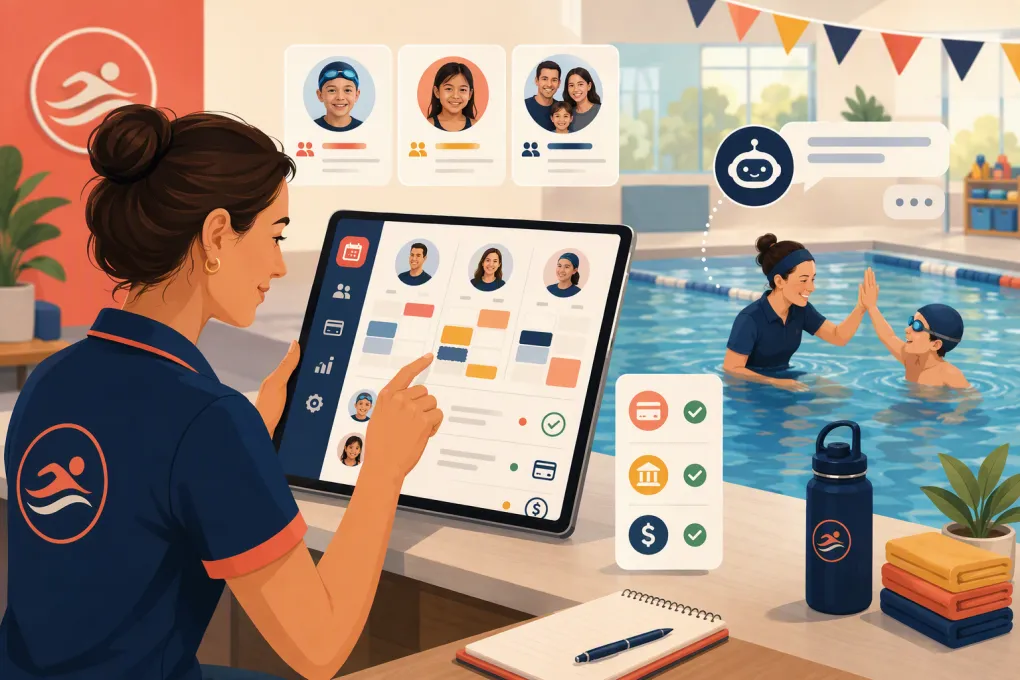 Watch · 20s
Private swim lessons create a deceptively difficult scheduling problem. Every booking may depend on the swimmer’s level, instructor qualifications, pool or lane availability, package balance, recurring schedule, and cancellation policy. The person paying is often a parent, not the swimmer, which adds another layer to accounts and communication.
Basic appointment software can put a lesson on a calendar. The right private swim lesson scheduling software coordinates the entire workflow without forcing staff to maintain separate spreadsheets for lanes, credits, waitlists, or balances.
It should also reduce the gap between a parent asking a question and taking the next step. A technically bookable calendar does little good if prospects must wait until the front desk reopens to determine which lesson they need.
See how WTF Go approaches swim lesson inquiries, follow-up, and booking with Fitty →
How this software comparison was evaluated
Last reviewed: September 1, 2026.
This is an editorial comparison based on publicly available vendor information, including the official product pages linked below. It is not a hands-on laboratory test, paid ranking, or claim that every feature is included in every plan. Software packaging, payment terms, and capabilities can change.
The products were evaluated against workflows that matter to private swim operators:
- Household and swimmer account structure
- Private and recurring lesson scheduling
- Instructor and physical-resource management
- Packages, billing, credits, and makeups
- Lead response and follow-up
- Multi-location administration
- Integrations and data portability
- Publicly described pricing model or sales process
Because vendors do not publish every configuration detail, buyers should require a scenario-based demonstration and written answers before signing. The useful distinction is not whether a platform has a calendar. It is whether its underlying operating model fits a swim school.
What private swim lesson software must handle
Families, swimmers, and placement
A parent may manage two or more swimmers with different levels, instructors, and schedules. The system should maintain one responsible billing account while preserving an individual profile, attendance history, skill information, and waiver status for each swimmer.
Determine whether families can:
- Add multiple swimmers under one login
- See each swimmer’s schedule and package balance
- Book only age- or level-appropriate services
- Sign required waivers electronically
- Update payment and contact information
- Receive consolidated or swimmer-specific messages
If your instructors track skill progression, ask whether that information is structured and reportable or merely entered into free-form notes.
Instructor and pool availability
A private lesson consumes at least two resources: an instructor and a place to teach. In some facilities, the exact pool, lane, or teaching zone matters as well.
Test whether the software blocks a booking when the instructor is free but the required resource is not. Room or facility scheduling does not automatically equal lane-level capacity management.
Also test instructor substitutions. A replacement should not create duplicate bookings, break payroll records, or send families conflicting notifications.
Packages, recurring bookings, and payments
Your sales model should determine the configuration—not the other way around. Private lessons may be sold individually, in prepaid packs, or as a standing weekly reservation.
The software should show how it handles:
- Package purchase and credit deduction
- Recurring reservations
- Package expiration
- Cards on file and failed payments
- Account credits and refunds
- Outstanding balances
- Family-initiated rescheduling
- Instructor or facility cancellations
Ask what happens across the full transaction. For example, when a qualifying cancellation occurs, does the software cancel the appointment, return the correct credit, update instructor compensation, and notify the family?
Private swim lesson scheduling software compared
The options below solve different problems. Jackrabbit Swim and iClassPro are oriented toward swim schools and class-based youth programs. Amilia is broader recreation-management software. Sawyer focuses on children’s activity providers. Mindbody is a general fitness and wellness platform. WTF Go emphasizes operating automation and AI-assisted lead handling.
| Platform | Operating model and documented strengths | Private-lesson fit | Automation and lead handling | Pricing context and likely trade-off |
|---|---|---|---|---|
| WTF Go | All-in-one operating platform for gyms, studios, spas, and wellness businesses. WTF Go describes Fitty as an AI agent designed to answer leads, book, follow up, and collect dues. | Relevant when private lessons are managed alongside customer records, payments, and conversations. Operators needing specialized lane-allocation or swim-level rules should have those exact workflows demonstrated. | Lead response and follow-up are central to the product positioning rather than a separate front-desk process. Human escalation rules and approved-answer controls should be defined during setup. | Obtain current software, implementation, payment-processing, and contract terms directly. Best considered when reducing inquiry and administrative workload is a primary buying goal. |
| Jackrabbit Swim | Purpose-built swim school management product with online registration, parent portal, billing, attendance, staff management, and skills-related workflows described by the vendor. | Strong alignment with household accounts, class enrollment, and swim-program administration. Buyers with a private-lesson-heavy model should test recurring appointments and simultaneous instructor/resource constraints. | Administrative messaging and parent self-service are part of the platform. It is primarily swim school management software rather than an AI receptionist product. | Jackrabbit has traditionally structured subscriptions around business size or active enrollment; use its current quote or pricing materials for actual terms. Its breadth may exceed the needs of a solo instructor. |
| iClassPro | Class-management platform serving swim, gymnastics, and other children’s activity businesses. Public materials describe enrollment, family-facing account tools, billing, attendance, staff administration, and reporting. | Well suited to operations that mix group programs, camps, and private instruction. Confirm how private appointments consume pools, lanes, and instructor availability in your proposed setup. | Offers customer communication and administrative tools. Buyers specifically seeking conversational, after-hours lead qualification should compare that workflow separately. | Commercial terms can depend on locations, products, and services selected. The platform may be a better operational fit for established youth-program businesses than a simple appointment-only operation. |
| Amilia SmartRec | Recreation-management platform covering activity registration, memberships, facilities, point of sale, and organizational administration. | Useful when lessons are one part of a larger recreation operation involving facilities and multiple program types. Its broader model may require more configuration than a swim-only product. | Supports digital registration and administrative communication, but it is not positioned primarily as an AI lead receptionist. | Pricing is generally handled through the vendor’s sales process and may reflect organizational scope. Evaluate implementation effort as well as subscription cost. |
| Sawyer | Registration and management software designed for children’s activity providers, with family-facing discovery, registration, schedules, camps, and business administration. | A practical candidate for smaller providers prioritizing a simple parent booking experience. More complex lane rules, instructor payroll logic, and makeup policies deserve close testing. | Customer booking and communication are core capabilities. Its marketplace and parent experience are a different value proposition from automated phone or conversational lead handling. | Sawyer has offered packaged software plans, while processing and optional services can affect total cost. Review the current plan limits and transaction terms rather than comparing only headline subscription prices. |
| Mindbody | Broad fitness and wellness platform with classes, appointments, client profiles, staff schedules, payments, marketing tools, and consumer discovery. | Can support appointment-based private lessons, especially inside a broader fitness business. It is not organized specifically around swim levels, households, lane allocation, or aquatic progression. | Provides marketing and customer-engagement capabilities, with availability varying by package. Swim-specific placement questions may require custom processes. | Mindbody sells tiered business packages and additional services may affect total cost. Its broad ecosystem can be valuable, but swim schools should identify any aquatics workflows that would require workarounds. |
Pricing cannot be compared responsibly from a base subscription alone. Request a total-cost schedule covering implementation, locations, users, payment processing, messaging, premium modules, support, hardware, data migration, and early termination.
Run a scenario-based demo
Do not accept a tour of the navigation menu as proof that the software fits your operation. Give every vendor the same script and ask them to complete it live.
- Create a household with two swimmers at different levels.
- Sell one swimmer a lesson package.
- find an eligible instructor and an available pool resource.
- Book a recurring weekly lesson.
- Process an on-time parent cancellation and return the correct credit.
- Process a late cancellation without returning a credit.
- Replace an absent instructor and notify the family.
- Cancel lessons because of a pool closure.
- Fill an opening from a waitlist.
- Resolve a failed payment and restrict booking if your policy requires it.
- Export the family, schedule, attendance, and transaction data.
- Show the original inquiry through the final booked lesson.
Ask permission to record the demonstration. Afterward, document which steps were native, configurable, manual, or dependent on another product.
If your biggest leakage occurs before a family reaches the booking page, include that in the demo. According to WTF Go’s product description, Fitty is designed to answer lead questions, maintain follow-up, book, and assist with dues collection. Require the demonstration to show your approved policies, escalation path, and actual booking configuration—not a generic chatbot conversation.
Ask WTF Go to demonstrate Fitty against your real private-lesson inquiry workflow →
Complete buyer checklist
Integrations and data ownership
List every system that must exchange data with the new platform, including accounting, payment processing, email, texting, access control, payroll, analytics, and your website.
Ask whether each connection is native, API-based, middleware-dependent, or a manual export. Also confirm:
- Which records can be exported
- Available file formats
- Whether exports include notes and custom fields
- API availability and fees
- Export access after cancellation
- Who owns customer and operational data
Security, permissions, and accessibility
Request written documentation covering role-based access, administrator controls, multifactor authentication, audit logs, backups, incident response, and payment-security responsibilities.
Test whether instructors can see only the information they need. Sensitive billing, health, or household details should not be broadly visible simply because someone needs to view a schedule.
Review the parent booking experience using a keyboard and mobile device. Ask the vendor about its accessibility practices and documentation. Do not assume a visually clean booking page is accessible.
Payroll and instructor compensation
Scheduling software and payroll software are not necessarily the same thing. Determine whether the platform calculates instructor compensation, creates an export, or only records attendance.
Test different pay rules, including completed lessons, no-shows, late cancellations, substitutes, and lessons delivered by senior instructors. Identify who reviews adjustments before payroll is finalized.
Support and service expectations
Ask for the support channels, operating hours, escalation process, and response commitments included in your contract. A general promise of support is not the same as a service-level agreement.
Clarify what happens when online booking, payment processing, or check-in is unavailable during peak hours. Multi-location operators should also ask whether each manager can contact support directly.
Contract and implementation terms
Review contract length, renewal language, price-change provisions, cancellation deadlines, implementation fees, training, payment-processing commitments, and data-return terms.
Migration should cover more than names and email addresses. Ask how swimmer profiles, package balances, waivers, future bookings, attendance history, credits, and outstanding balances will move. Stored payment credentials may require a separate process controlled by payment providers.
Make the decision around workflow, not feature count
A long feature list can hide a poor operating fit. Swim-specific platforms tend to be stronger at households, enrollment, and program administration. Broader recreation platforms can be better for facilities and mixed activities. General wellness platforms may offer larger marketing ecosystems. Automation-focused systems can reduce the manual work between inquiry, booking, and payment.
Choose the product that completes your highest-volume workflows with the fewest exceptions. Before signing, obtain the proposed configuration, migration scope, total commercial terms, security documentation, and support commitments in writing.
Frequently asked questions
What is the best scheduling software for private swim lessons?
The best fit depends on whether you need swim-specific family and program management, broader recreation tools, or stronger lead automation. Shortlist products by operating model, then test each one with your real booking, cancellation, payment, and resource scenarios.
Can private swim lesson software prevent double-booking?
It can if the system checks both instructor availability and the required pool, lane, or teaching resource. Ask the vendor to demonstrate a conflicting booking rather than relying on a feature-list answer.
Can scheduling software manage lesson packages and makeups?
Many platforms support packages or credits, but policy enforcement differs. Test on-time cancellations, late cancellations, instructor absences, pool closures, credit expiration, and self-service rebooking.
How much does swim lesson scheduling software cost?
Total cost may include the subscription, implementation, payment processing, messaging, premium modules, additional locations, migration, and support. Request a written cost schedule based on your enrollment, locations, and payment volume.
What data should I be able to export?
At minimum, request exports of households, swimmers, contact details, schedules, attendance, package balances, credits, transactions, waivers, notes, and custom fields. Confirm the format and your access to exports after contract termination.
Keep reading



Run your gym on autopilot with WTF Go
Fitty — your AI receptionist — answers calls and DMs, fills classes, follows up with every lead, and collects dues while you coach.