Comparisons
Powerlifting Gym Management Software: 2026 Buyer's Guide
Compare powerlifting gym management software for memberships, access, coaching, billing, meets, and AI follow-up. Choose the right system for your club.
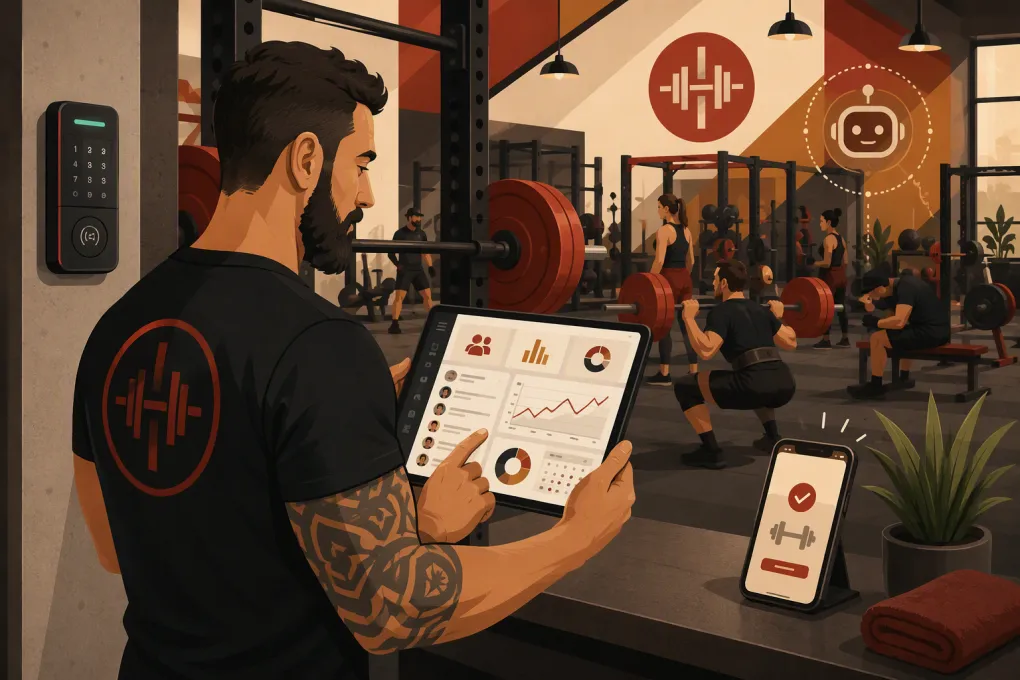 Watch · 20s
A powerlifting gym is not a generic fitness studio with heavier dumbbells. Members may train independently for two hours, coaches manage athletes and small groups, teams need shared billing rules, and serious lifters expect reliable access outside conventional class times. Your software has to support that operating model without forcing every visit into a boutique-class template.
The right powerlifting gym management software should control the full member journey: inquiry, trial, waiver, payment, access, coaching, attendance, failed-payment recovery, and renewal. It should also reduce front-desk work rather than create another dashboard the owner has to monitor.
Why powerlifting gyms need a different software setup
Many general gym platforms can sell memberships and schedule classes. The differences become obvious when you apply them to daily powerlifting operations.
A typical club may offer:
- Open-gym memberships with recurring billing
- Limited-access, off-peak, student, youth, or remote-coaching plans
- Day passes and short-term drop-ins
- One-on-one coaching and technique sessions
- Team training, barbell club sessions, and meet preparation
- Workshops, mock meets, seminars, and sanctioned competitions
- Add-ons such as programming, equipment storage, or recovery services
The system must distinguish between a bookable coaching session and an open-gym visit. It may also need to determine whether a member can unlock the door, reserve a specialty bar, attend a team session, or enter after staffed hours.
Lead handling is another weak point. An interested lifter may call at night after training elsewhere, ask whether beginners are welcome, or want to know if the gym has calibrated plates and competition equipment. If nobody responds until the next day, the conversation may already be lost.
See how Fitty handles powerlifting gym inquiries and booking around the clock →
The essential features to evaluate
Membership and billing flexibility
Look beyond whether the software supports recurring payments. Build several real products during the demo and see whether staff can administer them without workarounds.
Test these scenarios:
- A monthly open-gym membership with an initiation fee
- A coaching package that includes gym access
- A team membership billed to one person or separately to each athlete
- A day pass requiring payment and a signed waiver before entry
- A prepaid training block with a defined expiration policy
- A membership freeze with a scheduled restart date
- A failed payment that temporarily changes access privileges
Ask how upgrades, prorating, cancellations, refunds, chargebacks, family accounts, and overdue balances are handled. Also request the complete payment-processing fee schedule. The subscription price alone does not show the total cost of the system.
Open-gym scheduling and 24-hour access
Powerlifting gyms often sell access rather than attendance at a specific class. Software designed primarily for scheduled classes can make this unnecessarily awkward.
Determine whether members must reserve open-gym time or can simply check in. If reservations are required during peak hours, confirm that the platform supports capacity limits, waitlists, recurring reservations, and no-show rules.
For an unstaffed or 24-hour facility, investigate door-access compatibility separately. Ask:
- Which locks, controllers, and access vendors are supported?
- How quickly does access change after a purchase or failed payment?
- Can access be limited by membership type, day, time, or location?
- What happens when the internet or software service is unavailable?
- Is there an access log, and who can review it?
- How are guest passes and temporary credentials managed?
Do not assume that a check-in app controls a physical door. Have the vendor demonstrate the exact hardware and membership workflow you intend to use.
Coaching, appointments, and athlete management
Management software and programming software solve different problems. A management platform handles relationships, scheduling, contracts, and money. A coaching platform may deliver programs, collect training videos, track sets, and manage athlete feedback.
Some gyms need both. If so, decide which system owns the member record and how staff will avoid duplicate data entry. At minimum, the management platform should support coach availability, appointment booking, package balances, reminders, cancellations, and coach-level permissions.
If coaches are contractors, ask whether reporting can separate sessions delivered, revenue collected, refunds, complimentary bookings, and outstanding packages. Have your accountant or attorney determine the appropriate compensation and worker-classification policies; software reports do not settle those questions.
Lead response and follow-up
A website form is not a sales process. Your software should capture the inquiry, identify the service requested, respond promptly, and move the person toward a tour, consultation, day pass, or intro session.
For powerlifting prospects, useful qualification fields include:
- Training experience and current goals
- Interest in open gym, coaching, or a team
- Preferred training times
- Competition plans, if relevant
- Prior injuries or limitations that require a coach conversation
- Whether the prospect is a minor and needs guardian involvement
WTF Go includes Fitty, an AI receptionist and agent that can answer leads, book classes or appointments, follow up, and collect dues 24/7. The practical value is continuity: the inquiry does not sit untouched just because the owner is coaching, spotting a lifter, or away from the desk.
See how Fitty can turn after-hours questions into booked gym visits →
Configure any AI agent with clear boundaries. It should know your staffed hours, equipment policies, beginner options, cancellation terms, and escalation rules. Medical questions, safety incidents, contract disputes, and unusual billing issues should be routed to a person.
Powerlifting gym management software compared
No platform is best for every club. The table below focuses on operational fit rather than declaring a universal winner. Features, packaging, integrations, and pricing can change, so validate current terms directly with each vendor.
| Platform | Core workflows and booking | Automation and AI | Access and multi-location considerations | Pricing and migration | Best fit and limitation |
|---|---|---|---|---|---|
| WTF Go | Combines CRM, scheduling, memberships, billing, lead management, and day-to-day gym operations | Fitty answers inquiries, books, follows up, and helps collect dues 24/7 | Confirm the required door hardware and location-specific rules during the demo | Request current pricing and a migration plan based on your records and payment setup | Strong fit for operators who want an all-in-one system with an AI front desk; specialized training-program delivery may still require a coaching tool |
| PushPress | Gym-focused membership, billing, scheduling, check-in, and staff workflows, with additional products in its ecosystem | CRM and communication automation are available; confirm which capabilities require separate products or plans | Commonly evaluated by functional fitness and strength gyms; verify door-access vendors and multi-site administration | Plans and add-ons vary, so request the total cost for the complete stack | Strong gym-specific operating model; buyers should evaluate the cost and complexity of combining multiple products |
| Gymdesk | Membership management, billing, scheduling, attendance, online booking, and website tools | Supports member communication and workflow automation; it is not positioned primarily as an AI receptionist | Access-control and integration requirements should be checked against the gym’s hardware | Subscription plans and payment costs should be reviewed together; confirm data-import support | Practical option for independent gyms seeking broad core features; advanced sales conversations may still need staff involvement |
| Zen Planner | Established fitness-business platform covering memberships, billing, scheduling, attendance, and member administration | Includes communication and member-management tools; verify the current scope of sales automation | Suitable for structured membership organizations; confirm access hardware and cross-location reporting | Obtain current package, implementation, and processing details directly | Worth considering for established gyms that prioritize conventional member management; the interface and workflows should be tested by actual staff |
| TeamUp | Strong class, appointment, membership, form, and customer-management workflows | Offers automated communications and integrations, but not a dedicated AI receptionist equivalent to Fitty | Evaluate open-gym check-in, door access, and location rules for your exact model | Pricing commonly depends on the selected plan and business scale; verify migration services | Good fit for schedule-led gyms and coaching businesses; access-heavy powerlifting clubs should test unbooked visit workflows carefully |
During demos, use the same scenarios for every vendor. A polished overview is less informative than watching the salesperson create your real membership, process a failed payment, book a coaching package, and restrict access.
Reporting that helps an owner make decisions
A useful dashboard should show more than total members. You need to understand where revenue and operational problems originate.
Look for reporting on:
- Leads by source, status, and assigned staff member
- Tours, consultations, trials, and resulting memberships
- Active, frozen, overdue, and canceled memberships
- Failed payments and recovery status
- Revenue by membership, coaching, event, and retail category
- Attendance by hour, day, membership type, and location
- Coach schedules and completed appointments
- Cancellation reasons and upcoming expirations
Make sure reports can be exported in a usable format. Your gym’s operating history should not become inaccessible because you change systems later.
For multi-location operators, confirm whether a member can visit more than one club, whether access rules follow the home location, and whether reporting can be viewed both by site and across the company. Also test staff permissions so a coach at one location does not automatically see sensitive financial information from every location.
How to run a disciplined software demo
Send vendors a short requirements document before the call. Include membership types, locations, staff roles, door hardware, payment processor, scheduling model, integrations, and the data you need to migrate.
Then ask the vendor to demonstrate these workflows live:
- Capture a lead from the website and book an intro session.
- Convert that lead into a member without re-entering information.
- Collect payment, sign the waiver, and grant the correct access.
- Schedule recurring coaching while tracking package usage.
- Handle a declined payment and show the member communication.
- Freeze, upgrade, transfer, and cancel a membership.
- Export member, payment, attendance, and lead data.
Include the people who will use the software. Owners tend to focus on reporting and price; front-desk staff and coaches notice how many clicks routine tasks require.
Plan the migration before signing
Migration problems usually come from unclear ownership rather than the import file itself. Assign one person to make final decisions about products, data cleanup, and go-live timing.
Before moving systems:
- Remove duplicate and obsolete member records.
- Document active memberships, discounts, freezes, credits, and prepaid packages.
- Determine whether stored payment credentials can be transferred securely.
- Export signed waivers and contracts where possible.
- Map old membership names to the new product structure.
- Test door access, booking, email, text, and payment workflows.
- Tell members what will change and what action they must take.
- Keep reconciliation reports from both systems during the transition.
Do not recreate years of messy pricing simply because it exists in the old platform. Migration is an opportunity to simplify your product catalog and standardize policies.
The bottom line
The best powerlifting gym management software matches how your members actually train. It should handle open access, coaching, flexible billing, waivers, lead conversion, and overdue accounts without requiring the owner to connect every step manually.
WTF Go is built for operators who want those workflows in one operating system, with Fitty covering the conversations and follow-up that normally stop when staff leave the desk.
Explore WTF Go and see Fitty handle your real powerlifting gym workflow →
Frequently asked questions
What is the best powerlifting gym management software?
The best option depends on whether your gym prioritizes open access, coaching, classes, multiple locations, or automated lead response. Test each platform using your real memberships, door hardware, billing rules, and staff workflows.
Can gym management software control 24-hour door access?
Some platforms connect with access-control vendors, but compatibility varies by software, lock, and controller. Ask for a demonstration using the exact hardware and membership restrictions your gym requires.
Does management software also deliver powerlifting programs?
Not always. Gym management software typically handles members, billing, booking, and access, while specialized coaching software handles programs, training logs, videos, and athlete feedback.
What data should I migrate from my current gym software?
Prioritize member contact details, active agreements, billing status, credits, package balances, waivers, attendance, lead records, and cancellation history. Confirm separately whether stored payment credentials can be transferred.
How can AI help a powerlifting gym?
An AI receptionist such as Fitty can answer common prospect questions, book visits, follow up with leads, and assist with dues collection outside staffed hours. Clear escalation rules should route safety, medical, contract, and unusual billing issues to a person.
Keep reading



Run your gym on autopilot with WTF Go
Fitty — your AI receptionist — answers calls and DMs, fills classes, follows up with every lead, and collects dues while you coach.