Comparisons
Pelvic Floor Therapy Practice Management Software Guide
Compare pelvic floor therapy practice management software for consent, outcome measures, authorizations, billing, scheduling, security, and patient follow-up.
 Watch · 20s
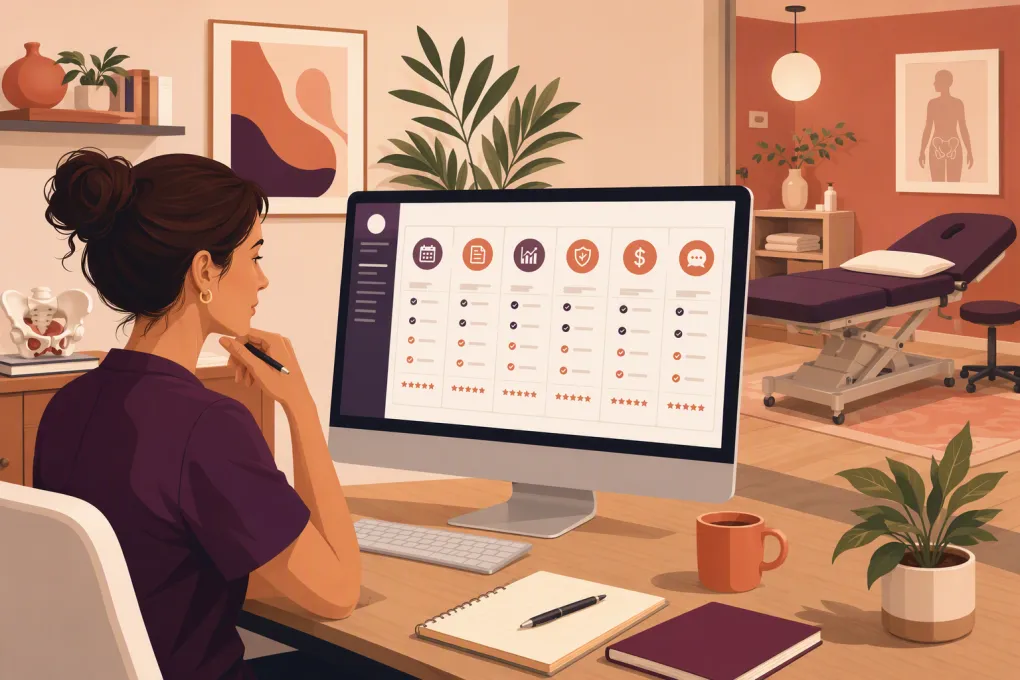
Pelvic floor therapy practice management software has to manage more than appointments and SOAP notes. A workable system must support sensitive intake, informed-consent procedures, long evaluations, referral and authorization requirements, pelvic-health outcome measures, private communication, and billing that matches the practice’s payer mix.
That combination narrows the field. Some platforms are rehabilitation EMRs built around insurance and plans of care. Others are flexible clinic-management systems better suited to cash-pay or multidisciplinary practices. Front-office automation is a separate category: it can improve inquiry response and follow-up, but it should not be mistaken for a clinical record.
This comparison uses publicly described vendor capabilities and pricing availability as of August 2026. It is an editorial review, not a hands-on usability test. Exact prices, plan entitlements, integrations, and security terms can change, so official vendor pages and written contract terms should control your decision.
Start with the pelvic-health workflow, not the software demo
Pelvic health creates operational requirements that a general PT checklist can miss. Map these workflows before requesting demonstrations.
Sensitive intake and communication
Patients may disclose bladder, bowel, sexual, obstetric, surgical, pain, or trauma history. Your system should let you control which questions are required, who can see responses, and whether forms appear conditionally based on visit type.
Check whether you can:
- Create separate intake packets for pregnancy, postpartum, pelvic pain, incontinence, bowel dysfunction, pediatrics, and gender-affirming care
- Avoid requiring sensitive questions that are irrelevant to the scheduled service
- Restrict form and note access by role
- Send neutral notification text that does not reveal a diagnosis or treatment type
- Separate clinical intake from the minimal information collected by front-office staff
- Record preferred name, pronouns, communication method, and accessibility needs
If unanswered inquiries are the immediate problem, front-office automation can complement—not replace—your clinical platform. See how Fitty handles approved inquiry, booking, and follow-up workflows →
Disclosure: WTF Go publishes this article and sells Fitty. Fitty is evaluated below using the same criteria as the other products. Where WTF Go has not publicly established a clinical, billing, integration, or security capability, the table says so rather than assuming it exists.
Internal-exam consent
Do not reduce internal-exam consent to a permanent checkbox buried in general intake. Your clinical and legal advisors should define when consent is obtained, how it is documented, whether renewed consent is required, and how withdrawal is recorded.
During a demo, ask the vendor to show whether you can:
- Use a dedicated, version-controlled consent form
- Record the date, clinician, examination type, and patient decision
- Document declined or withdrawn consent without blocking unrelated treatment
- Capture clinician attestation or patient signature when your policy requires it
- Restrict access to the form and preserve an audit history
Software supports the process; it does not determine whether your consent policy is adequate.
Outcome measures
A pelvic health practice may use general measures such as pain scales alongside condition-specific questionnaires. Examples include the Pelvic Floor Distress Inventory, Pelvic Floor Impact Questionnaire, Pelvic Pain Impact Questionnaire, International Consultation on Incontinence Questionnaire, and NIH Chronic Prostatitis Symptom Index.
Before loading any questionnaire, confirm that you are permitted to reproduce and score it. Then test whether the software supports electronic completion, automatic scoring, longitudinal comparison, incomplete-form alerts, and export into the clinical note. “Custom forms” does not necessarily mean calculated outcome measures.
Referrals, plans of care, and authorizations
Requirements vary by state, payer, provider type, and plan. Insurance-based practices may need to track referral receipt, certification or plan-of-care signatures, authorization numbers, approved visits, date ranges, and visits remaining.
A useful system should warn staff before—not after—the final authorized visit. Ask how it handles overlapping authorizations, payer-specific visit limits, unsigned plans of care, and appointments scheduled beyond an authorization end date.
Platform comparison for pelvic floor therapy practices
The table separates vendor-published capabilities from items that require confirmation. “Custom quote” means the vendor does not provide a dependable public price range for the relevant configuration; it is not an estimate.
| Platform | Clinical notes and pelvic-health configuration | Consent and outcomes | Referrals, authorizations, and billing | Scheduling and intake | Integrations and security | Public pricing status and implementation | Best shortlist fit |
|---|---|---|---|---|---|---|---|
| Jane | Customizable chart templates and multidisciplinary clinic workflows; verify that templates support every pelvic-health field and permission rule you need | Online forms and charting can support consent collection; confirm version history, calculated scoring, and renewal workflows | Insurance-related workflows are available, but US payer complexity should be tested by state and payer; confirm authorization alerts and claim functions on the selected plan | Online booking, intake forms, reminders, payments, rooms, and multiple disciplines | Jane publishes security and privacy information and describes healthcare-oriented safeguards; confirm BAA terms and each required integration in writing | Jane publishes plan-based pricing on its pricing page; fees vary by plan, practitioner needs, and add-ons, so use the live page for the current range. Self-guided setup is possible, but template and billing configuration still require staff time | Cash-pay, out-of-network, or multidisciplinary pelvic-health clinics that value patient-facing administration |
| WebPT | Rehabilitation-focused documentation, plans of care, compliance workflows, and PT operations | Confirm availability of pelvic-specific templates, consent versioning, and automatic scoring for your chosen measures | Stronger orientation toward insurance billing, authorizations, compliance, and revenue-cycle workflows than general clinic schedulers | Patient intake, scheduling, engagement, and related tools are offered within the broader product ecosystem; package contents vary | WebPT describes HIPAA-oriented security and offers integrations across its ecosystem; request the BAA, interface list, data-flow diagram, and any additional integration fees | Pricing is generally sales-led and configuration-dependent; no reliable universal public range applies. Expect a scoped implementation involving templates, users, billing, interfaces, and training | Insurance-based pelvic floor PT practices that need a rehabilitation EMR and revenue-cycle infrastructure |
| Prompt | Rehabilitation EMR with documentation and operational workflows; test pelvic-health templates rather than assuming outpatient PT defaults will fit | Confirm dedicated internal-exam consent handling, role restrictions, licensed questionnaires, and longitudinal outcome reporting | Billing and revenue-cycle functions are central to the platform’s positioning; require a demonstration of referral, authorization, visit-count, and denial workflows | Scheduling, intake, patient engagement, and practice operations are presented as connected workflows | Prompt describes healthcare security and integrations, but exact BAA language, interfaces, API access, and fees should be obtained in writing | Custom quote; a dependable public price range is not posted for all configurations. Implementation scope should cover data migration, note templates, payer setup, forms, training, and go-live support | Growing PT organizations seeking a rehabilitation-specific system with clinical and administrative workflows |
| Cliniko | Custom treatment-note templates suit many allied-health workflows; verify US payer and PT compliance requirements | Custom forms can support intake and consent; confirm scoring automation, signature history, and granular access controls | Invoicing and payment workflows are available, but complex US insurance claims and authorization management may require another system or manual process | Online booking, reminders, waitlists, forms, practitioner schedules, and multiple locations | Cliniko publishes security information and an integration directory; confirm BAA availability for your entity, integration data access, and whether third-party apps create separate compliance obligations | Cliniko publishes practitioner-based tiers on its pricing page. Use the live calculator for the current range. Implementation is comparatively self-directed; custom forms and data cleanup remain the practice’s responsibility | Cash-pay or multidisciplinary pelvic wellness practices prioritizing simple administration over complex US insurance workflows |
| Practice Better | Client records, forms, programs, tasks, and wellness-service workflows; verify whether documentation meets PT, payer, and plan-of-care requirements | Flexible forms and automations can support intake and consent; confirm audit history, calculated outcome scores, and internal-exam documentation needs | Better aligned with cash-pay programs, packages, invoices, and wellness services than full rehabilitation claims management | Booking, forms, messaging, packages, programs, and client portals are core use cases | Practice Better publishes security and privacy materials plus integrations; verify BAA eligibility by plan and obtain written confirmation for every connected app | Public subscription tiers are listed on its pricing page. Current range depends on practitioner count and features. Setup is generally lighter than a rehab EMR, but form and program configuration can be substantial | Cash-pay pelvic wellness, coaching, education, or integrative practices that do not need a full PT billing system |
| WTF Go with Fitty | Not presented here as a clinical EMR; do not use it as the source of truth for pelvic-health notes without verified clinical capabilities | No claim that Fitty provides clinical consent versioning or licensed outcome-measure scoring | Can support approved payment outreach, but no claim is made here that it performs PT claims, authorization management, or revenue-cycle functions | Focused on answering leads, booking, follow-up, and routine front-office conversations around the clock | Integration availability and security/BAA applicability must be confirmed directly for the proposed workflow before any PHI is exchanged | Contact WTF Go for current pricing and implementation scope; no dependable public range is stated here. Setup should include approved scripts, booking rules, escalation paths, and system connections | Practices that already have a clinical system but need stronger inquiry response and front-desk execution |
How to turn the table into a defensible shortlist
Do not score a platform “yes” because a salesperson says a workflow is customizable. Ask for proof using a de-identified pelvic-health scenario.
Demo scenario 1: postpartum evaluation
Have the vendor create a 60-minute evaluation with pregnancy and delivery history, a condition-appropriate questionnaire, optional internal-exam consent, room assignment, and neutral reminders. Ask the system to route incomplete forms to a staff work queue.
Demo scenario 2: authorized insurance visit
Create a patient with a referral, signed plan-of-care deadline, authorization date range, and limited visit count. Schedule the final authorized visit and one additional visit. The system should show exactly what warns the scheduler and clinician.
Demo scenario 3: consent changes during treatment
Record consent, document that the patient later declines an internal intervention, and continue with an external treatment plan. Verify that the original record remains auditable and the updated decision is prominent without exposing it unnecessarily.
Demo scenario 4: hesitant after-hours inquiry
Use a prospective patient who asks whether the practice treats pelvic pain but does not want to disclose details. Test what the system collects, what it avoids collecting, how it answers nonclinical questions, and when it escalates to a human.
This is where Fitty should be judged like any other product: by an observed transcript, approved boundaries, booking accuracy, escalation behavior, integration behavior, and written data-handling terms. Ask WTF Go to demonstrate Fitty with your pelvic-health booking rules →
Pricing and contract questions vendors should answer in writing
A subscription price alone is not a useful total-cost comparison. Ask every shortlisted vendor for the same cost schedule:
- Base subscription and required plan
- Per-provider, per-location, and administrative-user charges
- Claims, eligibility, clearinghouse, texting, payment, and telehealth fees
- Implementation, data migration, template building, and training charges
- API or integration access fees
- Revenue-cycle percentages or minimums, if applicable
- Contract length, renewal terms, and termination notice
- Data-export format and cost at termination
- Charges for historical document or audit-log access
For quote-based products, request a three-year cost worksheet based on your current providers, expected locations, monthly claims, messages, and integrations. That produces a usable range without relying on an invented online estimate.
Security and BAA review
A “HIPAA-compliant” website badge is not sufficient diligence. Obtain the vendor’s BAA when applicable and confirm that it covers the specific product, plan, integrations, AI functions, and subcontractors you will use.
Your review should also cover role-based access, multifactor authentication, audit logs, encryption, backups, incident notification, data retention, account termination, and export rights. If an AI or communication tool will receive PHI, document what data it needs and prevent unnecessary clinical details from entering the conversation.
The practical decision
Insurance-based pelvic floor PT practices should generally shortlist rehabilitation-focused EMRs first, then evaluate whether their patient-facing and front-office tools are sufficient. Cash-pay and multidisciplinary practices can give more weight to flexible forms, online booking, packages, and ease of administration.
No platform should receive credit for pelvic-health functionality until it demonstrates your consent, outcome-measure, referral, authorization, and sensitive-intake workflows. And no front-office AI—including Fitty—should be treated as an EMR or given access to PHI without a verified need, appropriate controls, and written contractual coverage.
Frequently asked questions
Which software is best for an insurance-based pelvic floor PT practice?
Start with rehabilitation-focused systems such as WebPT or Prompt, then require demonstrations of pelvic-health templates, plan-of-care tracking, referrals, authorization limits, claims, and denials. The better choice depends on your payers, locations, and billing workflow.
Can pelvic floor therapy software document internal-exam consent?
Many systems can store custom forms or note fields, but that does not guarantee adequate consent versioning, withdrawal documentation, signatures, permissions, or audit history. Test the complete process against a policy reviewed by qualified clinical and legal advisors.
Should pelvic-health outcome measures be built into the EMR?
Electronic scoring and longitudinal reporting can reduce manual work, but confirm that the exact measure is supported and that your practice may reproduce it. A generic custom form may collect answers without calculating or trending scores.
How should software track pelvic floor therapy authorizations?
It should record authorization numbers, approved visits, date ranges, visits used and remaining, and ideally warn staff before scheduling outside the authorization. Also test referrals, plan-of-care signatures, and overlapping authorization periods.
Can Fitty replace a pelvic floor therapy EMR?
No such claim is made here. Fitty is positioned for lead response, booking, follow-up, and payment conversations; clinical documentation, outcome measures, claims, and authorization records should remain in a verified clinical system.
Keep reading



Run your gym on autopilot with WTF Go
Fitty — your AI receptionist — answers calls and DMs, fills classes, follows up with every lead, and collects dues while you coach.