Comparisons
Obstacle Course Gym Management Software: 2026 Buyer Guide
Compare obstacle course gym management software for classes, parties, waivers, payments, youth accounts, lead response, mobile check-in, and timing tools.
 Watch · 20s
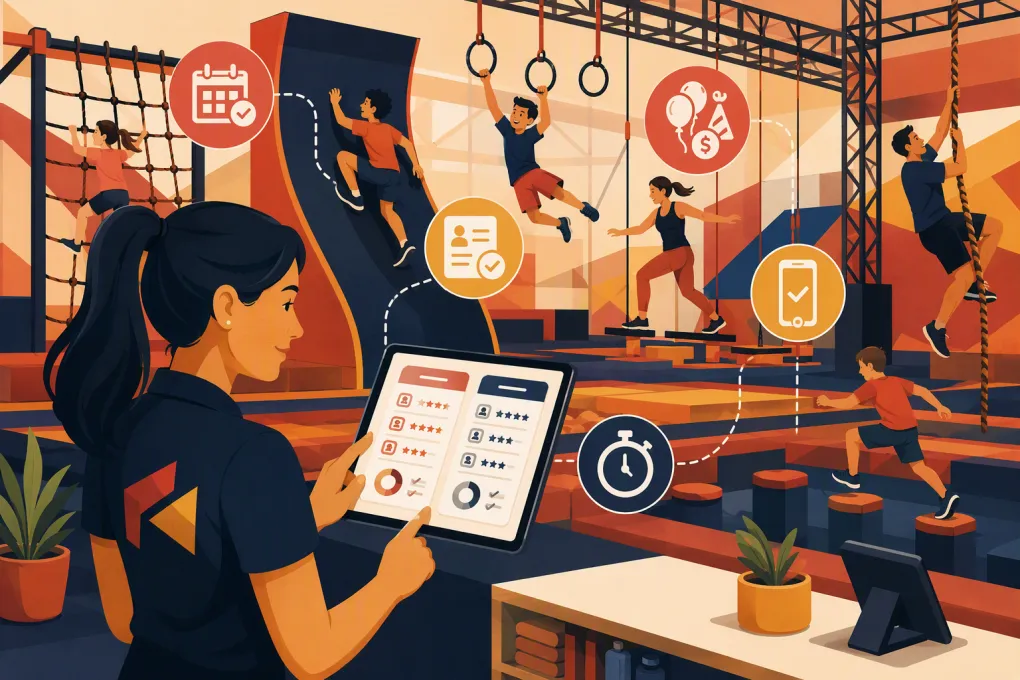
Obstacle course gyms combine several business models under one roof. A typical week can include recurring ninja classes, adult OCR training, open gym sessions, camps, birthday parties, private lessons and competitions. Each has different rules for capacity, payment, waivers, staffing and customer communication.
That makes obstacle course gym management software a more complicated purchase than a standard class calendar. The system has to work for parents managing multiple children, coaches checking attendance on the floor, managers collecting party balances and owners tracking performance across programs or locations.
It also needs to handle the inquiries arriving while everyone is coaching. WTF Go’s Fitty can be configured to answer common lead questions, follow up, book eligible services and assist with dues collection around the clock. Operators still need to define approved answers, booking rules and escalation paths for safety issues, disputes and unusual requests.
See how WTF Go and Fitty can support your obstacle gym’s lead-to-booking workflow →
The main software approaches
Obstacle gyms generally choose one of three approaches:
- An all-in-one gym platform for memberships, classes, payments and communication
- Youth activity software built around families, enrollment and parent portals
- A connected stack combining core management software with dedicated waiver, party or competition tools
The all-in-one route reduces duplicate records and manual transfers. A connected stack can provide deeper specialty functions, but the operator becomes responsible for integrations, reconciliation and support across vendors.
Obstacle course gym management software comparison
Prices, payment terms and product packaging change, so exact commercial terms should come from a written proposal. The comparison below focuses on established product orientation and the workflows each option is designed to serve.
| Option | Strongest workflows | Payments and contracts | Automation, access and integrations | Main limitations | Best fit |
|---|---|---|---|---|---|
| WTF Go with Fitty | Gym operations, lead handling, booking, customer communication and dues follow-up in one environment | Request current processing options, implementation scope and contract terms in writing | Fitty can be configured for 24/7 lead responses, eligible bookings, follow-up and dues outreach; escalation rules should be set during implementation | Not a dedicated ninja competition scoring or electronic timing product; specialized event tools may still be required | Gyms losing leads after hours or spending too much staff time on repetitive follow-up |
| Mindbody | Broad class scheduling, memberships, appointments, payments, consumer discovery and business reporting | Commonly sold in subscription packages; payment and add-on requirements depend on the selected package | Large fitness and wellness ecosystem with business, marketing and integration capabilities | Its breadth can add cost and complexity for a small youth-focused facility; household, party and competition workflows require careful testing | Established fitness businesses wanting a broad platform and marketplace exposure |
| Glofox | Memberships, class booking, payments, branded member experiences and multi-location fitness operations | Generally quote-based; review processing requirements, branded-app costs and contract length | Fitness-focused engagement and operational tools, with integration availability dependent on product and plan | Less youth-activity-specific than family-centered platforms; test sibling enrollment, guardian records, camps and party deposits | Growing fitness brands prioritizing member experience and location-level consistency |
| Zen Planner | Recurring memberships, class schedules, billing, attendance and member administration | Sold through packaged subscriptions; obtain current payment-processing and implementation terms | Established gym-management workflows and related business tools | Operators should test parent-facing usability, modern lead response, party sales and high-volume youth registration | Membership-led gyms with predictable recurring classes |
| PushPress | Gym memberships, billing, class management, check-in and related sales workflows | Uses plan-based products; verify processor requirements, add-ons and notice terms | Gym-focused product suite with lead and engagement capabilities; API or integration access may depend on product level | Complex family accounts, camps, parties and competition operations may require workarounds or separate tools | Independent gyms wanting software designed around everyday gym operations |
| iClassPro | Family accounts, online enrollment, camps, parties, attendance and parent communication for children’s activity centers | Subscription and payment services vary by setup; request total costs for locations, apps and processing | Strong youth-program orientation, customer portal and staff-facing operational tools | Less centered on adult fitness memberships and AI-led sales follow-up; competition timing remains separate | Ninja gyms where children’s classes, camps and parties drive the business |
| Jackrabbit Class | Class enrollment, family accounts, billing, attendance, skills tracking and parent portals | Subscription structure typically reflects business usage; confirm processing and onboarding requirements | Designed for recurring youth classes and administrative automation, with integrations available for selected workflows | Not purpose-built for OCR events, adult gym sales or course timing; party workflow depth should be demonstrated | Youth-heavy ninja programs that operate similarly to gymnastics or activity schools |
| Specialist tool stack | Dedicated waivers, party management, race registration, scoring or timing connected to a core platform | Multiple subscriptions, processing arrangements and contracts | Tools such as Smartwaiver can add waiver administration; party platforms can add event workflows; competition products can handle registration, scoring or timing | Duplicate data, fragmented reporting and failed integrations become the operator’s responsibility | Facilities running sophisticated parties, external races or sanctioned competitions that exceed an all-in-one platform’s depth |
No broad gym platform should be assumed to handle electronic obstacle timing or ninja competition scoring. Those are separate technical disciplines. If competitions are material to your business, evaluate scoring and timing independently rather than accepting an improvised attendance report as an event system.
Recommended shortlist by facility type
Youth-first ninja gym
Start with iClassPro and Jackrabbit Class, then compare WTF Go if lead response and sales follow-up are persistent gaps. Prioritize family accounts, sibling enrollment, guardian permissions, camps, skill progression and party operations.
Membership-led adult OCR facility
Start with WTF Go, PushPress, Zen Planner and Glofox. Focus on recurring billing, lead conversion, mobile check-in, class capacity and failed-payment recovery.
Mixed youth and adult facility
Compare one youth-centered platform with one gym-centered platform. Use your actual revenue mix to break the tie. If classes and camps dominate, family administration deserves more weight. If memberships and trials dominate, CRM and sales automation deserve more weight.
Competition or race venue
Select the core membership platform separately from the event layer. Evaluate products such as NinjaWorks for ninja competition administration and established race-registration or timing providers for larger OCR events. Hardware compatibility, backup procedures, results publishing and on-site technical support matter more here than normal class-booking features.
Party-driven entertainment facility
Demonstrate the complete party sale before buying: package selection, room or course availability, deposit, add-ons, invitations, participant waivers, balance reminders and final payment. If the core platform cannot do this cleanly, compare a dedicated party-management product and calculate the cost of maintaining two customer records.
Ten requirements to test in a live demo
Do not let vendors present a polished generic tour. Give each company the same scenarios and score the outcome.
1. Family and minor accounts
Ask a parent to enroll two children in different programs, sign individual waivers and authorize another adult for pickup. Check whether staff can identify the correct guardian without creating duplicate profiles.
2. Party deposits and balances
Create a party with a deposit, package upgrade, participant limit and remaining balance. Determine whether the system automatically sends reminders and whether the deposit is refundable, transferable or configurable under your policy.
3. Payment processing constraints
Ask whether you must use the vendor’s processor, whether existing merchant accounts can be retained and how card data is migrated. Review chargeback handling, payout reporting, refunds and recurring-payment account updater capabilities. Compare the complete proposal rather than subscription price alone.
4. Contract and exit terms
Document contract length, renewal language, cancellation notice, implementation charges and data-export procedures. Require a sample export showing customers, attendance, purchases, balances and waiver references before signing.
5. Waiver audit trail
Verify that staff can see who signed, for which participant, when it was signed and which waiver version was accepted. Ask how expired waivers, updated language and legal holds are handled. Your attorney should determine the appropriate waiver language and retention policy.
6. Mobile check-in
Test check-in on the device staff will actually use. Coaches should be able to identify missing waivers, unpaid balances and attendance status without opening multiple screens or viewing financial information they do not need.
7. API and integration access
Ask whether the platform has a documented API, whether access costs extra and whether it supports read-only or write capabilities. Confirm connections for accounting, access control, website forms, email, advertising and any timing system you intend to retain.
8. Support coverage
Compare support hours with your operating hours. A youth gym may be busiest during evenings and weekends. Identify the response path for a down check-in system, payment outage or failed registration launch—not just routine questions.
9. Lead response and escalation
Submit a lead after hours and ask an unexpected question. A useful automated system should follow approved rules, collect the necessary information and escalate when it cannot respond safely or accurately.
Fitty is intended for configured lead response, booking, follow-up and dues workflows rather than unrestricted decision-making. Safety incidents, medical questions, refund disputes and exceptions should route to a human under your written escalation policy.
Review whether Fitty fits your after-hours inquiry and booking process →
10. Competition compatibility
If you host events, ask whether participant data can be exported into your scoring or timing platform and results imported or linked afterward. Test bib or athlete IDs, divisions, heats, course attempts, penalties and ties. Also establish an offline backup plan for unreliable venue connectivity.
A weighted scorecard you can copy
Score each system from 1 to 5, multiply by the weight and total the results. Adjust the weights to match your revenue model.
| Criterion | Suggested weight |
|---|---|
| Class, camp and open-gym booking | 15 |
| Family accounts and minor management | 12 |
| Billing and payment operations | 12 |
| Lead response and sales follow-up | 10 |
| Parties, deposits and add-ons | 10 |
| Waivers and audit trail | 10 |
| Mobile attendance and check-in | 8 |
| Reporting and multi-location controls | 7 |
| API, integrations and data export | 6 |
| Support coverage and implementation | 5 |
| Contract flexibility and total cost | 3 |
| Competition timing or scoring compatibility | 2 |
A scorecard prevents a strong sales presentation from outweighing a weak daily workflow. Require front-desk staff, coaches and managers to score the finalists independently, then discuss major differences.
The right obstacle course gym management software is the system that handles your highest-volume transactions with the fewest manual handoffs. For some facilities, that will be a youth activity platform. For others, it will be a gym operating system supported by dedicated waiver or competition tools. Buy for the business you operate—not the feature list that looks longest.
Frequently asked questions
Is there software built specifically for ninja or obstacle course gyms?
Some products address ninja competition administration, but many facilities use either gym-management or youth-activity software for everyday operations. Competition scoring and electronic timing often require a separate specialist system.
Which software is best for a kids’ ninja gym?
iClassPro and Jackrabbit Class belong on the shortlist because they emphasize family accounts and youth enrollment. Also compare a gym platform if memberships, lead conversion or automated follow-up are important revenue workflows.
Can gym software manage birthday party deposits and waivers?
Some platforms can, but capability varies significantly. Test deposits, add-ons, balance reminders, participant limits and individual waiver records in a live demonstration.
Do I need separate obstacle course timing software?
Usually, if you run formal competitions requiring heats, penalties, athlete IDs or published results. Standard gym software may manage registration but is not necessarily an electronic timing or scoring system.
What data should I export before changing gym software?
Export customer and household records, memberships, billing status, attendance, future bookings, account credits, signed-waiver references and financial reports. Verify sample records in the new platform before ending access to the old one.
Keep reading



Run your gym on autopilot with WTF Go
Fitty — your AI receptionist — answers calls and DMs, fills classes, follows up with every lead, and collects dues while you coach.