Comparisons
How to Choose the Right Ninja Warrior Gym Management Software
Compare ninja warrior gym management software for classes, open gym, waivers, parties, billing, and lead follow-up—then choose the right system for your gym.
 Watch · 20s
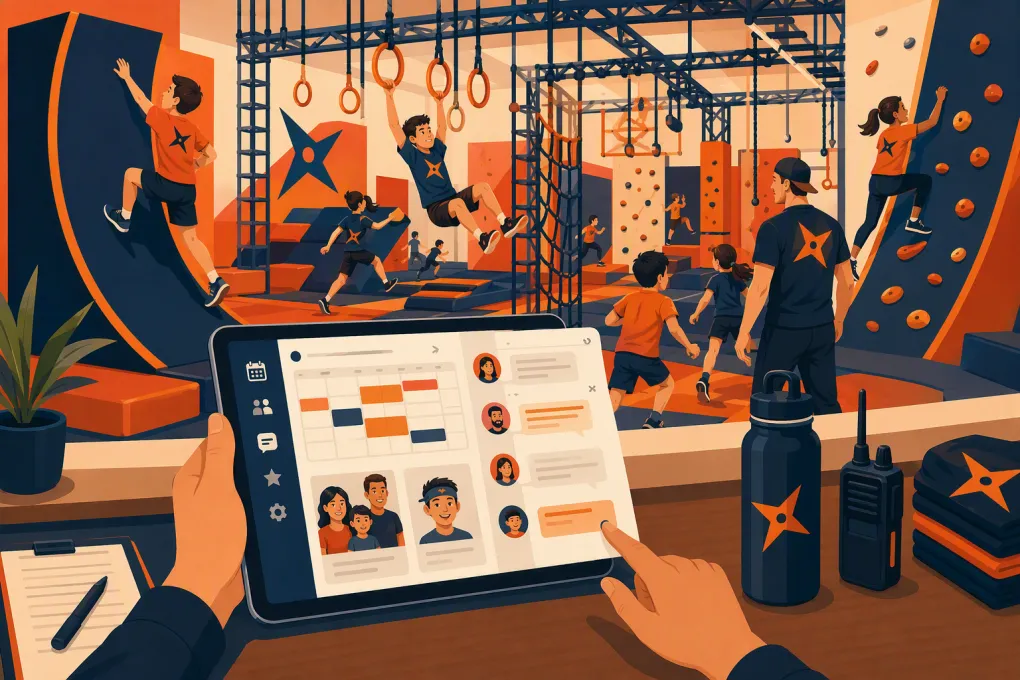
Ninja gyms do not run like standard fitness clubs. A single facility may sell recurring youth classes, open-gym sessions, camps, birthday parties, private coaching and adult memberships—all with different capacity, staffing and waiver requirements. The right ninja warrior gym management software must handle that operational mix without forcing your front desk to maintain spreadsheets beside the system.
It also needs to help you convert demand. Parents often inquire between work, school and dinner, not when an employee happens to be at the desk. If your software records leads but cannot respond, answer questions and move people into an appropriate class, it is only solving half the problem.
See how Fitty handles ninja gym inquiries, bookings and follow-up 24/7 →
Why generic gym software can fall short
Traditional gym systems are often designed around a simple model: one adult, one membership and unrestricted facility access. Ninja programs tend to be more complicated.
An operator may need to manage:
- Multiple children under one parent or guardian
- Classes divided by age, experience or skill level
- Prerequisites for advanced programs
- Fixed coach-to-athlete capacity
- One-time open-gym admission
- Camps with daily or weekly enrollment
- Parties with deposits, add-ons and limited time slots
- Digital waivers covering minors
- Recurring tuition, memberships and failed payments
- Trial classes that require immediate follow-up
You should not assume every platform handles these workflows just because it offers scheduling and billing. Test the full customer journey, including the awkward exceptions your staff deals with every week.
The capabilities a ninja gym actually needs
Flexible program and capacity management
Your software should distinguish among recurring classes, appointments, camps, events, open gym and parties. Each program may require different booking windows, cancellation rules, capacity limits and payment methods.
During a demo, ask the vendor to build examples from your real schedule. Have the salesperson create a beginner class, a multi-day camp and a party reservation. Then ask them to move a child between programs, issue a credit and manage a waitlist.
If these actions require workarounds during the sales demo, they are unlikely to become easier on a busy Monday afternoon.
Family accounts and minor waivers
Youth-focused facilities need household relationships, not just individual customer records. A parent should be able to manage multiple children without creating disconnected accounts or repeatedly entering the same payment details.
Confirm how the platform handles:
- Parent and guardian contact information
- Multiple children in one household
- Emergency contacts and relevant notes
- Electronic waiver acceptance
- Waiver version history and renewal
- Authorized pickup information, if your programs require it
Software can help collect and store acknowledgments, but your waiver language and process should be reviewed by qualified legal and insurance professionals.
Lead response and trial conversion
A contact form is not a sales process. Strong software should help your team capture the source of an inquiry, respond quickly, recommend the next step, book a trial and continue following up when the prospect goes quiet.
This is where an AI receptionist can remove repetitive work. Fitty, WTF Go’s AI agent, answers leads, books classes, follows up and collects dues around the clock. That gives prospects a path forward even when coaches are on the floor or the facility is closed.
See how Fitty turns after-hours ninja gym inquiries into booked classes →
Billing that supports your actual revenue mix
Ninja gyms commonly combine recurring and one-time revenue. Look for support for recurring tuition or memberships, drop-ins, camp registration, party payments, discounts, credits and overdue balances.
Do not stop at asking whether billing is included. Test what happens when:
- A payment fails
- A family changes programs mid-cycle
- A camp is canceled
- A member needs an account credit
- Siblings qualify for a discount
- A party customer owes a remaining balance
The important question is how much manual intervention each exception creates.
Attendance, progress and operational visibility
At minimum, coaches need a fast attendance workflow. Some facilities also track skills, level eligibility or progression milestones. If structured skill tracking is central to your program, treat it as a required feature rather than assuming a general gym platform includes it.
Owners should also be able to review enrollment, capacity, attendance, receivables, lead status and revenue by program. Multi-location operators need appropriate staff permissions and the ability to compare locations without exporting every report into a separate spreadsheet.
Ninja warrior gym management software comparison
There is no universal winner. Ninja gyms with a large youth curriculum may prioritize family registration and class administration. Facilities focused on adult memberships may care more about fitness CRM and access workflows. Operators losing leads after hours should put automated response and follow-up near the top of the list.
Features and packaging change, so verify current capabilities, migration services and pricing directly with each vendor.
| Platform | Strongest fit | Core workflows | Automation and AI | Important considerations | Pricing approach |
|---|---|---|---|---|---|
| WTF Go with Fitty | Gyms wanting operations, lead conversion and front-desk automation in one system | Lead management, class booking, follow-up and dues collection | Fitty acts as a 24/7 AI receptionist for inquiries, booking, follow-up and collections | Confirm any specialized skill-progression, waiver or access-control requirements during the demo | Contact WTF Go for current packaging |
| Jackrabbit Class | Youth activity businesses with structured classes and family accounts | Registration, classes, camps, attendance, billing and parent-facing account management | Operational and communication automation is available; evaluate conversational AI needs separately | Strong youth-program orientation, but operators should test their lead-sales process and ninja-specific progression needs | Tiered plans generally vary by business size or enrollment; verify current terms |
| iClassPro | Children’s activity centers managing classes, camps and related programs | Family accounts, registration, billing, attendance and customer portal workflows | Includes administrative and communication tools; verify the depth of AI-led sales follow-up | Relevant to complex youth scheduling; assess CRM flexibility, migration and any required add-ons | Current plans and modules should be confirmed with the vendor |
| Sawyer | Children’s enrichment providers emphasizing simple parent registration | Semester programs, camps, activities, registration and family-facing booking | Supports communications and administrative workflows; not primarily positioned as an AI receptionist platform | Accessible for program registration, but a full-scale gym may need deeper membership, access or sales workflows | Plan availability varies; check current feature limits and fees |
| Mindbody | Fitness and wellness businesses wanting broad scheduling and consumer discovery | Classes, appointments, memberships, payments and marketing tools | Offers automation and business tools; exact AI capabilities depend on current products and plan | Broad ecosystem and marketplace reach, but youth household and skill-progression workflows require careful testing | Packages and add-ons vary; request a current quote |
| Zen Planner | Membership-based fitness and martial arts-style programs | Scheduling, memberships, billing, attendance and member management | Includes communication and administrative automation; verify AI receptionist requirements | May suit recurring programs, but test camps, parties, family accounts and open-gym exceptions | Contact the vendor for current plans and included features |
How to evaluate the real cost
The lowest subscription price is not necessarily the least expensive system to operate. Account for staff time, payment processing, optional modules, migration, setup, training and the cost of keeping separate tools.
Map the current process before comparing proposals. List every system used for:
- Website forms and lead capture
- Text, email and phone follow-up
- Scheduling and registration
- Waivers
- Recurring billing
- Failed-payment collection
- Attendance
- Camps and parties
- Reporting
Then identify which tools a new platform would replace and which would remain. A seemingly inexpensive scheduler can become costly if the front desk still has to copy leads, send reminders manually and chase overdue accounts.
You can also estimate operational impact without relying on a vendor’s projected return. Track your current monthly inquiry volume, median response time, unbooked trials, administrative hours and outstanding balances. Use your own baseline to judge whether automation improves the business after launch.
A practical demo script for operators
Do not let the vendor control the entire demonstration. Send this workflow in advance and ask to see it completed live:
- A parent inquires about a beginner class for two children.
- The system recommends or displays age-appropriate options.
- The parent books a trial and completes the required forms.
- One class is full, so one child joins a waitlist.
- The trial attendee receives follow-up and enrolls in a recurring program.
- The first recurring payment fails.
- Staff move the child to another class and apply an account credit.
- The parent later books a camp or birthday party.
- A manager reviews the original lead source and resulting purchases.
Also ask to perform common staff actions from a phone or front-desk tablet. Coaches and desk employees will not always be sitting at a full desktop computer.
Plan migration before signing
A smooth migration depends on clean data and clear ownership. Before committing, ask who imports customer records, payment information, waivers, active enrollments, credits and outstanding balances. Some sensitive payment data may be subject to processor and security restrictions, so confirm what can actually transfer.
Set a written launch plan with:
- A data-cleanup deadline
- Test accounts for major customer types
- Parallel billing checks
- Staff permission levels
- Training for managers, coaches and front-desk employees
- Customer communication about new login or booking steps
- A rollback or issue-escalation process
Avoid switching systems immediately before a major camp enrollment period or seasonal registration rush. Give employees time to test exceptions, not just standard bookings.
Which option should you choose?
Choose based on the constraint hurting the business now.
A youth-heavy ninja academy may place family registration, enrollment and attendance first. A multi-program facility may need flexible scheduling and consolidated reporting. A growing gym with plenty of inquiries but inconsistent response should prioritize CRM, booking and continuous follow-up—not bolt those functions on later.
WTF Go is built for operators who want the management system and the customer conversation connected. Fitty can engage leads, book classes, continue follow-up and help collect dues while your team focuses on coaching and the in-facility experience.
Explore WTF Go and see whether Fitty fits your ninja gym’s workflow →
Frequently asked questions
What features should ninja warrior gym management software include?
Prioritize family accounts, age- and level-based scheduling, capacity controls, waivers, recurring billing, camps, parties, attendance, lead follow-up and useful reporting. Test each feature with your real workflows before buying.
Can gym software manage both classes and open gym?
Many platforms support multiple booking types, but rules for capacity, eligibility, payment and cancellation can differ. Ask the vendor to demonstrate a recurring class and a one-time open-gym booking.
Is youth class software better than standard fitness software for a ninja gym?
It can be when family accounts, camps and structured enrollment dominate the business. Standard fitness software may be a better fit for adult memberships, but its household and youth-program workflows should be tested carefully.
How does an AI receptionist help a ninja gym?
An AI receptionist can answer inquiries, help prospects book classes, follow up with leads and assist with dues collection outside staffed hours. It is most useful when connected directly to the gym's booking and customer records.
How long should a software migration take?
The timeline depends on data quality, billing complexity, integrations and staff training. Require a written migration plan and test enrollments, balances, permissions and customer communications before launch.
Keep reading



Run your gym on autopilot with WTF Go
Fitty — your AI receptionist — answers calls and DMs, fills classes, follows up with every lead, and collects dues while you coach.