Guides
Med Spa Software Migration Checklist for a Safer Switch
Use this med spa software migration checklist to protect client data, preserve bookings, validate payments, train staff, and cut over with far less risk.
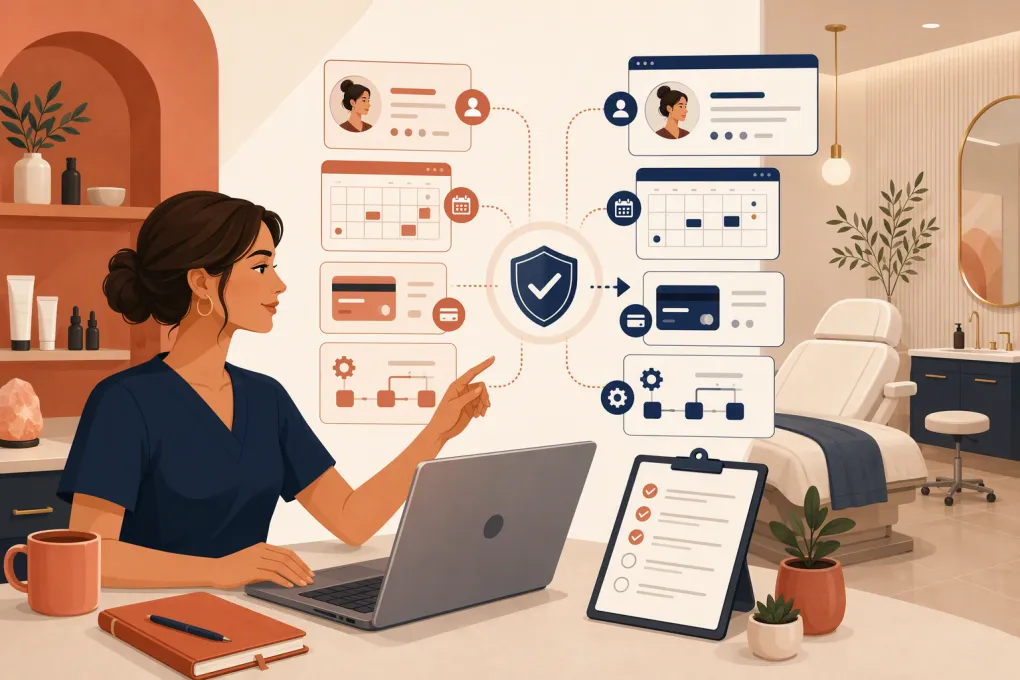 Watch · 20s
Changing med spa software is not an ordinary app switch. You are moving future appointments, client contact details, treatment histories, memberships, consent records, payment references, staff access and the workflows responsible for converting new inquiries.
A weak migration plan can leave the front desk working from spreadsheets, providers missing information and leads receiving no response. It can also create privacy, payment and record-retention problems that are harder to repair after the old system is shut down.
The safest approach is to treat migration as an operations project, not an IT task. Assign ownership, define what must move and test complete client journeys before going live.
1. Define the reason for migrating
Do not start by exporting data. Start by documenting why the current system is being replaced and what the new system must improve.
Common migration goals include:
- Consolidating scheduling, lead management, memberships and communication
- Improving response times for calls and web inquiries
- Supporting additional locations or service lines
- Reducing manual appointment reminders and follow-up
- Giving managers clearer pipeline and revenue visibility
- Replacing disconnected scheduling, CRM and payment tools
- Adding clinical documentation or treatment-photo capabilities
Turn each goal into an acceptance test. For example, if faster lead response is a goal, test whether an inquiry arriving after hours receives an appropriate response and can reach a bookable next step. If membership management is the problem, test enrollment, recurring billing, failed-payment handling and cancellation.
Create a short list of nonnegotiable requirements, then separate useful features from true operational dependencies. This prevents an impressive demo from distracting your team from a missing workflow.
2. Assign a migration owner and decision team
One person should own the migration calendar and final decisions. That person does not have to perform every task, but responsibility cannot be spread vaguely across the front desk, marketing agency and software vendor.
Include representatives from:
- Ownership or operations
- Front desk and scheduling
- Clinical providers
- Marketing and lead management
- Finance or bookkeeping
- Compliance, legal or privacy advisers when appropriate
- The current and destination software vendors
Document who can approve data exports, workflow changes, staff permissions and the final cutover. For a multi-location med spa, appoint a location lead at every site so local exceptions are not discovered on launch day.
3. Inventory every system and data source
Most med spas have more software than the owner initially remembers. Build an inventory before deciding what the new platform will replace.
Check for data in:
- Scheduling and point-of-sale systems
- CRM pipelines and web-form tools
- Electronic medical or health record systems
- Treatment photography platforms
- Membership and recurring billing tools
- Email and SMS marketing platforms
- Call tracking or business phone systems
- Review and reputation tools
- Accounting software
- Spreadsheets, shared drives and paper files
For each source, identify the system owner, contract end date, export method, data format, integration dependencies and required retention period. Do not cancel anything until its data has been exported, validated and stored appropriately.
4. Classify the data before moving it
Not every record should be handled the same way. Divide the migration inventory into practical categories.
Client and lead data
Include names, contact details, communication preferences, lead sources, pipeline stages, assigned staff and notes. Decide whether old, unqualified or duplicate leads should move or be archived.
Booking and service data
Capture future appointments, appointment status, provider, room or resource, service duration, pricing, packages and prepaid balances. Preserve enough historical appointment information to support service and reporting needs.
Financial data
Identify memberships, packages, gift cards, credits, unpaid balances, refunds and recurring payment arrangements. Payment card data generally cannot be moved through a normal spreadsheet export. Coordinate token migration or reauthorization directly with the payment providers involved.
Clinical and sensitive records
Clinical notes, intake forms, allergies, consent forms, prescriptions, before-and-after photos and treatment records require additional care. Determine which system will remain the legal or clinical system of record.
HIPAA obligations depend on the business, the data and the role each vendor performs. State privacy, medical-record and retention rules may also apply. Obtain appropriate legal or compliance guidance rather than assuming that a general scheduling or CRM platform can replace a clinical record system.
5. Compare destination software by workflow, not feature count
The right choice depends on whether the med spa primarily needs stronger clinical recordkeeping, consumer scheduling, multi-location control or automated lead conversion. The following is a high-level shortlist, not a substitute for a vendor review.
| Option | Operational strengths | Clinical records | Automation and AI | Multi-location fit | Migration and pricing considerations | Best fit |
|---|---|---|---|---|---|---|
| WTF Go with Fitty | Lead management, booking, follow-up, memberships and business operations in one environment | Confirm clinical documentation and compliance requirements directly; a separate clinical system may still be needed | Fitty acts as a 24/7 AI receptionist for inquiries, booking, follow-up and dues collection | Suitable for operators seeking centralized workflows across locations | Confirm import scope, integrations and commercial terms based on the operation | Med spas prioritizing lead response, booking conversion and operational consolidation |
| Boulevard | Scheduling, client experience, point of sale, marketing and self-care business workflows | Verify whether required clinical records, consent and treatment-photo workflows are covered | Offers workflow and communication automation; confirm current AI capabilities | Supports growing and multi-location businesses | Pricing and onboarding are generally sales-led; validate migration services and supported fields | Appointment-led med spas focused on polished client and front-desk experiences |
| Mindbody | Broad scheduling, payments, marketing and consumer discovery capabilities | Not primarily a clinical EMR; medical workflows may require another system | Includes business automation tools; verify the current scope for conversational AI and lead handling | Established option for single and multi-location wellness businesses | Review plan structure, add-ons, data import scope and marketplace implications | Operators wanting a widely used wellness booking ecosystem |
| Zenoti | Broad spa operations, scheduling, POS, marketing and enterprise management | Confirm exact medical documentation and compliance fit during procurement | Provides automation across customer and operational workflows; capabilities vary by package | Strong orientation toward larger and multi-location brands | Typically requires a scoped sales and implementation process | Larger med spa groups needing enterprise controls and centralized management |
| PatientNow | Med spa and aesthetic-practice workflows, including practice management, CRM and clinical capabilities | More clinically oriented than general wellness schedulers; verify specialty and state-specific needs | Includes marketing and workflow tools; confirm current AI functions and channels | Review configuration for the size and complexity of the group | Pricing, implementation and data conversion should be scoped directly | Practices that need clinical and aesthetic records closely connected to operations |
Ask every vendor to demonstrate your actual workflow using representative services, staff roles and membership rules. Do not accept a verbal assurance that a capability is available when it depends on an unpriced add-on, custom integration or future release.
6. Clean and map the data
Migrating bad data produces a cleaner-looking version of the same operational problem. Before import, remove duplicates and standardize:
- Phone numbers and email addresses
- Client names and duplicate profiles
- Service names, durations and categories
- Provider names and location assignments
- Lead sources and pipeline stages
- Membership and package names
- Appointment statuses
- Marketing consent fields
Create a field-mapping document showing where every source field will land. Mark fields that cannot be imported so the team can decide whether to archive them, enter them manually or maintain read-only access to the old platform.
Never use live client data casually in test files. Restrict access, use approved transfer methods and remove unnecessary local copies after the migration is complete.
7. Rebuild workflows before importing everything
Configure the destination system before loading the final data set. At minimum, set up:
- Locations, rooms, devices and resources
- Staff roles and permissions
- Services, pricing, durations and required buffers
- Provider eligibility by treatment
- Business hours and booking restrictions
- Intake, consent and cancellation policies
- Memberships, packages, credits and gift cards
- Lead stages, assignments and follow-up rules
- Appointment confirmations and reminders
- Failed-payment and rebooking workflows
This is also the point to remove old workarounds. A reminder sequence built around an obsolete cancellation policy should not be recreated merely because it existed before.
For med spas losing leads to voicemail or delayed follow-up, Fitty can handle inquiries, help book appointments and continue follow-up outside front-desk hours. See how Fitty fits into a med spa lead-to-booking workflow →
8. Run a test migration and reconcile the results
Never make the first import the live import. Use a representative sample containing active clients, future bookings, memberships, credits, consent preferences and records from each location.
Test complete workflows rather than checking only record totals:
- A new lead asks about a service and books.
- An existing client reschedules an appointment.
- A member uses an included benefit or package credit.
- A provider opens the information required before treatment.
- The front desk collects payment and issues a receipt.
- A failed recurring payment enters the correct recovery process.
- A manager views activity by provider and location.
- A client opts out of marketing communication.
Reconcile source and destination totals for future appointments, active memberships, package balances, credits and outstanding balances. Investigate differences instead of assuming they are formatting issues.
9. Plan the cutover window
Choose a lower-volume period, but plan for operations to continue if the migration takes longer than expected.
Your cutover plan should specify:
- The final booking and data-entry cutoff
- Who performs the final export and import
- How appointments created during the freeze are captured
- When online booking links change
- When phones, forms and advertising destinations change
- Who validates calendars and balances
- The rollback decision point
- How staff report urgent problems
Avoid running two writable systems for an extended period. It creates conflicting appointments, balances and client notes. If the old platform must remain available, make it read-only where possible and clearly define the new system of record.
10. Train by role and monitor the first weeks
Do not give every employee the same generic software tour. Receptionists need booking, payment and exception handling. Providers need schedule, documentation and checkout handoffs. Managers need permissions, reporting and issue escalation.
Provide short written procedures for the tasks staff perform most often. During launch, maintain a shared issue log with the problem, affected client or workflow, owner, severity and resolution.
Monitor practical indicators such as unanswered inquiries, booking errors, duplicate profiles, failed messages, payment exceptions and staff workarounds. The goal is not merely to make the new software function. It is to confirm that the med spa can consistently move a person from inquiry to consultation, treatment, payment and follow-up.
Once those workflows are stable, retire old access according to contractual, legal and record-retention requirements. Preserve required exports and document where archived records can be retrieved.
Frequently asked questions
How long does a med spa software migration take?
The timeline depends on data volume, clinical-record requirements, integrations and the number of locations. Build the schedule around discovery, cleanup, testing and staff training rather than relying only on the vendor's import date.
Can payment card information be transferred to new med spa software?
It may be possible through a secure payment-token migration between processors, but card data should not be moved in an ordinary export. Ask both payment providers what can be transferred and when clients must reauthorize billing.
Should a med spa keep its old software after migration?
Keep appropriate read-only or archived access until imported data has been validated and applicable retention duties are satisfied. Avoid operating two writable systems longer than necessary.
Does med spa scheduling software also need to be an EMR?
Not always. Some operators use one platform for operations and another for clinical records, but the ownership of each workflow and system of record must be explicit.
What data should be tested first after migration?
Start with future appointments, active memberships, package balances, credits, client contact preferences and the information providers need before treatment. Then test complete lead, booking, payment and follow-up journeys.
Keep reading



Run your gym on autopilot with WTF Go
Fitty — your AI receptionist — answers calls and DMs, fills classes, follows up with every lead, and collects dues while you coach.