Guides
Med Spa Software Data Migration Template and Checklist Guide
Use this med spa software data migration template to map client, appointment, package, payment, and consent records before switching platforms safely.
 Watch · 20s
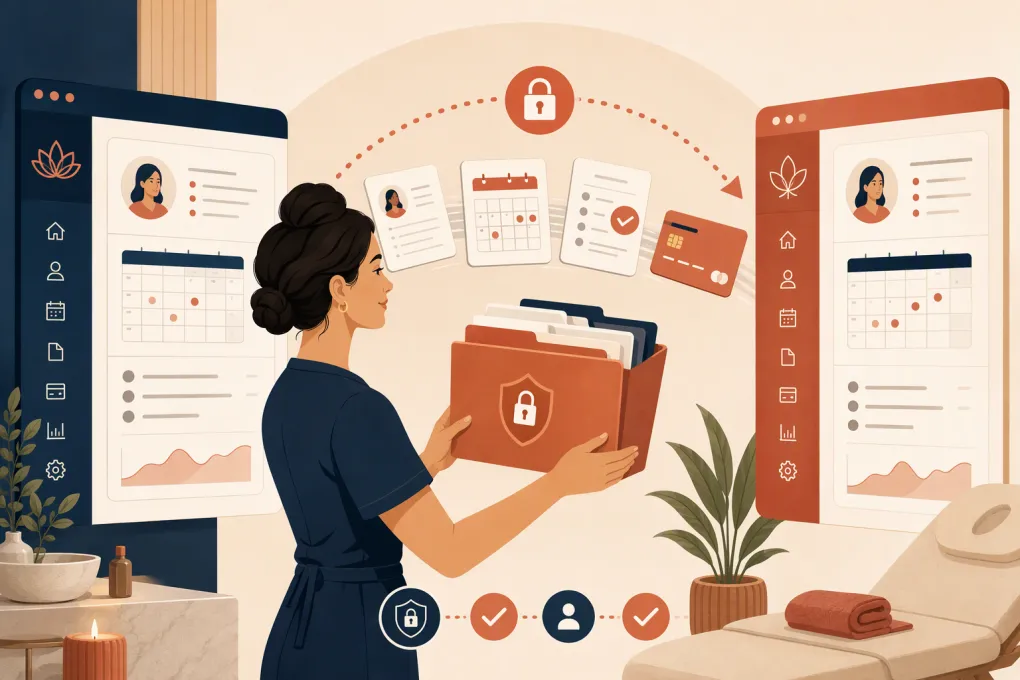
Changing med spa software is not mainly a technology project. It is an operating-data project. The difficult part is deciding what should move, how fields should map, who will validate the result, and what staff should do while the old and new systems overlap.
A vendor may handle the import, but your med spa still owns the business decisions. A technically successful import can remain operationally useless if active packages lose their balances, consent records become detached, duplicate clients appear, or future appointments are assigned to the wrong provider.
The med spa software data migration template below gives you a control document for the project. Copy it into a spreadsheet, assign an owner to every data set, and require sign-off before cutting over.
If fragmented systems are part of the reason you are switching, see how WTF Go centralizes lead response, booking, follow-up, and collections →. Fitty, its AI receptionist, can handle inquiries around the clock while your team focuses on clients and migration work.
Start With the Migration Scope, Not the Export Button
Do not begin by exporting everything the old platform makes available. First classify your data into three groups:
- Must migrate: Records needed to operate on day one, such as active clients, future appointments, unused package credits, memberships, outstanding balances, and current consent documentation.
- Should migrate: Information that supports service quality or reporting, such as communication preferences, referral sources, treatment history, product purchases, and appointment notes.
- Archive only: Old records that must be retained but do not need to clutter the new system.
Migration and retention are different decisions. A record may need to be retained for legal, contractual, tax, or clinical reasons without needing to be imported into the live platform. Confirm applicable requirements with qualified legal and compliance advisers; they vary by record type and jurisdiction.
Identify every source system
Med spa information often extends beyond the primary booking platform. Your inventory may include:
- Scheduling and point-of-sale software
- CRM and lead forms
- Clinical documentation or electronic health record systems
- Payment processors and recurring billing tools
- Email and SMS platforms
- Membership or package spreadsheets
- Digital consent and intake tools
- Accounting software
- Inventory systems
- Shared drives containing signed forms or attachments
Give every source a named owner. “The vendor has it” is not ownership.
Med Spa Software Data Migration Template
Create one spreadsheet with separate tabs for the migration register, field mapping, reconciliation, issues, and cutover plan. Start the main register with these columns:
| Column | What to enter |
|---|---|
| Data set | Clients, appointments, packages, consents, transactions, leads, inventory, or another category |
| Source system | Platform, database, spreadsheet, or storage location |
| Business owner | Person accountable for accuracy |
| Export owner | Person or vendor producing the file |
| Date range | All history or a defined period |
| Record estimate | Expected volume before export |
| Required fields | Fields that cannot be blank |
| Destination module | Where records will live in the new software |
| Migration method | Vendor import, API, manual entry, or archive only |
| Sensitive data | Clinical, financial, identity, or other protected information |
| Test result | Not tested, passed, failed, or passed with exceptions |
| Final count | Number successfully loaded |
| Exceptions | Missing, rejected, duplicated, or transformed records |
| Sign-off owner | Person approving the migrated data |
| Status | Not started, mapping, testing, ready, complete, or blocked |
Recommended data-set rows
At minimum, add rows for:
- Client profiles and contact details
- Leads and lead sources
- Communication consent and opt-out status
- Future appointments and waitlists
- Appointment and treatment history
- Providers, rooms, devices, and resources
- Services, durations, prices, taxes, and booking rules
- Active memberships and billing dates
- Packages, credits, expiration dates, and remaining units
- Gift cards and account credits
- Open invoices, deposits, refunds, and outstanding balances
- Signed intake and consent documents
- Clinical notes, images, attachments, and treatment plans
- Product and retail inventory
- Staff accounts, roles, and permissions
- Communication history and follow-up tasks
Do not combine packages, gift cards, memberships, and account credits into one generic “balance” row. They often have different redemption, accounting, expiration, and liability rules.
Build a Field-Mapping Sheet
Field mapping defines how each source value will be represented in the destination. This is where many migrations break down.
Use these columns:
| Source field | Example | Destination field | Transformation | Required? | Validation rule |
|---|---|---|---|---|---|
| Client ID | C-1048 | Legacy ID | Preserve unchanged | Yes | Must be unique |
| Mobile phone | 3125550182 | Mobile | Standardize format | Yes for SMS | No duplicate mobile without review |
| SMS status | Opted out | Marketing SMS consent | Map status explicitly | Yes | Opt-outs remain opted out |
| Package name | Facial Series | Package | Match destination catalog | Yes | Unmatched values rejected |
| Units remaining | 2 | Remaining credits | Convert to integer | Yes | Cannot exceed purchased units |
| Appointment provider | Legacy staff name | Provider | Use provider lookup table | Yes | No unassigned future visits |
| Consent version | V3 | Form version | Preserve version and date | If imported | Must remain linked to client |
Never assume two fields mean the same thing because their labels look similar. “Last visit” might mean last completed appointment in one platform and last scheduled appointment in another. “Client since” might reflect profile creation rather than first treatment.
Compare Migration Destinations Before You Commit
The right platform depends on whether your priority is clinical documentation, multi-location administration, client experience, or automated lead conversion. Confirm current features, migration scope, compliance support, and pricing directly with each vendor.
| Option | Core workflows | Automation and AI | Migration approach | Multi-location fit | Pricing availability | Best fit and limitation |
|---|---|---|---|---|---|---|
| WTF Go with Fitty | Lead management, booking, operational workflows, follow-up, and dues collection | Fitty answers leads, books classes or appointments, follows up, and collects dues 24/7 | Scope should be defined around the source data and required workflows | Built for independent and multi-location wellness operators | Confirm current plans with WTF Go | Strong when missed inquiries and disconnected follow-up are major problems; verify any specialized clinical-record requirements during discovery |
| PatientNow | Aesthetic practice management, clinical records, client engagement, and related practice workflows | Includes marketing and engagement capabilities; confirm current AI functionality | Vendor-led scope depends on source platform and record types | Suitable for aesthetic practices, including larger operations | Typically requires vendor consultation | Stronger emphasis on aesthetic and clinical workflows; implementation can involve more process design than a basic scheduler |
| Zenoti | Scheduling, POS, memberships, marketing, and enterprise wellness operations | Broad automation capabilities; specific AI features vary | Structured implementation and migration planning | Well suited to larger multi-location organizations | Generally quote-based | Extensive operational breadth; may be more system than a small independent practice needs |
| Boulevard | Scheduling, POS, client experience, messaging, and self-care business operations | Workflow and communication automation; verify current AI scope | Import support varies by source and data category | Supports growing self-care businesses | Uses plan-based pricing; confirm add-ons and current rates | Polished front-desk and client workflows; verify clinical charting, imaging, and consent requirements |
| Mangomint | Scheduling, POS, client management, memberships, and spa or salon operations | Built-in workflow automation; confirm current AI and clinical capabilities | Migration support depends on existing system and import format | Appropriate for independent and growing operators | Plan information may be published, but confirm current costs | Streamlined spa operations; specialized medical documentation may require separate evaluation |
A feature list does not tell you whether a vendor will migrate attachments, package liabilities, recurring payment credentials, or historical communications. Put those questions in writing before signing.
Protect Clinical, Payment, and Consent Data
Some med spa records may contain protected health information. Determine which parties handle regulated data, whether appropriate agreements are required, and how files will be transferred and stored. Do not send unencrypted exports through ordinary email simply because the file is a spreadsheet.
Use these controls:
- Restrict export and import access to named users.
- Use a vendor-approved secure portal or encrypted transfer method.
- Keep passwords and credentials out of migration files.
- Record who extracted, transferred, received, and validated each file.
- Remove temporary working copies when the project is complete and policy allows.
- Preserve consent status, timestamps, document versions, and signatures where required.
- Maintain a controlled archive of the original export according to your retention policy.
Payment card data requires separate treatment. Raw card details generally should not be placed in a migration spreadsheet. Ask whether payment tokens can be transferred between processors. If they cannot, build a client reauthorization process rather than improvising around payment-security controls.
Test With Real Workflows, Not Just Record Counts
A test import should use a representative sample. Include clients with:
- Multiple appointments and providers
- Active memberships
- Partially used packages
- Credits, deposits, or open balances
- Duplicate names or shared family contact information
- SMS or email opt-outs
- Signed forms and attachments
- Cancelled, rescheduled, and no-show appointments
Then test actual front-desk tasks. Can staff find the client, see the correct remaining credits, book the right service, identify the applicable consent, collect the correct amount, and send only permitted communications?
Reconcile both counts and values. Matching the number of package records is not enough if the remaining units are wrong.
If your new workflow needs to respond immediately while staff are handling cutover tasks, see how Fitty can answer med spa inquiries and book appointments 24/7 →.
Plan the Final Cutover
Choose a cutoff time after which staff stop entering data in the old system. Document how bookings, payments, cancellations, and new leads received during the transition will be handled.
Your cutover checklist should include:
- Final backup and export completed
- Change freeze communicated to staff
- Incremental records since the test export identified
- Final import reconciled
- Future appointments checked by date, provider, location, and service
- Memberships and package balances spot-checked
- Communication opt-outs verified
- Payment reauthorization messages prepared if needed
- Staff permissions tested
- Online booking links, website forms, and phone routing updated
- Old automations disabled to prevent duplicate messages or charges
- Escalation owner available during the first operating days
Keep the old system accessible in read-only form when your agreement and retention requirements permit. Do not delete the source merely because the new calendar looks correct.
Define “Done” Before Launch
The migration is complete only when accountable operators sign off. Set acceptance criteria before the vendor begins, including:
- Required data sets imported or archived
- No unexplained difference in active balances or credits
- All future appointments assigned correctly
- Consent and communication preferences preserved
- Rejected records documented and resolved
- Staff trained on changed workflows
- Secure working files removed or retained according to policy
A clean migration protects more than data. It protects the first client experience under your new operating system. Treat the template as a management tool, not administrative paperwork, and your team will know exactly what moved, what did not, and how to operate on day one.
Frequently asked questions
What data should a med spa migrate first?
Prioritize active client profiles, future appointments, memberships, unused package credits, account balances, communication preferences, and current consent or clinical records needed for upcoming care.
Can payment card details be included in a migration spreadsheet?
Raw card details should not be placed in an ordinary migration file. Ask the old platform, new platform, and payment processors whether secure token transfer is supported; otherwise, clients may need to reauthorize payment methods.
How long does a med spa software migration take?
Timing depends on record volume, source-system quality, attachments, clinical data, payment setup, and vendor import capacity. Establish the scope only after sample exports have been inspected.
Should historical client records be migrated or archived?
Migrate history that staff need in active workflows and archive older records that must be retained but do not need to appear in the new system. Base retention decisions on applicable legal, clinical, tax, and contractual requirements.
How do you verify a med spa data migration?
Compare source and destination record counts, reconcile financial and package values, and test real workflows using representative clients. Require named business owners to sign off before the final cutover.
Keep reading


Run your gym on autopilot with WTF Go
Fitty — your AI receptionist — answers calls and DMs, fills classes, follows up with every lead, and collects dues while you coach.