Guides
Med Spa Software Implementation Checklist for a Clean Launch
Use this med spa software implementation checklist to map data, booking, payments, compliance, training, testing, migration, and launch without chaos.
 Watch · 20s
A med spa software launch can fail even when the platform is capable. The usual problem is not the software itself. It is an incomplete service menu, dirty client data, unclear ownership, untested booking rules, or a team learning the system while paying clients wait at the desk.
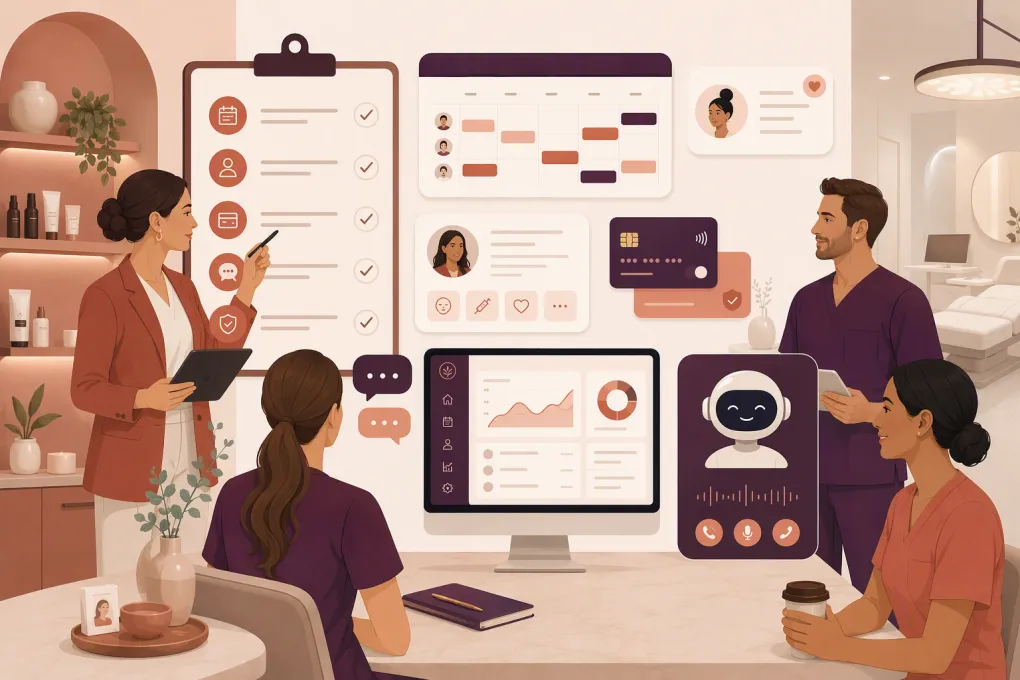
A useful med spa software implementation checklist must cover more than data migration. It should connect the client journey—from the first inquiry through consultation, treatment, payment, follow-up, and rebooking—without weakening clinical controls or creating extra work for staff.
Use the checklist below whether you are opening a new location, replacing a legacy platform, or consolidating multiple systems.
1. Define the operational scope before configuring anything
Do not start by importing contacts. First, document what the new system is expected to replace and what will remain elsewhere.
List every tool currently used for:
- Lead capture and CRM
- Online booking and appointment management
- Clinical documentation and treatment records
- Before-and-after photography
- Memberships, packages, gift cards, and loyalty programs
- Deposits, checkout, refunds, and recurring payments
- Inventory and retail sales
- Email, SMS, phone, and review requests
- Staff schedules, permissions, and reporting
- Accounting and payroll exports
For each tool, mark whether it will be replaced, integrated, retained temporarily, or retired. This prevents the common situation where a team discovers after launch that an important workflow still depends on the old platform.
Assign clear implementation owners
Name one accountable owner for each workstream:
- Project owner: Controls timeline, decisions, and vendor communication.
- Clinical owner: Approves charting, consent, photography, and treatment workflows.
- Front-desk owner: Validates booking, check-in, checkout, and phone procedures.
- Marketing owner: Tests forms, lead sources, campaigns, and opt-in records.
- Finance owner: Reconciles payments, memberships, credits, and reporting.
- Technical owner: Handles domains, devices, integrations, access, and security.
One person may hold several roles in a smaller med spa. The important point is that every decision has an owner and a deadline.
2. Confirm that the software fits the actual business
A strong demo does not prove that a platform supports your exact workflows. Build several real scenarios and require the vendor to show how each one works from beginning to end.
Examples include:
- A new lead asks about a treatment after closing time.
- The lead books a consultation and pays a deposit.
- Staff converts the consultation into a treatment plan or package.
- The client reschedules within the cancellation window.
- A membership payment fails.
- A provider needs to review prior documentation or photographs.
- A client purchases treatments across two locations.
- A manager needs production, rebooking, and lead-conversion reporting.
Compare the main software approaches
No single platform is automatically right for every med spa. Clinical depth, front-office automation, marketing requirements, and location count should drive the decision.
| Option | Core strength | Booking and CRM | Automation or AI | Clinical considerations | Best fit | Potential limitation to validate |
|---|---|---|---|---|---|---|
| WTF Go with Fitty | Unified business operations with an AI receptionist and agent | Lead handling, booking, follow-up, and client communication | Fitty can answer inquiries, book, follow up, and collect dues 24/7 | Confirm how required clinical records will be handled when evaluating the full stack | Operators prioritizing speed-to-lead, front-desk coverage, and consolidated operations | A med spa with specialized charting requirements should verify clinical workflow fit and any required integrations |
| Aesthetic Record | Aesthetics-focused practice management and clinical workflows | Supports operational and patient-management workflows for aesthetic practices | Automation capabilities depend on the selected product scope | Designed with aesthetic documentation needs in mind | Practices that place specialized aesthetics workflows at the center of the decision | Teams should test marketing, communication, reporting, and multi-location requirements rather than assuming every workflow is native |
| PatientNow | Broad platform for aesthetic and elective medical practices | Combines practice-management, CRM, and patient-facing functions | Available capabilities vary by package and configuration | Relevant for businesses needing clinical and commercial functions | Established med spas or elective practices seeking a broad platform | A broader system can require more configuration, training, and process discipline |
| Boulevard | Client experience, scheduling, checkout, and self-care business operations | Strong focus on appointment-based service businesses | Marketing and communication features vary by plan | Confirm that documentation and compliance workflows meet the needs of a medical practice | Med spas emphasizing premium booking and front-desk experience | Specialized clinical requirements may require validation or an additional system |
| Mindbody | Widely used scheduling and business management across wellness categories | Booking, client management, memberships, and consumer discovery | Automation depends on plan, setup, and connected tools | Operators should separately evaluate medical charting requirements | Businesses mixing wellness, classes, memberships, and appointments | A broad wellness platform may not replace med-spa-specific clinical systems |
Features, packaging, migration support, and pricing can change. Validate each requirement in a live demonstration and put critical commitments in the contract or implementation scope.
3. Clean and map the data before migration
Bad source data becomes bad new-system data. Export information early enough to inspect it rather than moving everything on the night before launch.
Build a data inventory
Include:
- Client and lead profiles
- Contact details and communication preferences
- Appointment history and future appointments
- Notes, forms, consents, and clinical records
- Treatment plans and photographs
- Membership status and billing dates
- Package balances, account credits, and gift cards
- Saved payment tokens, where portability is permitted
- Product and service purchase history
- Lead sources and campaign tags
- Staff profiles and provider assignments
Then create a field map showing where every source field will land in the new platform. Decide how duplicate profiles, missing phone numbers, inconsistent date formats, and obsolete tags will be handled.
Do not assume stored cards can be exported. Payment credentials are often tokenized within a processor or platform. Ask both vendors what can be transferred, what requires client action, and how recurring billing will continue during the transition.
Run a test migration
Import a representative sample before the final transfer. Include straightforward records and difficult ones: active members, package holders, clients with credits, duplicate profiles, future appointments, and clients who visit multiple locations.
Staff should verify the imported information from the front-desk, provider, finance, and client perspectives.
4. Configure services, resources, and booking rules
Your service catalog controls booking accuracy, deposits, reporting, and staff utilization. Avoid copying an old catalog full of outdated or duplicated services.
For every consultation and treatment, define:
- Public service name and internal reporting category
- Duration, cleanup time, and room or equipment requirements
- Eligible providers and locations
- Price, deposit, cancellation fee, and tax treatment
- New-client or returning-client eligibility
- Online booking availability
- Required forms or pre-appointment instructions
- Package and membership eligibility
- Appointment reminder schedule
- Follow-up and rebooking cadence
Test resource conflicts. A provider may be free while the required room or device is occupied. The system must prevent bookings that cannot actually be delivered.
5. Build lead response and follow-up workflows
Med spa prospects often have questions before they are ready to book. If the new system only offers a calendar link, staff will still spend significant time answering repetitive calls and messages.
Map workflows for:
- Website forms and chat inquiries
- Missed calls and voicemails
- Social and advertising leads
- Treatment questions
- Consultation booking
- No-response follow-up
- Unconfirmed appointments
- No-shows and cancellations
- Post-treatment check-ins
- Rebooking reminders
- Failed membership payments
Set the owner, timing, channel, stop condition, and escalation rule for every automation. A prospect who has already booked should not continue receiving consultation prompts. A clinical question should move to an authorized team member rather than receive an improvised automated answer.
6. Review privacy, security, and communications controls
Software does not make a med spa compliant by itself. Requirements depend on the services provided, the information collected, applicable state law, and whether the business is subject to HIPAA or other healthcare privacy rules.
Review the following with qualified legal, compliance, and security advisers:
- Whether the vendor will handle protected health information
- Whether a business associate agreement is required and available
- Role-based permissions for clinical, front-desk, marketing, and finance users
- Multi-factor authentication and account recovery procedures
- Audit logs and record-retention controls
- Device security and automatic session timeouts
- Consent for email and text communications
- Procedures for opt-outs and do-not-contact requests
- Call-recording disclosures and state consent requirements
- Payment processing responsibilities and PCI scope
- Data export, deletion, backup, and incident-response terms
Give each employee an individual login. Shared front-desk accounts make access harder to control and activity harder to investigate.
7. Test the complete client journey
Testing should resemble a busy operating day, not a vendor demonstration. Create test clients and complete each workflow on desktop and mobile.
Pre-launch testing checklist
- Submit a lead through every active form and advertising source.
- Call during business hours and after hours.
- Book, reschedule, cancel, and rebook an appointment.
- Test provider, room, device, and location conflicts.
- Pay a deposit and confirm its application at checkout.
- Sell and redeem a package, membership, gift card, and credit.
- Test a failed recurring payment and recovery workflow.
- Complete required intake and consent forms.
- Confirm reminders use the correct time zone, provider, and location.
- Verify opt-out handling for marketing messages.
- Process a refund and partial refund.
- Run end-of-day and management reports.
- Check that accounting exports reconcile with transaction totals.
- Confirm each role can access what it needs—and nothing more.
Record every issue in one shared log with an owner, severity, and resolution date. Do not manage launch defects through scattered texts and hallway conversations.
8. Train by role, not by feature
Employees retain training better when it follows the work they perform.
Front-desk training should cover lead response, booking, check-in, deposits, checkout, memberships, refunds, and escalations. Providers need clinical workflows, forms, photography procedures, follow-up tasks, and schedule management. Managers need permissions, reconciliation, reporting, overrides, and audit procedures.
Create short standard operating procedures for high-risk or frequent tasks. Include screenshots and the exact escalation contact. Require staff to complete practical scenarios in a test environment instead of merely watching a presentation.
9. Plan cutover and launch support
Choose a cutover date that avoids a major promotion, provider onboarding, payroll deadline, or peak treatment day.
Your cutover plan should specify:
- The deadline for entering information in the old system
- Final export and import times
- How bookings made during the migration window will be captured
- When online booking links, forms, and phone routing will change
- Who will reconcile schedules and balances
- How clients will be notified if action is required
- The rollback or downtime procedure
- Vendor and internal support coverage during launch
Keep the old system accessible in read-only form when contract terms and retention requirements permit. Do not cancel it until the team has verified migrated records, financial balances, historical access, and required exports.
10. Audit the first weeks after launch
Implementation is not finished on go-live day. Review operations daily at first, then move to a regular weekly cadence.
Track practical exceptions rather than vanity metrics:
- Leads that did not receive a response
- Appointments booked into the wrong resource or location
- Failed reminders or forms
- Duplicate client records
- Unapplied deposits, credits, or package balances
- Membership billing failures
- Staff workarounds outside the system
- Reports that do not reconcile
- Automations reaching the wrong audience
Fix the workflow or configuration behind each recurring problem. If employees repeatedly use spreadsheets or personal phones, find out what the platform is not making easy enough.
The cleanest med spa software implementations are controlled operating changes, not simple technology swaps. Define the journey, validate the software against real scenarios, clean the data, test exceptions, train by role, and keep accountable owners involved after launch.
Frequently asked questions
How long does med spa software implementation take?
The timeline depends on data volume, integrations, clinical requirements, location count, and staff availability. Build the schedule around discovery, configuration, test migration, workflow testing, training, final migration, and post-launch support rather than choosing an arbitrary go-live date.
What data should be migrated to new med spa software?
Prioritize client profiles, future appointments, communication preferences, memberships, package balances, credits, treatment history, required clinical records, and financial information needed for continuity. Confirm retention and access requirements before excluding historical data.
Can stored credit cards move to a new med spa platform?
Not always. Stored cards are commonly tokenized by a payment processor or platform, so portability depends on both the old and new providers. Confirm the transfer process early and prepare a secure client reauthorization plan if needed.
Should a med spa run the old and new systems at the same time?
A short, controlled overlap can help with verification, but entering live activity in two systems creates reconciliation problems. Define one system of record for each phase and retain read-only access to the old platform when possible.
Does med spa software need to be HIPAA compliant?
That depends on the business, services, and information handled. If the platform will create, receive, maintain, or transmit protected health information for a covered entity or business associate, review security controls and business associate agreement requirements with qualified counsel.
Keep reading



Run your gym on autopilot with WTF Go
Fitty — your AI receptionist — answers calls and DMs, fills classes, follows up with every lead, and collects dues while you coach.