Guides
Med Spa Software Buying Guide: What to Look For in 2026
Use this med spa software buying guide to compare booking, charting, payments, inventory, automation, security, and implementation before signing a contract.
 Watch · 20s
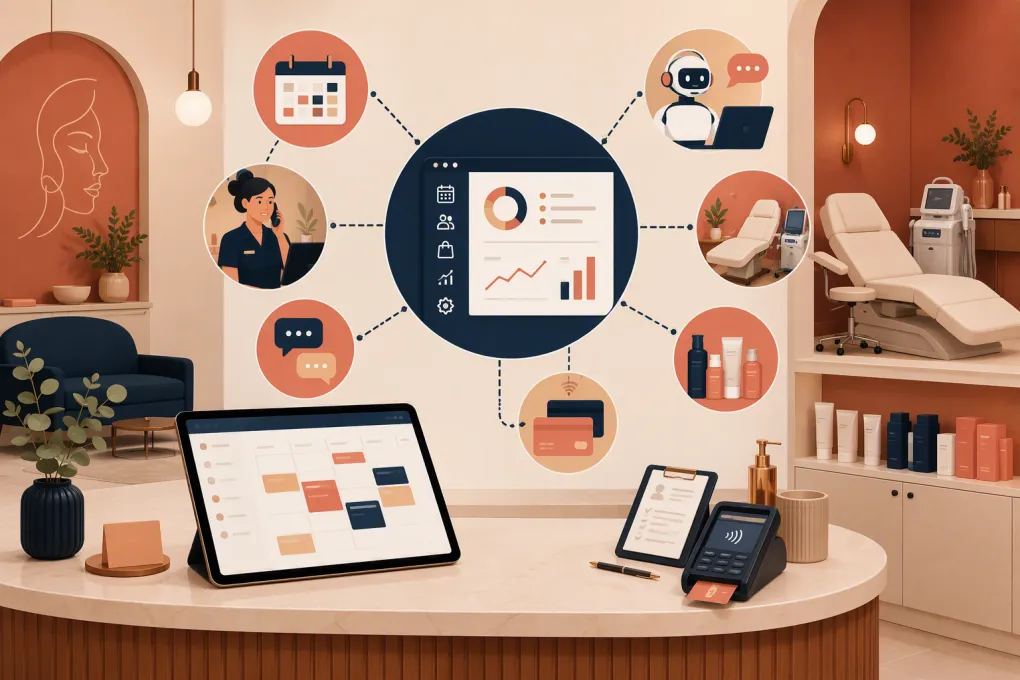
Buying med spa software is not just a scheduling decision. The system may need to coordinate leads, consultations, treatment plans, clinical records, before-and-after photos, memberships, inventory, payments, and follow-up communication—all without creating more work at the front desk.
That makes the buying process unusually easy to get wrong. A polished booking experience can hide weak charting. A capable clinical platform may lack the lead response and sales workflows needed to fill the schedule. An inexpensive subscription can become costly once you add payment fees, messaging, forms, migration, and multiple locations.
This med spa software buying guide gives operators a practical framework for evaluating the entire system rather than choosing from a feature checklist.
See how Fitty handles med spa inquiries, follow-up, booking, and dues around the clock →
Start with the workflows, not the software demo
Before contacting vendors, document how work moves through your business today. Focus on the moments where revenue, patient experience, or compliance can break down.
A typical med spa journey includes:
- A prospect calls, texts, submits a form, or sends a social media inquiry.
- The team answers questions and determines whether a consultation is appropriate.
- The prospect books and receives intake forms, policies, and reminders.
- A provider completes the consultation, documents the visit, captures consent, and creates a treatment plan.
- The patient pays, uses a package or membership benefit, or finances the purchase.
- The team sends aftercare instructions and schedules follow-up treatment.
- Products, supplies, room capacity, and provider availability are updated.
- The patient receives relevant rebooking and retention communication.
Mark where staff currently re-enter data, switch systems, chase forms, miss calls, or manually reconcile balances. Those points should drive your requirements.
The capabilities a med spa should evaluate
Lead capture and response
A lead rarely arrives only through the online booking page. Your software should help manage phone calls, website forms, texts, chat conversations, and other approved lead sources without losing context.
Look for:
- A shared lead pipeline with owners and statuses
- Automated acknowledgment and follow-up
- Call, text, and email history
- Source tracking
- Tasks for consultations that require human review
- Clear rules for when automation escalates to staff
Speed matters, but accuracy matters more. An automated agent should not improvise medical advice, make unsupported treatment claims, or book a service without the required screening steps.
Consultation, appointment, and resource scheduling
Med spa scheduling is more complex than placing a patient into an open time slot. An appointment may require a qualified provider, a specific room, equipment, setup time, or a consultation before treatment.
Test whether the system can handle:
- Provider, room, and equipment availability
- Service-specific durations and buffers
- Deposits, card-on-file rules, and cancellation policies
- Consultation-to-treatment conversion
- Waitlists and rescheduling
- Recurring appointments or treatment series
- Multi-location provider schedules
- Online booking restrictions by service or patient status
During a demo, build one of your most complicated appointments. Do not let the vendor demonstrate only a simple facial booking.
Clinical documentation and patient records
Some med spas need a true electronic medical record or specialized clinical charting environment. Others use a separate clinical system alongside their operating platform. The right structure depends on services, ownership model, provider requirements, and applicable law.
Evaluate support for the clinical workflows you actually use, such as:
- Configurable treatment notes
- Medical history and contraindication collection
- Electronic consent and form versioning
- Before-and-after photo management
- Treatment mapping or diagrams
- Lot, batch, or product documentation where required
- Aftercare instructions
- Record access controls and audit history
Do not assume that a digital intake form equals an EMR. Ask a qualified compliance adviser which records must be retained, who may access them, and how corrections and exports should work.
Payments, packages, memberships, and financing
The software should show exactly what a patient owns, has used, and still owes. Ask vendors to demonstrate a partial package redemption, membership benefit, refund, failed recurring payment, gift card, split payment, and transfer between locations if applicable.
Review the complete payment model, including:
- Processing arrangement and supported payment methods
- Recurring billing and failed-payment recovery
- Deposits and cancellation charges
- Package expiration and redemption rules
- Membership freezes, upgrades, and termination
- Tips, commissions, and refunds
- Financing integrations or workflows
- Reconciliation and settlement reports
A low platform fee does not necessarily mean a low total cost. Payment terms, required hardware, messaging charges, and add-ons all matter.
Inventory and purchasing
Inventory errors can affect both margins and documentation. Determine whether the platform tracks retail products, professional supplies, injectables, or other treatment inventory at the level your operation requires.
Ask whether it supports purchase orders, receiving, adjustments, location transfers, low-stock alerts, retail sales, treatment consumption, and appropriate lot-level documentation. Also test who can make adjustments and whether those changes are recorded.
AI reception and communication automation
AI is useful when it owns a defined operational job. For a med spa, that may include answering common questions, capturing inquiries after hours, booking eligible consultations, following up with leads, sending reminders, and pursuing valid outstanding dues.
The important questions are operational:
- Which channels can the agent answer?
- What information is it allowed to provide?
- Can it follow your booking and screening rules?
- When does it transfer a conversation to a person?
- Are transcripts visible to staff?
- How are consent, opt-out requests, and sensitive information handled?
- Can performance be reviewed by location, service, and lead source?
Fitty, WTF Go’s AI receptionist and agent, is built to answer leads, book, follow up, and collect dues 24/7. It gives operators a concrete alternative to relying on voicemail queues and next-day callback lists.
See how Fitty can cover after-hours med spa inquiries without replacing clinical judgment →
Med spa software comparison
No platform is best for every med spa. Specialized clinical practices, appointment-led spas, and multi-location groups often need different systems. Product scope also changes, so confirm current capabilities directly with each vendor.
| Platform | Core strengths | Clinical capabilities | Automation and CRM | Multi-location fit | Important limitation to examine |
|---|---|---|---|---|---|
| WTF Go | Unified operating workflows for leads, scheduling, payments, follow-up, and AI reception through Fitty | Confirm whether your required clinical charting should live in WTF Go or a dedicated clinical system | Strong emphasis on AI-led response, booking, follow-up, and dues collection | Relevant to independent and multi-location wellness operators | Validate specialized documentation, prescribing, photo, and treatment-record requirements during evaluation |
| Aesthetic Record | Aesthetics-focused practice management and clinical workflows | Designed around medical aesthetics documentation and patient management | Includes patient communication and business-management tools; assess the exact depth needed for lead sales workflows | Suitable for aesthetic practices; confirm controls and reporting for your location structure | Evaluate integrations, migration scope, payment terms, and how nonclinical lead channels are handled |
| PatientNow | Medical aesthetics platform spanning practice management, patient engagement, and clinical needs | Stronger clinical orientation than general salon or fitness platforms | Offers CRM and patient engagement capabilities | Often considered by established and growing practices | Broad platforms can require careful configuration; verify which modules are included and how data moves between them |
| Boulevard | Polished booking, point-of-sale, client management, and marketing for appointment-based self-care businesses | Not positioned as a full medical EMR; verify clinical record needs | Strong client experience and appointment communication focus | Supports growing self-care brands; confirm requirements by plan | A med spa needing advanced clinical charting may require another system or integration |
| Mindbody | Broad booking, payments, marketing, and consumer discovery across fitness and wellness | General wellness management rather than specialized medical charting | Established marketing and client-management toolset | Used by businesses ranging from single sites to larger groups | Breadth can create complexity; med spas should carefully validate clinical, inventory, and package workflows |
| Zenoti | Enterprise-oriented spa, salon, and wellness management with centralized operations | Verify whether its records satisfy your specific medical documentation requirements | Broad marketing, loyalty, booking, and operational automation | Particularly relevant to larger multi-location organizations | Implementation and configuration may be heavier than a smaller practice needs |
Use this table to create a shortlist, not to make the final decision. A vendor should earn the sale by completing your real scenarios in a live environment.
Security and compliance questions to ask
Do not accept a vague statement that a platform is “HIPAA compliant” as the end of the discussion. Compliance depends on the vendor, configuration, contracts, internal processes, and how your team uses the system.
Ask each vendor about:
- Availability and scope of a Business Associate Agreement
- Encryption in transit and at rest
- Role-based permissions
- Audit logs and record-change history
- Multi-factor authentication
- Backup, recovery, retention, and deletion procedures
- Data hosting and subcontractors
- Incident response and breach notification
- Patient record export formats
- Handling of protected information in AI tools and message transcripts
- Payment security responsibilities and PCI-related controls
Also review communication consent. Marketing texts, automated calls, and transactional reminders can be treated differently under applicable rules. Build consent capture, opt-out handling, and suppression lists into the workflow, and obtain legal guidance for your use case.
Calculate total cost of ownership
Request a written cost sheet covering the full contract term. Include:
- Base subscription and per-location charges
- User, provider, or module fees
- Payment processing
- Phone, text, email, or AI usage
- Data migration and onboarding
- Hardware
- Integrations and API access
- Training and premium support
- Contract length, renewal, and termination terms
- Data export costs
Then account for internal labor. A cheaper system that requires daily spreadsheet cleanup, duplicate entry, and manual lead follow-up may cost more operationally than a higher-priced platform.
Run a structured demo and implementation test
Give every shortlisted vendor the same demo script. Ask them to show, rather than describe, these workflows:
- Capture a missed after-hours call and book an eligible consultation.
- Collect required intake information without exposing sensitive data.
- Schedule a provider, room, and device together.
- Sell and partially redeem a treatment package.
- Process a failed membership payment and follow up.
- Document consent and retrieve the correct form version.
- Move an appointment between locations.
- Export patient, transaction, and communication records.
- Restrict a staff member’s access and review the audit trail.
- Produce daily operational and financial reports.
Before signing, agree on migration ownership, required data fields, training dates, launch support, and acceptance criteria. Run sample records through the proposed migration rather than waiting for the final import to discover missing notes, balances, photos, or package credits.
The best med spa software is the system your team can operate consistently while protecting the patient experience and preserving management visibility. For practices that need faster lead response and less front-desk chasing, AI reception should be evaluated as part of the core operating model—not as a disconnected add-on.
Explore WTF Go and see how Fitty connects lead response, booking, follow-up, and collections →
Frequently asked questions
What is the most important feature in med spa software?
There is no single feature for every practice. Start with reliable scheduling, patient records, payments, security, and lead follow-up, then prioritize specialized clinical or multi-location requirements.
Does med spa software need to be HIPAA compliant?
If the system creates, receives, maintains, or transmits protected health information on your behalf, HIPAA obligations may apply. Review the vendor’s safeguards, Business Associate Agreement, configuration, and your own procedures with a qualified adviser.
Should a med spa use an all-in-one platform or separate systems?
An all-in-one platform can reduce duplicate entry and reporting gaps, while separate specialized systems may provide deeper clinical functionality. Choose based on workflow coverage, integration quality, compliance needs, and total operating cost.
Can AI book med spa appointments safely?
AI can handle eligible inquiries and bookings when it follows defined service, screening, escalation, and consent rules. Medical advice, uncertain contraindications, and clinical decisions should be routed to qualified staff.
How should I compare med spa software pricing?
Compare total cost across subscriptions, locations, users, payments, messaging, AI usage, hardware, migration, integrations, support, and data export. Review contract and renewal terms before relying on the advertised base price.
Keep reading



Run your gym on autopilot with WTF Go
Fitty — your AI receptionist — answers calls and DMs, fills classes, follows up with every lead, and collects dues while you coach.