Comparisons
Med Spa Management Software: How to Choose the Right Fit
Compare med spa management software for booking, charting, payments, inventory, marketing, and AI—then build a practical shortlist for your operation.
 Watch · 20s
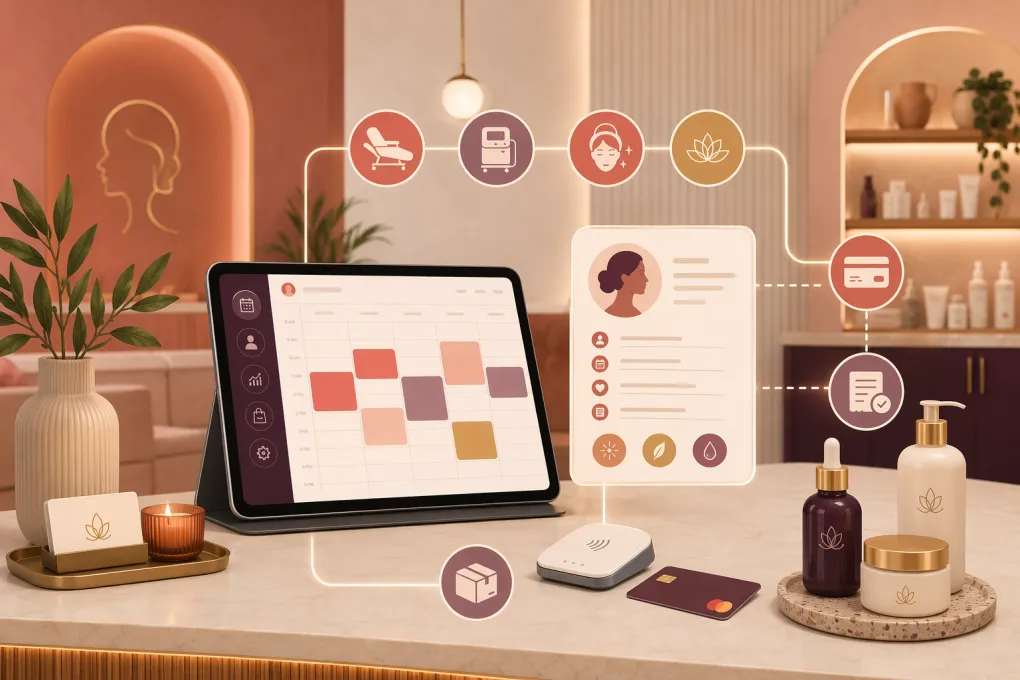
The right med spa management software has to do more than put appointments on a calendar. It must support the entire path from first inquiry to consultation, treatment, payment, follow-up, and rebooking—without creating unsafe shortcuts around clinical documentation or patient privacy.
That makes software selection harder for a medical spa than for a conventional salon. Some platforms are built around electronic medical records and aesthetic charting. Others lead with booking, memberships, marketing, or multi-location operations. A few cover most functions, but depth varies.
The best choice depends on where your operational complexity lives and which system must remain the source of truth.
What med spa management software should handle
Start by separating clinical requirements from front-office requirements. They overlap, but they are not interchangeable.
Clinical and treatment workflows
Depending on your services, ownership structure, and state requirements, you may need:
- Electronic medical records or integration with an EMR
- Digital intake forms and medical histories
- Treatment notes, consents, and procedure templates
- Before-and-after photo management
- Provider signatures and audit trails
- Lot number, expiration date, and product usage tracking
- Prescription, lab, or telehealth workflows
- Role-based access to protected information
Do not assume that a platform marketed to spas can serve as a medical record. Ask the vendor to demonstrate the exact documentation, retention, access, and export workflows your clinical leadership requires.
HIPAA applicability depends on the organization and transaction context, while state privacy and medical-record rules may impose additional obligations. Have qualified legal or compliance counsel review your setup. A vendor mentioning security or HIPAA does not replace that review.
Front-office and revenue workflows
The operational side commonly includes:
- Online appointment and consultation booking
- Lead capture and pipeline management
- Two-way text, phone, and email communication
- Automated reminders and missed-call follow-up
- Deposits, cancellation fees, checkout, and financing workflows
- Packages, memberships, gift cards, and recurring payments
- Rebooking and treatment-plan follow-up
- Inventory and retail product management
- Staff schedules, commissions, and performance reporting
- Multi-location client records and reporting
A strong clinical system with weak lead handling can leave revenue on the table. A polished booking system with inadequate charting can create a more serious operational risk. Your selection process should test both sides.
Med spa management software comparison
Features, packaging, and integrations change, so treat this as a shortlist rather than a substitute for vendor demos. Confirm current functionality, contract terms, security documentation, migration support, and pricing directly with each provider.
| Platform | Core strength | Booking and client management | Clinical workflows | Automation and AI | Multi-location fit | Pricing approach | Best fit and limitations |
|---|---|---|---|---|---|---|---|
| WTF Go with Fitty | Front-office operations, lead response, booking, follow-up, and collections | Centralizes customer workflows, scheduling, communication, and revenue follow-up | Confirm whether your required clinical records are supported; some med spas may pair it with a dedicated EMR | Fitty acts as a 24/7 AI receptionist for inquiries, booking, follow-up, and payment collection where configured | Designed for independent and multi-location wellness operators | Contact vendor for current packaging | Best when slow lead response and fragmented front-office work are the main problems. It should not be treated as a clinical system without validating medical documentation requirements. |
| Aesthetic Record | Aesthetic-focused EMR and practice management | Supports scheduling, patient management, payments, and related practice workflows | Purpose-built for aesthetic documentation, consents, treatment records, and photography workflows | Includes patient engagement and practice automation capabilities; verify current AI features | Supports growing aesthetic practices; validate controls for complex location structures | Plans and add-ons should be confirmed directly | Strong shortlist candidate when aesthetic charting is central. Operators should still test marketing depth, reporting, and any external integrations they rely on. |
| PatientNow | Aesthetic practice management combined with clinical and patient engagement tools | Covers scheduling, CRM-oriented workflows, communications, and practice operations | Built for medical aesthetics, plastic surgery, and related practices with clinical documentation needs | Offers marketing and patient engagement automation; exact capabilities depend on product configuration | Suitable for established and multi-provider organizations; confirm location-level reporting | Typically requires a tailored quote | Broad option for practices wanting clinical and growth functions from one vendor. Breadth can make implementation and configuration more involved. |
| Boulevard | Premium client experience, booking, checkout, and retention | Strong online booking, scheduling, client profiles, memberships, payments, and marketing workflows | Med spa capabilities exist, but buyers should verify whether documentation meets every clinical requirement | Provides automated communication and client engagement tools; confirm current AI scope | Supports multi-location businesses | Packaging is generally plan-based; confirm med spa features and add-ons | Good for operators prioritizing a polished consumer experience. Clinical teams must validate charting, consent, photo, and medical-record needs in detail. |
| Zenoti | Enterprise-scale spa, salon, and wellness operations | Broad booking, POS, memberships, marketing, staff, and location management | Offers med spa-oriented functionality, but clinical depth should be tested against your service mix | Extensive automation and enterprise operational tools; AI availability varies by module | Particularly relevant to larger multi-location groups | Usually quote-based | Strong for centralized control across many locations. It may be more system and implementation than a small single-location practice needs. |
| Mindbody | Widely used scheduling, memberships, payments, and consumer discovery | Mature class and appointment booking with client management and marketing options | Not primarily an aesthetic EMR; a separate clinical system may be necessary | Provides business automation and marketing tools; verify AI and med spa-specific workflows | Supports multiple locations, subject to plan and configuration | Plan-based pricing with features varying by package | Familiar option for wellness-oriented services and consumer discovery. Less suitable as the sole system when detailed medical charting is required. |
Decide which system owns each record
Many med spas end up with more than one platform. That is manageable if ownership is explicit.
Create a simple system-of-record map before buying:
| Data or workflow | System that should own it |
|---|---|
| Medical history and treatment notes | Clinical EMR or validated clinical platform |
| Lead source and sales status | CRM or front-office platform |
| Appointment availability | Scheduling platform, synchronized where needed |
| Card transactions and recurring billing | Payment system connected to the operational platform |
| Inventory usage tied to treatment | Clinical or inventory system with appropriate traceability |
| Marketing consent and communication preferences | CRM, with required synchronization |
| Executive reporting | Primary platform or a reporting layer fed by clean data |
The danger is not using two systems. The danger is allowing both to become partial sources of truth. Duplicate profiles, mismatched appointment statuses, and manually copied treatment information create avoidable errors.
How to evaluate vendors in a live demo
Do not let vendors run a generic presentation. Give each one the same real-world scenarios and ask them to complete the workflow on screen.
Test the new-lead workflow
Use a lead asking about a service after business hours. Check whether the platform can:
- Capture the inquiry and source.
- Answer non-clinical questions consistently.
- Offer an appropriate consultation or appointment.
- Collect a deposit if required.
- Escalate clinical, pricing, or exception questions to staff.
- Follow up if the lead does not book.
- Stop automated messages when the person replies or opts out.
This is where an AI receptionist such as Fitty can be useful. It can reduce delays around routine inquiries, scheduling, follow-up, and collections. Set firm boundaries: AI should not diagnose, recommend treatment, determine candidacy, or improvise answers to clinical questions.
Test the treatment-day workflow
Ask the vendor to show:
- Intake completion and missing-form alerts
- Consent version control
- Provider access and permissions
- Treatment charting and photography
- Product or lot tracking where required
- Checkout using a package, membership, or split payment
- Follow-up instructions and rebooking
- Record correction and audit history
Have the actual receptionist, provider, practice manager, and biller score the process. A workflow that looks simple to an owner may add clicks or duplicate work for the person using it all day.
Test an operational exception
Routine demos hide weaknesses. Ask what happens when:
- A client cancels inside the policy window.
- A provider moves to another location.
- A membership payment fails.
- A refund involves a package or gift card.
- Two client profiles must be merged.
- A patient requests a copy of records.
- A staff member leaves and access must be revoked.
The exception handling often tells you more than the feature list.
Build a practical software scorecard
Score each platform against requirements agreed upon before demos. Useful categories include:
- Clinical fit: documentation, consents, photos, traceability, permissions, and exports
- Lead conversion: response channels, pipeline visibility, booking, and follow-up
- Client experience: mobile booking, forms, deposits, reminders, and checkout
- Revenue controls: memberships, packages, failed payments, refunds, and reporting
- Operational fit: scheduling rules, commissions, inventory, and location controls
- Security and compliance: access controls, audit logs, encryption practices, agreements, and incident procedures
- Integration quality: whether data syncs automatically, how often, and in which direction
- Implementation: migration scope, training, configuration, support, and launch planning
- Total cost: subscriptions, messaging, payment processing, add-ons, integrations, hardware, and migration
Weight the categories. If injectables and clinical documentation drive the business, clinical fit should carry more weight than a website template. If leads routinely wait hours for a response, front-office automation deserves more weight.
Plan migration before signing
Ask for a written inventory of what will and will not migrate. Common problem areas include stored cards, recurring memberships, treatment photos, signed consents, notes, gift card balances, package credits, custom fields, and historical communications.
Before launch:
- Remove duplicate and obsolete client records.
- Export full backups from the current systems.
- Reconcile active memberships, packages, and balances.
- Map staff roles and minimum necessary access.
- Test booking rules, taxes, deposits, refunds, and reminders.
- Run a small set of records through the complete workflow.
- Define a rollback and downtime plan.
- Keep required historical records accessible under applicable retention rules.
Software does not repair a vague process. Document who owns lead response, consultation follow-up, chart completion, failed-payment recovery, inventory reconciliation, and access reviews. Then configure the platform around those decisions.
The bottom line
Choose med spa management software based on your hardest operational and clinical requirements—not the longest feature list. Clinical-first platforms may offer stronger charting and aesthetic documentation. Experience-first platforms may deliver smoother booking and checkout. Enterprise systems can improve location control, while a front-office platform with an AI agent can address response speed and follow-up.
For many operators, the right architecture is either one carefully validated platform or a clinical system paired with a front-office system such as WTF Go. The key is clean ownership of data, tested integrations, appropriate AI guardrails, and workflows your team can execute consistently.
Frequently asked questions
What is the best med spa management software?
There is no universal best option. Aesthetic Record and PatientNow are worth considering for clinical depth, while Boulevard, Zenoti, Mindbody, and WTF Go address different combinations of booking, operations, growth, and multi-location needs.
Does med spa software need to be HIPAA compliant?
Your requirements depend on whether HIPAA applies to your organization and data relationships, plus applicable state laws. Ask vendors for security documentation and relevant agreements, then have qualified counsel validate the complete workflow.
Can a med spa use separate CRM and EMR systems?
Yes. Many practices pair a clinical EMR with a front-office CRM or automation platform, but they should define which system owns each record and verify how data synchronizes.
Can AI book med spa appointments safely?
AI can handle routine questions, consultation booking, reminders, and follow-up when properly configured. Clinical questions, treatment recommendations, contraindications, and candidacy decisions should be escalated to qualified staff.
What should be included in a med spa software budget?
Include subscriptions, add-on modules, messaging, payment processing, integrations, hardware, data migration, training, and implementation time. Confirm how contract terms and costs change as providers or locations are added.
Keep reading



Run your gym on autopilot with WTF Go
Fitty — your AI receptionist — answers calls and DMs, fills classes, follows up with every lead, and collects dues while you coach.