Comparisons
Best Indoor Volleyball Facility Management Software Guide
Compare indoor volleyball facility management software for courts, leagues, tryouts, team dues, tournaments, lead follow-up, and multi-location operations.
 Watch · 20s
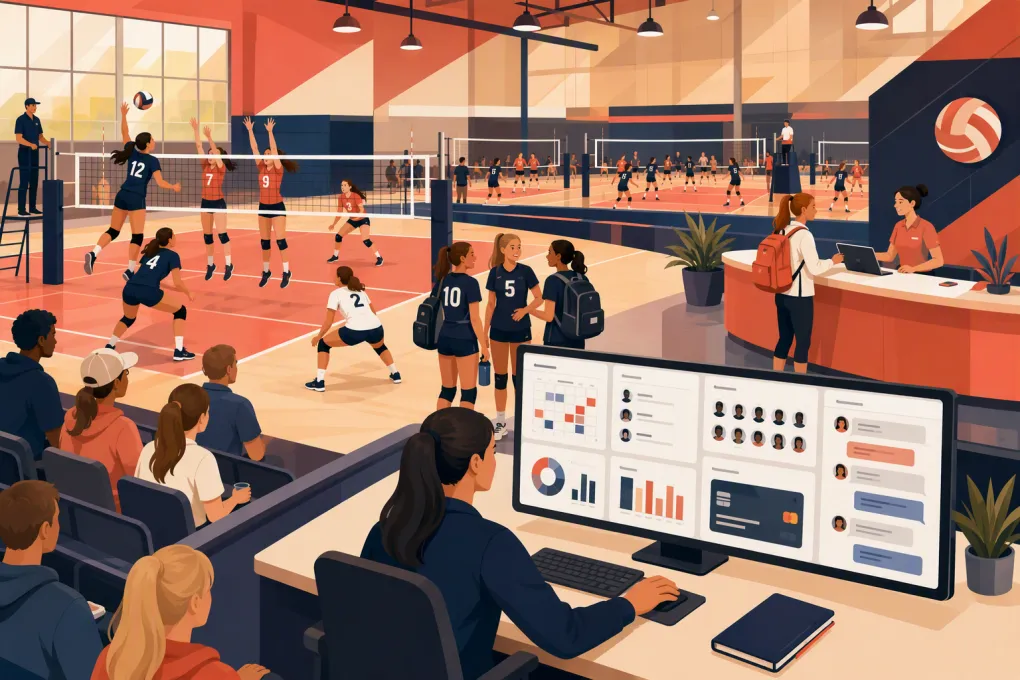
An indoor volleyball facility can operate as a court-rental business, training academy, membership gym, tournament venue, club program, or all five at once. That makes software selection harder than choosing a basic calendar or registration form.
You need to know whether a platform can prevent conflicts between full and divided courts, collect team payments, manage tryouts, track eligible rosters, communicate schedule changes, and support event-day traffic. You also need a reliable process for answering parents, players, coaches, and team managers before they register.
This guide shortlists credible options by operating model. It does not assume that one system is best for every volleyball facility.
See how WTF Go and Fitty handle volleyball inquiries, program bookings, follow-up, and dues →
How these platforms were evaluated
Editorial review date: September 9, 2026.
This comparison is based on publicly available vendor product pages and feature descriptions linked below. We evaluated each option against seven categories:
- Court and resource scheduling
- Program, camp, and lesson registration
- Memberships, billing, and payments
- League, team, and roster administration
- Lead response and customer communication
- Multi-location controls and reporting
- Volleyball-specific workflows requiring further verification
This is a documented desk review, not a hands-on product benchmark. We did not operate each platform inside a live volleyball facility, interview vendor customers, or verify every feature at every subscription level. A feature shown on a vendor website may require a particular plan, add-on, integration, or implementation service.
For that reason, the labels below are best-fit selections, not absolute rankings. Pricing is also excluded because packages, processing terms, and implementation costs can change. Request a current written quote and require vendors to demonstrate your exact workflows before signing.
Best indoor volleyball facility management software picks
| Best-fit selection | Platform | Documented strengths | Important limitation or verification point | Best for |
|---|---|---|---|---|
| Best for AI-assisted lead response and membership operations | WTF Go with Fitty | Booking, lead follow-up, dues collection, and an AI receptionist designed to answer prospects around the clock | Confirm advanced court subdivision, tournament bracket, gate, and governing-body requirements in a workflow demo | Facilities selling memberships, classes, clinics, lessons, and recurring programs that also need front-desk automation |
| Best court-first option | CourtReserve | Court reservations, programming, memberships, payments, and club management built around reservable court inventory | Volleyball operators should test full-court versus divided-court dependencies, tournament formats, and team registration | Court-rental businesses combining member access with lessons, clinics, and events |
| Best for sports training programs | Upper Hand | Scheduling, registration, memberships, payments, client management, and sports-business administration | Verify native support for league standings, tournament progression, roster eligibility, and complex court layouts | Training academies running camps, clinics, private lessons, and recurring programs |
| Best for broad recreation operations | DaySmart Recreation | Recreation management spanning registrations, facility scheduling, programs, memberships, and reporting | A broad feature set can require more configuration and staff training; confirm which tools are included in the proposed package | Larger sports complexes, recreation centers, and multi-program facilities |
| Best for combined facility and league administration | EZFacility | Facility scheduling, rentals, memberships, leagues, payments, and reporting | Test the mobile registration experience, volleyball tournament depth, and any modules needed beyond the base package | Facilities balancing recurring rentals, leagues, programs, and member billing |
| Best for club and team administration | LeagueApps | Registration, team management, schedules, rosters, payments, and participant communication | May need to be paired with a facility-focused system for detailed court inventory, access control, or general membership operations | Volleyball clubs primarily managing teams, seasons, coaches, and player registration |
These platforms overlap, but they approach the market from different directions. Court-first software begins with reservable inventory. Club software begins with teams and registrations. Fitness-oriented operating systems begin with prospects, memberships, programs, and recurring revenue. Broad recreation platforms attempt to cover several of these models.
Your dominant revenue and service model should determine the shortlist.
Volleyball-specific capabilities to test
Generic feature labels such as “scheduling” and “registration” are not enough. Build your evaluation around real volleyball scenarios.
Court subdivision and dependency rules
A three-court building may have more complicated inventory than three independent resources. One championship setup might consume two courts. A camp might use three half courts. Setup time for bleachers or net changes can make adjacent slots unavailable.
Ask each vendor to demonstrate how the system handles:
- Full courts, half courts, and training zones
- Linked resources that cannot be sold simultaneously
- Recurring team practices
- Setup and teardown buffers
- Maintenance closures and event blackouts
- Coach, referee, or equipment availability
- Rental requests that require staff approval
- Different rates for members, clubs, and outside renters
Do not accept a slide showing a calendar. Have the vendor create, modify, and cancel the reservations while you watch for conflicts.
Tournaments and event-day operations
“Event management” can mean nothing more than collecting registrations. A volleyball tournament may also require divisions, pools, court assignments, officiating duties, bracket progression, live schedule changes, and spectator admission.
Determine whether the platform natively supports:
- Team rather than individual registration
- Pool creation and seeded placement
- Bracket or crossover play
- Court and officiating assignments
- Score or result entry
- Waitlists and division capacity
- Coach and team-manager communication
- Refund rules after withdrawal
- Spectator tickets, gate payments, or check-in
- Merchandise, concessions, and event-day point of sale
A specialized tournament tool may be the right answer if your core facility system does not provide these functions. If so, document how team, payment, schedule, and customer data move between systems.
Governing-body and eligibility workflows
Do not assume a general sports platform has a current integration with your national, regional, state, school, or sanctioning organization. Governing-body relationships and technical connections can change.
Ask whether the software can capture or validate:
- Membership or registration IDs
- Birth dates and age divisions
- Grade or graduation-year restrictions
- Club and team affiliations
- Required waivers and acknowledgments
- Coach credentials or required documentation
- Roster lock dates
- Player transfers and duplicate registrations
Clarify whether validation is automatic, handled through an integration, or left to staff. If employees must check another database manually, include that labor in your software comparison.
Tryouts, offers, and team placement
Tryouts are not the same as class registration. A useful workflow may need to collect player positions, experience, age or grade, preferred teams, emergency contacts, and waiver acceptance before evaluation.
After tryouts, operators may need evaluator notes, placement decisions, offers, deadlines, deposits, waitlists, and automated reminders. Ask vendors to show which parts are native and which require forms, spreadsheets, tags, or external tools.
Avoid storing sensitive evaluation notes in unrestricted customer profiles. Confirm that permissions can limit who sees internal assessments.
Team payments and family accounts
Volleyball charges can include tryout fees, club dues, uniforms, travel, tournament entries, private training, and installment plans. One household may be paying for multiple athletes on different schedules.
Test whether the system can:
- Keep siblings under one responsible payer
- Separate team dues from optional purchases
- Collect deposits and scheduled installments
- Apply credits without losing an audit trail
- Restrict participation when required balances remain unpaid
- Show families clear balances and payment history
- Retry or follow up on failed recurring payments
- Report balances by team, season, location, and charge type
Fitty is relevant where the operational gap is not calculating a bracket but consistently answering inquiries and following up on dues. See how WTF Go supports volleyball lead response and payment follow-up →
Lead management belongs in the evaluation
Many software reviews begin after a customer has decided to register. Facility operators also need to manage the steps before that decision.
A parent may ask which clinic matches a beginner. A team manager may need a Saturday court block. A prospective member may call after the final evening shift has left. If those inquiries sit in voicemail or an unmonitored inbox, strong registration software does not fix the gap.
Test each platform or connected CRM for:
- Website inquiry capture
- Missed-call handling
- Responses outside staffed hours
- Answers based on current programs and policies
- Links to the correct booking or registration page
- Follow-up when a prospect does not complete registration
- Conversation history visible to staff
- Escalation when a person needs to intervene
WTF Go’s distinguishing approach is Fitty, its AI receptionist and agent for answering leads, booking eligible offerings, following up, and collecting dues. That makes it a candidate for operators whose court and program workflows are reasonably straightforward but whose front desk is overloaded by repetitive conversations.
Explore Fitty for after-hours volleyball inquiries and booking follow-up →
A practical vendor demo scorecard
Use the same test with every shortlisted vendor. Score each task as native, configurable, integration-dependent, manual workaround, or unavailable.
Ask the vendor to complete these actions in real time:
- Reserve two divided courts without blocking an unrelated court.
- Convert the reservation into a full-court event.
- Register a team and collect an initial deposit.
- Place two siblings under one household payer.
- Move a clinic and notify every affected participant.
- Transfer a player from a waitlist to an eligible roster.
- Record or validate required membership information.
- Create an installment plan and show the failed-payment workflow.
- Restrict a coach to attendance and roster access.
- Report utilization and revenue by court, program, and location.
- Process spectator admission or explain the required connected tool.
- Export customers, future reservations, balances, and rosters.
Also submit a test inquiry from a phone after normal business hours. Track what response arrives, whether it answers the question, and whether the conversation becomes visible to staff.
One platform or a connected stack?
A single platform reduces duplicate records and staff training, but only when it handles the core business well. A tournament-heavy facility may reasonably use one system for courts and billing, another for competition operations, and an AI agent or CRM for inquiries.
If you use multiple systems, define:
- Which platform owns the customer record
- Which calendar is authoritative
- Where payments and credits are recorded
- How roster changes synchronize
- Which system sends schedule messages
- Who monitors failed integrations
- How all data can be exported
Finally, compare the total operating impact—not just the subscription. Include implementation, payment processing, optional modules, integrations, migration, hardware, staff time, and separate tools the platform cannot replace.
The best indoor volleyball facility management software is the option that fits your dominant model and survives your real workflow test. Court-rental facilities should prioritize resource logic. Clubs should prioritize teams, eligibility, and dues. Tournament venues should validate competition and gate operations. Facilities losing leads or exhausting the front desk should put response and follow-up automation near the top of the list.
Frequently asked questions
What is the best indoor volleyball facility management software?
There is no universal winner. CourtReserve is a court-first candidate, LeagueApps emphasizes club and team administration, broader platforms cover recreation operations, and WTF Go with Fitty focuses on memberships, bookings, lead response, follow-up, and dues.
Can facility software manage volleyball tournaments?
Some platforms handle registration and scheduling, but advanced pool play, brackets, officiating, results, eligibility, and gate operations may require specialized tournament software. Require a live demonstration of your event format.
Should volleyball software integrate with a governing body?
An integration can reduce manual eligibility checks, but availability varies by organization and may change. Confirm exactly which IDs, rosters, credentials, and membership statuses are synchronized rather than assuming support.
What should volleyball clubs test before buying software?
Test tryout registration, team offers, roster eligibility, family accounts, installment plans, failed payments, recurring practices, court conflicts, staff permissions, and complete data export.
Can AI answer calls and follow up with volleyball leads?
Yes. Fitty is designed to answer leads, book eligible offerings, follow up, and help collect dues, including when front-desk staff are unavailable.
Keep reading



Run your gym on autopilot with WTF Go
Fitty — your AI receptionist — answers calls and DMs, fills classes, follows up with every lead, and collects dues while you coach.