Comparisons
Indoor Cycling Studio Management Software: Buyer's Guide
Compare indoor cycling studio management software for booking, memberships, waitlists, payments, retention, and AI follow-up before you choose a platform.
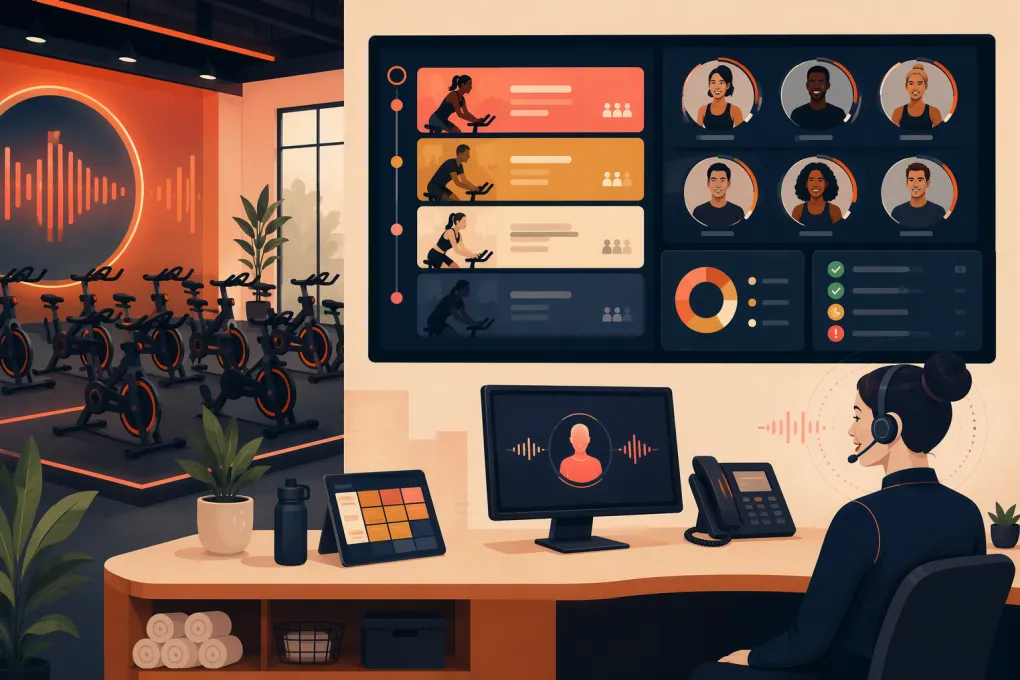 Watch · 20s
Running a cycling studio is a seat-inventory business wrapped inside a hospitality business. Every bike left empty is perishable capacity. Every unanswered trial inquiry can become a missed rider. And every booking mistake—wrong bike, broken waitlist, failed payment, or unclear cancellation—lands at the front desk five minutes before class.
That makes indoor cycling studio management software more than a calendar. The right platform should control the complete rider journey: inquiry, intro offer, bike selection, waiver, payment, attendance, follow-up, membership, and reactivation.
The challenge is that many platforms can schedule a class. Far fewer handle the operating details that matter specifically to cycling studios. Here is how to evaluate them without getting distracted by a long feature list.
What indoor cycling software needs to do differently
A general appointment scheduler may work for a massage room or personal trainer, but cycling has different constraints.
Manage individual bikes, not just class capacity
A class with 30 available spaces is not necessarily the same as a room with 30 specific bikes. Riders may want to select a bike based on location, visibility, proximity to a friend, or personal preference.
If assigned-bike booking matters to your studio, verify that the software can:
- Display a visual room or spot map
- Let riders choose an available bike
- Block bikes that are damaged or under maintenance
- Support staff overrides without creating duplicate reservations
- Preserve bike assignments when moving someone from a waitlist
- Handle room layouts that vary by location
Do not accept a generic capacity demo. Ask the vendor to show the exact rider and front-desk workflows using a cycling room layout.
Fill cancellations through a dependable waitlist
A waitlist should do more than store names. You need clear answers to operational questions:
- Is the next rider added automatically or invited to claim the bike?
- How long does an invitation remain open?
- What happens close to class time?
- Can riders choose which bikes they will accept?
- Are notifications sent by email, text, app, or a combination?
- Can staff see the notification and response history?
The policy and the software must match. If your system automatically books riders but your policy assumes they must confirm, disputes are inevitable.
Convert interest outside front-desk hours
Prospective riders often ask the same high-intent questions: What should I bring? Is the class beginner-friendly? How early should I arrive? Can I choose a bike? Which intro offer is right for me?
A contact form that waits until tomorrow creates friction. The stronger workflow answers the question, captures the lead, recommends the appropriate first class, and completes the booking while interest is fresh.
See how Fitty can answer cycling studio leads and book their first class 24/7 →
The core features to evaluate
Booking, packs, and recurring memberships
Your software should support the products you actually sell, including drop-ins, class packs, introductory offers, recurring memberships, limited monthly memberships, and unlimited plans.
Test the exceptions, not just the happy path:
- Can expiration dates and booking windows vary by product?
- Can a rider book multiple classes without bypassing limits?
- Can staff extend a pack without editing every visit?
- Can memberships freeze and resume cleanly?
- Can the system enforce late-cancel and no-show rules?
- Can credits be restored with an audit trail?
The audit trail matters. When a rider questions a charge or missing credit, staff should be able to see what happened without piecing together emails and handwritten notes.
Lead management and follow-up
A studio CRM should distinguish between a lead and an active rider. At minimum, operators should be able to track:
- Inquiry source
- Intro offer purchased
- First class booked
- First class attended
- Follow-up status
- Membership conversion
- Cancellation or lapse reason
Look closely at what triggers follow-up. Useful triggers include an unbooked intro purchase, missed first class, completed first ride, expiring pack, failed recurring payment, and a rider who has stopped attending.
Automation should still allow human intervention. Staff need to see what was sent, pause an automation, take over a conversation, and record the outcome.
Payments and failed-payment recovery
The platform should make daily payment work visible. Review how it manages recurring billing, stored payment methods, refunds, partial refunds, failed charges, receipts, taxes, chargeback records, and payout reconciliation.
Ask the vendor to demonstrate the failed-payment sequence from beginning to end. A useful workflow identifies the failure, contacts the member, provides a safe way to update payment details, retries according to your rules, and alerts staff when human follow-up is needed.
Fitty is designed to handle member conversations and dues follow-up around the clock, so payment recovery does not depend entirely on someone working through a call list between classes.
See how WTF Go combines studio operations with AI-powered dues follow-up →
Reporting that supports operating decisions
A dashboard is only useful if it changes what you do. Cycling operators typically need to examine:
- Attendance by class, time, instructor, and location
- Booked capacity versus actual check-ins
- Late cancellations and no-shows
- Waitlist activity and conversion
- Intro offer purchases and first visits
- Lead-to-first-booking progression
- Membership starts, freezes, cancellations, and reactivations
- Failed payments and outstanding balances
- Revenue by product and location
Confirm that reports can be filtered and exported. Also ask which timestamp, location, and revenue-recognition rules each report uses. Two reports with similar labels can produce different answers if one is based on sale date and another on attendance date.
Indoor cycling studio management software comparison
No platform is automatically best for every studio. The right choice depends on whether your priority is cycling-specific booking, broad marketplace exposure, multi-location controls, automated communication, or a unified operating system.
| Platform | Core fit | Booking and rider workflows | Automation and AI | Multi-location | Pricing approach | Main consideration |
|---|---|---|---|---|---|---|
| WTF Go | Gyms, studios, spas, and wellness operators wanting one operating system | Centralizes booking, member, lead, payment, and operational workflows; request a demo using your exact bike-selection requirements | Fitty answers leads, books classes, follows up, and helps collect dues 24/7 | Built for independent and multi-location operators | Contact WTF Go for current packaging | Strong option when front-desk coverage and follow-up are major problems; confirm any specialized cycling layout or integration requirements during the demo |
| Mariana Tek | Boutique fitness brands, including cycling concepts | Known for boutique fitness booking experiences and branded consumer-facing tools, including spot-oriented workflows | Offers marketing and communication capabilities; evaluate the depth of conversational AI and automated lead handling you need | Commonly considered by growing and multi-location boutique brands | Typically sales-led and quote-based | Strong boutique fitness focus; assess implementation scope, contract terms, and whether its broader stack matches your operating model |
| Mindbody | Fitness and wellness businesses seeking a broad, established platform and consumer marketplace | Supports classes, appointments, memberships, payments, and related business workflows | Marketing and communication capabilities vary by package and add-ons | Supports multi-location businesses | Packaging and add-ons vary; verify a current quote | Broad ecosystem and marketplace visibility are strengths, but operators should carefully review package complexity, staff usability, and total required modules |
| Momence | Studios running classes, events, appointments, and digital offerings | Supports scheduling, memberships, communications, and varied service formats | Includes workflow and marketing tools; exact capabilities depend on the current plan | Suitable for studios with multiple offerings or locations; verify controls needed | Published packaging may change, so confirm current plan limits and fees | Flexible for mixed programming; cycling operators should test bike maps, waitlists, and high-volume check-in workflows directly |
| WellnessLiving | Fitness and wellness businesses wanting scheduling, client management, and marketing in one platform | Supports classes, appointments, memberships, payments, client-facing tools, and staff workflows | Offers automated marketing and engagement features depending on package | Supports multi-location operations | Plan and add-on structure varies | Broad feature coverage is useful, but confirm which capabilities are included, which require add-ons, and how migration will be handled |
Product features and packages change. Treat this table as a shortlist, then require each vendor to demonstrate your workflows in a live environment.
A practical demo script for cycling studio owners
Vendor-led demos tend to showcase polished features. Bring your own script so every platform is tested the same way.
Ask the salesperson to complete these tasks live:
- Create a first-time lead from a missed phone call or web inquiry.
- Answer a beginner question and book the lead into an intro ride.
- Let the rider select a bike and sign the required waiver.
- Move a rider from the waitlist after a cancellation.
- Block a broken bike without reducing historical reporting accuracy.
- Check in a rider who forgot their phone or app login.
- Apply a late-cancel exception and show the account history.
- Freeze a recurring membership, then schedule its restart.
- Process a failed payment and show every rider notification.
- Report on leads who bought an intro but never attended.
- Compare booked riders with actual check-ins for one class.
- Show what a regional manager can access across locations.
If a critical workflow requires a workaround, document it. One workaround may be manageable. Several daily workarounds become a staffing problem.
Check the real cost, not only the subscription
Software cost can include more than the advertised plan. Request a written breakdown covering:
- Base subscription and location fees
- Payment processing terms
- Setup, onboarding, and data migration
- Branded app or website components
- Email and text usage
- Marketing or automation modules
- Hardware requirements
- Support levels
- Contract length and renewal terms
- Data export or termination procedures
Also estimate the internal cost of running the system. A lower subscription is not necessarily less expensive if employees must manually return every missed call, chase every failed card, and reconcile disconnected tools.
Plan migration before signing
Migration is where a software decision becomes an operating project. Assign one owner and define exactly what must move.
Typical records include member profiles, waivers, active memberships, remaining class credits, future bookings, account balances, payment references, attendance history, notes, and marketing consent. Stored card data may require a processor-controlled transfer and cannot always be exported like a spreadsheet.
Before launch:
- Clean duplicates and inactive products
- Agree on the source of truth for balances and credits
- Export complete backups from the old platform
- Test a sample migration before the final import
- Reconcile active memberships and future reservations
- Train staff on exceptions, refunds, and check-in recovery
- Keep a launch-day escalation contact
- Tell riders what changes and what stays the same
Avoid switching immediately before a major promotion or packed event. Give staff time to practice the workflows they will need when the lobby is full.
Choosing the right platform
Start with the bottleneck costing your team the most attention. If it is assigned-bike booking, make the room map and waitlist your hardest requirements. If leads go cold after hours, prioritize immediate response and booking. If revenue leaks through failed payments, test recovery workflows. If you operate several studios, focus on permissions, consolidated reporting, shared memberships, and location-level controls.
WTF Go is built for operators who want booking, lead handling, follow-up, and dues collection to work as one system rather than as separate staff tasks. Fitty adds the always-on receptionist layer, helping studios respond when employees are coaching, checking in riders, or off the clock.
Book a cycling-specific WTF Go walkthrough and test Fitty against your real front-desk scenarios →
Frequently asked questions
What is the most important feature in indoor cycling studio management software?
It depends on your operating model, but bike-level booking, reliable waitlists, membership billing, and lead follow-up are usually critical. Test each feature through real exceptions, not only a standard booking.
Should cycling studio software include a visual bike map?
Yes, if riders choose specific bikes or your staff regularly blocks equipment. Confirm that the map works across web, mobile, staff booking, waitlists, and multi-location room layouts.
Can studio management software follow up with leads automatically?
Many systems automate messages, but the depth varies. Fitty goes further by acting as an AI receptionist that can answer questions, follow up, and book classes 24/7.
How should I compare indoor cycling software pricing?
Compare the subscription, payment processing, add-ons, messaging usage, onboarding, migration, hardware, and contract terms. Include the staff time required for manual work the platform does not automate.
How long does it take to switch cycling studio platforms?
Timing depends on data quality, payment migration, integrations, staff training, and future bookings. Require a written migration plan and test sample records before setting a launch date.
Keep reading



Run your gym on autopilot with WTF Go
Fitty — your AI receptionist — answers calls and DMs, fills classes, follows up with every lead, and collects dues while you coach.