Comparisons
Hyperbaric Oxygen Therapy Center Software Guide 2026
Compare hyperbaric oxygen therapy center software by chamber scheduling, clinical fit, automation, pricing, integrations, contracts, and setup effort.
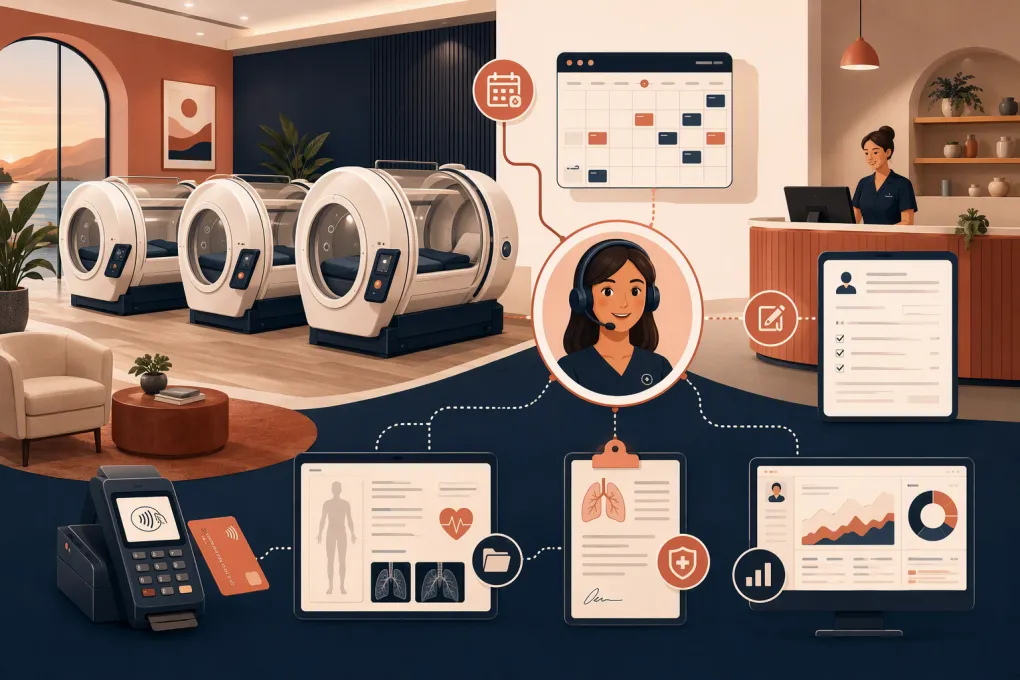 Watch · 20s
Choosing hyperbaric oxygen therapy center software starts with an uncomfortable fact: the major clinic, spa, and wellness platforms are not built specifically around HBOT chamber operations. They may provide appointment calendars, rooms, equipment resources, packages, forms, or clinical records, but that does not automatically mean they can safely model your chamber capacity and operating rules.
That distinction matters. A monoplace center may be able to configure each chamber as a bookable resource. A multiplace operation may need capacity-based scheduling, simultaneous occupants, attendant assignments, treatment protocols, and shared start times. General appointment software can struggle with the second model.
This guide separates documented general capabilities from HBOT-specific features that still require vendor validation. It also compares pricing transparency, contracts, integrations, and implementation effort—not just calendar screenshots.
See how Fitty can cover administrative inquiries and follow-up while your team runs sessions →
How this comparison was prepared
This is an editorial comparison of publicly described product capabilities and the known operating requirements of hyperbaric centers. It is not based on a controlled, hands-on HBOT implementation of every product, and no vendor listed here should be interpreted as HBOT-certified or clinically endorsed.
Features and pricing availability were reviewed on August 6, 2026. Vendors change plans, add-ons, integrations, and contract terms, so obtain written confirmation before buying.
We use two labels throughout:
- Documented general capability: The vendor publicly describes the feature for clinics, spas, wellness businesses, or appointment-based operations.
- HBOT validation required: The general feature may be configurable for a chamber, but the vendor has not established in this comparison that it supports your specific chamber model, safety process, or clinical workflow.
WTF Go is the publisher of this article. Its placement is disclosed rather than presented as an independent recommendation. Fitty’s stated capabilities refer to administrative lead response, booking support, follow-up, and dues collection. We are not claiming HBOT-specific customer results, clinical decision-making, or medical-record functionality.
The unresolved issue: true chamber-resource scheduling
Based on the product information reviewed, none of the platforms below is positioned as a dedicated HBOT chamber-management system. Several document room, equipment, or resource scheduling, which may work for a straightforward monoplace setup after configuration.
That is not the same as confirmed support for:
- Monoplace versus multiplace chamber capacity
- Multiple occupants sharing one treatment start and end time
- Chamber-specific compression, treatment, decompression, and turnover blocks
- Required attendant or provider assignments
- Maintenance lockouts and inspection history
- Protocol-based session lengths
- Preventing conflicts across chamber, room, operator, and provider
- Clinical monitoring or chamber-control functions
Software used for booking should not be confused with chamber-control equipment or safety systems. If a platform represents a chamber as a generic room, your team remains responsible for determining whether that configuration reflects your actual operating and safety requirements.
Hyperbaric oxygen therapy center software comparison
Exact prices are omitted where vendors use quotes, location-based packaging, optional modules, or frequently changing public plans. Inventing a clean monthly number would be less useful than identifying how pricing is structured and what must be quoted.
| Platform | Documented general capabilities | Chamber-resource status | Pricing and contract considerations | Integrations | Implementation effort | Best fit |
|---|---|---|---|---|---|---|
| WTF Go + Fitty | Business operations, customer workflows, booking, payments, lead response, follow-up, and dues collection for gyms, studios, spas, and wellness businesses | No HBOT-specific chamber capability established here; require a live demonstration using every chamber and staffing constraint | Request a current quote, included usage limits, AI or communication charges, payment terms, cancellation provisions, and data-export terms | Confirm the accounting, payments, messaging, EHR, forms, and marketing connections required by your stack | Moderate when consolidating front desk, CRM, booking, and payment workflows; higher if a clinical system must remain separate | Cash-pay wellness centers prioritizing inquiry response, conversion, and administrative follow-up |
| Jane | Appointment scheduling, online booking, forms, charting, payments, and clinic administration | General clinic scheduling is documented; chamber-as-resource behavior and multiplace capacity require validation | Publicly presented subscription tiers may vary by practitioner or feature level; confirm current tier, add-ons, messaging costs, and cancellation terms | Offers an integration ecosystem, but verify each required EHR, accounting, payment, communications, and form connection | Low to moderate for a small provider-led clinic; migration and chart configuration add work | Provider-led clinics wanting booking and clinical documentation in one environment |
| Mindbody | Appointments, classes, memberships, packages, payments, consumer discovery, marketing, and multi-location management | Broad scheduling is documented; HBOT chamber resources, shared treatment capacity, and maintenance rules require validation | Typically sales-led or quote-based packaging; ask about contract length, onboarding, add-ons, payment processing, messaging, and location fees | Broad wellness ecosystem and API options, although availability may depend on plan, partner, and use case | Moderate to high because of configuration breadth, data migration, staff roles, and optional modules | Multi-service or multi-location wellness businesses combining HBOT with recovery, spa, or fitness services |
| Vagaro | Appointment booking, calendars, forms, payments, memberships, packages, marketing, and consumer wellness workflows | Resource-oriented scheduling is available in the broader appointment context; confirm whether chambers can be assigned, buffered, blocked, and capacity-controlled | Public base pricing and optional features may be shown, but total cost depends on calendars, locations, add-ons, communications, and payment services; verify term and cancellation rules | Marketplace and business integrations are available; confirm exact accounting, forms, device, marketing, and clinical requirements | Low to moderate for cash-pay appointment operations; higher when rebuilding forms, packages, and automations | Smaller cash-pay recovery, spa, or wellness centers |
| Pabau | Clinic scheduling, patient administration, forms, records, payments, communications, and CRM workflows | Clinic rooms and calendar workflows may support a configured resource model; no HBOT-specific capacity or protocol support is established here | Review current public or quoted plans, user assumptions, implementation services, communications, payment costs, and minimum commitment | Clinic and business integrations are offered, but exact availability and regional support must be checked | Moderate to high due to workflow configuration, records migration, permissions, and training | Private clinics seeking a more clinic-oriented operational platform |
| Dedicated EHR or medical practice system | Clinical documentation, orders, permissions, records, billing, and medical workflows vary by product | Some support rooms or equipment; most still require HBOT-specific scheduling validation | Usually quote-based, often with implementation, interfaces, training, support, and possible term commitments | Clinical interfaces may be stronger, while consumer CRM and wellness integrations may be weaker | High when migrating medical records, templates, billing, permissions, and interfaces | Medically directed centers where the clinical record is the primary requirement |
A concise shortlist by center type
Monoplace, cash-pay wellness center
Start with WTF Go, Vagaro, or Mindbody, depending on the breadth of your operation. Your deciding demonstration should show each physical chamber as an exclusive resource, include turnover buffers, block maintenance periods, and prevent staff conflicts.
Choose WTF Go when missed inquiries and inconsistent follow-up are the central problem. Choose Vagaro when straightforward consumer appointment and spa-style workflows dominate. Consider Mindbody when HBOT is one service inside a broader, multi-location wellness or fitness business.
Provider-led clinic with clinical documentation
Start with Jane, Pabau, or an appropriate EHR. Determine first whether the selected system will be your clinical system of record. Then test whether its calendar can represent chambers without unsafe workarounds.
Jane may suit a smaller provider-led practice seeking accessible scheduling and charting. Pabau may warrant review when deeper clinic and CRM configuration is needed. A dedicated EHR should lead the shortlist when orders, formal medical records, billing, interfaces, or governance outweigh consumer sales workflows.
Multiplace or operationally complex center
Start with the clinical and safety requirements, not the CRM. None of the compared products is confirmed here as a dedicated multiplace chamber scheduling platform.
Create a written specification and require the vendor to configure a working scenario before contract signature. If no system can model shared capacity, synchronized sessions, attendants, and maintenance correctly, use a dedicated operational process rather than forcing the workflow into ordinary appointment slots.
Hybrid medical and wellness center
A two-system architecture may be the most defensible choice: an EHR or clinic platform for protected clinical records, plus an operating platform for leads, consumer communications, packages, and payments.
Define which system owns each field. Do not allow diagnoses, contraindications, or clinical details to spill into a general-purpose CRM merely because it is convenient.
What to require in a live demonstration
Do not ask, “Can your platform schedule resources?” Give the salesperson a script and watch the workflow happen.
- Create two monoplace chambers, one provider, and one chamber operator.
- Book a session that requires the chamber and operator for different lengths of time.
- Attempt a conflicting appointment and confirm that the system blocks it.
- Add compression, decompression, sanitation, and room-turnover time where applicable.
- Close one chamber for maintenance without blocking the other.
- Book a package series, reschedule one visit, and verify the remaining balance.
- Move a client between locations while preserving forms, payments, and permissions.
- Demonstrate a multiplace session with shared capacity if that applies to your center.
Request screenshots or a recording of the configured test, followed by written confirmation of what is standard, what requires customization, and what the platform cannot support.
Evaluate the full client workflow
Chamber scheduling is only one part of the purchase. Map what happens before and after treatment.
Lead response and administrative boundaries
Prospects may call while staff are preparing a chamber or assisting a client. Software should capture the inquiry, record its source, answer approved administrative questions, and create a visible next action.
Fitty is designed for this administrative layer: answering leads, supporting booking, following up, and collecting dues around the clock. It should not diagnose, assess contraindications, determine medical eligibility, or replace qualified clinical staff. Centers should define escalation rules and approved responses before launch.
Explore how WTF Go and Fitty can support your center’s nonclinical inquiry workflow →
Intake, consent, and records
Confirm whether the platform supports the documents and access controls your organization requires. Storing a signed form does not make a product an EHR.
Ask about role-based permissions, audit history, document versions, record export, backups, employee offboarding, and any agreements needed when protected health information is involved. Have qualified legal and compliance advisers review your specific obligations.
Packages, payments, and billing
Test package restrictions, expiration changes, refunds, failed payments, chargebacks, shared accounts, and location transfers. If you bill insurance, evaluate eligibility, coding, claims, remittance, and revenue-cycle workflows separately. A package ledger is not an insurance billing system.
Contract and implementation checklist
Before signing, document:
- Initial term, renewal process, cancellation window, and termination fees
- Onboarding, migration, training, hardware, messaging, AI usage, and payment costs
- Data ownership, export format, export fees, and post-termination access
- Support hours, escalation path, and implementation responsibilities
- Integration availability, API access, interface fees, and failure monitoring
- Security documentation, permissions, audit logs, backups, and incident procedures
- Which chamber requirements were demonstrated versus merely discussed
Run a sample migration before committing to a launch date. Reconcile future bookings, package balances, forms, memberships, and payment status. Keep the previous system accessible as required by your retention obligations.
The best hyperbaric oxygen therapy center software is not the product with the longest feature list. It is the system—or deliberate combination of systems—that accurately controls availability, protects clinical boundaries, and prevents leads and payments from being lost between teams.
Ask WTF Go to demonstrate Fitty against your actual HBOT inquiry, booking, and follow-up process →
Frequently asked questions
Is there software built specifically for HBOT chamber scheduling?
The products compared here are general clinic, wellness, spa, EHR, or operating platforms rather than confirmed dedicated HBOT chamber systems. Require vendors to demonstrate your exact monoplace or multiplace workflow before signing.
Can appointment software treat a hyperbaric chamber as a resource?
Some platforms can represent rooms or equipment as scheduling resources, which may work for a simple monoplace model. Shared capacity, synchronized multiplace sessions, staffing dependencies, maintenance blocks, and treatment buffers require separate validation.
How much does hyperbaric oxygen therapy center software cost?
Pricing depends on users, practitioners, locations, modules, communications, payment processing, onboarding, and contract terms. Compare the total operating cost in a written quote rather than relying only on an advertised base subscription.
Does an HBOT center need both an EHR and business software?
A medically directed or hybrid center may need an EHR for clinical records and a separate platform for leads, packages, payments, and follow-up. Define which system owns each type of data and limit sensitive information shared with nonclinical tools.
Can Fitty make clinical decisions for HBOT clients?
No. Fitty can support approved administrative conversations, lead response, booking, follow-up, and dues collection, but medical eligibility, contraindications, diagnosis, and treatment decisions must go to qualified personnel.
Keep reading



Run your gym on autopilot with WTF Go
Fitty — your AI receptionist — answers calls and DMs, fills classes, follows up with every lead, and collects dues while you coach.