Guides
How to Switch Gym Management Software Without Member Data Loss
Learn how to switch gym management software without losing member data, billing records, waivers, or bookings using a clear, practical migration checklist.
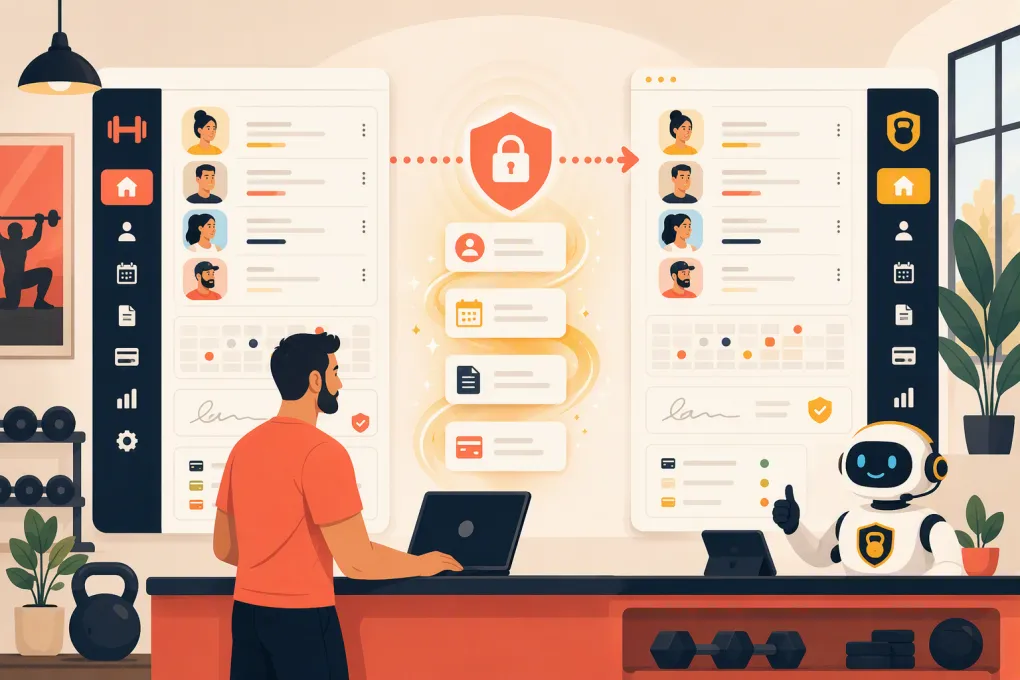 Watch · 20s
Switching gym management software is not mainly a technology project. It is an operations project involving member identities, recurring billing, schedules, contracts, waivers, staff permissions, and the daily habits your team relies on.
A weak migration can leave members unable to book, staff searching through spreadsheets, or recurring payments detached from the correct accounts. A controlled migration protects the data while giving your team a clear way to verify that the new system works before the old one disappears.
The key is to treat the move as a staged process: inventory, clean, export, map, test, reconcile, and only then cut over.
See how WTF Go can consolidate gym operations and member communication before you plan the move →
1. Define What a Successful Switch Means
Do not start by asking your current vendor for “all our data.” Start by defining what must work on the first day after launch.
Your success criteria might include:
- Every active member can access the correct account.
- Membership status, home location, and plan are accurate.
- Upcoming classes and appointments remain booked.
- Recurring billing continues under the correct terms.
- Signed agreements and waivers remain accessible.
- Staff can check in members, process sales, and handle exceptions.
- Leads and unfinished sales conversations are not abandoned.
- Reports can be reconciled against the old platform.
Assign one person to own the migration. Vendors can perform technical work, but an operator must decide which records are correct and sign off on the result.
For a multi-location business, appoint a reviewer at each location. Local managers often catch plan names, staff assignments, or schedule exceptions that a central administrator will miss.
2. Build a Complete Data Inventory
Gym data is rarely stored in one clean member table. It may be spread across CRM records, billing screens, booking calendars, document storage, email tools, access-control systems, and staff spreadsheets.
Create an inventory with the following categories.
Member and lead records
Capture names, contact details, communication preferences, membership status, tags, notes, acquisition source, assigned staff member, and home location. Include former members and prospects if you need them for reporting, reactivation, or compliance.
Membership and billing records
Document membership plans, start dates, renewal terms, discounts, freezes, cancellation requests, account balances, invoices, payment history, and next billing dates.
Payment credentials require special handling. Raw card information generally should not appear in a normal export. Ask both vendors whether payment tokens can be transferred securely between their payment providers and what member action is required if they cannot. Ask the same question about bank-account authorizations and recurring ACH payments.
Bookings and schedules
Include future reservations, waitlists, recurring appointments, class capacity, room assignments, instructor schedules, packages, and remaining session credits.
Documents and consent records
Inventory contracts, waivers, health questionnaires, freeze requests, cancellation records, and marketing consent. Confirm whether the exported records preserve timestamps, document versions, and signatures rather than producing an unlabeled folder of files.
Operational data
Do not overlook staff permissions, commissions, payroll inputs, products, inventory, door-access identifiers, gift cards, referral credits, and integrations.
Mark each category as one of the following:
- Must migrate: Required to operate immediately.
- Archive only: Must be retained but does not need to live in the new system.
- Rebuild: Better configured manually in the new platform.
- Discard: Duplicates, test accounts, and records you are permitted to delete.
This prevents you from paying to migrate useless data or contaminating the new system with old errors.
3. Evaluate Platforms Through a Migration Lens
A polished demo does not prove a platform can handle your existing records. Ask each vendor to explain its import process using samples from your actual export.
The table below gives a practical starting point. Capabilities, migration assistance, integrations, and commercial terms can vary by package and change over time, so confirm the exact scope in writing.
| Platform | General operating fit | Migration considerations | Automation and AI | Potential limitation to examine |
|---|---|---|---|---|
| WTF Go | Gyms, studios, spas, and wellness businesses seeking an all-in-one operating system | Discuss required member, billing, booking, and communication fields with the WTF Go team before setting the cutover plan | Fitty can answer leads, book classes, follow up, and collect dues around the clock | Confirm the format and transfer path for any legacy system, payment vault, or specialized integration |
| Mindbody | Fitness and wellness businesses needing broad scheduling, marketplace exposure, and business-management tools | Established businesses may have extensive historical records and integrations to map | Offers marketing and customer-management capabilities; confirm current AI functionality for your package | Breadth can add configuration complexity, so test permissions, reports, and workflows carefully |
| Glofox | Fitness studios, gyms, and multi-location fitness brands | Review how memberships, credits, schedules, and branded member experiences will transfer | Provides sales and engagement automation; verify the exact workflows included | Confirm support for unusual contracts, local payment requirements, and third-party tools |
| Zen Planner | Membership-based fitness businesses, including martial arts and boutique gyms | Pay close attention to membership terms, attendance history, skills or rank data, and billing records | Includes member-management and communication functions; verify required automation | Specialized data or custom reporting may need separate handling |
| PushPress | Independent gyms and fitness facilities prioritizing straightforward operations | Test member status, recurring billing, class schedules, and connected products during migration | Offers CRM and task automation options; confirm package boundaries | Verify whether every advanced workflow or external integration you use has an equivalent |
| WellnessLiving | Fitness and wellness businesses needing booking, client management, marketing, and multi-location tools | Map client profiles, rewards, appointments, classes, and payment arrangements | Includes automated marketing and client-engagement tools; confirm current AI scope | A broad feature set requires careful setup and staff training to avoid inconsistent workflows |
The best platform is not simply the one that can import the most columns. It is the one that can support your critical workflows after those columns arrive.
4. Clean the Data Before Exporting It
Do not migrate avoidable clutter. Cleaning before the export reduces duplicate accounts and makes reconciliation easier.
Work through these checks:
- Merge obvious duplicate profiles using a documented rule.
- Standardize phone numbers, email addresses, dates, and location names.
- Separate active, frozen, canceled, expired, and lead records.
- Resolve memberships with missing plans or unclear billing dates.
- Identify shared family contact details without automatically merging family members.
- Review negative balances, old credits, and failed payments.
- Remove test accounts only after confirming they are not tied to transactions.
- Record the meaning of custom fields, tags, and status codes.
Keep an untouched copy of the original export. Perform cleanup in a working copy so you always have a source record to return to.
5. Create a Field-Mapping Document
Field mapping defines where every piece of old data belongs in the new platform. A spreadsheet is sufficient if it includes:
- Source field
- Example source value
- Destination field
- Required format
- Transformation rule
- Owner
- Test result
- Exception handling
For example, the old system may use Hold, Paused, and Medical Freeze, while the new platform has one frozen status plus a reason field. That is not a simple import. You need a rule for translating status, dates, billing behavior, and notes.
Be especially careful with:
- Membership names that look similar but have different terms
- Session credits and expiration dates
- Family or household relationships
- Multiple profiles using one email address
- Time zones across locations
- Taxes and location-specific pricing
- Marketing consent versus general contact information
- Staff notes that should not be visible to members
Never assume a blank field means zero, inactive, or no consent. Blank usually means unknown unless the source system documents otherwise.
6. Run a Test Migration
A full switch should not be the first time your data enters the new system. Import a representative sample containing both ordinary and difficult records.
Include:
- An active recurring member
- A frozen member
- A member with a balance due
- A family account
- A class-pack holder
- A member with future reservations
- A canceled member with history
- A lead with follow-up notes
- Records from every location
- Accounts with waivers or contracts
Test the workflows, not just the profiles. Can the member log in? Can staff check them in? Does the correct plan appear? Is the next billing date right? Do credits decrement correctly? Can the team locate the signed waiver?
Fitty is particularly useful after the operational data is structured correctly: it can handle incoming lead conversations, booking, follow-up, and dues collection without forcing staff to monitor every channel manually.
See how Fitty can take over lead response and booking workflows after your migration →
7. Reconcile Records Before Cutover
Reconciliation means comparing the old system, migration file, and new system using objective totals and record-level samples.
Compare at least:
- Active members by plan and location
- Frozen and canceled memberships
- Members with upcoming billing dates
- Outstanding balances and account credits
- Future bookings and waitlists
- Remaining package sessions
- Signed documents
- Active leads and assigned follow-up tasks
Totals alone are not enough. Two errors can offset each other. Pair aggregate checks with individual account reviews, especially for high-value, long-tenured, or operationally complex memberships.
Record every discrepancy in an issue log with an owner, priority, resolution, and retest status.
8. Plan the Cutover Window
Choose a lower-volume period that avoids major billing runs, payroll deadlines, promotions, and schedule releases.
Your cutover plan should specify:
- When staff stop editing the old system.
- When the final export begins.
- Which transactions must be entered manually during the freeze.
- When the final import finishes.
- Who validates billing, booking, check-in, and communications.
- When members receive login or app instructions.
- Who has authority to approve launch.
- What conditions trigger a rollback or delayed launch.
Keep the old platform available in read-only form if your contract and vendor allow it. Export reports and documents before cancellation rather than assuming access will continue.
Do not cancel the old software until the new platform has passed validation and you have confirmed your data-retention obligations.
9. Communicate Without Creating Alarm
Members do not need a technical migration diary. They need to know what changes affect them and what action to take.
Send a concise notice covering:
- Launch date
- New login or app instructions
- Whether saved payment details require action
- Whether existing bookings remain intact
- Where to get help
- What will not change, such as membership terms or scheduled classes
Give front-desk and coaching staff a short response guide. Members are more confident when every employee gives the same answer.
After launch, monitor failed logins, booking errors, payment failures, duplicated messages, and unresolved member questions daily. Keep the migration issue log open until normal operations are stable.
Make the Switch Improve Operations, Not Just Preserve Them
A migration is an opportunity to fix broken handoffs between lead response, booking, membership management, and collections. Recreating every inefficient workflow from the old platform wastes that opportunity.
Decide which steps should be automated, which require staff judgment, and which reports operators actually use. If missed calls, slow lead follow-up, or overdue balances are current problems, make those workflows part of the platform evaluation rather than addressing them after launch.
Explore WTF Go and Fitty for an all-in-one switch built around booking, follow-up, and collections →
Frequently asked questions
How long does it take to switch gym management software?
The timeline depends on data volume, billing complexity, integrations, and vendor support. Allow time for cleanup, test imports, reconciliation, staff training, and a controlled cutover rather than choosing a date based only on the final import.
Can recurring payment details be transferred to new gym software?
Sometimes, but payment credentials require a secure provider-to-provider process and cannot usually be handled like ordinary spreadsheet data. Confirm token portability, ACH authorization requirements, and member re-entry needs with both vendors.
What gym member data should be migrated?
Prioritize active member profiles, membership terms, billing status, future bookings, credits, balances, signed documents, consent records, and active leads. Historical records can be migrated or retained in a secure archive based on operational and legal needs.
Should members be told about the software change?
Yes, if the switch changes login access, apps, booking steps, communications, or payment requirements. Keep the message focused on the launch date, required actions, and support options.
When should the old gym software be canceled?
Cancel only after the new system has passed reconciliation, key workflows have been tested, required records have been archived, and payment processing is confirmed. Retain read-only access temporarily when the vendor and contract permit it.
Keep reading



Run your gym on autopilot with WTF Go
Fitty — your AI receptionist — answers calls and DMs, fills classes, follows up with every lead, and collects dues while you coach.