Operations
How to Reduce Gym Front Desk Costs Without Losing Leads
Learn how to reduce gym front desk costs by fixing coverage, automating repetitive work, and protecting member service, bookings, and dues collections.
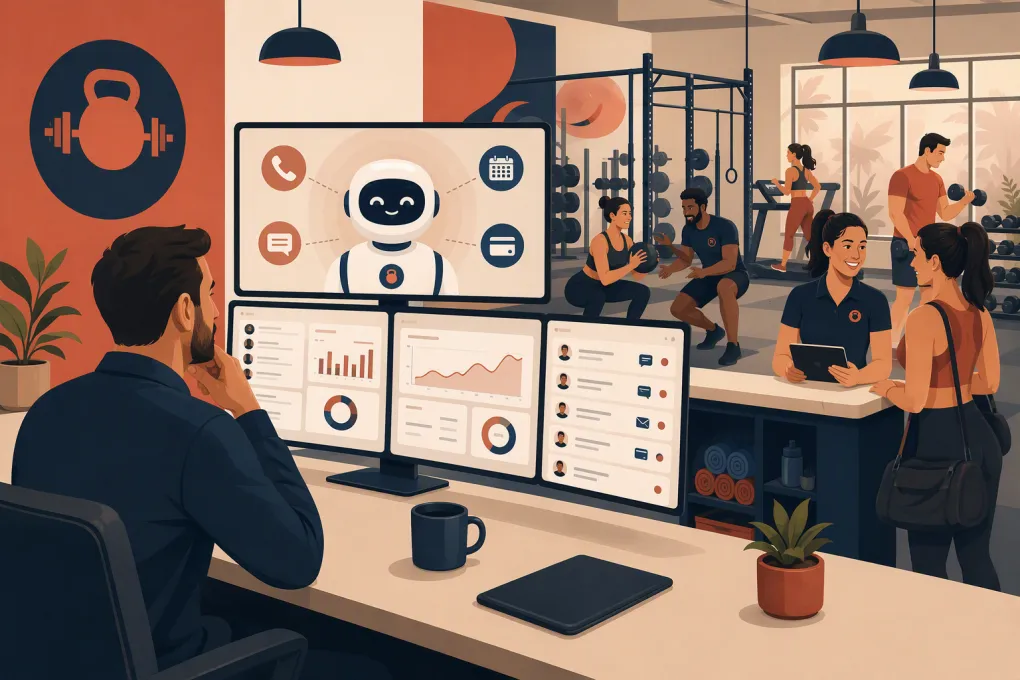 Watch · 20s
Cutting front desk costs sounds simple until the phone goes unanswered, a trial lead waits until Monday, or a member gets no help with a billing issue. The desk may look like an administrative expense, but it also sits in the middle of sales, service, booking, access, and collections.
The right goal is not to eliminate the front desk. It is to stop paying people to perform repetitive work that software can handle, then use staff coverage where a human actually improves the member experience.
Here is how to reduce gym front desk costs without creating a service or revenue problem.
Start With the Real Cost of Your Front Desk
Payroll is only one part of front desk cost. Build a simple monthly baseline that includes:
- Hourly wages or salaries
- Employer payroll taxes and benefits
- Overtime and shift premiums
- Recruiting, onboarding, and training time
- Manager time spent covering absences
- Software used primarily by the desk
- Missed sales caused by unanswered calls or slow follow-up
- Failed-payment work and unresolved account balances
For staffing decisions, calculate a loaded hourly cost rather than looking only at the wage. Add the monthly employment-related costs and divide the total by actual staffed hours.
Also separate visible cost from operational leakage. A lightly staffed desk may look inexpensive while losing trial bookings after hours. An overstaffed desk may answer every call but spend long stretches on tasks that could be automated.
Before changing the schedule, pull four weeks of data by hour and day:
- Calls received, answered, missed, and returned
- Walk-ins and trial visits
- Class check-ins
- New leads and booked consultations
- Membership changes and billing requests
- Failed payments and collection attempts
- Front desk transactions
This tells you where coverage creates value and where you are simply maintaining a chair.
See how Fitty handles gym inquiries, bookings, follow-up, and dues around the clock →
Audit the Work Before Cutting the Hours
Create a task log for every front desk shift. Ask employees to record what they do in 15- or 30-minute blocks for at least one representative week. Do not use this as a performance trap. You are mapping the work, not trying to prove that someone is unnecessary.
Sort each task into one of four categories.
Human judgment required
These tasks usually deserve employee attention:
- De-escalating an upset member
- Helping a first-time visitor feel comfortable
- Handling an unusual membership exception
- Responding to an injury or safety issue
- Giving an in-person tour
- Resolving a complex account dispute
Automatable
These are strong automation candidates:
- Answering common questions
- Sharing schedules and basic policies
- Booking or changing classes
- Sending waivers and intake forms
- Following up with new leads
- Sending payment reminders
- Confirming appointments
Self-service
Members may be able to handle these through your app, website, kiosk, or account portal:
- Checking in
- Updating a payment method
- Viewing the schedule
- Buying a standard package
- Managing eligible reservations
- Reviewing account information
Unnecessary or duplicated
Look for information entered into multiple systems, paper forms later typed into software, manual reports no one uses, and employees repeating reminders already sent by another platform.
This audit prevents the most common mistake: cutting a shift while leaving the same workload behind for a manager or coach.
Automate the Repetitive Conversations
Phone, text, and web inquiries interrupt employees constantly. Most are important, but many follow predictable patterns:
- What time is the next class?
- Do you offer a trial?
- Can I book for tomorrow?
- What should I bring?
- Can I update my card?
- Where are you located?
A basic voicemail box moves the work but does not remove it. Someone still has to listen, call back, document the conversation, and try again if the prospect does not answer.
An AI receptionist can handle the first response, answer approved questions, book eligible classes, and continue follow-up without requiring an employee to monitor every exchange. That matters most when inquiries arrive early, late, during a busy check-in window, or while the desk is unstaffed.
Fitty, WTF Go’s AI receptionist, is designed for these gym and wellness workflows. It can answer leads, book classes, follow up, and collect dues 24/7. The practical benefit is not merely fewer calls. It is less fragmented work for employees and more consistent handling of routine conversations.
See how Fitty can cover repetitive front desk conversations without adding another shift →
Automation still needs operating rules. Define:
- Which classes or appointments can be booked automatically
- Which answers are approved and kept current
- When a conversation must reach a person
- Who owns escalated messages
- What happens during closures or schedule changes
- Which payment requests can be automated
Review transcripts and outcomes regularly. An AI agent should operate from accurate policies, not guess at freezes, refunds, medical questions, or contractual exceptions.
Rebuild the Schedule Around Demand
Once routine work is reduced, schedule employees around traffic instead of historical opening hours.
A practical model may include:
- In-person coverage during peak arrivals and tours
- Manager or coach coverage for low-volume periods
- Remote or centralized support for administrative work
- Automated response outside staffed hours
- On-call escalation for urgent facility issues
For multi-location operators, centralizing phone and digital inquiries can reduce duplicated coverage. Each location may still need hospitality and safety support during busy periods, but every site does not necessarily need a separate employee answering the same basic questions.
Avoid changing every shift at once. Test one daypart or one location, then compare results with the prior operating pattern. Check whether missed calls, complaints, wait times, bookings, or manager interruptions changed.
Move Staff From Transactions to Revenue-Producing Work
Cost reduction does not always require removing a position. It can mean getting more useful output from the same labor hours.
After automation, give front desk employees a defined list of higher-value responsibilities:
- Greeting first-time visitors by name
- Conducting or coordinating tours
- Recovering members showing signs of disengagement
- Rebooking missed consultations
- Checking facility presentation and cleanliness
- Supporting retail or package sales
- Collecting member feedback
- Helping coaches prepare for peak periods
Be specific. Telling an employee to “focus on sales” is not an operating process. Assign a queue, a script, a deadline, and an outcome to track.
For example, an employee covering the evening rush might receive a daily list of unbooked trial leads and members needing personal assistance. Routine schedule questions continue through automation while the employee handles conversations where trust and judgment matter.
Reduce the Cost of Dues Collection
Failed payments create hidden front desk work. Employees send reminders, make calls, leave notes, retry contact, and explain how to update payment information. If the process is inconsistent, balances age while staff keep revisiting the same accounts.
Build a documented collection workflow with:
- An immediate notification when a payment fails
- A secure way for the member to resolve the balance
- Scheduled follow-up across approved channels
- Clear escalation points for staff
- A defined rule for account restrictions
- A stop condition once payment or an approved arrangement is recorded
Fitty can help collect dues and follow up without relying on employees to remember every account. Staff can then focus on exceptions: disputed charges, financial hardship conversations, contract questions, or accounts that require managerial approval.
Do not ask members to send payment card details through ordinary text or email. Use secure payment workflows provided by your payment system, and limit employee access to sensitive account information.
Consolidate Overlapping Software
Front desk costs often hide inside the technology stack. A gym may use separate systems for lead capture, scheduling, messaging, payment reminders, forms, and internal notes. That creates extra subscriptions, duplicate data entry, and more employee training.
Map every platform against the workflow it supports. For each tool, ask:
- Who uses it?
- Which process depends on it?
- Does another system perform the same function?
- Is data transferred automatically or re-entered manually?
- What breaks if the tool is removed?
- Is the contract monthly, annual, or usage-based?
Do not cancel software solely because two feature lists appear similar. Confirm data ownership, export options, payment dependencies, messaging permissions, integrations, and migration requirements first.
WTF Go combines core operating workflows with Fitty’s AI receptionist capabilities, reducing the need to bolt an isolated answering tool onto disconnected gym systems.
Explore an all-in-one gym operating system with an AI receptionist built into the workflow →
Track Savings Without Sacrificing Service
Payroll reduction alone is an incomplete scorecard. Review a balanced set of operating measures before and after each change:
- Front desk labor hours by daypart
- Loaded front desk labor cost
- Calls answered and missed
- Median lead response time
- Trials or consultations booked
- Lead-to-visit conversion
- Check-in issues and member complaints
- Failed-payment balances resolved
- Manager hours spent covering the desk
- Automation escalations requiring a person
Compare similar periods and account for schedule changes, promotions, holidays, and seasonality. One unusually busy week should not determine your permanent staffing model.
Also ask staff what moved onto their plate. If desk hours fall but coaches are regularly interrupted during sessions, you transferred the cost instead of removing it.
A 30-Day Front Desk Cost Plan
Use a staged rollout rather than making one large cut.
Week 1: Measure
Calculate loaded cost, document tasks, and map call and visitor volume by hour.
Week 2: Simplify
Remove duplicated work, update policies and FAQs, and enable appropriate member self-service.
Week 3: Automate
Set up lead response, booking, reminders, and dues follow-up. Define escalation rules and assign an owner for exceptions.
Week 4: Reschedule
Test revised coverage during one low-volume daypart. Monitor bookings, service issues, collections, and manager interruptions before expanding the model.
The safest cost reduction comes from redesigning the work first and changing headcount or hours second. When automation handles repetitive demand and employees cover moments requiring judgment, the front desk becomes leaner without becoming absent.
Frequently asked questions
Can a gym operate without a full-time front desk employee?
Some gyms can use a hybrid model with peak-time staffing, member self-service, and automated phone and message coverage. The right model depends on facility access, traffic, safety needs, and the complexity of member service.
Which gym front desk tasks should be automated first?
Start with repetitive, rules-based work such as common questions, trial follow-up, class booking, confirmations, and payment reminders. Keep disputes, emergencies, exceptions, and sensitive member conversations with trained staff.
How can I tell whether my gym front desk is overstaffed?
Compare staffed hours with call volume, check-ins, walk-ins, tours, transactions, and service requests by daypart. Include work that could be automated and check whether managers or coaches absorb tasks when the desk is quiet or unstaffed.
Will an AI receptionist replace all front desk work?
No. An AI receptionist can handle many routine inquiries, bookings, follow-ups, and dues workflows, but employees remain important for hospitality, safety, tours, disputes, and situations requiring judgment.
Keep reading



Run your gym on autopilot with WTF Go
Fitty — your AI receptionist — answers calls and DMs, fills classes, follows up with every lead, and collects dues while you coach.