Comparisons
How to Compare Gym Management Software Vendors
Learn how to compare gym management software vendors using a weighted scorecard for workflows, AI, cost, migration, security, APIs, and support.
 Watch · 20s
A polished demo can make almost any gym platform look capable. The real test comes later: a lead contacts you after closing, a payment fails, an instructor calls out, or an owner needs consistent numbers across locations.
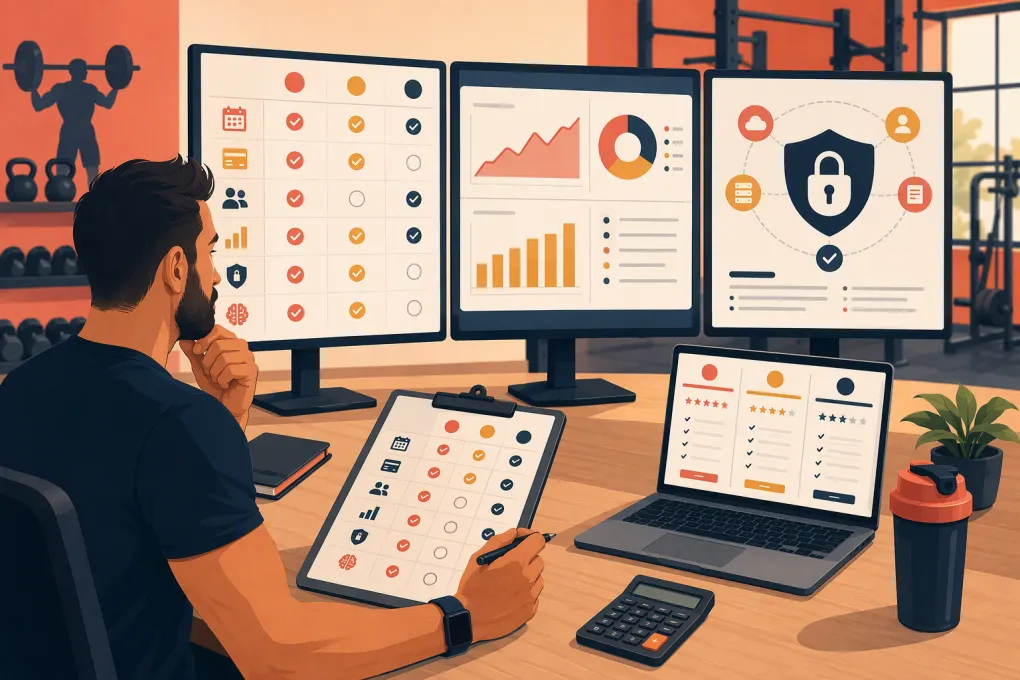
That is why learning how to compare gym management software vendors requires more than matching features. You need to test real workflows, calculate the full operating cost, inspect the contract, and verify what happens when something breaks.
This guide provides a repeatable evaluation process, including a weighted scorecard and cost worksheet you can copy.
Define the Work Before Comparing Vendors
Document the work your team performs before scheduling demos. Otherwise, vendors will control the agenda and emphasize whichever parts of their products present best.
Organize requirements into four groups:
- Lead and sales: inquiry response, qualification, trial booking, reminders, no-show follow-up, membership sales, and attribution.
- Member service: class and appointment booking, waitlists, waivers, freezes, cancellations, check-in, and staff substitutions.
- Revenue: recurring billing, failed-payment follow-up, credits, refunds, reconciliation, and account balances.
- Management: permissions, payroll inputs, reporting, exports, multi-location access, and audit history.
Label each requirement as essential, useful, or unnecessary. Record your current systems, manual steps, recurring problems, and required integrations. This becomes the baseline against which every vendor is evaluated.
See how WTF Go connects lead response, booking, follow-up, and member operations →
Compare Vendor Positioning Carefully
The table below is an initial shortlisting aid, not a hands-on product review. It summarizes how vendors describe their products on their official websites, reviewed August 26, 2026. Product capabilities, packaging, and availability can change. Treat every entry—including WTF Go—as a claim to verify through a live demonstration, written proposal, security documentation, and contract.
| Vendor | Vendor-reported focus | Capabilities to verify | Potential fit | Limitations or open questions |
|---|---|---|---|---|
| WTF Go | Operating platform for gyms, studios, spas, and wellness businesses, with Fitty as an AI receptionist or agent | Lead response, booking, follow-up, dues-collection workflows, billing configuration, reporting, permissions, and location management | Operators seeking management workflows and an AI agent in one system | Request evidence for every required integration, specialized workflow, migration field, and AI escalation rule |
| Mindbody | Broad fitness and wellness business management, booking, payments, marketing, and consumer discovery | Package-specific CRM, automation, reporting, multi-location controls, marketplace economics, and add-ons | Fitness and wellness businesses that value a broad platform and consumer marketplace | Determine which functions require additional packages and how product breadth affects setup and staff training |
| Glofox | Management and member-experience software oriented toward gyms and fitness studios | Sales workflows, branded app options, automation depth, reporting, integrations, and multi-location controls | Boutique fitness brands prioritizing a branded digital experience | Verify package boundaries, specialized reporting, migration scope, and third-party dependencies |
| Zen Planner | Membership, scheduling, billing, and attendance tools used by boutique fitness and martial arts businesses | Lead nurturing, communication automation, reporting, payment setup, and cross-location administration | Membership-focused gyms, schools, and studios | Test whether required AI, marketing, and multi-location workflows are native or require additional products |
| PushPress | Gym-oriented management, scheduling, check-in, billing, and lead-management products | Modules required for the complete sales journey, reporting, integrations, and location-level administration | Independent strength, conditioning, and functional fitness gyms | Calculate the combined scope and cost of required products; verify suitability for appointment-heavy businesses |
| WellnessLiving | Scheduling, payments, client management, marketing, and staff operations across wellness categories | Automation triggers, package-specific modules, integrations, reporting, and location hierarchy | Businesses seeking a broad fitness and wellness feature set | Confirm implementation effort, optional services, contract scope, and the usability of complex workflows |
Do not award points because a capability appears on a website. Award points only after the vendor demonstrates your scenario and identifies whether the function is native, separately priced, third-party, or unavailable.
Require the Same Live Demo From Every Vendor
Send each vendor an identical script before the meeting. Ask the presenter to show every click rather than explaining what the software can theoretically do.
Use scenarios such as:
- A new lead asks about pricing and beginner options after closing.
- The lead books an intro session and receives the correct waiver and reminders.
- The prospect misses the appointment and enters a follow-up sequence.
- A member payment fails and enters the approved recovery process.
- A member requests a future-dated freeze.
- A class reaches capacity and the next eligible member leaves the waitlist.
- A manager replaces an instructor without damaging attendance or payroll records.
- An owner compares locations and exports the supporting transaction-level data.
Record extra clicks, manual handoffs, add-ons, and workarounds. Ask frontline employees to test a sandbox because owners and salespeople do not experience the product the same way as front-desk, coaching, and billing staff.
Evaluate AI as an Operational System
AI labels are not comparable by themselves. A writing tool, scripted chatbot, and agent that takes approved actions represent different levels of operational capability.
WTF Go describes Fitty as an AI receptionist or agent that answers leads, books classes, follows up, and supports dues collection around the clock. Those are specific product claims—not independent findings—and buyers should verify them in their own demo.
Ask WTF Go, and any vendor claiming similar functionality, to show:
- An inquiry arriving through each channel you intend to use
- An answer based on your actual schedule, policies, and offers
- A completed booking rather than only a booking link
- Follow-up after a missed call, abandoned conversation, or no-show
- The exact dues workflow, including messaging, payment handoff, staff visibility, and stopping conditions
- Escalation when the system is uncertain or the member disputes a balance
- Consent, opt-out, quiet-hour, and human-override controls
- The resulting conversation and action history in the member record
Also clarify whether the AI initiates a payment request, provides a secure payment path, or performs another defined action. Do not interpret “dues collection” as a specific payment-processing function unless the vendor demonstrates and documents it.
Ask WTF Go to demonstrate Fitty using your after-hours lead and dues scenarios →
Use a Weighted Gym Software Scorecard
Customize the weights before demos so the preferred vendor cannot influence them afterward. The following example totals 100 points.
| Evaluation category | Suggested weight | Evidence to collect |
|---|---|---|
| Core booking and service workflows | 18 | Live completion of classes, appointments, waitlists, waivers, and schedule changes |
| Lead management and sales | 10 | Inquiry capture, attribution, pipeline, trial booking, and no-show handling |
| Billing and revenue workflows | 10 | Recurring billing, failures, refunds, credits, reconciliation, and audit trail |
| Total cost and contract terms | 9 | Written proposal, usage assumptions, renewal language, and termination terms |
| AI and automation | 8 | Live actions, trigger controls, escalation, logs, and human override |
| Reporting and multi-location | 8 | Location permissions, consolidated reports, definitions, and raw-data access |
| Integrations and API access | 8 | API documentation, authentication, rate limits, webhooks, fees, and support policy |
| Migration and data portability | 8 | Field map, test import, export formats, timing, ownership, and exit process |
| Security, privacy, and reliability | 8 | Security materials, privacy terms, uptime commitment, incident process, and recovery practices |
| Staff and member usability | 7 | Task testing by actual users on desktop and mobile |
| Implementation and support SLA | 6 | Named responsibilities, support hours, response targets, escalation, and launch plan |
Score each category from 0 to 5:
- 0: Unavailable or vendor will not verify it
- 1: Major gaps; mostly manual or dependent on an unconfirmed third party
- 2: Partially works but requires meaningful workarounds
- 3: Meets the documented requirement
- 4: Meets the requirement with lower effort or stronger controls
- 5: Demonstrably exceeds the requirement in a way that creates operational value
Calculate each weighted result as rating ÷ 5 × category weight. Add the results for a score out of 100. Include notes and evidence links beside every rating. A roadmap promise should score as unavailable until it is released and included contractually.
Calculate Total Cost With a Worksheet
Compare first-year and ongoing costs separately. Do not assume the base subscription represents the cost of operating the platform.
| Cost item | First year | Annual recurring | Assumption or source |
|---|---|---|---|
| Base platform | Written quote | ||
| Required CRM or marketing modules | |||
| AI or automation usage | Include message, minute, or conversation limits | ||
| Text, email, and calling | Use your actual volume | ||
| Payment-related platform fees | Separate from ordinary member revenue | ||
| Branded app or member app | |||
| Integrations and API access | Include middleware if required | ||
| Implementation and migration | |||
| Training and premium support | |||
| Hardware or access control | |||
| Internal staff implementation time | Hours × loaded hourly cost | ||
| Parallel operation of old system | |||
| Total | Sum column | Sum column |
Model at least the initial contract period and one renewal period. Note which charges vary with locations, active members, messages, transactions, staff accounts, or feature tiers. Have the vendor validate your assumptions in writing.
Inspect Reliability, APIs, Privacy, and Support
These areas are easy to overlook because they are rarely featured in demos.
Uptime and service commitments
Ask for the contractual uptime target, how uptime is measured, excluded events, maintenance windows, service credits, and claim procedure. Request historical status information if available. Confirm what staff can still do during an outage, especially check-in, schedule access, and payment handling.
API and integration access
Request API and webhook documentation before signing. Verify whether access costs extra, which records can be read or written, rate limits, authentication method, sandbox availability, versioning policy, and notice before breaking changes. Confirm who supports failures involving third-party integrations.
Data portability
Require a sample export. Check whether it includes leads, members, notes, tags, bookings, attendance, waivers, balances, transactions, consent status, and communication history in usable formats. Establish export fees, delivery time, frequency, and what happens to your data after termination.
Privacy and security obligations
Review the privacy policy, data-processing terms, subprocessors, role-based access, multi-factor authentication, retention rules, deletion process, incident-notification obligations, and responsibilities for payment security. Have qualified counsel assess contractual or regulatory requirements specific to your business and state.
Support SLA
Document support hours, channels, severity definitions, first-response targets, escalation paths, status-update frequency, and resolution or workaround expectations. Ask whether targets are contractual or merely internal goals. A generic promise of “priority support” is not an SLA.
Verify Migration and Exit Before Signing
Require a field-level migration plan covering member profiles, memberships, future bookings, waivers, attendance, balances, notes, tags, and communication preferences. Payment token migration, when supported, must be coordinated securely by the relevant providers; card credentials should never be transferred through an ordinary spreadsheet.
Run a test import and reconcile record counts, active memberships, balances, future bookings, and automations. Assign an owner to every migration task and define the cutoff, rollback plan, training schedule, and old-system access period.
Finally, negotiate the exit while you still have leverage. Data ownership, export timing, deletion, transition assistance, renewal notice, and termination fees should be clear before the contract is signed.
The best gym management vendor is not the one with the longest feature list. It is the one that can prove it will handle your critical workflows, disclose its full cost, protect your data, and support your team under written terms.
Frequently asked questions
How many gym management software vendors should I compare?
Compare three to five vendors that fit your business model. Requiring the same demo script, scorecard, and cost worksheet keeps the process manageable and fair.
What is a good score for gym management software?
There is no universal cutoff. Require acceptable scores in every essential category and reject vendors with unresolved gaps in billing, security, migration, data access, or critical workflows.
How do I verify a vendor's uptime claim?
Request the contractual uptime target, measurement method, exclusions, maintenance rules, service credits, and available service history. A marketing statement without contractual terms provides limited protection.
What data should gym software let me export?
At minimum, verify usable exports for leads, members, memberships, bookings, attendance, balances, transactions, waivers, notes, tags, consent status, and communication history.
How should I compare AI features in gym software?
Give every vendor the same real-world scenarios and score completed actions, data accuracy, escalation, consent controls, staff visibility, and human override—not the quality of a scripted chatbot demo.
Keep reading



Run your gym on autopilot with WTF Go
Fitty — your AI receptionist — answers calls and DMs, fills classes, follows up with every lead, and collects dues while you coach.