AI & Automation
How to Choose an AI Receptionist for a Fitness Studio
Learn how to choose an AI receptionist for a fitness studio using practical tests for booking, follow-up, payments, integrations, and operator control.
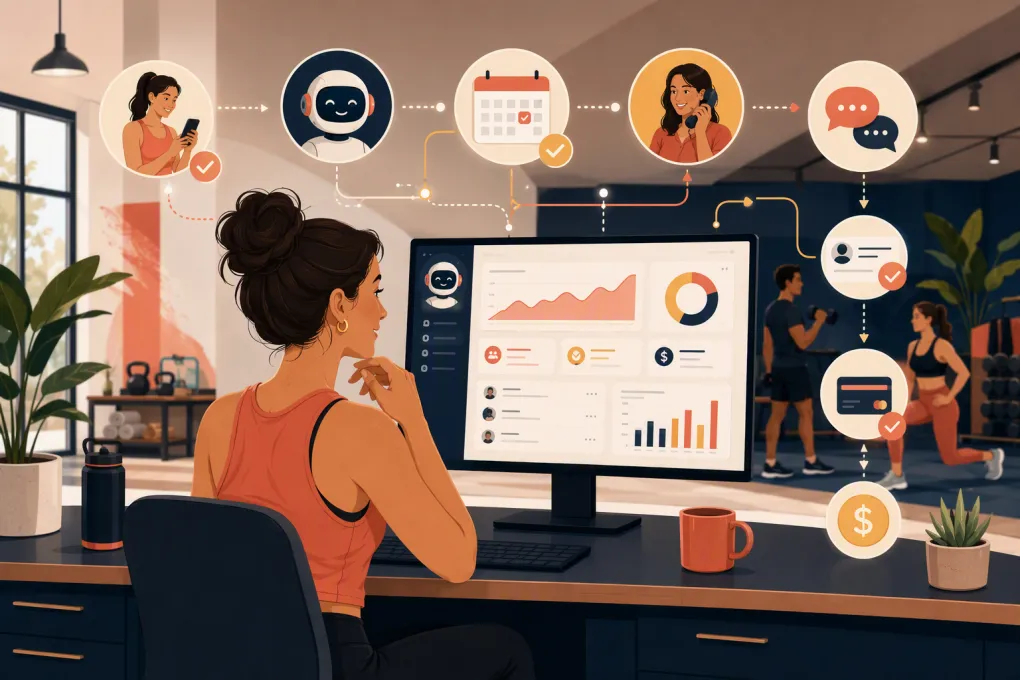 Watch · 20s
Choosing an AI receptionist is not the same as choosing a website chatbot. Your studio needs an agent that can understand real membership questions, work with your schedule, follow up without annoying leads, and know when a human should take over.
The wrong tool creates duplicate bookings, awkward conversations, and more cleanup for your staff. The right one handles repetitive front-desk work while preserving the member experience. Here is how to choose an AI receptionist for a fitness studio without getting distracted by polished demos or vague AI claims.
Start with the job, not the technology
Before contacting vendors, define what you expect the receptionist to own. A fitness studio has different needs from a restaurant, medical office, or general call center.
Your list might include:
- Answering common questions about classes, pricing, parking, policies, and amenities
- Capturing new leads after hours
- Recommending an appropriate intro class or appointment
- Booking, rescheduling, and canceling reservations
- Following up with leads who did not book
- Sending reminders and re-engagement messages
- Routing sensitive or unusual questions to staff
- Helping collect overdue membership dues through a secure payment flow
Separate these into three categories: tasks the AI may complete, tasks that require approval, and tasks that must always go to a person. That boundary will become part of your evaluation scorecard.
If your primary problem is missed calls, slow lead response, or front-desk follow-up, look beyond tools that only add a chat bubble to your website. See how Fitty handles fitness studio inquiries and follow-up 24/7 →
Evaluate the workflows that affect revenue and service
A vendor may say its agent can book appointments or answer questions. Your job is to determine whether it can do those things correctly inside your actual operation.
1. Booking accuracy
The receptionist should use live availability rather than quoting a static schedule. Test whether it understands:
- Class capacity and waitlists
- Appointment duration and staff availability
- Intro offers and eligibility rules
- Location, room, and equipment constraints
- Cancellation windows
- Membership or credit requirements
- Age, waiver, or prerequisite restrictions
Ask what happens when two people request the final spot at nearly the same time. Also verify whether the AI completes the booking or merely sends a link. Sending a link can be useful, but it is not the same as resolving the request.
2. Lead capture and follow-up
A capable AI receptionist should collect enough information to move the conversation forward without turning the exchange into an interrogation.
At minimum, determine whether it can capture the lead’s name, contact details, goal, preferred service, location, and timing. Then inspect how that information enters your CRM. Staff should not have to copy it from a transcript.
Review follow-up controls closely. You should be able to define timing, frequency, eligible audiences, stop conditions, and opt-out handling. The system should stop sales follow-up when someone books, declines, unsubscribes, or needs human assistance.
3. Knowledge and answer quality
The AI needs an approved source for operational facts. Ask where it gets answers and who can update them.
A practical knowledge base may include:
- Current offers and membership options
- Class descriptions and difficulty levels
- Instructor and practitioner information
- What to bring and when to arrive
- Parking and access instructions
- Freeze, cancellation, refund, and late-arrival policies
- Cleaning, safety, and accessibility information
Operators should be able to update this content without filing a support ticket for every policy change. Look for version control, location-specific answers, and a clear method for preventing the AI from inventing an answer when information is missing.
4. Human handoff and operator control
AI should reduce repetitive work, not block members from reaching your team. Define escalation rules for injuries, complaints, refund disputes, billing confusion, medical questions, and unusual membership requests.
A good handoff includes the conversation history, contact information, reason for escalation, and any action already taken. Without that context, the member has to repeat everything.
You should also be able to pause automation, review conversations, correct answers, restrict actions, and assign follow-up to a specific employee or location.
5. Payments and data handling
If the receptionist can collect deposits or overdue dues, examine the payment workflow rather than accepting a general claim that it takes payments.
Members should enter card information through a secure, payment-provider-supported flow—not in an ordinary text message or chat transcript. Ask the vendor how payment data is tokenized, what information the AI can access, and how refunds or disputed charges are escalated.
Also ask about:
- Role-based access for employees
- Conversation and audit logs
- Data retention and deletion
- Call recording notices where applicable
- Consent and opt-out handling for automated communications
- Security documentation and incident procedures
Studios offering medical or clinical services should determine whether additional health-data requirements apply. Payment security, communications consent, call-recording rules, and health privacy can involve different obligations, so involve qualified legal or compliance advisers when needed.
Understand which type of solution you are buying
Not every automated receptionist has the same scope. The main categories solve different problems.
| Option | Core capability | Booking and CRM context | Main strength | Common limitation | Best fit |
|---|---|---|---|---|---|
| Rules-based chatbot | Prewritten menus and responses | Often links users to another system | Predictable for simple FAQs | Struggles with natural, multi-step requests | Studios with narrow support needs |
| Standalone AI receptionist | Handles calls or messages conversationally | Depends on available integrations | Can improve coverage without replacing core software | Data may be fragmented across systems | Operators committed to an existing platform |
| AI inside an operating platform | Uses shared booking, lead, member, and payment data | Usually designed around native workflows | Fewer handoffs between the AI and system of record | Migration or process changes may be required | Studios seeking an integrated operation |
| Human answering service | People answer and route contacts | Usually follows scripts and external tools | Human judgment in nuanced conversations | May not complete studio-specific workflows | Businesses needing live human coverage |
WTF Go takes the integrated approach. Fitty is the AI receptionist and agent inside the operating system, so lead response, booking, follow-up, and dues collection can connect to the same operational workflows. Explore Fitty as an AI front desk for your studio →
Test vendors with real studio scenarios
Do not rely on a scripted sales demonstration. Give each vendor the same test cases and score the results.
Use anonymized scenarios such as:
- A first-time visitor wants a beginner class tomorrow evening.
- A member wants to cancel inside your late-cancellation window.
- A prospect asks whether an expired intro offer can still be used.
- A class is full, but the prospect can attend another time.
- A member has an overdue balance and wants to update payment details.
- A parent asks whether a teenager may attend.
- A client mentions an injury and asks which class is safe.
- A caller requests a refund and is visibly frustrated.
- A lead asks a question that is not covered in the knowledge base.
- A member switches between phone, text, and online chat.
For each test, record whether the AI understood the request, used correct information, completed the permitted action, updated the right record, and escalated appropriately. A polished voice matters less than operational accuracy.
Use a simple selection scorecard
Score each platform against criteria your team can verify:
| Criterion | What to verify |
|---|---|
| Workflow completion | Can it finish the task rather than only provide instructions? |
| Booking reliability | Does it respect live availability and studio rules? |
| CRM synchronization | Are conversations, lead details, and outcomes recorded automatically? |
| Knowledge control | Can operators update approved answers by location? |
| Escalation | Does staff receive context and a clear next action? |
| Communication controls | Can you configure consent, timing, opt-outs, and stop conditions? |
| Reporting | Can you review inquiries, outcomes, unresolved issues, and staff handoffs? |
| Security | Are access, retention, payment, and incident practices documented? |
| Implementation | Is setup, data migration, training, and ongoing support clearly defined? |
| Total operating cost | Does the quote include usage, channels, locations, setup, and support? |
Mark certain requirements as pass/fail. For example, if real-time booking synchronization is essential, a high overall score should not compensate for failing that requirement.
Run a controlled pilot before expanding
Start with a defined workflow, location, or communication channel. Establish a baseline from your current process, then compare the pilot against it.
Track operational outcomes such as:
- Inquiries answered and unresolved
- Leads that reach a booking step
- Booking errors or manual corrections
- Average time until staff handles an escalation
- Follow-up stopped for the correct reasons
- Questions the knowledge base could not answer
- Staff time spent monitoring or fixing conversations
- Complaints, opt-outs, and payment issues
Review transcripts regularly during the pilot. The goal is not to prove that the AI can hold a conversation. It is to confirm that it produces reliable outcomes with an acceptable level of oversight.
Watch for these red flags
Be cautious when a vendor cannot clearly explain:
- Which actions the AI can perform in your booking system
- How quickly schedule or policy changes become available
- What triggers a human handoff
- How messages stop after booking or opting out
- Where conversation and payment data are stored
- How usage-based costs are calculated
- What implementation work your staff must complete
- How you can export your business and conversation data
Another warning sign is a demo that only shows ideal conversations. Ask the AI contradictory questions, change details midway through a request, and introduce an issue requiring escalation. Real members rarely follow a perfect script.
Make the final decision around operating fit
The best AI receptionist is not necessarily the one with the most human-sounding voice. Choose the platform that follows your rules, completes the workflows that matter, gives staff control, and keeps customer data connected.
If you are already piecing together scheduling, CRM, follow-up, payment collection, and an external AI tool, include the cost of maintaining those connections in your decision. An integrated system can reduce duplicate records and manual handoffs, while a standalone product may make more sense when your current operating platform is deeply established.
For operators who want the receptionist and core studio workflows in one system, see how WTF Go and Fitty connect lead response, booking, follow-up, and dues collection →.
Frequently asked questions
What should an AI receptionist do for a fitness studio?
It should answer routine questions, capture leads, use live schedule information, complete permitted bookings, follow up appropriately, and escalate sensitive issues with full context.
Can an AI receptionist replace front-desk staff?
It can take over repetitive and after-hours tasks, but studios still need people for exceptions, complaints, relationship-building, safety concerns, and decisions requiring judgment.
How should I test an AI receptionist before buying?
Use realistic scenarios involving full classes, policy exceptions, overdue balances, injuries, refunds, and unknown questions. Verify the resulting booking, CRM record, follow-up, and staff handoff—not just the conversation.
Should I choose a standalone AI receptionist or an integrated platform?
A standalone tool may fit an established software stack with reliable integrations. An integrated platform is often better when you want booking, CRM, payments, follow-up, and AI activity in one operational system.
Can an AI receptionist securely collect membership dues?
It can support dues collection when payment details are handled through a secure provider-supported flow. Ask how card data, permissions, audit logs, disputes, and staff escalation are managed.
Keep reading



Run your gym on autopilot with WTF Go
Fitty — your AI receptionist — answers calls and DMs, fills classes, follows up with every lead, and collects dues while you coach.