AI & Automation
How to Automate Swim School Enrollment Follow-Up Without Gaps
Learn how to automate swim school enrollment follow-up with fast replies, lead routing, trial reminders, no-show recovery, and clear handoffs to book trials.
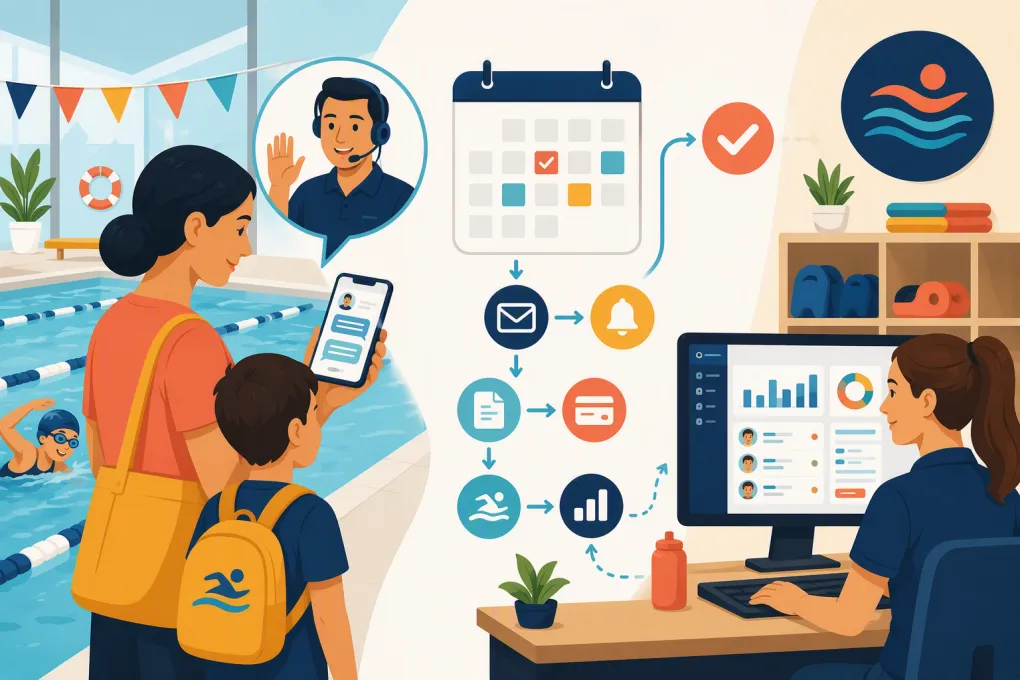 Watch · 20s
A parent asks about swim lessons between dinner and bedtime. They want to know which level fits, whether siblings can attend near the same time, and what happens if their child is nervous around water. If the response comes the next morning—or never—the family may already be talking to another school.
That is the real enrollment follow-up problem. It is not just sending more reminders. It is giving each family a fast, relevant next step while preserving human judgment for placement, safety, accessibility, and sensitive conversations.
A strong automation system should move a lead from inquiry to assessment or trial, then from trial to paid enrollment, without making parents repeat themselves or forcing staff to chase every open thread manually.
See how Fitty handles swim lesson inquiries and follow-up around the clock →
Start by defining what enrollment actually means
Many swim schools treat enrollment as one status. Operationally, it is a series of decisions and commitments. Your system cannot automate follow-up reliably unless those stages are explicit.
A practical pipeline might include:
- New inquiry: A parent submits a form, calls, texts, or starts a conversation.
- Contacted: The school has responded, but the family has not provided enough information to proceed.
- Qualified: You know the swimmer’s age, likely level, goals, preferred location, and schedule constraints.
- Assessment or trial booked: The family has reserved a specific time.
- Attended: The swimmer completed the assessment or introductory lesson.
- Placement recommended: Staff selected the appropriate level or program.
- Enrollment offered: The family received an available class option and instructions.
- Payment and forms pending: A spot may be selected, but required steps remain incomplete.
- Enrolled: Payment, waivers, and registration requirements are complete.
- Nurture, waitlist, or closed: The family is not ready, needs unavailable times, or has opted out.
Assign one system as the source of truth for these stages. If status lives partly in an inbox, partly on sticky notes, and partly in a scheduling platform, automation will contact the wrong families.
Capture the information needed to book the right lesson
Do not make the initial form an interrogation. Collect enough information to route the lead, then gather details conversationally.
At minimum, capture:
- Parent or guardian name
- Mobile number and email
- Swimmer name and age
- Prior lesson or water experience
- Primary goal, such as water comfort, stroke development, or team preparation
- Preferred location
- General day and time availability
- Number of swimmers in the household
- How the family found the school
- Communication consent where required
Some questions should trigger staff review rather than automatic placement. These include medical concerns, accessibility needs, previous distressing water experiences, requests for a specific instructor, and uncertainty about the appropriate level.
For siblings, keep each swimmer’s placement data separate while linking them to the same household. Otherwise, one child’s booking or enrollment can accidentally close follow-up for the entire family.
Build separate follow-up paths for each stage
A generic sequence—sending the same message every few days—ignores what the family has already done. Event-based automation is more useful because each action changes the next message.
New inquiry: respond and qualify immediately
The first response should confirm that the inquiry arrived and ask one easy question that advances the booking.
For example:
Thanks for contacting us about lessons for Maya. To narrow down the right starting level, has she taken formal swim lessons before?
Once the parent answers, the system can ask about schedule and location, present appropriate assessment or trial options, and offer a booking link. If the question falls outside the approved knowledge base, it should create a staff task with the conversation attached.
If the family does not respond, use a short sequence rather than repeated copies of the same message:
- First follow-up: Restate the next question or offer help choosing a level.
- Second follow-up: Offer a direct route to available assessment or trial times.
- Final follow-up: Ask whether they want to keep looking, join a waitlist, or pause messages.
The exact timing should reflect your office coverage, sales cycle, and communication permissions. Immediate acknowledgment is appropriate; repeated late-night messages are not.
Trial or assessment booked: reduce uncertainty
Confirmation should do more than repeat the date. Include:
- Location and arrival instructions
- What the swimmer should bring
- Where the parent should check in
- Whether a guardian must remain onsite
- Cancellation or rescheduling instructions
- What happens after the assessment
Schedule reminders relative to the appointment, such as the day before and again near the start time. Each reminder should include a rescheduling option. Making changes easy gives families an alternative to simply not showing up.
Stop lead-nurture messages as soon as the booking is made. Few things make automation feel less competent than asking someone to book a trial they already scheduled.
No-show: reopen the door without scolding
A no-show should trigger a different workflow from a cancellation. First confirm attendance accurately; do not rely on staff memory at the end of a busy shift.
The message can be simple:
We missed you at today’s assessment. Would you like to choose another time, or would it help to speak with our team before rebooking?
Offer a direct rescheduling path. If the family repeatedly books and misses, route the record to a person before reserving another constrained assessment slot.
Trial completed: follow up on the recommended placement
Post-trial follow-up is where many swim schools lose momentum. The parent should not have to call later to ask which class the instructor recommended.
Once staff records the result, automation can send:
- The recommended level
- Available class options that match the family’s stated preferences
- Registration and payment instructions
- Any deadline attached to a temporary hold, if your school uses holds
- A route to ask the instructor or enrollment team a question
This workflow depends on staff entering the placement promptly. Make the internal step easy: a short level selector, notes field, and clear outcome such as ready to enroll, needs another assessment, or requires supervisor review.
Use Fitty to continue the conversation from inquiry through booking and dues collection →
Add stop rules before turning anything on
Automation needs brakes. Every workflow should define when messages stop, pause, or transfer to a person.
Use stop rules when:
- The family books, enrolls, or opts out
- A staff member takes ownership of the conversation
- The lead asks not to be contacted on a channel
- A swimmer is placed on a waitlist
- A billing dispute or refund request appears
- The question involves safety, medical information, or accessibility
- The parent expresses frustration or confusion
- No appropriate class is currently available
Also prevent overlapping sequences. A family should not receive a missed-trial message, a generic lead reminder, and a payment prompt on the same day because three different systems failed to share status.
Use AI for conversation, not unsupervised judgment
Traditional automation follows fixed branches. AI can handle natural variations such as “Do you have anything after soccer?” or “Can both children come on Tuesdays?” It can collect details, answer approved questions, find suitable availability, and continue follow-up outside staffed hours.
However, an AI agent should not invent policies, promise unavailable accommodations, or make sensitive placement decisions. Give it:
- Current program descriptions and level requirements
- Accurate schedules and location details
- Approved pricing and policy information
- Clear booking permissions
- Escalation rules
- A record of the conversation and lead stage
Fitty is designed to answer leads, book classes, follow up, and collect dues 24/7. For a swim school, that means the agent can keep routine enrollment moving while handing nuanced cases to the right employee with context intact.
Measure the pipeline, not message volume
Sending more messages is not the goal. Review whether families move to the next appropriate stage.
Track these operational measures by location, program, lead source, and age group where useful:
- Time from inquiry to first response
- Percentage of leads reached
- Percentage of qualified leads that book an assessment or trial
- Booking-to-attendance rate
- Trial-to-enrollment rate
- Time from completed trial to placement communication
- Number of leads waiting on staff action
- Opt-outs and complaint patterns
- Reasons leads enter a waitlist or close without enrolling
Audit conversation samples as well as dashboard totals. Look for unanswered questions, unnecessary repetition, incorrect routing, expired class options, and messages that sound awkward when a family has multiple swimmers.
A practical rollout plan
Do not automate the entire enrollment journey at once. Start with one program or location and work through these steps:
- Map the current journey. Review recent inquiries and note every handoff, delay, and repeated question.
- Clean up pipeline stages. Define the owner, entry condition, and exit condition for each stage.
- Document approved answers. Cover levels, schedules, makeups, cancellations, attire, guardian expectations, and payment policies.
- Connect booking and attendance data. Automations must know when a family books, cancels, attends, or misses.
- Write stage-specific messages. Keep each message focused on one next action.
- Configure stop and escalation rules. Test safety questions, upset parents, sibling bookings, waitlists, and opt-outs.
- Run internal tests. Have staff submit inquiries using common and unusual scenarios.
- Launch narrowly. Monitor conversations and pipeline movement before adding more programs.
- Review weekly at first. Fix knowledge gaps and routing problems based on actual conversations.
The best enrollment automation is not the one with the most branches. It is the one staff can understand, parents can navigate, and managers can audit. Build around accurate status, clear next steps, and deliberate human handoffs. That is how follow-up becomes an operating system rather than another pile of scheduled messages.
Frequently asked questions
What parts of swim school enrollment follow-up should be automated?
Automate inquiry acknowledgment, basic qualification, trial booking, reminders, no-show recovery, placement follow-up, and payment prompts. Keep safety, medical, accessibility, billing disputes, and uncertain placement decisions with trained staff.
How quickly should a swim school respond to a new lead?
Send an immediate acknowledgment and provide a useful next step as soon as possible. An AI receptionist can handle routine questions and booking outside office hours while escalating exceptions.
How do you automate follow-up for families with multiple swimmers?
Create a separate swimmer profile and placement status for each child, linked under one household. Automations should account for sibling scheduling preferences without treating one child's enrollment as completion for everyone.
Can AI choose a swimmer's lesson level?
AI can collect prior experience and explain published level criteria, but uncertain or safety-sensitive placement should go to a qualified instructor. Use recorded assessment results to trigger the correct enrollment follow-up.
What should trigger a human handoff?
Escalate medical or accessibility questions, safety concerns, upset parents, billing disputes, repeated no-shows, policy exceptions, and cases where no suitable class or level can be identified.
Keep reading



Run your gym on autopilot with WTF Go
Fitty — your AI receptionist — answers calls and DMs, fills classes, follows up with every lead, and collects dues while you coach.