Guides
How to Automate Spa Gift Card Follow-Up and Improve Redemption
Learn how to automate spa gift card follow-up with CRM triggers, field maps, reminder cadences, booking logic, and redemption-rate reporting for spas.
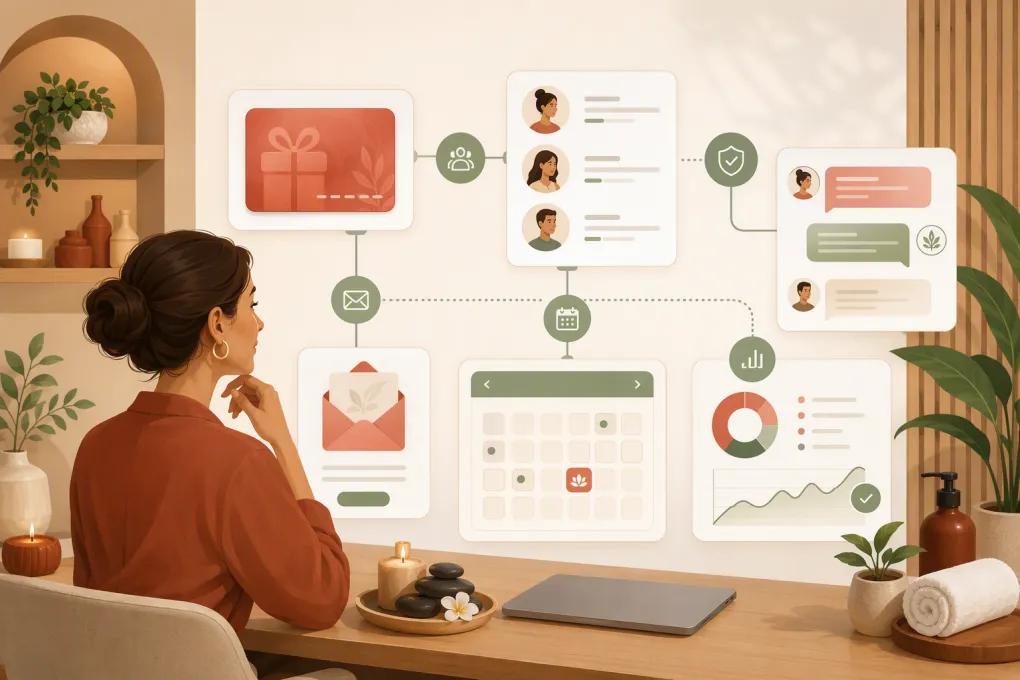 Watch · 20s
Selling a spa gift card creates two customers to manage: the purchaser and the recipient. It also creates an open operational loop. The card must be delivered, the recipient needs a reason and an easy way to book, the balance must remain accurate, and follow-up must stop when the card is used.
That loop often breaks because gift card data lives in the point of sale while contact and booking data live elsewhere. A generic email campaign cannot reliably distinguish an undelivered gift from a partially redeemed card or an unused card tied to an upcoming appointment.
To automate spa gift card follow-up properly, connect four functions: the card ledger, customer records, booking events, and messaging consent. Then use status-based triggers instead of sending reminders from a static list.
See how WTF Go can connect follow-up conversations with spa booking workflows →
Define what redemption means before automating it
A redemption report is only useful when every location uses the same definition. The simplest card-based formula is:
Gift card redemption rate = number of cards redeemed during the reporting window ÷ number of eligible cards issued × 100
Define “redeemed” as either any use or full use, and label the metric accordingly. Those are different measurements:
- First-use redemption rate: A card counts once any value is used.
- Full-redemption rate: A card counts only when its remaining balance reaches zero.
- Value redemption rate: Value redeemed during the period divided by eligible value issued.
Choose a reporting window that accounts for the delay between purchase and use. For example, track cards issued in January and report their first-use status at 30, 60, and 90 days after issuance. This cohort method is more informative than dividing all January redemptions by all January sales because many January redemptions may belong to older cards.
Establish a baseline before enabling reminders. Export several comparable issuance cohorts and calculate their 30-, 60-, or 90-day redemption rate without automated follow-up. Compare future cohorts at the same age. Do not compare a 90-day-old cohort with cards sold two weeks ago.
For attribution, use a defined rule rather than crediting automation for every later redemption. Options include:
- Message-click attribution: The recipient clicked a tracked booking link before booking.
- Conversation attribution: A booking was created during or shortly after a tracked reply conversation.
- Exposed-versus-unexposed cohorts: Compare eligible recipients who entered the workflow with similar recipients who did not.
- Unique booking link or campaign ID: Pass a campaign parameter into the booking or CRM record.
Attribution will be directional if the booking platform does not preserve campaign data through checkout. Document that limitation instead of presenting inferred bookings as certain.
Create a field map across your systems
First identify the source of truth for each field. The gift card ledger—not the CRM—should normally determine whether a card is active and what balance remains.
| Business data | Example field | Source of truth | Used for |
|---|---|---|---|
| Card identity | gift_card_id |
Gift card/POS platform | Matching records and suppressing duplicates |
| Purchase data | issued_at, original_value |
Gift card/POS platform | Cohort reporting and initial trigger |
| Card status | active, void, refunded |
Gift card/POS platform | Eligibility and stop conditions |
| Balance | remaining_balance, last_redeemed_at |
Gift card/POS platform | Partial-use reminders and reporting |
| Purchaser | purchaser_contact_id, email, phone |
Checkout or CRM | Receipt and delivery support |
| Recipient | recipient_contact_id, email, phone |
Checkout or CRM | Recipient reminders |
| Delivery | delivery_status, scheduled_delivery_at |
Gift card platform | Preventing premature reminders |
| Consent | email_consent, sms_consent, consent timestamp |
CRM or consent system | Channel eligibility |
| Booking | appointment_id, booking_status, start_at |
Booking platform | Pausing or stopping reminders |
| Location | issued_location_id, booking_location_id |
POS and booking platform | Terms, routing, and reporting |
| Attribution | campaign_id, last_message_clicked_at |
CRM or analytics tool | Workflow performance |
Do not merge purchaser and recipient into one contact simply because only one email was supplied. If recipient details are unavailable, follow up with the purchaser and give them a shareable booking or balance link. Do not infer the recipient’s contact information or marketing consent.
Choose an implementation method
There are four common ways to build the automation. Use the simplest method that can read current balance and booking status before each message.
Native automation in your spa platform
If your operating or booking platform supports gift card events, contact segmentation, and automated messages, create the workflow there. This reduces synchronization risk.
Confirm that the platform can trigger from card delivery and balance changes—not merely from the original purchase date. Also verify whether an appointment booking can pause reminders before payment or redemption occurs.
CRM workflow with synchronized fields
If gift cards and messaging live in different systems, synchronize the field map into the CRM. Create one gift card object per card if the CRM supports custom objects. If it does not, be careful: storing only one gift_card_balance field on a contact can overwrite data when that person has multiple cards.
Configure the CRM workflow to re-check these conditions before every send:
IF card_status = active
AND delivery_status = delivered
AND remaining_balance > 0
AND no future active booking exists
AND recipient has consent for selected channel
THEN send reminder
ELSE stop, pause, or route for review
A scheduled workflow should query fresh data. Do not rely on the balance copied into the CRM weeks earlier.
Integration or no-code automation tool
An integration tool can listen for a purchase, delivery, booking, or redemption event and update the CRM. A typical flow is:
- Receive a “gift card delivered” event.
- Find or create separate purchaser and recipient contacts.
- Create or update the gift card record using
gift_card_idas the unique key. - Write consent and delivery status without overwriting newer values.
- Enroll the card in the appropriate workflow.
- Re-query balance and booking state before each reminder.
- Remove the card from the workflow after redemption, refund, void, or opt-out.
Add error handling for missing recipients, duplicate webhook deliveries, unavailable APIs, and failed contact updates. Maintain an exception queue that staff can review.
API and webhook implementation
For a custom implementation, use webhooks for immediate events and a scheduled reconciliation job for anything missed. Useful events include card.issued, card.delivered, card.redeemed, card.refunded, booking.created, booking.cancelled, and contact.opted_out. Actual event names vary by vendor.
Use idempotency controls so the same webhook cannot send the same reminder twice. A nightly reconciliation should compare active workflow records against the authoritative ledger and booking platform.
Use a configurable reminder cadence
Timing should begin from confirmed delivery, not necessarily purchase. Here is a practical starting cadence to configure and test:
| Timing | Condition | Action |
|---|---|---|
| Immediately after purchase | Transaction approved | Send purchaser receipt and delivery details |
| At confirmed delivery | Recipient details and permitted channel available | Send recipient welcome with booking link |
| 7 days after delivery | No redemption and no future booking | Send service-selection help |
| 21 days after delivery | Still unused and no future booking | Send concise booking reminder |
| 45 days after delivery | Still unused | Offer human or AI-assisted booking help |
| After partial redemption | Balance remains after transaction posts | Send updated balance and rebooking path |
| After full redemption | Balance is zero | End gift card workflow and enter post-visit journey |
This is a configuration example, not a universal ideal. Adjust it using your normal lead time, service capacity, and cohort reporting.
Occasion and status should alter the schedule:
- Scheduled birthday or holiday gift: Do not begin recipient reminders before the scheduled delivery date.
- Failed delivery: Pause recipient messages and ask the purchaser to verify the address.
- Future appointment booked: Pause redemption reminders. Resume only if the appointment is cancelled and the card remains active.
- Partial redemption: Exit the unused-card sequence and enter a remaining-balance sequence.
- Refund or void: Stop all redemption messaging immediately.
- No recipient contact or consent: Message the purchaser where permitted or create a staff task.
- Multiple cards: Evaluate each card separately while applying frequency limits at the contact level.
Set a communication cap so overlapping marketing, appointment, and gift card workflows do not overwhelm the same person.
Turn replies into bookings without overpromising automation
A reminder succeeds only if the recipient can act on it. Include one primary booking link and let recipients reply with questions about services, locations, eligibility, or availability.
Fitty is WTF Go’s AI receptionist and can answer leads, follow up, book classes or appointments, and collect dues. Gift card-specific automation still depends on access to the necessary data and actions. Before deploying it for this workflow, confirm:
- Whether your gift card system exposes card status and balance through an integration, API, webhook, or scheduled import
- Whether your booking platform allows appointment lookup and creation
- Whether purchaser and recipient records can remain separate
- Which consent fields and opt-outs are synchronized
- Which gift card questions Fitty may answer versus escalate
- How refunds, disputed balances, lost cards, and unsupported transactions reach staff
Fitty should not state a balance unless it can retrieve current ledger data. If balance access is unavailable, it can direct the recipient to a secure balance-check page or hand the conversation to staff. Product capabilities and available connections can vary by setup, so review your required systems with WTF Go before promising a fully automated flow.
Ask WTF Go how Fitty would connect to your gift card ledger and booking system →
Test the workflow before launch
Create test cards covering every important branch:
- Delivered card with no booking
- Failed delivery
- Card connected to a future appointment
- Cancelled appointment with balance remaining
- Partial redemption
- Full redemption
- Refunded or voided card
- Recipient without marketing consent
- Contact holding multiple cards
- Duplicate webhook or import event
Verify message timing, booking links, location rules, balances, stop conditions, and staff handoffs. Then monitor an exception report for stale balances, unmatched contacts, failed deliveries, and messages sent after redemption.
Review results by issuance cohort
Report each cohort at a consistent age and show both business outcomes and workflow health:
- First-use and full-redemption rates
- Value redemption rate
- Median time to first use
- Bookings with tracked workflow attribution
- Delivery failures and missing recipient data
- Paused workflows caused by future bookings
- Replies escalated to staff
- Opt-outs and message complaints
- Rebooking after the redeemed service
Compare these results with the pre-automation baseline and with prior comparable occasions. A holiday cohort may behave differently from year-round birthday gifts, so avoid combining unlike groups.
The goal is not to maximize message volume. It is to maintain an accurate path from delivery to booking while protecting the guest experience and giving staff a clear way to handle exceptions.
Frequently asked questions
What is a good cadence for spa gift card reminders?
A practical starting point is a welcome message at confirmed delivery, followed by reminders around days 7, 21, and 45 if the card remains unused and no appointment is booked. Adjust the timing based on occasion, booking lead time, and cohort results.
How do I calculate a spa gift card redemption rate?
Divide the number of eligible cards redeemed by the number issued in the same cohort, then multiply by 100. State whether redemption means first use or a zero balance, and compare cohorts at the same age.
Should a booking stop gift card follow-up?
A future booking should usually pause redemption reminders because the card may not be applied until checkout. Resume only after cancellation if the card remains active, and stop after confirmed full redemption.
Can a CRM manage multiple gift cards for one recipient?
Yes, if it stores each card as a separate record or custom object. A single balance field on the contact is unreliable because one card can overwrite another.
Can Fitty retrieve and discuss a recipient’s gift card balance?
Only when the deployment has secure access to current balance data from the authoritative gift card system. Without that connection, Fitty should provide a secure balance link or escalate the request rather than state an unverified amount.
Keep reading



Run your gym on autopilot with WTF Go
Fitty — your AI receptionist — answers calls and DMs, fills classes, follows up with every lead, and collects dues while you coach.