AI & Automation
How to Automate Pilates Trial Class Follow-Up That Converts
Learn how to automate Pilates trial class follow-up with timely texts, smart lead routing, booking links, staff tasks, and a clear conversion workflow.
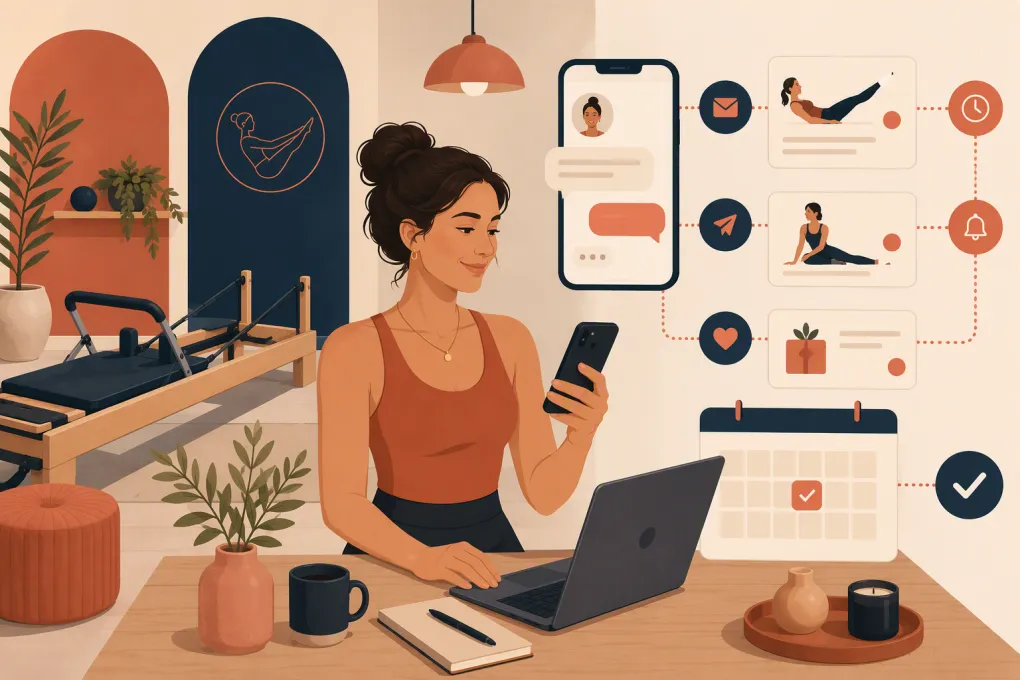 Watch · 20s
A Pilates trial does not convert itself. Someone has to confirm the booking, prepare the client, notice whether they attended, ask how the session went, recommend the right next step, and keep following up without becoming a nuisance.
When that process lives in an instructor’s memory or a stack of front-desk notes, leads get inconsistent treatment. Some receive three messages from different people. Others hear nothing after walking out the door.
Automation fixes the coordination problem. It does not replace the personal conversation that often closes a Pilates membership or package. The goal is to let software handle timing, routing, reminders, and routine questions so your team can focus on the moments that require judgment.
See how Fitty handles Pilates trial inquiries and follow-up around the clock →
Start with a defined trial journey
Do not begin by writing text messages. First, map the statuses a trial lead can move through. A workable pipeline might include:
- New trial inquiry
- Trial invited
- Trial booked
- Trial confirmed
- Trial attended
- Trial no-showed or canceled
- Offer recommended
- Converted
- Nurture or closed
Each status should have a clear entry rule. For example, a lead becomes Trial Booked only when an actual class or appointment appears on the schedule—not when someone says they may come next week.
You also need an owner for each stage. Automation can manage routine follow-up, but a named staff member should receive the task when a lead asks a clinical question, needs an accommodation, has a poor experience, or shows strong buying intent.
Separate the trial formats you offer
A complimentary group class, paid intro session, private assessment, and beginner reformer orientation are not interchangeable. Build separate paths when the preparation or next offer differs.
Capture at least:
- Preferred location
- Trial type
- Class or appointment date
- Pilates experience level
- Primary goal
- Relevant limitations the client volunteers
- Referral source
- Assigned instructor or sales owner
- Communication consent and preferred channel
Avoid collecting detailed medical information through a casual marketing text sequence. Route health and suitability questions to a qualified team member and use your approved intake process.
Build the automation around real events
The strongest Pilates trial follow-up is event-based. Messages should respond to what the lead did rather than running on a fixed calendar regardless of behavior.
1. Respond immediately to a new inquiry
When a website form, phone call, social inquiry, or walk-in creates a lead, the system should acknowledge the request and offer one clear action.
A useful first text is:
Hi {{first_name}}, this is {{studio_name}}. I can help you choose the right first Pilates session. Are you new to Pilates, or have you practiced before?
A conversational question is often more useful than dropping a general schedule link. It gives the system or staff context before recommending a class.
If the person called after hours, an AI receptionist can answer common questions, explain the available trial formats, and book an eligible session while interest is still active. If the question falls outside its approved knowledge, it should create a staff task instead of improvising.
2. Confirm the booking and set expectations
Once the trial is booked, stop the new-lead sequence. Send a confirmation containing:
- Date, time, and location
- Instructor or class name
- Arrival guidance
- What to wear or bring
- Parking and access details
- Cancellation or rescheduling link
- A way to ask questions
Keep operational details in one message or landing page. Scattered instructions create unnecessary replies and make it harder to update information later.
For equipment-based classes, clearly state any studio-specific safety or orientation requirements. Do not assume a first-time visitor understands reformer terminology.
3. Send reminders that invite a reply
A reminder should do more than repeat the start time. It should uncover obstacles before they become no-shows.
Example:
You’re booked for Beginner Reformer tomorrow at 6:00 PM. Please arrive 10 minutes early. Reply C to confirm, or use this link if you need to reschedule: {{link}}
Configure the workflow so a confirmation updates the record. A reschedule should cancel remaining reminders for the old booking and trigger confirmation for the new one.
If there is no confirmation, create a staff call task based on the value and capacity of the appointment. A private intro may warrant direct outreach sooner than a low-cost group trial.
Branch immediately after the class
Attendance is the most important workflow trigger. Your booking system, instructor, or front desk must mark attended, no-show, late-canceled, or studio-canceled accurately. If attendance is unreliable, the automation will send inappropriate messages.
Follow-up for attendees
Send a short check-in after the session while leaving room for the instructor to add personal context.
Hi {{first_name}}, how did your first session with {{instructor_name}} feel? Reply with any questions. If you’d like to continue, this is the option we recommend based on your goals: {{offer_link}}
Do not send every attendee the same package. Recommendation logic can consider:
- Stated goal
- Preferred frequency
- Group versus private preference
- Instructor recommendation
- Location
- Schedule availability
- Introductory offer eligibility
If the lead replies positively but does not purchase, route the conversation to a staff member or an AI agent trained on your actual plans, policies, and schedule. Questions about expiration dates, class levels, and package use should receive accurate answers—not generic sales copy.
Follow-up for no-shows and cancellations
A no-show should never receive a message asking how the class went. Use a separate recovery path:
We missed you at Pilates today. Would you like help finding another beginner-friendly time? You can reply here or reschedule at {{link}}.
Decide in advance whether the original trial can be reused and how late-cancellation rules apply. Automation should enforce the published policy while giving staff a way to approve exceptions.
If the studio canceled, own the issue. Apologize, offer appropriate alternatives, and alert a manager when the person cannot find a replacement session.
Use a short, behavior-based nurture sequence
Not every attendee buys immediately. Follow-up can continue, but each message needs a reason to exist.
A practical sequence might include:
Same day: experience check
Ask how the class felt and present the instructor-approved next step.
Next follow-up: answer the decision question
Address the issue that commonly blocks the lead: class level, scheduling, plan structure, or uncertainty about how often to attend. Use information the person has already shared.
Later follow-up: offer booking help
Invite a reply rather than sending another broad promotion.
Would you like me to find two class times that fit your usual schedule?
Final active follow-up: close the loop
Tell the lead you will pause routine messages while keeping the door open. Move them into a lower-frequency nurture segment only if their consent and your messaging practices support it.
Immediately stop the sales sequence when someone purchases, opts out, reports a poor experience, or asks for a staff conversation. Continuing to push an intro offer after a purchase makes the studio look disorganized.
Give automation clear escalation rules
Automation should know when to step aside. Create alerts for:
- Pain, injury, pregnancy, or medical suitability questions
- Complaints about an instructor or class
- Refund and billing disputes
- Accessibility requests
- Repeated booking problems
- High-intent questions not covered by your approved content
- Requests to speak with a person
Assign each alert to a role, not an informal group chat. Include the lead record, conversation history, booking details, and expected response window in the task.
Fitty can act as the first-line receptionist across inquiry, booking, follow-up, and dues conversations while handing exceptions to the right person. The practical advantage is continuity: the conversation does not restart every time the lead moves from phone to text or from trial booking to membership questions.
Explore an AI receptionist workflow built for Pilates studio operations →
Protect consent and message quality
Automated does not mean unrestricted. Review federal and state requirements with qualified counsel, especially when using automated texts or calls. Your process should include clear consent records, sender identification, opt-out handling, and appropriate sending hours.
Operational safeguards should include:
- Honor STOP and other opt-out requests promptly
- Do not buy or import leads without a valid communication basis
- Keep transactional reminders separate from promotional campaigns
- Restrict staff access to sensitive client information
- Review message templates after schedule, policy, or pricing changes
- Test every workflow with internal records before activating it
Also test edge cases: duplicate leads, two locations, waitlist promotion, instructor substitution, class cancellation, failed payment, and a trial booked under a family member’s contact details.
Measure the workflow, not just sales
Conversion matters, but it does not tell you where the process is failing. Review the funnel by location, source, trial type, and instructor where appropriate.
Track:
- Inquiry-to-booking rate
- Time from inquiry to first response
- Confirmation rate
- Trial attendance and no-show outcomes
- Attended-trial-to-purchase rate
- Time from trial to purchase
- Reschedule recovery
- Opt-outs and complaint themes
- Staff escalations and resolution time
Do not impose an outside benchmark without considering your offer, capacity, lead sources, and pricing. Establish your own baseline, change one part of the workflow, and compare equivalent periods and lead groups.
A pre-launch checklist for Pilates trial automation
Before switching on the sequence, confirm that:
- Every trial source creates or updates one lead record
- Duplicate contacts are merged or flagged
- Each trial format has the correct confirmation details
- Attendance statuses trigger the right branches
- Purchases and opt-outs stop promotional follow-up
- Booking links open the intended location and class type
- Staff escalation tasks have owners
- Policies and plan details match current studio operations
- Test leads have completed every branch
- Someone reviews conversations and workflow errors regularly
The best system feels coordinated, not robotic. Leads receive useful answers and timely next steps. Instructors are not expected to remember every follow-up. Owners can see where prospects stall. Staff enter the conversation when their expertise actually matters.
That is how to automate Pilates trial class follow-up without stripping away the personal attention that helps clients trust your studio.
Frequently asked questions
How soon should a Pilates studio follow up after a trial class?
Send an experience check after attendance is confirmed, typically the same day. The message should reference the session and offer a specific next step rather than a generic promotion.
Should trial follow-up use text, email, or phone calls?
Use the channel the lead consented to and prefers. Text works well for brief booking conversations, email can hold detailed information, and calls are useful for complex questions or high-intent leads.
How do I automate follow-up without sounding robotic?
Trigger messages from real behavior, use booking and instructor context, ask short questions, and route nuanced replies to a person. Avoid long generic sequences that ignore attendance, purchases, or responses.
Can an AI receptionist book Pilates trial classes?
Yes, if it has access to accurate schedules, eligibility rules, locations, and approved studio information. It should also know when to escalate safety, medical, billing, or complaint-related questions to staff.
Keep reading



Run your gym on autopilot with WTF Go
Fitty — your AI receptionist — answers calls and DMs, fills classes, follows up with every lead, and collects dues while you coach.