AI & Automation
How to Automate Personal Training Consultation Follow-Up
Learn how to automate personal training consultation follow-up with practical workflows, message templates, timing rules, and AI booking steps for gyms.
 Watch · 20s
A personal training consultation rarely ends with a clean yes or no. Prospects want to check their schedule, discuss the cost with a partner, compare options, or simply think about it. If the next step depends on a trainer remembering to send a text after a full shift, qualified leads will slip into a spreadsheet, inbox, or pile of handwritten notes.
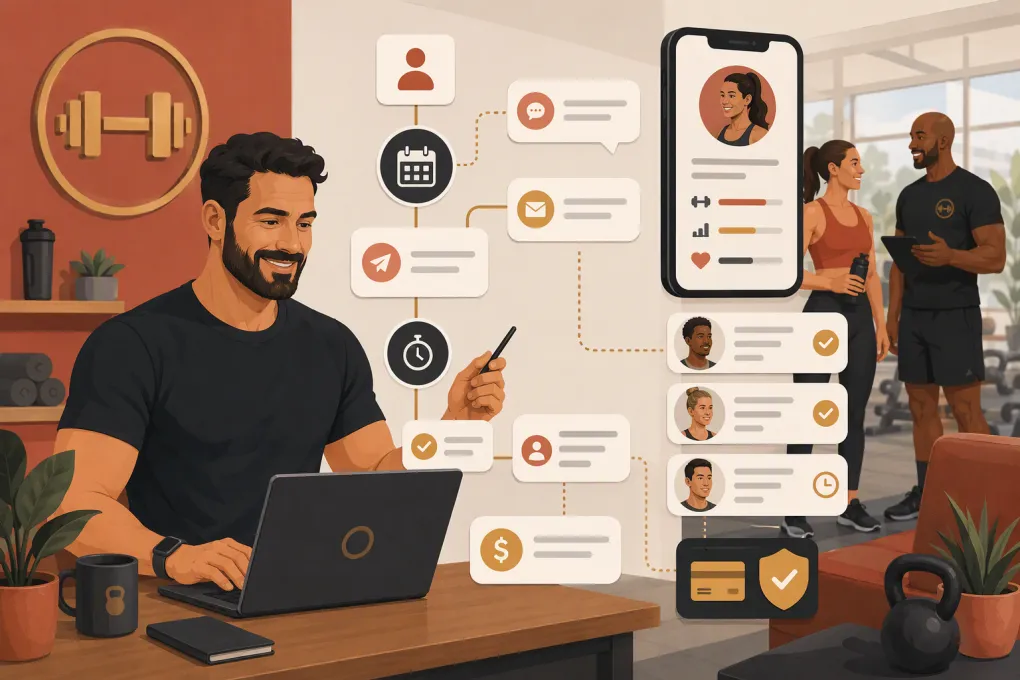
Automation fixes the operational gap without turning the follow-up into a robotic drip campaign. The goal is to capture what happened, send a relevant next step, keep the conversation moving, and alert a human when personal attention is needed.
See how Fitty handles personal training lead follow-up 24/7 →
Define the outcome before building the automation
Do not start by writing ten messages. Start by defining the decisions your workflow needs to support.
Every completed consultation should end in one of a few clear statuses:
- Ready to enroll: The prospect has selected a service and needs an agreement, payment step, or onboarding appointment.
- Interested but undecided: There is a specific objection or unanswered question.
- Interested later: The timing is wrong, but the prospect has identified a realistic future date.
- No-show or canceled: The consultation did not happen and needs to be rebooked.
- Not a fit: The service, budget, schedule, or expectations do not align.
- No response: Follow-up is appropriate, but the prospect has stopped engaging.
These statuses determine which messages get sent. A no-show should receive a rebooking link, while someone concerned about scheduling should receive relevant availability—not the same generic sales email.
Also assign one owner to every open opportunity. Automation can deliver messages, update records, and schedule tasks, but a named staff member should remain accountable for exceptions.
Build the personal training consultation follow-up workflow
A dependable workflow needs four components: structured data, a trigger, decision branches, and a defined stop condition.
1. Capture structured consultation notes
A paragraph of trainer notes is useful to a human but difficult for automation to interpret consistently. Combine free-form notes with required fields such as:
- Primary goal
- Preferred training format
- Preferred days and times
- Target start date
- Main concern or objection
- Recommended package or service
- Decision status
- Agreed next step
- Follow-up owner
Keep the form short enough that trainers will complete it immediately. If notes are routinely added hours later, the first automated message may be inaccurate or delayed.
2. Use the consultation status as the trigger
The automation should begin when the appointment is marked completed, canceled, or no-show—not merely when its scheduled end time passes. Otherwise, someone who enrolled during the consultation could still receive a message asking whether they are interested.
For completed consultations, the first message can confirm the recommendation and next action. For no-shows, switch directly to a rebooking workflow. For new clients, stop the sales sequence and begin onboarding.
3. Design a short, conditional sequence
The exact cadence should match your sales cycle and communication preferences. A practical starting structure is:
| Stage | Purpose | Suggested action |
|---|---|---|
| Immediately after the consultation | Confirm what was discussed | Send a short recap with the agreed next step |
| Next business day | Resolve the main concern | Send an objection-specific message or create a call task |
| A few days later | Make the decision easy | Offer a direct booking, enrollment, or question-and-answer path |
| Final follow-up | Close the loop respectfully | Ask whether to proceed now, revisit later, or stop follow-up |
Automation should stop as soon as the prospect replies, books, enrolls, opts out, or is manually marked closed. Continuing to send scheduled messages after someone responds makes the business look disconnected.
4. Branch by the actual obstacle
Useful automation responds to context. Build separate branches for the objections your team hears regularly.
Schedule concern: Show relevant appointment availability or offer a link to choose a start time.
Price concern: Restate the recommended option, explain what it includes, and invite a conversation. Avoid automatically discounting before understanding the objection.
Needs to consult someone: Send a concise summary the prospect can reference, then schedule a specific check-in.
Not ready yet: Ask for a realistic month or date, pause the immediate sequence, and create a future follow-up.
No-show: Acknowledge the missed appointment without judgment and provide a simple rebooking path.
Use messages that sound like a continuation, not a campaign
The best follow-up references the consultation and gives the prospect one obvious action. It does not repeat your entire sales pitch.
Completed consultation template
Hi [First name], thanks for meeting with [Trainer]. Based on your goal of [goal] and your preferred [days/times], we recommended [service]. Your next step is [specific action]. You can take care of that here: [link]. Reply if you want help choosing.
Objection follow-up template
Hi [First name], you mentioned that [concern] was the main thing you needed to work through. Would it help if we [relevant solution]? I can also have [staff member] contact you if you would rather talk it through.
No-show template
Hi [First name], we missed you at your personal training consultation. If you still want help with [goal], you can choose another time here: [booking link]. If your plans changed, just let us know.
Final close-the-loop template
Hi [First name], should we help you move forward with [recommended service], check back at a later date, or close this out for now? Any answer is helpful.
Personalization should come from information the prospect actually provided. Do not have an automation infer sensitive health details or invent familiarity that was not established during the consultation.
Decide where AI should take over—and where it should not
Traditional automation sends predetermined messages. An AI agent can also respond when the prospect asks a question, requests a different appointment, or returns after business hours.
That matters because consultation follow-up is rarely linear. A prospect may reply with, “Can I train before work?” or “What happens if I travel next month?” If nobody answers until the following day, momentum stalls.
Fitty, WTF Go’s AI receptionist and agent, can answer leads, follow up, book appointments or classes, and keep the conversation moving around the clock. It can also route situations that need a staff member instead of forcing every conversation through a fixed sequence.
See how Fitty can answer and book personal training prospects after hours →
Create clear human handoff rules for:
- Injury, medical, or clinical questions
- Complaints and refund requests
- Package exceptions or unusual discounts
- Complex scheduling conflicts
- A prospect asking to speak with a specific person
- Any answer the system cannot provide confidently
AI should reduce response gaps, not replace professional judgment.
Connect enrollment and payment to the same workflow
Follow-up is incomplete if an interested prospect has to wait for someone to send paperwork or explain how to pay. Once the person says yes, the workflow should immediately move from sales to enrollment.
Depending on your process, that may include:
- Confirming the selected service
- Sending the agreement or required forms
- Collecting the first payment or dues
- Booking the first session or assessment
- Sending arrival and preparation instructions
- Assigning the client to a trainer
Make the status change explicit. When payment or enrollment is completed, remove the prospect from open sales tasks and begin the client onboarding workflow. Fitty can help carry conversations through booking and dues collection so staff do not have to manually chase every final step.
Explore an all-in-one follow-up, booking, and dues workflow with WTF Go →
Add communication and compliance guardrails
More automation is not automatically better. Set rules for when and how your system contacts people.
- Record consent for text and email communication.
- Honor opt-out requests promptly.
- Use reasonable contact hours based on the recipient’s local time.
- Identify the business clearly in messages.
- Keep marketing messages separate from essential appointment notices where appropriate.
- Limit staff access to personal and payment information.
- Review applicable federal and state requirements with qualified counsel rather than treating software settings as legal advice.
Assign someone to audit active sequences regularly. Old links, outdated service names, and former staff signatures can remain hidden until a prospect receives them.
Measure whether the automation is helping
Do not judge the workflow by how many messages it sends. Track whether it creates useful conversations and completed next steps.
Monitor:
- Consultations completed
- Consultation no-shows
- Time from consultation completion to first follow-up
- Prospects who reply
- Follow-up appointments booked
- Enrollments attributed to consultation follow-up
- Average time from consultation to enrollment
- Opt-outs and negative responses
- Open opportunities without a next action
Review results by status and branch. If schedule-related leads respond but do not book, the problem may be limited availability or a confusing booking page. If prospects enroll but fail to attend their first session, strengthen onboarding rather than adding more sales messages.
Launch with one workflow, then improve it
Start with completed consultations and no-shows instead of trying to automate every sales scenario at once.
Before launch:
- Define statuses and stop conditions.
- Make key consultation fields required.
- Test every link and booking path.
- Enroll internal test contacts in each branch.
- Confirm that replies pause scheduled messages.
- Verify human handoff alerts.
- Check the enrollment and payment transition.
- Give trainers a simple process for correcting an inaccurate status.
Then review real conversations. The strongest workflow will not be the one with the most steps. It will be the one that consistently sends the right next action, preserves context, and brings a staff member in when the prospect needs one.
Frequently asked questions
What is the best first message after a personal training consultation?
Send a brief recap that references the prospect’s stated goal, confirms the recommended service, and provides one specific next step such as booking, enrolling, or replying with a question.
How soon should personal training consultation follow-up start?
Start as soon as the consultation is accurately marked completed and the trainer’s notes are saved. The workflow should wait for that status rather than relying only on the appointment’s scheduled end time.
Should automated follow-up use text, email, or both?
Use the channels the prospect consented to and that fit the message. Text works well for short questions and booking actions, while email is useful for detailed recaps, forms, and service information.
Can AI handle personal training sales follow-up?
AI can answer common questions, follow up, book appointments, and route prospects around the clock. Medical questions, complaints, unusual pricing requests, and uncertain answers should be handed to qualified staff.
When should the consultation follow-up automation stop?
Stop it when the prospect replies, books, enrolls, opts out, is marked not a fit, or enters a future follow-up plan. Every active lead should either have a clear next action or a closed status.
Keep reading



Run your gym on autopilot with WTF Go
Fitty — your AI receptionist — answers calls and DMs, fills classes, follows up with every lead, and collects dues while you coach.