AI & Automation
How to Automate Med Spa Lead Follow-Up, Step by Step
Learn how to automate med spa lead follow-up with a concrete CRM setup, message cadence, routing rules, booking logic, compliance checks, and handoffs.
 Watch · 20s
A med spa lead who asks about injectables at 8:30 p.m. should not sit untouched until the next morning. They may contact another practice, lose interest, or forget which ad prompted the inquiry. But sending an instant generic promotion is not the answer either.
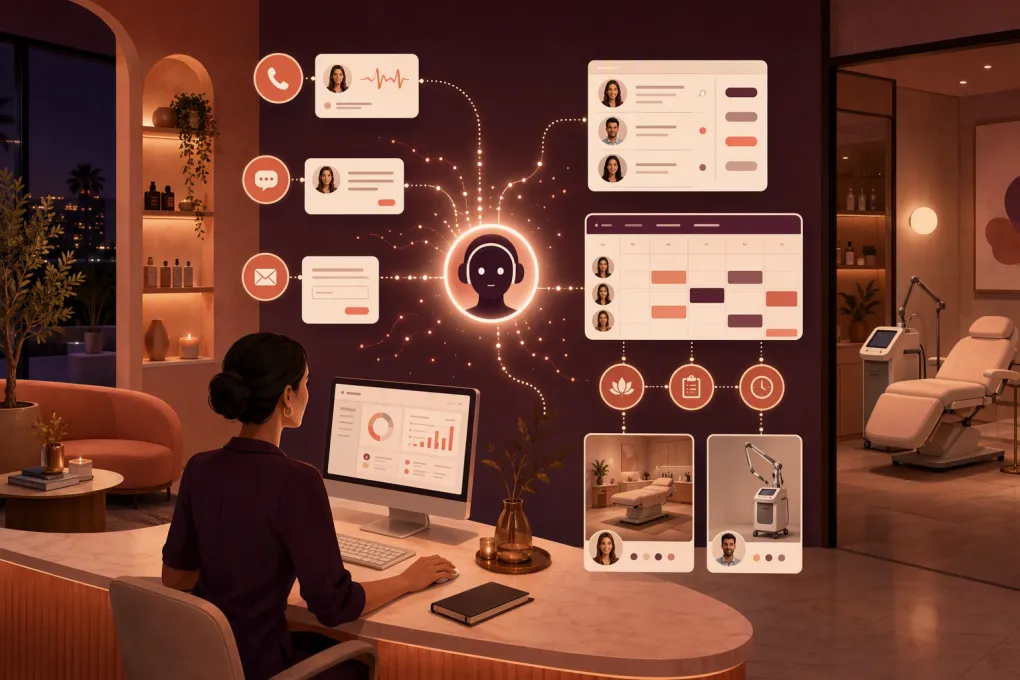
Effective automation acknowledges the request, identifies the lead’s intent, answers approved nonclinical questions, and offers a valid consultation slot. It also knows when to stop and involve a person.
This guide provides an implementation model—not a claim about one specific med spa’s results. Adapt it with input from your front desk, medical director, privacy or compliance adviser, and the practitioners who determine consultation and treatment eligibility.
See how Fitty handles after-hours med spa inquiries and follow-up →
Define the pipeline before automating messages
A workflow cannot route leads correctly if “new,” “contacted,” and “booked” mean different things to different employees. Create explicit CRM stages with entry and exit conditions.
A practical med spa pipeline is:
- New inquiry: A form, call, text, chat, or connected campaign creates a record.
- Automated contact: The system has acknowledged the inquiry.
- Engaged: The lead replied, selected an option, or resumed booking.
- Needs staff review: The request is clinical, sensitive, unclear, or outside approved automation.
- Consultation ready: The lead meets the administrative requirements for scheduling.
- Consultation booked: The deposit, calendar slot, and required forms are handled according to policy.
- Consultation completed: The person attended and moves into the clinical or treatment-plan process.
- Nurture later: The lead is interested but not ready to book.
- Closed: The lead declined, was disqualified, or opted out.
Assign one owner to each stage. “Needs staff review,” for example, might belong to the lead coordinator for pricing questions and a licensed clinician for treatment-suitability questions.
Build a concrete CRM configuration
The following is a sample configuration, not a prescription for every practice. It shows the level of specificity required before turning automation on.
Map fields from the lead source
| CRM field | Example input | Why it matters | Automation use |
|---|---|---|---|
| Lead ID | System-generated | Prevents record confusion | Connects messages and status changes |
| Mobile number | Web form or caller ID | Primary identity and SMS channel | Deduplication and texting |
| Web form | Secondary identity and form delivery | Confirmation and pre-consult forms | |
| Consent source | Form checkbox, text initiation, or documented verbal consent | Supports channel governance | Determines permitted follow-up |
| Lead source | Google, website, social campaign, referral | Shows where the inquiry originated | Reporting and source-specific context |
| Service interest | Injectables, laser, body contouring, facial, unknown | Controls routing | Selects approved answers and booking type |
| Preferred location | Downtown, Northside, undecided | Controls calendar access | Filters providers and rooms |
| Preferred time | Morning, afternoon, evening, unknown | Reduces scheduling friction | Prioritizes relevant openings |
| Existing client | Yes, no, unknown | Separates lead handling from client service | Routes records and avoids duplicates |
| Assigned queue | Front desk, lead coordinator, clinician | Creates accountability | Triggers alerts and task ownership |
| Pipeline stage | New inquiry | Tracks progression | Starts and stops sequences |
| Last inbound time | Timestamp | Prevents mistimed outreach | Resets follow-up timers |
| Appointment ID | Booking-system value | Confirms successful booking | Stops lead nurture |
| Deposit status | Not required, pending, paid, failed | Identifies incomplete bookings | Triggers payment assistance |
| Form status | Not sent, sent, completed, needs review | Tracks administrative readiness | Controls reminders and handoff |
Do not collect detailed medical history in a standard marketing CRM unless your systems, permissions, agreements, and processes are appropriate for that information. The marketing record can indicate that a secure form needs review without copying clinical answers into an ordinary lead note.
Configure deduplication
Use the normalized phone number as the primary match and email as a secondary match. When an existing record is found:
- Append the new source and interaction to the existing record.
- Do not restart the original welcome sequence automatically.
- Check whether the person already has an appointment.
- Route current clients requesting appointment changes to client services, not new-lead sales follow-up.
This prevents a person who submits a form after calling from receiving two competing conversations.
Use a trigger-action decision tree
Automation should follow declared rules rather than asking an AI to improvise the entire process. Here is a workable starting decision tree.
TRIGGER: New inbound form, call, text, or chat
|
|-- Is an opt-out recorded?
|   |-- Yes: Create internal record if appropriate; send nothing
|   |-- No: Continue
|
|-- Does the person match an existing client or booked appointment?
|   |-- Yes: Route to client-services workflow
|   |-- No: Continue
|
|-- Is consent sufficient for the intended channel and message?
|   |-- No: Use only an appropriate permitted response/channel
|   |-- Yes: Send acknowledgment
|
|-- What is the lead's intent?
|   |-- Ready to book: Check administrative booking rules
|   |-- General price/service question: Use approved answer, then offer consultation
|   |-- Clinical suitability/side effect/contraindication: Stop automation; route to clinician
|   |-- Complaint or adverse event: Stop sales sequence; follow escalation policy
|   |-- Unknown: Ask one clarifying question
|
|-- Can a valid consultation be booked?
|   |-- Yes: Show eligible times and apply deposit/form rules
|   |-- No: Offer staff follow-up or waitlist
|
|-- Was booking completed?
    |-- Yes: Save appointment ID; stop lead nurture; start confirmation workflow
    |-- No: Start incomplete-booking follow-up
Translate every branch into a CRM trigger, condition, action, owner, and stop condition. If your system cannot reliably detect a condition, route it to a person instead of guessing.
Add med-spa-specific booking logic
A public calendar link is not enough. The calendar must display appointments that the practice can actually fulfill.
Provider and service eligibility
Map each consultation type to the employees authorized and trained to conduct it. Do not offer a provider merely because the provider appears free. Account for licensure, scope, internal protocols, location, and whether the appointment is a consultation or treatment.
If some services can be performed during the initial visit while others require a separate assessment, create different appointment types. Make that distinction clear in the confirmation.
Room and equipment constraints
Availability may depend on more than a provider calendar. Configure relevant resources such as:
- Consultation rooms
- Laser or energy-based devices
- Treatment rooms with required equipment
- Photography or imaging areas
- Location-specific inventory or service availability
A slot should not appear if the provider is available but the required room or device is already allocated.
Deposits
If the practice requires a consultation deposit, define:
- Which appointment types require it
- Whether the slot is held while payment is pending
- When the hold expires
- What happens after a failed payment
- How cancellation and refund policies are presented
- Which employee handles exceptions
The CRM should mark the appointment as booked only according to your actual policy. A selected time with an unpaid required deposit may be “pending,” not confirmed.
Pre-consultation forms
Send secure forms after booking or at another point approved by the practice. Track only the operational status in the lead workflow: sent, completed, overdue, or needs clinician review.
Do not let marketing automation interpret medical answers. If a form response needs clinical review, pause relevant reminders and assign the review to qualified staff.
See how WTF Go can connect med spa conversations, follow-up, and appointment workflows →
Set a usable follow-up cadence
Timing should reflect consent, channel rules, lead behavior, staffing, and the service requested. The intervals below are a conservative example to test—not a legal safe harbor or universal benchmark.
| Timing from inquiry | Action | Condition |
|---|---|---|
| Immediately | Acknowledge the inquiry and ask one intent question | Consent and channel rules permit |
| About 15 minutes later | Alert staff if the lead asked for a person or the intent is unresolved | No staff member has claimed it |
| 24 hours later | Send a short reminder with consultation-booking access | No reply, booking, or opt-out |
| 3 days later | Offer help with availability, deposit, or general questions | Lead remains inactive |
| 7 days later | Send a final active-sequence check-in | No engagement or appointment |
| 30 days later | Move to longer-term nurture only if appropriate consent exists | Lead was not disqualified and did not opt out |
Reset or cancel timers whenever the lead replies. Never send a “still interested?” message while a staff member is actively handling the conversation.
Useful templates include:
Initial acknowledgment
Hi Taylor, this is Northside Aesthetics. We received your request about an injectable consultation. Would you like to see available consultation times or ask a general question first?
Incomplete deposit
You selected Tuesday at 2:00 p.m., but the required consultation deposit was not completed. Would you like the secure payment link again or help choosing another time?
Clinical handoff
That question needs review by a qualified member of our clinical team. I’ve routed it to them and paused automated booking follow-up.
Keep approved service, policy, location, provider, and deposit information current. A correct workflow using stale content is still a bad client experience.
Define routing and staff ownership
Create queues with clear service expectations inside the business:
- Front desk: Hours, directions, existing appointments, basic availability
- Lead coordinator: Consultation booking, deposits, approved pricing information, financing process
- Qualified clinician: Suitability, contraindications, side effects, treatment-specific medical questions
- Manager: Complaints, refund exceptions, unresolved service issues
- Emergency pathway: Adverse-event or urgent language handled under established clinical procedures
Each handoff should include the conversation transcript, source, service interest, requested location, booking attempt, deposit status, and reason for escalation. The lead should not have to start over.
Fitty, WTF Go’s AI receptionist, is designed to answer inbound inquiries, follow up based on configured rules, help leads reach appropriate appointment options, and hand conversations to staff when human or clinical review is required. It should support your approved process, not invent the process for you.
Explore Fitty for med spa lead coverage and booking support →
Test before enabling every source
Start with one location and one consultation category. Run test records through at least these scenarios:
- A new lead wants the next available consultation.
- An existing client submits a new-lead form.
- A lead asks about a contraindication.
- A lead selects a time but does not pay the required deposit.
- The provider is free but the required room is occupied.
- A lead books and then submits another form.
- A lead opts out after the first message.
- A secure form is incomplete.
- A person reports a possible adverse event.
- A staff member claims the conversation during an active timer.
Have the front desk review wording and queue behavior, practitioners validate clinical boundaries, and management verify deposits and cancellation rules. Compliance or legal advisers should review consent, privacy, telemarketing, email, and data-handling requirements applicable to the practice.
Finally, monitor response time, unanswered leads, booking completion, deposit failures, staff handoff time, opt-outs, duplicate records, form completion, and messages sent after booking. Read conversation samples as well as reports. The objective is a controlled, auditable path from inquiry to consultation—not simply more automated messages.
Frequently asked questions
How quickly should an automated med spa lead response be sent?
An acknowledgment can be sent immediately when the channel, consent, and system configuration permit it. Clinical or sensitive questions should be routed promptly to qualified staff rather than answered automatically.
How many times should a med spa follow up with a lead?
There is no universal number. A practical starting sequence might include an immediate response followed by check-ins around 24 hours, three days, and seven days, with every message canceled when the lead replies, books, declines, or opts out.
Can AI determine whether someone is eligible for a med spa treatment?
AI should not make individualized clinical eligibility decisions. It can answer approved administrative questions and schedule an appropriate consultation, while qualified practitioners assess suitability.
Should a consultation be marked booked before the deposit is paid?
Follow the practice’s stated policy. If a deposit is required to secure the appointment, treat the selected slot as pending until payment succeeds or the temporary hold expires.
What should stop a med spa lead automation sequence?
Stop or reroute it when the lead books, opts out, declines, is identified as an existing client, requests a person, reports a concern, or asks a question requiring clinical judgment.
Keep reading



Run your gym on autopilot with WTF Go
Fitty — your AI receptionist — answers calls and DMs, fills classes, follows up with every lead, and collects dues while you coach.