AI & Automation
How to Automate Med Spa Deposit Collection Without Chasing
Learn how to automate med spa deposit collection with clear policies, payment links, reminders, and booking rules that reduce front-desk follow-up.
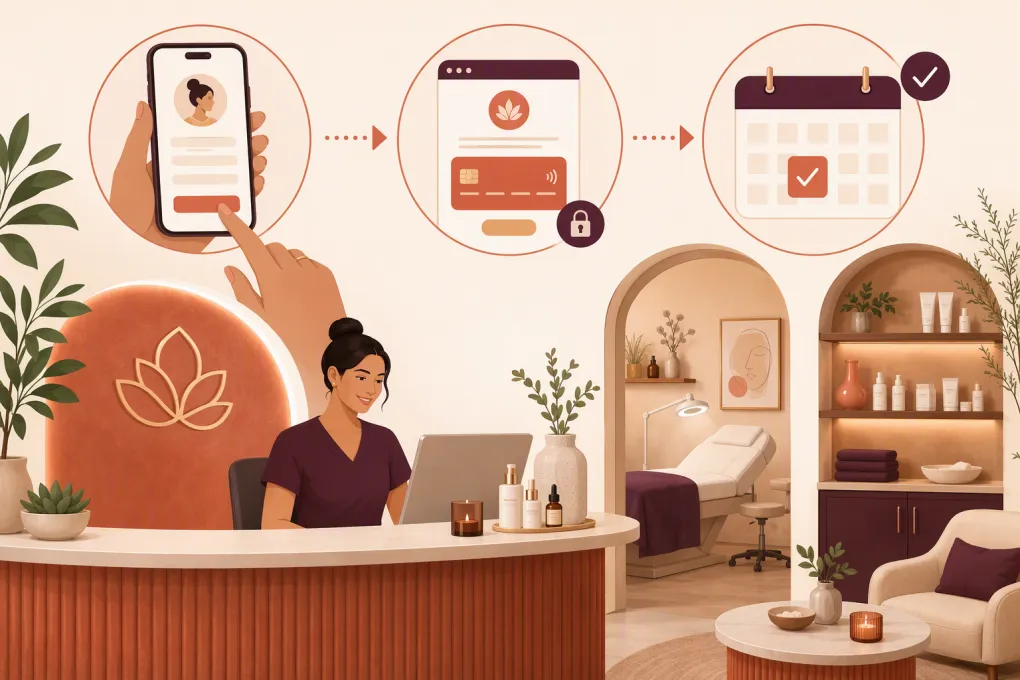 Watch · 20s
Deposit collection should not require three calls, two texts, and a sticky note at the front desk.
For med spas, deposits serve a practical purpose: they create commitment before valuable provider time, treatment rooms, and equipment are reserved. But when the process is manual, staff end up chasing cards, checking payment records, and deciding whether an unpaid appointment should remain on the calendar.
The fix is not simply turning on payment links. To automate med spa deposit collection reliably, you need a defined policy, a connected booking and payment workflow, clear customer communication, and rules for exceptions.
See how WTF Go can connect lead follow-up, booking, and payment collection →
Start with a deposit policy your system can enforce
Automation exposes vague policies. If your team handles deposits differently depending on who answers the phone, software will not know what to do.
Before building the workflow, document the rules for each appointment category.
Decide which bookings require a deposit
A med spa may apply different requirements to:
- New-client consultations
- High-demand appointment times
- Longer treatments
- Appointments requiring dedicated equipment or supplies
- Multi-session treatment plans
- Returning clients with repeated late cancellations or no-shows
- Promotional bookings with limited availability
Avoid creating unnecessary complexity. If every service has a different rule, staff will struggle to explain it and administrators will struggle to maintain it. Group services into a few operationally meaningful categories wherever possible.
Define when the deposit is due
Choose one enforceable trigger:
- Immediately during online booking
- Before a phone or text booking is confirmed
- Within a defined reservation window after the slot is held
- After a consultation but before a treatment appointment is scheduled
An unpaid appointment should have a clear status, such as pending payment, rather than appearing identical to a confirmed booking. Otherwise, staff may assume the slot is secure when it is not.
Explain how the deposit is applied
Clients should know whether the payment is:
- Credited toward the scheduled service
- Applied to a treatment package
- Retained after a late cancellation under the stated policy
- Transferable when an appointment is rescheduled within the allowed window
Use consistent terms across your booking page, checkout screen, confirmation message, cancellation policy, and staff scripts. Have local counsel review your policy when necessary, particularly around nonrefundable payments, cancellation terms, and consumer protection requirements.
Map the automated deposit workflow
A clean workflow moves the client through five stages:
- Request: The client asks about a service or selects a booking time.
- Qualification: The system or staff member confirms the service, location, provider, and appointment type.
- Payment: The client receives a secure checkout link or pays within the booking flow.
- Verification: Successful payment updates the client record and appointment status.
- Confirmation: The client receives the final appointment details and cancellation policy.
The critical step is verification. Sending a link is not the same as collecting a deposit. Your workflow should respond to the payment result rather than relying on staff to inspect transactions manually.
For example:
- Payment completed → mark the deposit paid, confirm the booking, and send preparation instructions.
- Payment not completed → keep the booking pending and send a reminder.
- Payment failed → provide a new checkout attempt without asking for card details by text.
- Reservation window expired → release the slot or route it to staff for review.
Use secure payment links instead of collecting card details manually
Do not ask clients to send card numbers through SMS, email, web chat, or social media messages. Use a payment processor or booking platform with a secure, hosted checkout experience.
The payment request should clearly show:
- Business and location name
- Service or appointment category
- Deposit purpose
- Amount due
- How the payment will be applied
- Relevant cancellation or rescheduling terms
- A receipt or payment confirmation
Keep sensitive treatment information out of payment descriptions and routine text messages. Med spas should evaluate whether their systems and vendors meet the privacy, payment security, and healthcare compliance obligations that apply to their specific business model. Payment card security and health information privacy are separate issues; using a compliant payment processor does not automatically resolve every privacy requirement.
Build reminders around appointment status
Deposit reminders should be triggered by status, not sent as generic marketing blasts.
A useful sequence could include:
Initial payment request
Send this immediately after the appointment details are selected.
Include the service category, proposed time, secure payment link, expiration point, and what happens after payment. Keep it direct:
Your appointment time is being held pending the required deposit. Complete payment at the secure link below to confirm your booking. If payment is not completed within the stated reservation window, the time may be released.
Pending-payment reminder
Send a reminder only if the payment remains incomplete. Do not remind clients who have already paid.
The message should restate the deadline and provide the same secure route to checkout. Avoid adding a new link or changing the terms halfway through the process.
Expiration or staff-review message
When the hold period ends, either release the appointment automatically or place it in a staff review queue. Tell the client what occurred and how to check current availability.
Do not say an appointment is confirmed while payment is still pending. That contradiction creates disputes at the front desk.
See how Fitty can follow up with med spa leads while your team is treating clients →
Connect deposit collection to every booking channel
Med spa bookings rarely come from one place. A lead may start through a website form, phone call, social campaign, text conversation, or referral.
The deposit policy should remain consistent across channels.
Website and online booking
Place the payment step inside the booking flow or immediately after time selection. The confirmation page should distinguish between a request and a fully confirmed appointment.
Phone calls
Staff should not need to keep a caller on the line while manually entering payment information. Confirm the appointment details, send the secure link, and let the workflow update the booking after payment.
After-hours inquiries
This is where leads often stall. A prospective client asks about availability after the front desk closes, but no one follows up until the next business day.
An AI receptionist can answer common questions, capture the correct service and location, guide the lead toward an available appointment, and continue the follow-up process. Fitty, WTF Go’s AI receptionist, is built to answer leads, book appointments or classes, follow up, and collect money around the clock.
Social and advertising leads
Do not send every new advertising lead directly to a deposit page. First establish what the person wants and whether the requested appointment is appropriate. Deposit collection should follow qualification and time selection, not replace them.
Create an exception queue for situations automation cannot resolve
Good automation does not eliminate human judgment. It keeps routine work away from staff while making exceptions visible.
Route these cases to a defined queue:
- Repeated payment failures
- Requests to transfer an existing deposit
- Disputed cancellation charges
- Appointment changes involving a different service or provider
- Duplicate payments
- Clients needing accessibility or language assistance
- High-value treatment plans requiring staff review
- Bookings with conflicting or incomplete information
Assign ownership and a response deadline. A queue without an owner is just another inbox.
Staff should also be able to see the payment request, transaction status, policy presented to the client, messages sent, and changes made to the appointment. That history matters when resolving confusion or responding to a payment dispute.
Test the workflow before making it mandatory
Run test bookings through every path before requiring deposits from all clients.
Check the experience for:
- A new client booking online
- A returning client booking by phone
- A successful payment
- A declined or interrupted payment
- An abandoned payment link
- A rescheduled appointment
- A cancellation inside the allowed window
- A late cancellation
- An expired reservation hold
- A booking outside business hours
- Each location in a multi-location med spa
Verify that receipts, reminders, calendar statuses, and staff notifications all match. Test on a phone, not just a desktop computer; many clients will complete payment from a text message.
Track operational signals, not just deposits collected
The goal is a dependable booking process, not automation for its own sake. Review:
- How many appointments remain pending payment
- Where clients abandon the workflow
- How long staff spend following up manually
- Whether paid appointments are correctly marked as confirmed
- Which services generate the most policy questions
- How often staff override deposit requirements
- Whether released slots return to bookable inventory
- The reasons clients request refunds, transfers, or exceptions
Look at these signals by service, location, provider, and booking source. If one channel produces more unpaid holds, the problem may be unclear messaging or a broken handoff rather than unwillingness to pay.
A practical implementation checklist
Before launch, confirm that you have:
- A written deposit and cancellation policy
- A limited set of deposit rules by appointment category
- Secure, processor-hosted payment collection
- Separate pending and confirmed booking statuses
- Automated reminders that stop after payment
- A defined expiration rule for unpaid holds
- Consistent messaging across web, phone, text, and social channels
- Consent and opt-out handling for automated communications
- A staff-owned exception queue
- Transaction and communication history in the client record
- A tested process for refunds, rescheduling, and transfers
- Location-specific rules where operationally necessary
WTF Go brings lead management, communication, booking workflows, and payment follow-up into one operating system. Fitty handles routine conversations around the clock so deposits do not depend on whether someone at the front desk has time to send another message.
Explore an automated med spa booking and deposit workflow with WTF Go →
Frequently asked questions
Should a med spa require a deposit for every appointment?
Not necessarily. Many operators apply deposits based on appointment length, demand, provider time, equipment needs, or client history. The best policy is simple enough for staff and clients to understand.
Can a med spa deposit be nonrefundable?
That depends on the disclosed policy and applicable state and local requirements. Have qualified counsel review the language, and present the terms before payment rather than only after a cancellation.
How do automated deposit reminders work?
The booking system checks whether the appointment is still pending payment and sends a secure payment link. Reminders should stop automatically once payment succeeds or the reservation expires.
Is it safe to collect a deposit by text message?
Send a link to a secure hosted checkout rather than requesting card details in the message. Also avoid including unnecessary treatment or health information in routine payment texts.
What happens if a client does not pay the deposit?
The appointment should remain pending until the stated deadline. After that, the system can release the slot or route the booking to staff for review, based on your policy.
Keep reading



Run your gym on autopilot with WTF Go
Fitty — your AI receptionist — answers calls and DMs, fills classes, follows up with every lead, and collects dues while you coach.