AI & Automation
How to Automate Med Spa Appointment Reminders That Work
Learn how to automate med spa appointment reminders with practical timing, message templates, consent safeguards, and booking workflow tips that reduce gaps.
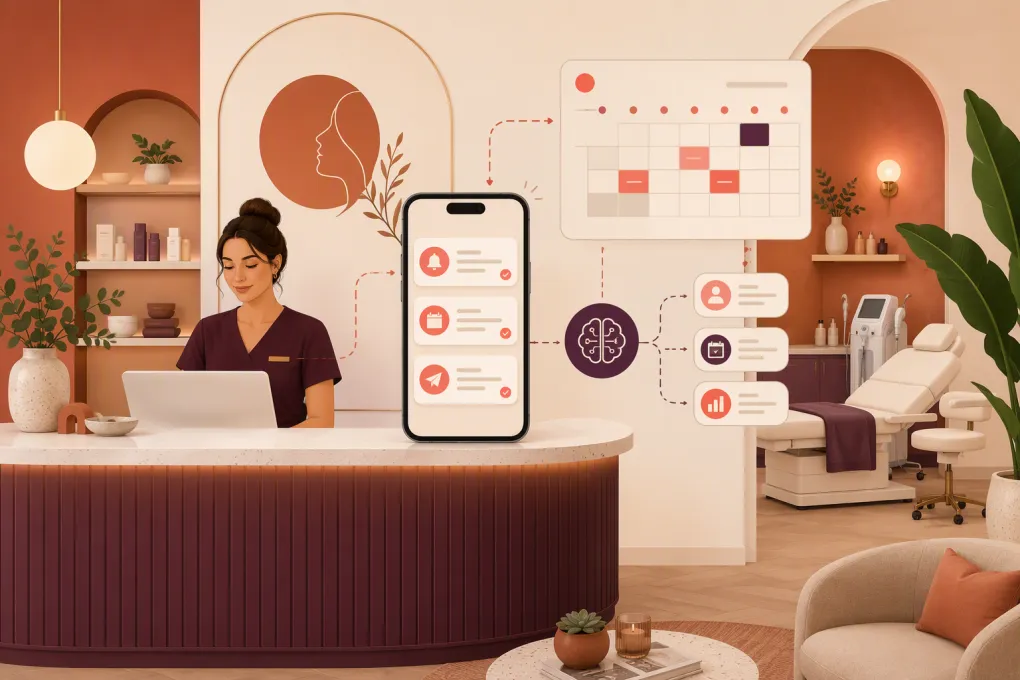 Watch · 20s
Appointment reminders should do more than tell a client when to show up. A useful reminder workflow confirms the booking, makes cancellation or rescheduling easy, answers routine questions, and alerts your team when a client needs personal help.
Without that workflow, staff end up checking inboxes, returning missed calls, and manually chasing confirmations. Clients may receive conflicting information from different systems—or no useful response when they text back after hours.
The goal is not to send more messages. It is to create a connected process from booking through arrival, with clear rules for exceptions.
See how Fitty can handle med spa inquiries and follow-up around the clock →
What an automated reminder workflow should include
A basic reminder sends a date and time. A complete workflow manages the actions surrounding that appointment:
- Immediate booking confirmation
- Pre-appointment instructions when appropriate
- A reminder several days or hours before the visit
- Simple confirmation, cancellation, and rescheduling options
- Follow-up when a message is undelivered or unanswered
- Staff escalation for clinical, billing, or sensitive questions
- Waitlist outreach when a time slot becomes available
- Post-appointment follow-up handled as a separate workflow
Start by documenting what your front desk currently does manually. Every repetitive step is a candidate for automation, but not every conversation should be automated. Treatment suitability, adverse reactions, medication questions, and clinical concerns need a qualified human response.
How to automate med spa appointment reminders step by step
1. Choose one booking system as the source of truth
Your reminder platform needs accurate access to the appointment record. Decide which system owns:
- Client name and contact information
- Appointment date, time, and location
- Provider assignment
- Appointment status
- Service category
- Deposit or payment status
- Consent and communication preferences
Avoid maintaining separate calendars that staff must reconcile. If an appointment changes in the primary calendar, the reminder sequence should update or stop automatically. Otherwise, clients can receive reminders for canceled appointments or the wrong provider.
Before switching on messages, test new bookings, reschedules, cancellations, recurring appointments, and appointments moved between locations.
2. Collect communication consent correctly
A phone number in a client record is not a blanket instruction to send every type of message. Separate operational appointment communication from promotional marketing wherever possible.
Your intake and booking process should clearly capture:
- The number or email the client wants you to use
- Consent appropriate to the channels and message types you send
- Opt-out requests
- Preferred communication method, if your system supports it
- Any restrictions relevant to your business or jurisdiction
SMS and calling rules can depend on the message, technology, and applicable federal or state law. Have qualified counsel review your consent language and workflows rather than copying another med spa’s form. Your texting setup should also recognize standard opt-out requests and prevent further messages when required.
If your med spa is subject to HIPAA, assess whether the vendors handling protected health information will meet your compliance requirements, including entering into a business associate agreement when required. Keep reminder content limited and avoid putting sensitive treatment details in a message that may appear on a locked screen.
3. Build a sensible reminder schedule
Timing should reflect your cancellation policy, treatment preparation, and how easily you can refill an opening. A practical starting sequence is:
- Immediately after booking: Confirmation with date, time, location, and change instructions
- Two to three days before: Reminder with a confirm or reschedule action
- One day before: Short reminder for clients who have not confirmed
- A few hours before: Optional arrival reminder, parking note, or check-in instruction
Do not automatically send every client four messages. A confirmed appointment may not need the same sequence as an unconfirmed one. Build conditional rules that stop unnecessary reminders after confirmation.
Appointments requiring preparation may need an earlier message. Keep detailed clinical instructions in a secure portal or approved channel rather than packing sensitive information into SMS.
4. Give every message one obvious next action
A reminder becomes operationally useful when the client can act without calling the front desk. Offer clear choices such as:
- Confirm
- Reschedule
- Cancel
- Get directions
- Ask a nonclinical question
Do not send a text from an unmonitored number if clients are likely to reply. That creates a dead end and pushes the work back to your team.
An AI receptionist can help manage common replies outside business hours, but it needs boundaries. It should know when to answer, when to collect information, and when to hand the conversation to a person.
See how Fitty can answer routine replies and keep booking conversations moving →
5. Create branching rules for common outcomes
The strongest workflows respond differently based on what the client does.
If the client confirms:
- Mark the appointment confirmed
- Stop redundant confirmation requests
- Send only essential arrival information
If the client wants to reschedule:
- Offer valid availability or route the request to staff
- Preserve applicable deposit and cancellation rules
- Stop reminders for the original time after the booking changes
If the client cancels:
- Update the calendar immediately
- Apply your written cancellation policy consistently
- Trigger waitlist outreach if appropriate
If the client does not reply:
- Send the next scheduled reminder
- Flag higher-value, longer, or preparation-sensitive appointments for staff review
- Do not treat silence as confirmation unless your policy explicitly says otherwise
If the client asks a clinical question:
- Pause automation where appropriate
- Acknowledge receipt without giving unsupported medical advice
- Escalate to the designated qualified team member
Write these rules before configuring software. Automation exposes unclear policies quickly.
Med spa appointment reminder templates
Use plain language and insert only fields you know are reliable. Always test formatting when names, locations, or provider fields are missing.
Immediate confirmation
Hi [First Name], your appointment with [Med Spa] is scheduled for [Day], [Date] at [Time]. Reply C to confirm or R if you need to reschedule. Location: [Address].
Pre-appointment reminder
Hi [First Name], this is a reminder about your appointment at [Med Spa] on [Day] at [Time]. Reply C to confirm or R to request another time. Preparation information: [Secure Link].
Same-day arrival reminder
We’ll see you at [Med Spa] today at [Time]. Please arrive [Arrival Window] early for check-in. Directions and parking: [Link]. Reply here if you need assistance.
Rescheduling response
Thanks for letting us know. We can help you find another time. Use [Booking Link] or reply with your preferred days and times. Your cancellation and deposit terms still apply.
Waitlist opening
Hi [First Name], an appointment has opened at [Med Spa] on [Day] at [Time]. Reply YES if you would like this time. The opening is not reserved until we confirm it with you.
That final sentence matters. It prevents several waitlist clients from assuming they own the same opening.
Connect reminders to your cancellation and deposit policy
Automation cannot fix a vague policy. Your team should define:
- The deadline for changing an appointment
- What happens to a deposit after a late cancellation
- How no-shows are recorded
- Whether exceptions require manager approval
- How clients can reach you when automation cannot help
Put the full policy in the booking flow and confirmation. Reminders can reference it, but they should not be the first place a client sees it.
Use neutral language. The workflow should make it easy to comply with the policy, not sound threatening. Consistent enforcement across staff and locations is more useful than an aggressive reminder.
Use AI without losing control of the client experience
AI is valuable when it closes the gap between a reminder and the next action. For example, a client may reply at night asking whether another appointment time is available. A traditional reminder tool records the message; an AI receptionist can continue the conversation, help with the next booking step, and escalate when necessary.
For med spas, set firm operating boundaries:
- Approved answers for hours, parking, general policies, and availability
- No diagnosis, treatment recommendations, or promises about outcomes
- Immediate escalation language for urgent or adverse-reaction messages
- Human review for refunds, disputes, and policy exceptions
- A clear record of the conversation for staff follow-up
Fitty is designed to handle incoming leads and routine follow-up around the clock, so your reminder workflow does not end when someone replies after reception has closed. It can support the booking conversation while your team retains control of sensitive or exceptional cases.
Explore an AI receptionist workflow for your med spa →
Test the workflow before going live
Run internal test appointments using different staff members as mock clients. Cover more than the happy path:
- New appointment booked correctly
- Appointment rescheduled twice
- Appointment canceled before a reminder
- Client replies with an unexpected phrase
- Client opts out
- Message cannot be delivered
- Appointment is moved to another location
- Client asks a clinical question
- Staff manually changes the appointment status
- Two waitlist clients respond to one opening
Check the client-facing message and the staff-side record. Your team should be able to tell what was sent, what the client requested, and what action remains open.
Measure whether the automation is helping
Track operational outcomes rather than message volume alone:
- Delivery failures
- Confirmed, canceled, and rescheduled appointments
- Unanswered reminders requiring staff review
- Openings refilled through waitlist outreach
- Conversations escalated to staff
- Duplicate or incorrect messages
- Time between a client reply and resolution
- Bookings completed after an automated conversation
Review exceptions weekly when the workflow is new. Incorrect data, unclear templates, and weak routing rules usually become visible through individual conversations before they appear in a report.
The best reminder system is not the one sending the most texts. It is the one that keeps the calendar accurate, gives clients an easy next step, and allows your front desk to focus on the conversations that genuinely need a person.
Frequently asked questions
What is the best timing for med spa appointment reminders?
Start with an immediate confirmation, a reminder two to three days before, and a shorter reminder one day before if the client has not confirmed. Adjust the schedule around your cancellation window and treatment preparation requirements.
Can med spas send appointment reminders by text?
Generally, text can be used for appointment communication, but consent, opt-out handling, privacy obligations, and state or federal rules may apply. Have counsel review your specific messaging setup and keep sensitive details out of ordinary SMS.
Should clients be able to reply to automated reminders?
Yes, if your team or an automated agent can monitor and process those replies. A reply-capable workflow makes confirmation and rescheduling easier, while clinical or sensitive questions should be escalated to qualified staff.
Can an AI receptionist reschedule med spa appointments?
An AI receptionist can support rescheduling when it has access to valid availability and clear business rules. Exceptions involving deposits, disputes, clinical concerns, or policy overrides should be routed to a person.
How do I stop reminders after an appointment is canceled?
Connect reminders directly to the booking system’s appointment status and add a rule that exits the sequence immediately after cancellation or rescheduling. Test manual and client-initiated changes before launch.
Keep reading



Run your gym on autopilot with WTF Go
Fitty — your AI receptionist — answers calls and DMs, fills classes, follows up with every lead, and collects dues while you coach.