AI & Automation
How to Automate Gym Tour Follow-Up Without Losing Leads
Learn how to automate gym tour follow-up with practical workflows, message templates, timing rules, and AI that helps turn more visits into new members.
 Watch · 20s
A prospective member tours your gym, likes the space, asks about membership, and leaves without buying. Then the front desk gets busy. The follow-up text goes out late—or not at all—and a warm lead quietly disappears.
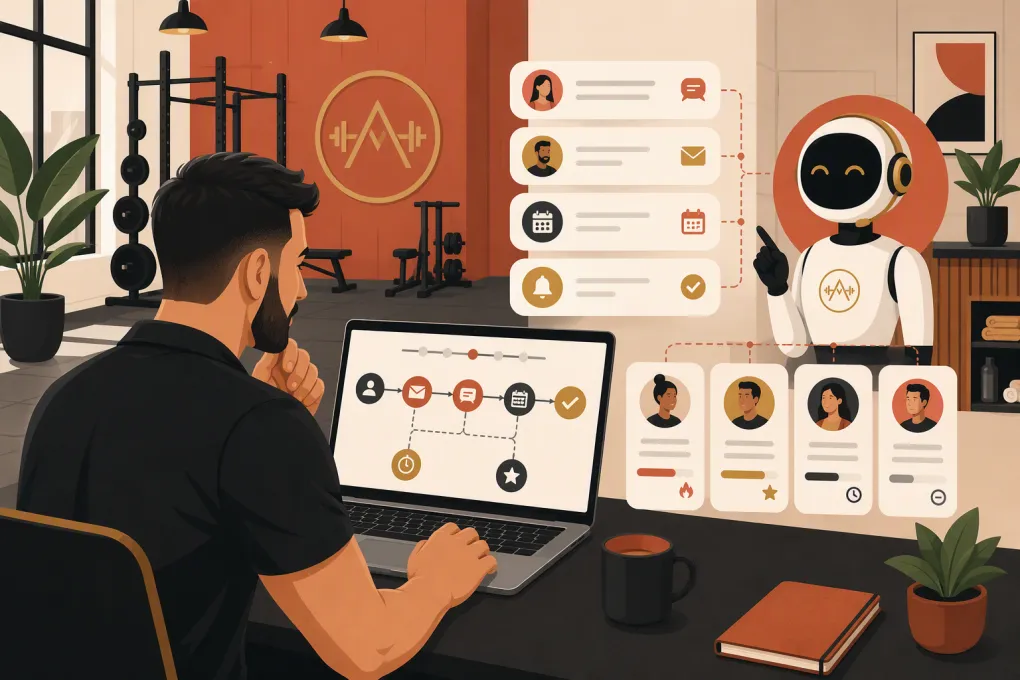
Automating gym tour follow-up fixes the operational gap without turning your sales process into a robotic message sequence. The goal is to trigger the right conversation based on what actually happened: the person booked, confirmed, attended, missed the tour, replied, or joined.
Here is how to build that system.
Why gym tour follow-up breaks down
Most gyms do not have a motivation problem. They have a workflow problem.
Tour follow-up is often dependent on someone remembering to check a calendar, open the CRM, identify yesterday’s visitors, and write individual messages. That process becomes unreliable during class changes, shift handoffs, weekends, and busy evening hours.
Common failure points include:
- Tour bookings living in a separate calendar or inbox
- No distinction between completed tours, cancellations, and no-shows
- Staff members assuming someone else followed up
- Generic messages that ignore the visitor’s stated goal
- Automated sequences continuing after a person replies or joins
- Leads receiving several messages at once from different employees
The solution is not simply sending more texts. It is creating one follow-up workflow with clear statuses, triggers, owners, and stop conditions.
See how Fitty handles gym inquiries, bookings, and follow-up around the clock →
Start with a clean tour pipeline
Automation can only act on the information available to it. Before writing messages, define the stages every tour lead moves through.
A practical pipeline might include:
- New inquiry: The lead has contacted the gym but has not booked.
- Tour booked: A date and time are confirmed.
- Tour confirmed: The lead has acknowledged a reminder.
- Tour completed: Staff marked the visitor as having attended.
- No-show: The scheduled time passed without attendance.
- Follow-up active: The tour happened, but the lead has not joined.
- Joined: The person purchased the appropriate membership or package.
- Long-term nurture: The lead is interested but not ready.
- Closed or opted out: Follow-up should stop.
Do not rely on the scheduled appointment time to decide whether somebody attended. Require staff to mark the outcome. A completed tour and a no-show need different messages.
Capture the fields your follow-up needs
Collect enough context to make messages useful, but do not turn the booking form into an interrogation.
Useful fields include:
- First name
- Mobile number and email
- Preferred location
- Tour date and time
- Primary fitness or wellness goal
- Program or membership of interest
- Preferred contact channel
- Lead source
- Assigned staff member
- Consent status
During the tour, staff can add one or two notes about the visitor’s needs. A note such as interested in early morning strength classes is more valuable than a long, unstructured summary.
Build separate automations for each outcome
A reliable gym tour workflow has at least three branches: upcoming tours, completed tours, and no-shows.
1. Before the tour
Send an immediate confirmation containing:
- Date and local time
- Location and parking instructions
- What to bring
- Name of the person they will meet, if applicable
- A simple rescheduling option
For tours booked in advance, add a reminder roughly one day before the appointment. A shorter reminder can also go out a few hours before the tour. Suppress reminders when the booking is made too close to the scheduled time; three messages in one afternoon feels careless.
Use a confirmation message that invites a reply:
Hi [First Name], you’re booked to tour [Gym Name] on [Day] at [Time]. We’re at [Address]. Reply here if you have any questions or need to change the time.
A reply creates a conversation before the visitor arrives and may surface practical objections such as parking, childcare, accessibility, or class availability.
2. After a completed tour
The first post-tour message should reference the visit and provide one clear next step. It should not read like a bulk promotion.
A useful sequence could be:
- Shortly after the tour: Thank the visitor and send the membership or booking link discussed.
- The next day: Ask whether a specific question or concern is holding them back.
- A few days later: Connect the visitor’s goal to the relevant program, schedule, or membership.
- Later in the cycle: Ask whether they want to join, revisit the facility, or pause the conversation.
These are operating guidelines, not universal rules. Adjust the cadence to your sales cycle, membership type, and how the lead has engaged.
Example first follow-up:
Hi [First Name], thanks for visiting [Gym Name] today. Based on your goal of [Goal], [Program or Membership] looks like the best fit. Here is the link we discussed: [Link]. What questions can I answer?
Example objection-focused follow-up:
Hi [First Name], I wanted to check in after your tour. Is there anything about the schedule, membership, or getting started that you would like me to clarify?
If the lead replies, stop the standard sequence and move to a live or AI-assisted conversation. Automation should create conversations, not talk over them.
3. After a no-show
Do not send a completed-tour thank-you to somebody who never arrived. Trigger a short rescheduling path instead.
Send the first message soon after the missed appointment, while remaining neutral:
Hi [First Name], we missed you at [Gym Name] today. No problem if plans changed. You can choose another tour time here: [Booking Link], or reply with a day that works better.
Follow with one or two additional opportunities to reschedule. If the person remains unresponsive, move the record to longer-term nurture rather than sending daily reminders indefinitely.
See how Fitty can keep missed tours and unanswered leads moving toward a new booking →
Add the stop conditions before turning anything on
Stop conditions protect the member experience and your staff’s credibility. Every workflow should end or pause when:
- The lead purchases
- The lead replies and requires a conversation
- The tour is canceled or rescheduled
- Contact information is invalid
- The person opts out
- A staff member manually pauses automation
- The lead moves to another active sales workflow
Purchase suppression is especially important. A new member should receive onboarding information, not another message asking whether they are ready to join.
Also define who owns each human handoff. If a lead asks about medical limitations, contract terms, a billing dispute, or a special accommodation, route the question to the appropriate employee rather than forcing the automation to improvise.
Use AI for responsiveness, not invented answers
Rule-based automation is effective for confirmations, reminders, and scheduled follow-up. AI becomes useful when the lead replies with an actual question.
An AI receptionist can help with common tasks such as:
- Answering routine questions after business hours
- Finding an available tour or introductory class
- Rescheduling a missed appointment
- Explaining standard options from approved business information
- Following up when a lead stops responding
- Directing complex questions to staff
The AI should work from accurate information about your hours, programs, locations, policies, pricing structure, and availability. It also needs escalation rules. If the system cannot confidently answer, it should say so and hand off the conversation—not invent a policy.
Fitty, WTF Go’s AI receptionist and agent, is designed to answer leads, book classes, follow up, and collect dues 24/7. That makes it possible to carry the same conversation from initial inquiry through the next action without depending on an employee being at the desk.
Explore how WTF Go and Fitty automate the path from gym tour inquiry to membership →
Keep the messages personal without creating manual work
Personalization should come from operational context, not superficial tricks. Using a first name is helpful, but referencing the correct location, goal, appointment, or program is what makes the message relevant.
Build templates with controlled variables:
[First Name][Location][Tour Date][Tour Time][Goal][Program][Staff Name][Booking Link][Membership Link]
Review every possible version. Missing data should trigger a safe fallback rather than a broken message such as based on your goal of blank.
Keep each message focused on one action. Asking someone to call, reply, buy, book a class, download an app, and follow your social accounts in the same text creates unnecessary friction.
Measure whether the workflow is working
Track the pipeline, not just message delivery. Useful measures include:
- Tour show rate: Completed tours compared with eligible booked tours
- No-show recovery rate: Missed tours that result in a new booking
- Tour-to-member conversion: Completed tours that become memberships
- Time to first post-tour follow-up: How long warm leads wait for contact
- Reply rate: Leads who respond to follow-up
- Sequence completion: Leads who reach the end without replying or buying
- Opt-outs and complaints: Signals that frequency or relevance needs attention
Break results down by location, lead source, program, and assigned salesperson when practical. That helps distinguish an automation problem from a booking-quality, staffing, or tour-experience problem.
Audit conversations as well as dashboards. Read a sample of successful, stalled, and opted-out threads. You will quickly find weak templates, bad timing, missing information, and questions that need better escalation.
Follow messaging and consent rules
Automated outreach must respect applicable communications laws and platform policies. Requirements vary based on channel, consent method, message type, and technology used.
At minimum:
- Record how and when the person consented to contact
- Identify the business clearly
- Provide and honor opt-out instructions
- Respect local time zones and reasonable contact hours
- Include required unsubscribe mechanisms in marketing emails
- Be particularly careful with automated calls, prerecorded messages, and artificial voice technology
- Keep suppression lists synchronized across systems
Have qualified counsel review your process if you are uncertain about the Telephone Consumer Protection Act, state requirements, or email marketing rules. Software can enforce a compliant process, but it cannot replace legal guidance.
A practical launch checklist
You do not need to automate everything at once. Start with the moments where leads most often fall through.
- Define tour statuses and ownership
- Clean up duplicate and outdated records
- Connect each booking to the correct lead
- Require staff to record attended, canceled, or no-show outcomes
- Write confirmation, completed-tour, and no-show templates
- Add reply, purchase, reschedule, and opt-out stop conditions
- Test every path with internal contact details
- Check links, time zones, merge fields, and location information
- Train staff on when to take over
- Review conversations weekly during the initial rollout
A well-built follow-up system does not remove people from gym sales. It removes the memory-dependent administrative work that prevents your team from having timely, relevant conversations.
Frequently asked questions
How soon should a gym follow up after a tour?
Send a relevant thank-you and next step shortly after the completed tour, then follow up the next day if the lead has not responded. Adjust later messages to your sales cycle and the lead's engagement.
Should gym tour follow-up use text or email?
Use the channel the lead selected or consented to, and consider combining channels without duplicating every message. Text is useful for short conversations, while email can carry detailed membership information.
How many times should a gym follow up with a tour lead?
There is no universal number. Use a short, purposeful sequence, stop when the person replies or joins, and move unresponsive leads into lower-frequency nurture rather than contacting them indefinitely.
Can an AI receptionist follow up with gym tour leads?
Yes. An AI receptionist such as Fitty can handle routine questions, booking, rescheduling, and follow-up, provided it uses approved business information and escalates questions it cannot answer confidently.
Keep reading



Run your gym on autopilot with WTF Go
Fitty — your AI receptionist — answers calls and DMs, fills classes, follows up with every lead, and collects dues while you coach.