AI & Automation
How to Automate Gym Prospect Appointment Reminders That Work
Learn how to automate gym prospect appointment reminders with practical timing, message templates, confirmation logic, and no-show follow-up workflows.
 Watch · 20s
A prospect books a gym tour or intro session, then disappears. The appointment was real when they made it, but work ran late, the confirmation was buried, or they forgot which location to visit. By the time your staff notices the no-show, the lead has gone cold.
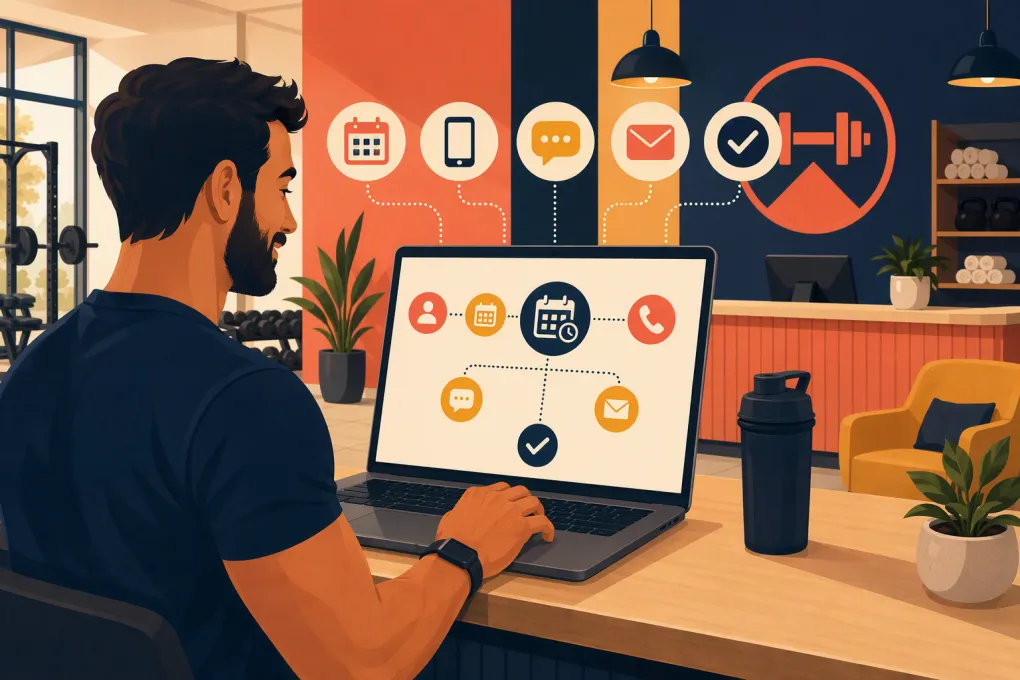
Automated appointment reminders solve the operational gap between booking and arrival. But sending a generic text the morning of the appointment is not enough. A reliable system needs accurate booking data, confirmation logic, two-way messaging, clear ownership and a follow-up path for people who do not attend.
Here is how to build that system without creating robotic messages or another workflow your front desk has to babysit.
Start with a clearly defined prospect appointment
Before automating anything, decide which bookings belong in the workflow. A prospect appointment is usually a pre-membership conversion event, such as:
- A gym tour
- A fitness consultation
- A goal-setting session
- A free intro class
- A trial workout
- A spa or wellness consultation
- An initial assessment
Do not mix these appointments with ordinary member reservations unless they require the same communication. A member who has attended for three years needs different context than a new lead trying to find the entrance.
For every prospect appointment, your system should store:
- Prospect name and preferred contact method
- Mobile number and email address
- Appointment type
- Date, time and time zone
- Location and arrival instructions
- Assigned staff member
- Lead source
- Confirmation status
- Attendance outcome
If those fields live in separate calendars, spreadsheets and inboxes, automation will remain fragile. The first operational priority is one system of record that connects the lead conversation to the appointment.
See how Fitty turns gym lead conversations into booked, followed-up appointments →
Build the reminder workflow around decisions, not blasts
Good automation reacts to what the prospect does. It should not keep sending the same sequence after someone confirms, cancels or reschedules.
A basic workflow can use the following stages.
1. Send an immediate booking confirmation
As soon as the appointment is created, send a confirmation containing:
- The appointment type
- Date and local time
- Location name and address
- What to bring or wear
- A rescheduling option
- A simple confirmation request
Ask the prospect to reply with a clear action, such as C to confirm or R to reschedule. Better yet, use a system that can understand normal replies such as I will be there or Can we move it to Friday?
Immediate confirmation catches incorrect dates, phone numbers and expectations while the conversation is still fresh.
2. Send a reminder the day before
The day-before message should make attendance easy rather than repeat the entire booking receipt. Include the time, location and any important preparation instructions.
If the appointment remains unconfirmed, ask for confirmation again. If the person has already confirmed, acknowledge that instead of pretending the previous interaction never happened.
For appointments booked less than a day in advance, skip this step. Duplicate messages can make a simple booking feel disorganized.
3. Send a short same-day reminder
A reminder a few hours before the appointment can include practical details:
- Where to park
- Which entrance to use
- How early to arrive
- Who will meet them
- How to reschedule if something changed
Keep this message brief. The goal is to prevent avoidable friction, not restart the sales pitch.
4. Branch based on the response
Your automation should recognize at least four outcomes:
- Confirmed: Mark the appointment confirmed and stop confirmation requests.
- Reschedule requested: Offer valid times or route the conversation to staff.
- Canceled: Update the calendar and launch an appropriate rebooking sequence.
- No response: Continue the planned reminder cadence without flooding the prospect.
This branching logic is what separates useful appointment automation from scheduled message blasting.
Use reminder templates that sound like your front desk
Templates should be short, specific and easy to answer. Avoid exaggerated enthusiasm, long promotional copy and vague links.
Immediate confirmation template
Hi {{first_name}}, you are booked for a {{appointment_type}} at {{location_name}} on {{day}} at {{time}}. The address is {{address}}. Reply C to confirm or R if you need another time.
Day-before reminder template
Hi {{first_name}}, a reminder about your {{appointment_type}} tomorrow at {{time}} at {{location_name}}. Please arrive {{arrival_time}} early and bring {{item}}. Are you still able to make it?
Same-day reminder template
We will see you today at {{time}}, {{first_name}}. Use the {{entrance_name}} entrance and check in with {{staff_name}}. Reply here if you need help finding us.
Rescheduling response
No problem. I can help you find another time. Would {{option_one}} or {{option_two}} work better?
Cancellation recovery template
Thanks for letting us know. Would you like to choose another day, or should we check back with you next week?
The best message is the one that gets a usable response. Do not force prospects through a web form when a two-word text reply can resolve the issue.
Connect reminders to the calendar and lead record
Appointment reminder automation depends on clean triggers. At minimum, configure the following:
- Booking created: Start the confirmation workflow.
- Booking changed: Cancel old reminders and schedule new ones.
- Booking canceled: Stop appointment reminders immediately.
- Prospect confirmed: Update the lead and booking records.
- Appointment completed: End reminders and begin the appropriate sales follow-up.
- Prospect did not attend: Start a no-show recovery workflow.
Test what happens when staff manually edit a booking. A common failure is an appointment being moved on the calendar while previously scheduled reminders still reference the old time.
Also check for duplicate records. If the same person enters through a website form and a phone call, they should not receive two sets of reminders.
Make replies part of the automation
One-way reminders still leave work for the front desk. Someone has to monitor responses, interpret requests, update the calendar and send available times.
An AI receptionist can handle more of that loop. Fitty, WTF Go’s AI agent, can answer leads, book appointments and classes, follow up and keep conversations moving around the clock. That matters when a prospect replies after the desk closes or asks to reschedule while your staff is coaching.
The key is not merely sending automatically. It is responding automatically when the request is routine, then handing the conversation to a person when judgment is needed.
Set human handoff rules for situations such as:
- Medical or injury-related questions
- Complaints or refund requests
- Complex membership negotiations
- Accessibility accommodations requiring staff input
- Repeated misunderstanding
- A direct request to speak with a person
See how Fitty handles after-hours replies and appointment follow-up →
Create a separate no-show recovery workflow
A missed appointment should not trigger the same messages as a cancellation. The prospect may have forgotten, encountered an emergency or simply become hesitant.
First, make sure staff mark attendance consistently. Automation cannot distinguish a no-show from an unclosed appointment unless the status is accurate.
Send the first follow-up shortly after the scheduled time, once staff have verified that the person did not arrive:
Hi {{first_name}}, we missed you for your {{appointment_type}} today. I can help you reschedule. Would {{option_one}} or {{option_two}} work?
If there is no response, send a later follow-up that lowers the pressure:
Hi {{first_name}}, should I keep your request open, or would you prefer that we check back another time?
After that, move the lead into your normal nurture process rather than sending endless appointment messages. Define when the task becomes a staff call and when the record should be paused.
Respect consent, channel preferences and quiet hours
Automation does not remove your responsibility to communicate appropriately. Before sending SMS or marketing email, review the consent requirements that apply to your business, messaging provider and jurisdiction. Maintain records of consent and honor opt-out requests promptly.
Operational safeguards should include:
- Clear sender identification
- Required opt-out language where applicable
- Suppression of opted-out numbers
- Local-time scheduling
- Reasonable messaging hours
- Separate consent handling for transactional and promotional messages
- A fallback when a text or email cannot be delivered
Do not add promotional content to every reminder. A message about an existing appointment should primarily help the person manage that appointment.
Measure whether the workflow is working
Track the funnel by location, appointment type and lead source. Useful measures include:
- Booked appointments
- Delivered and failed messages
- Confirmed appointments
- Reschedule requests
- Cancellations
- Completed appointments
- No-shows
- Rebookings after a no-show
- Time from inquiry to booking
- Staff interventions required
Calculate confirmation rate by dividing confirmed appointments by appointments booked. Calculate show rate by dividing completed appointments by appointments that were expected to occur, using one consistent rule for cancellations and reschedules.
Review the actual conversations, not just the totals. If prospects regularly ask for the address, parking details or what to wear, add that information to the relevant reminder. If they respond after hours but wait until morning for help, improve reply coverage.
Run a complete test before switching it on
Use test contacts to walk through every path:
- A normal booking
- A same-day booking
- A confirmed booking
- A reschedule
- A cancellation
- An unanswered reminder
- A no-show
- An opt-out
- An invalid phone number
- An appointment moved by staff
Verify the displayed time zone, merge fields, links, calendar updates and staff notifications. Then assign one operator to review exceptions and failed deliveries regularly.
WTF Go brings lead management, booking and follow-up into one operating system, while Fitty covers the conversations that otherwise sit unanswered between staff shifts. That gives operators a cleaner path from first inquiry to confirmed arrival without expecting the front desk to monitor every message manually.
Explore automated gym appointment follow-up with WTF Go and Fitty →
Frequently asked questions
How many reminders should a gym prospect receive before an appointment?
A practical starting point is an immediate confirmation, a day-before reminder and a brief same-day reminder. Skip steps that no longer make sense for short-notice bookings, cancellations or confirmed changes.
Should gym appointment reminders use SMS or email?
SMS is useful for timely confirmations and simple replies, while email can carry longer directions or preparation details. Use the prospect's permitted and preferred channels, and keep both connected to the same appointment record.
Can automated reminders handle rescheduling?
Yes, if the reminder system can read replies, offer current availability and update the calendar. Complex requests should be routed to a staff member without losing the conversation history.
What should happen after a prospect misses a gym appointment?
Verify the no-show, send a low-pressure rebooking message and offer specific alternative times. If the prospect does not respond, move them into an appropriate nurture workflow rather than repeatedly sending appointment reminders.
How do I prevent appointment automation from sounding robotic?
Use short templates with real appointment details, allow natural replies and stop messages when the prospect takes action. Review conversations regularly and rewrite any message that creates confusion or unnecessary friction.
Keep reading



Run your gym on autopilot with WTF Go
Fitty — your AI receptionist — answers calls and DMs, fills classes, follows up with every lead, and collects dues while you coach.