AI & Automation
How to Automate Gym Personal Training Renewals That Stick
Learn how to automate gym personal training renewals with clear triggers, payment workflows, staff handoffs, and AI follow-up that protects your revenue.
 Watch · 20s
Personal training renewals rarely fail because a client made a firm decision to quit. More often, the package ends without a timely conversation, the trainer assumes the front desk will follow up, or the client encounters friction when trying to pay.
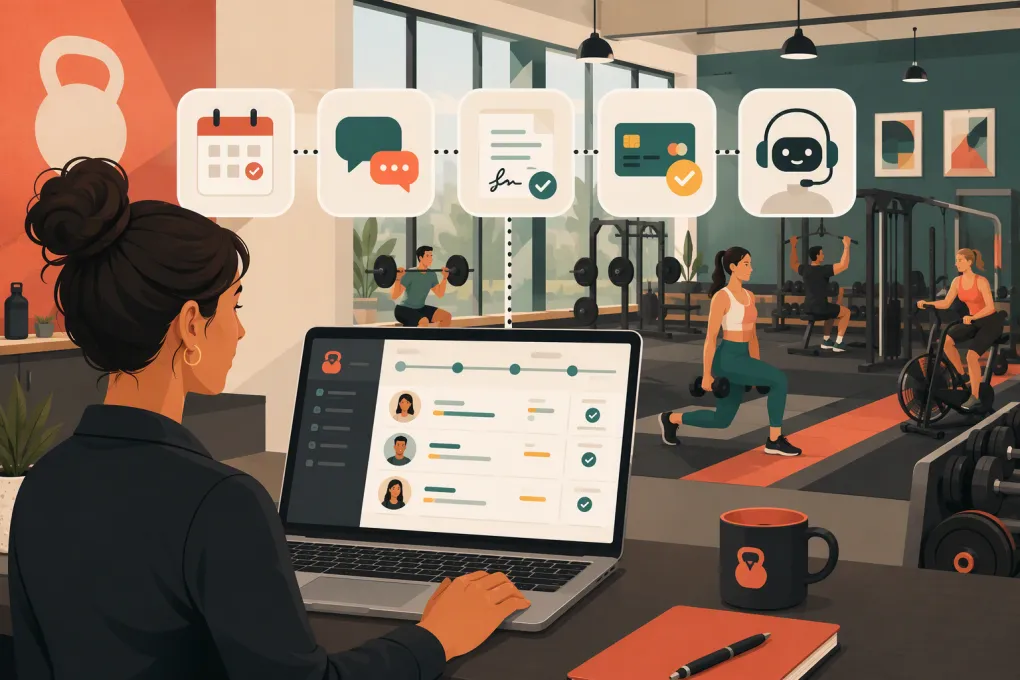
Automation fixes those operational gaps. It does not replace the trainer relationship. A good renewal system identifies approaching expirations, starts the right conversation, provides an easy payment path, and alerts a person when human judgment is needed.
Here is how to automate gym personal training renewals without turning the process into impersonal message spam.
Start by defining what “renewal” means
Before building workflows, standardize the event that should trigger them. Personal training businesses commonly sell:
- Session packages with a fixed number of visits
- Packages with both session and expiration limits
- Monthly recurring personal training plans
- Hybrid memberships combining gym access and coaching
- Paid-in-full coaching terms
- Introductory packages that convert into ongoing training
Each model has a different renewal trigger. A session package may need outreach when the client has three sessions left. A recurring plan may require intervention only when a payment fails or a term approaches its end. An introductory offer should trigger a conversion conversation before the final included session.
Write down the trigger for every active offer. If staff members cannot explain when a renewal workflow begins, the software will not solve the problem.
See how Fitty can handle personal training follow-up and dues collection →
Build a clean renewal pipeline
Do not manage renewals through trainer memory, sticky notes, or an unfiltered client list. Create a pipeline with clear stages such as:
- Not yet eligible: The client is active but not close to renewal.
- Renewal approaching: The session balance, expiration date, or contract date has reached your trigger.
- Conversation started: An automated or staff message has been sent.
- Client engaged: The client replied, asked a question, or selected an option.
- Payment pending: The client agreed but has not completed payment.
- Renewed: The agreement and payment are complete.
- Needs staff intervention: Pricing, injury, service, scheduling, or cancellation concerns require a person.
- Declined or inactive: The client chose not to continue or stopped responding after the approved cadence.
Every client should have one current stage, one owner, and one next action. That structure prevents simultaneous messages from a trainer, manager, and automated system.
Clean the data that controls the automation
Renewal workflows depend on accurate records. At minimum, confirm that your system has:
- Client name and preferred contact channel
- Email address and mobile number
- Messaging consent where required
- Assigned trainer or coach
- Current package or agreement
- Sessions purchased, used, and remaining
- Package expiration or agreement end date
- Next booked appointment
- Payment status
- Relevant account notes
Decide which system is authoritative for session balances and payments. If trainers track sessions separately from the gym management platform, discrepancies will eventually trigger incorrect messages.
Run an exception report before activating automation. Look for negative session balances, expired packages with future appointments, duplicate profiles, missing contact details, and clients without an assigned trainer.
Use multiple triggers instead of one expiration reminder
A single “your package expires tomorrow” email is too late. Build a sequence around the client’s actual usage and schedule.
A practical package-based workflow might include:
Early awareness
Trigger when the client has a small, predetermined number of sessions remaining. Keep the message service-oriented: confirm progress, mention the remaining balance, and invite the client to discuss the next training block.
Trainer preparation
Create an internal task before the client’s next session. The trainer should review attendance, goals, progress notes, scheduling constraints, and the recommended next plan.
Direct renewal invitation
After the trainer has introduced the renewal, send the client a clear summary with the appropriate package, terms, payment link, and contact option.
Payment follow-up
If the client agrees but does not pay, follow up based on the payment status—not the original expiration trigger. This prevents irrelevant “ready to renew?” messages after the client has already said yes.
Staff escalation
Stop the standard sequence when the client raises an objection, reports an injury, requests cancellation, or disputes a charge. Route the conversation to the right employee with the history attached.
The exact timing should reflect how frequently clients train. Someone training three times per week reaches the end of a ten-session package differently from someone training once per week.
Segment the message by client situation
One generic renewal campaign cannot handle every client correctly. Segment at least these groups:
- Clients using sessions consistently
- Clients with unused sessions and no future booking
- Clients approaching an expiration date
- Clients who have completed an intro package
- Clients who verbally agreed but have not paid
- Clients with failed recurring payments
- Clients whose trainer is leaving or changing schedules
- Clients with a documented freeze, injury, or service concern
The offer and message should match the situation. A consistent client may be ready for a straightforward continuation. A disengaged client may need help rebuilding the schedule before being asked to buy another package.
Write messages that make the next step obvious
Renewal messages should contain context, a recommended action, and one simple next step. Avoid vague prompts such as “Just checking in.”
Approaching-renewal message
Hi [First name], you have [session balance] sessions remaining with [Trainer]. We’d like to plan your next training block before the current package ends. Would you like to continue with the same schedule, or review a different option?
Agreed but unpaid message
Hi [First name], your next personal training package is ready. You can complete it here: [secure payment link]. If you want to change the package or schedule first, reply here and we’ll help.
Lapsed-client message
Hi [First name], we noticed you do not have another training session booked. Would you like help finding a time with [Trainer], or should we review a different schedule?
Treat these as starting points. Confirm that automated texts and calls follow applicable consent, identification, opt-out, and calling-time requirements. Your agreements and recurring billing practices should also reflect applicable state and federal rules.
Remove payment and scheduling friction
A positive response is not a completed renewal. The client still needs to understand the terms, sign any required agreement, submit payment, and book the next session.
A strong workflow should make those actions easy by providing:
- The exact package or plan discussed
- Clear billing frequency and renewal terms
- A secure payment method
- Required agreement or waiver steps
- Confirmation that payment succeeded
- A direct path to schedule the next session
- An internal notification when something fails
Never request full card details through ordinary text or email. Use a secure payment flow supported by your payment provider.
Fitty can stay involved after the first reminder by following up, answering routine questions, helping clients take the next booking step, and collecting dues through the configured WTF Go workflow. That closes the gap between “the client sounded interested” and an actual renewal.
See how WTF Go turns renewal replies into booked sessions and collected dues →
Give AI clear boundaries and escalation rules
An AI receptionist is useful when it handles repetitive coordination consistently. It should not improvise around sensitive account issues.
Configure the agent to handle tasks such as:
- Confirming session balances from trusted data
- Sharing approved package options
- Sending secure payment links
- Answering routine scheduling questions
- Booking the next eligible appointment
- Following up after no response
- Alerting staff when payment fails
Require a human handoff for:
- Injury or medical concerns
- Refunds and charge disputes
- Cancellation requests
- Complaints about a trainer
- Unapproved discounts
- Contract interpretation
- Complex freezes or extensions
Give the staff member the full conversation, client record, package status, and recommended next action. A handoff without context merely moves the administrative burden.
Measure the workflow, not just the final sale
Track enough detail to find where renewals stall. Useful operational measures include:
- Clients entering the renewal window
- Clients successfully contacted
- Replies received
- Trainer conversations completed
- Payment links opened or completed, if your platform supports that visibility
- Renewals completed
- Average time spent in each pipeline stage
- Failed payments resolved
- Clients requiring manual escalation
- Stated reasons for declining
Review results by offer, trainer, location, and client segment. The goal is not to pressure trainers with a leaderboard. It is to spot fixable process issues, such as late outreach, unclear packages, limited schedule availability, or unresolved payment failures.
Common automation mistakes
Continuing after the client replies
Any meaningful response should pause the generic sequence. Otherwise, the client may receive a canned reminder while already speaking with an employee.
Asking trainers to sell without preparation
Create an internal task with the client’s remaining sessions, attendance history, goals, and recommended offer. “Talk to them about renewing” is not a useful task.
Automating around poor service
If clients repeatedly cite scheduling problems, trainer turnover, or unmet expectations, more reminders will not fix retention. Route the pattern to operations.
Offering discounts automatically
Default discounts can weaken pricing discipline and train clients to wait. Require approval and document the business reason for any exception.
Treating failed payments as cancellations
A failed charge may be caused by an expired card or bank decline. Use a separate recovery workflow before marking the client inactive.
A practical rollout plan
Start with one offer and one location rather than automating every contract at once.
- Define the renewal trigger and pipeline stages.
- Audit active client records for missing or conflicting data.
- Draft the client messages and trainer tasks.
- Establish stop conditions and human escalation rules.
- Connect secure payment and booking actions.
- Test the workflow with staff profiles or approved test accounts.
- Launch to a limited client segment.
- Review conversations and exceptions before expanding.
The best renewal automation is not the one that sends the most messages. It is the one that reliably creates the right next action, preserves the trainer relationship, and makes it easy for a satisfied client to continue.
Frequently asked questions
When should a gym start a personal training renewal sequence?
Start early enough for the trainer and client to discuss the next plan before the final session. Use session balance, expiration date, agreement end date, and training frequency to set the trigger.
Should the trainer or front desk own personal training renewals?
The trainer should usually lead the coaching conversation, while the system or operations team handles reminders, payment steps, and tracking. Assign one clear owner for every pipeline stage.
Can an AI receptionist collect personal training payments?
An AI receptionist can guide clients to an approved secure payment flow and follow up on incomplete or failed payments. It should not request full card details through ordinary messages.
How many renewal reminders should a gym send?
There is no universal number. Use a limited cadence tied to client behavior, pause automation when the client responds, and stop when the client declines or opts out.
What should happen when a client does not renew?
Record the reason, stop the standard renewal campaign, and place the client into an appropriate re-engagement or inactive-client workflow. Service complaints, injuries, and disputes should receive human review.
Keep reading



Run your gym on autopilot with WTF Go
Fitty — your AI receptionist — answers calls and DMs, fills classes, follows up with every lead, and collects dues while you coach.