AI & Automation
How to Automate Gym Membership Upgrade Campaigns That Work
Learn how to automate gym membership upgrade campaigns using smart triggers, segmented offers, follow-up workflows, guardrails, and practical tracking.
 Watch · 20s
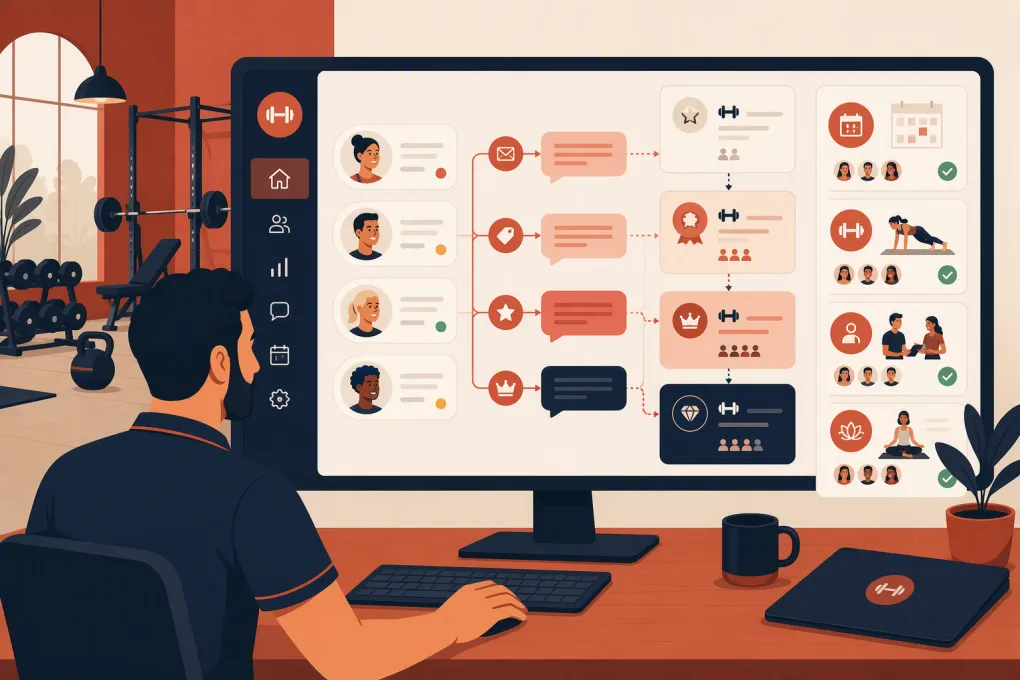
Automating membership upgrades is not about sending every member the same discount. It is about recognizing when a member has a legitimate reason to move to a higher tier, making the value clear, and following up without creating more work for the front desk.
Done well, an automated campaign can promote unlimited access, premium classes, recovery services, coaching, family plans, or longer-term commitments at the right point in the member journey. Done poorly, it becomes another stream of irrelevant messages that members ignore.
The difference is the operating system behind the campaign: clean membership data, useful triggers, clear offers, coordinated communication, and a defined handoff when someone has questions.
See how WTF Go and Fitty handle member follow-up around the clock →
Start With an Upgrade Members Can Understand
Before building automation, define exactly what members receive by upgrading. “Premium membership” is not a useful offer unless the benefits are concrete.
Create a simple offer sheet for each upgrade path:
- Current plan: What the member has now
- Upgrade plan: The specific tier or add-on being offered
- Added access: Classes, appointments, locations, amenities, or booking privileges
- Price difference: The actual change in recurring dues and any applicable fees
- Commitment change: Month-to-month, term agreement, or renewal conditions
- Best-fit member: The behavior or need that makes the upgrade relevant
- Fulfillment process: How the plan is changed and when new benefits begin
For example, a limited-class member who repeatedly reaches the monthly class cap has a clear reason to consider unlimited access. A member who has never used recovery services does not automatically need a recovery bundle just because it carries a higher price.
Keep each campaign focused on one primary upgrade. Multiple tiers, add-ons, and promotional choices create unnecessary friction.
Choose Behavioral Triggers, Not Just Calendar Dates
A trigger determines who enters the campaign and when. The strongest triggers reflect intent, usage, or a change in the member’s relationship with the business.
Usage-based triggers
These identify members who may have outgrown their current plan:
- Reaching a visit or class limit
- Regularly purchasing services outside the membership
- Booking the same premium class or appointment repeatedly
- Visiting multiple locations while holding a location-restricted plan
- Paying drop-in charges that an upgraded plan could include
- Consistently using nearly all available sessions
Journey-based triggers
These use important moments in the membership lifecycle:
- Completion of an introductory offer
- Approaching renewal
- Finishing an onboarding program
- Completing a challenge or training block
- Moving from beginner programming into a more advanced service
- Reaching a defined membership anniversary
Engagement-based triggers
These can indicate interest, but they should usually be combined with other evidence:
- Clicking an upgrade page
- Asking about an amenity or premium class
- Responding to a relevant promotion
- Attending an upgrade-related event
- Requesting information about another location or service
Avoid triggering upgrade messages immediately after a complaint, failed payment, unresolved cancellation request, or long absence. Those situations require service or retention work first.
Segment Members Before You Build the Workflow
Segmentation prevents a campaign from treating every member as if they have the same goals.
At minimum, segment by:
- Current membership type
- Eligible upgrade path
- Recent attendance or service usage
- Membership status and account standing
- Preferred or permitted communication channel
- Location, if pricing or services differ by site
You may also need exclusions for employees, scholarship memberships, negotiated rates, frozen accounts, members already discussing a plan change, and people who have opted out of marketing messages.
Your data does not need to be perfect to begin, but the fields controlling eligibility must be reliable. Test the segment manually before activating anything. Review actual member records and confirm that each person should receive the offer.
Build a Short, Multi-Step Upgrade Sequence
A practical automated workflow typically needs an entry trigger, several communication steps, decision branches, and an exit condition. It should stop as soon as the member upgrades, declines, becomes ineligible, or needs human help.
Step 1: Lead with the member’s use case
The first message should explain why the upgrade may be relevant. Avoid implying that you have been monitoring the member in an intrusive way.
A useful structure is:
You’ve been getting consistent use from your current plan. If you want more access, the unlimited option includes [specific benefits]. You can review the details here or reply with questions.
The message should answer four questions quickly:
- What changes?
- What does it cost?
- Why might it fit this member?
- What should the member do next?
Step 2: Follow up with one concrete comparison
If the member does not act, send a concise comparison between the current plan and the proposed tier. Use actual benefits rather than labels such as Silver, Gold, and Platinum.
A comparison might cover monthly class access, advance booking windows, included services, guest privileges, or location access. Disclose material restrictions instead of hiding them behind a sales conversation.
Step 3: Handle replies and objections
Members may ask whether they can downgrade later, when billing changes, whether unused sessions carry over, or whether a preferred class is included. These are operational questions, not necessarily sales objections.
Your system should recognize a reply, pause scheduled promotional messages, and either answer from approved business information or route the conversation to a staff member. Continuing to send automated pitches while a member waits for an answer makes the automation feel broken.
This is where an AI agent can remove a meaningful amount of repetitive work. Fitty, WTF Go’s AI receptionist and agent, can follow up around the clock while your team focuses on conversations that require judgment.
Explore how Fitty supports automated gym follow-up without adding another front-desk queue →
Step 4: Send a final reminder, then stop
A final message can restate the benefit and any legitimate deadline. Do not manufacture scarcity. If the offer is always available, say so and close the sequence politely.
A clean ending might be:
If you want to switch later, the option will still be available through the member portal or front desk. We’ll close this reminder for now.
Repeatedly recycling unresponsive members into the same campaign will increase fatigue. Set a cooldown period and require a new qualifying behavior before re-entry.
Map the Automation Before Activating It
Write the workflow as a simple decision tree:
- Member meets the eligibility trigger.
- System verifies active status, plan, location, consent, and exclusions.
- First upgrade message is sent.
- If the member upgrades, stop the campaign and send confirmation.
- If the member replies, pause automation and answer or assign the conversation.
- If there is no response, send the next scheduled message.
- If the account status changes, remove the member.
- After the final message, apply a cooldown period.
Include failure paths. Decide what happens if a payment fails during the upgrade, a plan is unavailable at the member’s location, a promotional code expires, or staff manually changes the account while the sequence is active.
The confirmation step matters as much as the promotion. Members should receive the effective date, new dues, billing timing, included benefits, and instructions for using the upgraded plan.
Coordinate Email, SMS, Calls, and In-App Messages
More channels do not automatically produce a better campaign. Choose channels based on the member’s consent, preference, and the complexity of the offer.
- Email: Best for plan comparisons, terms, and detailed benefit explanations
- SMS: Best for concise prompts, replies, and direct links
- Phone or AI-assisted conversation: Useful when members have questions or the upgrade changes several services
- In-app or member portal: Useful when members can review and complete the upgrade themselves
- Front-desk task: Appropriate for high-value or complicated plan changes requiring a personal conversation
Keep messaging coordinated. A member who upgrades through one channel should immediately exit promotions on the others.
Follow applicable communication and consumer protection requirements, including consent and opt-out obligations. Your automation platform should preserve communication preferences, and your team should have a documented process for honoring opt-outs.
Measure More Than Upgrade Count
The number of upgrades is important, but it does not tell you whether the campaign attracted the right members or created avoidable problems.
Track:
- Eligible members entering the campaign
- Messages delivered and replies received
- Upgrade starts and completed upgrades
- Time from trigger to upgrade
- Revenue added through the plan change
- Downgrades or cancellations following an upgrade
- Refunds, disputes, and complaints
- Questions requiring staff intervention
- Performance by trigger, location, offer, and current plan
Use a holdout group when practical: keep a portion of eligible members out of the automated campaign and compare outcomes. This helps distinguish upgrades caused by the workflow from upgrades that would have happened anyway.
Also review the conversation logs. They reveal unclear terms, missing information, bad timing, and recurring objections that dashboard metrics may not explain.
Put Guardrails Around the Campaign
Before launch, confirm that the workflow cannot:
- Offer a plan unavailable at the member’s location
- Promote an upgrade the member already purchased
- Message canceled, frozen, or delinquent accounts incorrectly
- Apply an expired or unauthorized discount
- Continue after a member replies or opts out
- Change billing without clear authorization
- Hide a longer commitment or material plan restriction
- Send conflicting promotions from separate systems
Run the campaign internally first. Then launch to a small eligible segment and inspect every stage: message delivery, reply handling, staff alerts, plan changes, billing, confirmation, and campaign exit.
Turn the Workflow Into an Ongoing Operating System
The goal is not one promotional blast. It is a repeatable process that notices relevant member behavior, presents the right next option, answers questions, and updates the account cleanly.
Review triggers and offers regularly. Membership structures change, services fill up, and an upgrade that once created value may later create capacity problems. Operations, coaching, and front-desk teams should all know which campaigns are active and what members have been promised.
WTF Go brings gym operations together, while Fitty answers, follows up, books, and helps collect dues 24/7. That gives operators a practical foundation for running upgrade conversations without relying on sticky notes, disconnected inboxes, or staff memory.
See how WTF Go can support your gym’s membership upgrade workflow →
Frequently asked questions
What is the best trigger for a gym membership upgrade campaign?
The best trigger reflects a real member need, such as reaching a class limit, repeatedly buying an add-on, completing an intro offer, or approaching renewal. Behavioral triggers are generally more relevant than sending offers on arbitrary dates.
How many messages should an automated upgrade campaign send?
Use a short sequence that explains the offer, compares the plans, and provides a final reminder. Stop immediately when the member upgrades, declines, replies, opts out, or becomes ineligible.
Should gyms offer discounts to encourage membership upgrades?
Not automatically. First make the added value clear; if an incentive is needed, use a legitimate, clearly disclosed offer that does not undermine your normal pricing.
Can AI handle membership upgrade questions?
AI can handle common questions and routine follow-up when it uses approved information. Billing disputes, unusual contract questions, complaints, and sensitive retention conversations should have a clear path to a staff member.
How do I know whether an upgrade campaign is working?
Track completed upgrades, added revenue, replies, staff interventions, later downgrades, cancellations, disputes, and complaints. A holdout group can help show whether the campaign caused additional upgrades.
Keep reading



Run your gym on autopilot with WTF Go
Fitty — your AI receptionist — answers calls and DMs, fills classes, follows up with every lead, and collects dues while you coach.