AI & Automation
How to Automate Gym Membership Inquiry Follow-Up Properly
Learn how to automate gym membership inquiry follow-up with practical workflows, message templates, handoff rules, compliance steps, and KPIs that matter.
 Watch · 20s
A membership inquiry has a short shelf life. Someone calls between meetings, submits a form after dinner, or messages your gym while comparing three nearby options. If the response sits in an inbox until the front desk has time, the lead may already be talking to another facility.
Automating follow-up solves the speed problem, but speed alone is not enough. A useful system must answer the lead’s actual question, continue the conversation, make booking easy, and bring in a human when judgment is required. Otherwise, you have simply replaced a neglected lead with a sequence of generic messages.
Here is how to automate gym membership inquiry follow-up without making the experience feel robotic.
Start with the failure points in your current process
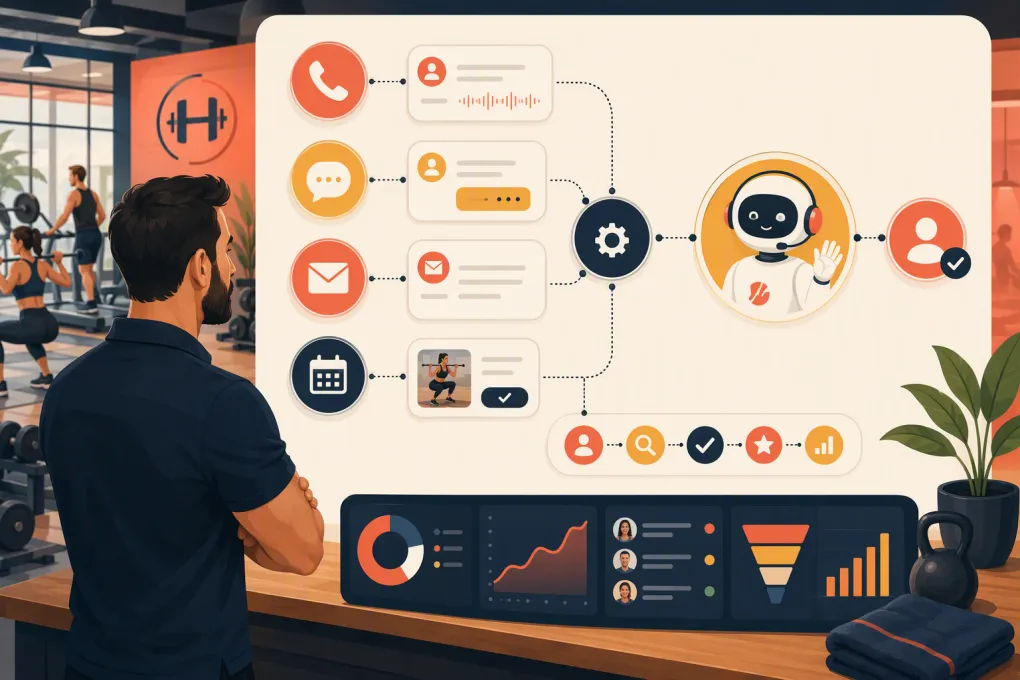
Before building automations, trace what happens after each type of inquiry. Most gyms receive leads through several entry points:
- Website contact and trial forms
- Phone calls and voicemails
- Google Business Profile or social messages
- Paid advertising lead forms
- Walk-ins
- Referrals
- Class, consultation, or intro-session bookings
For each source, identify who receives the inquiry, where it is recorded, and what must happen next. Common breakdowns include unanswered calls, forms delivered to a shared inbox, inconsistent follow-up by different employees, and leads disappearing after one unanswered text.
The goal is one operating process: every inquiry creates or updates a contact, records the source and intent, triggers an immediate response, and assigns a clear next step.
See how Fitty handles gym inquiries and follow-up around the clock →
Define the outcome before writing messages
Do not automate toward a vague goal such as “keep following up.” Give each inquiry type a specific conversion action.
For example:
| Inquiry intent | Primary next step | Useful fallback |
|---|---|---|
| General membership question | Book a tour or consultation | Continue by text with a staff handoff |
| Class schedule question | Book the relevant class | Send schedule options |
| Pricing question | Explain the appropriate options and book a visit | Route complex eligibility or discount questions to staff |
| Personal training inquiry | Book an assessment | Collect goals and preferred times |
| Missed phone call | Restart the conversation by text or callback | Offer a booking link |
| Spa or recovery service inquiry | Book the requested appointment | Suggest appropriate available services |
This keeps the automation focused. A lead asking whether childcare is available should not immediately receive a long sales pitch. Answer the question first, then offer the next logical step.
Build one lead record across every channel
Automated follow-up becomes messy when calls, texts, emails, bookings, and payment history live in separate systems. Staff cannot tell whether a lead has replied, booked, or already become a member.
At minimum, each lead record should contain:
- Name and contact information
- Lead source and campaign, when available
- Original question or request
- Service, location, or membership interest
- Preferred contact channel
- Consent status for messaging
- Conversation history
- Current pipeline stage
- Assigned employee or team
- Appointment or trial status
- Last contact and next action
Use the phone number or email address to detect existing contacts before creating a duplicate. If a former member asks about returning, the system should preserve that context rather than treating the person as an entirely new lead.
Create an immediate first-response workflow
The first response should confirm that the inquiry was received and help the person move forward. It should not pretend that a staff member personally typed a message if that did not happen.
A practical workflow looks like this:
- Capture the inquiry in the CRM.
- Tag its source, location, and likely intent.
- Send a relevant response through the channel the lead used or agreed to use.
- Answer known questions using approved business information.
- Offer available booking times or the appropriate booking path.
- Update the record when the lead responds or books.
- Escalate questions the system cannot answer confidently.
Fitty, WTF Go’s AI receptionist and agent, is designed to manage this conversational work. It can respond to leads, follow up, book classes, and keep the interaction connected to the gym’s operating system rather than leaving staff to reconcile separate tools.
See how Fitty turns membership questions into booked next steps →
Use a branching sequence, not a message blast
A follow-up sequence should change based on lead behavior. Someone who replied needs a conversation. Someone who booked needs confirmation. Someone who did neither may need a concise reminder.
Branch 1: The lead replies
Pause scheduled promotional messages and continue the conversation. Use the reply to identify intent, answer questions, and recommend a next step.
If the lead asks something requiring judgment—such as medical suitability, an unusual contract request, a complaint, or a sensitive billing issue—assign it to a person. Send the employee the conversation history so the lead does not have to repeat everything.
Branch 2: The lead books
Stop lead-nurture messages immediately. Move the contact into an appointment workflow that covers:
- Confirmation and directions
- What to bring or expect
- Required waiver or intake forms
- A reminder at an appropriate time
- Rescheduling instructions
- Staff notification and preparation notes
Continuing to ask a booked prospect to schedule a tour makes the operation look disconnected.
Branch 3: The lead has not replied
Use a short sequence across the channels for which you have appropriate consent. A workable cadence might include an initial response, a follow-up later that day or the next business period, another message addressing a common decision point, and a final permission-based check-in.
Do not send the same wording repeatedly. Each touch should add something useful:
- Answer a common question
- Offer two specific appointment options
- Explain what happens during the first visit
- Ask whether the person prefers another service or location
- Give the lead an easy way to close the conversation
Cadence should reflect your sales cycle and local rules. A same-day gym trial inquiry usually calls for a different schedule than a future-dated event or long-term wellness consultation.
Write messages that sound like a competent front desk
Good automated messages are short, specific, and easy to answer. They avoid manufactured urgency and excessive detail.
Initial response example
“Hi Sam, thanks for contacting Northside Fitness about membership options. Are you mainly interested in group classes, open-gym access, or personal training? I can answer questions and help you book a visit.”
Missed-call text example
“Hi Sam, this is Northside Fitness following up on your call. What can we help you with? You can reply here, or I can help you find a time to visit.”
Booking prompt example
“We have tour openings Tuesday at 5:30 p.m. and Wednesday at 7:00 p.m. Does either work for you?”
Final check-in example
“Should I keep your membership inquiry open, or would you prefer that we stop following up for now?”
The strongest messages invite a simple response. Asking three qualification questions, explaining every membership tier, and adding several links in one text creates unnecessary friction.
Give automation reliable information and firm boundaries
An AI agent or rule-based workflow is only as useful as its source material. Maintain an approved knowledge base covering:
- Current hours and holiday closures
- Membership and service options
- Class schedules and booking policies
- Trial eligibility
- Age restrictions
- Amenities and accessibility information
- Cancellation, freeze, refund, and late-arrival policies
- Locations, parking, and directions
- Staff escalation contacts
Assign an owner to review this information whenever pricing, schedules, policies, or services change. Outdated automation can confidently distribute the wrong answer at scale.
Also define what the system must not decide. Medical guidance, contract exceptions, disputes, chargebacks, safety incidents, and emotionally charged complaints generally require trained human review.
Connect booking and follow-up to actual availability
A booking link is helpful, but conversational scheduling removes more work. The system should be able to offer eligible times, respect capacity and staff availability, collect required details, and confirm the appointment.
It should also know when to stop selling. Build suppression rules for leads who:
- Booked an appointment or class
- Purchased or joined
- Asked not to be contacted
- Entered an active staff-managed conversation
- Provided invalid contact information
- Are involved in a complaint or sensitive issue
Explore an AI receptionist that can answer, follow up, and book for your gym →
Protect consent and communication preferences
Automation does not remove your responsibility to communicate lawfully. Document how a contact opted in, honor opt-out requests promptly, and configure appropriate sending hours. Marketing texts and emails can be subject to federal and state requirements, carrier rules, and platform policies.
Do not assume that one inquiry grants unlimited permission for unrelated promotions. Keep operational replies relevant to the request, include required identification and opt-out mechanisms, and obtain qualified legal advice for your exact messaging program.
Measure the workflow, not just lead volume
Reporting should help you find operational bottlenecks. Track:
- Time from inquiry to first meaningful response
- Percentage of leads receiving a response
- Reply and conversation-start rates by source
- Booking rate by inquiry type and source
- Show, reschedule, and cancellation outcomes
- Human handoff volume and reason
- Leads contacted after booking or opting out
- Pipeline stages with no defined next action
Review conversation samples alongside the dashboard. A high message count can hide poor answers, unnecessary repetition, or weak handoffs. Look specifically for questions the automation could not answer, incorrect routing, and places where leads abandoned the conversation.
Launch in controlled stages
Start with one high-volume workflow, such as website membership forms or missed calls. Document the current process, configure the response and booking logic, and test it using several realistic scenarios.
Before launch, verify that the system can handle:
- A new lead with a straightforward question
- An existing member using the same contact information
- A lead interested in another location
- A request outside business hours
- A booking, reschedule, and cancellation
- An opt-out request
- A question requiring human escalation
- Missing or malformed contact details
Review results frequently after launch. Once the first workflow is reliable, extend the same operating model to additional sources, services, and locations.
The objective is not to remove people from membership sales. It is to remove delays, repetitive tasks, and disconnected follow-up so employees can step in where their experience has the most value.
Frequently asked questions
How quickly should a gym respond to a membership inquiry?
Respond as soon as the inquiry enters your system, including after hours when possible. The response should acknowledge the specific request and provide a useful next step, not merely confirm receipt.
How many times should a gym follow up with a lead?
There is no universal number. Use a short, behavior-based sequence in which every message adds value, and stop when the person books, opts out, joins, or enters a staff-managed conversation.
Can AI answer gym membership pricing questions?
Yes, if it has access to current, approved pricing and clear rules. Discounts, contract exceptions, disputes, and unusual eligibility questions should be handed to an authorized employee.
What should trigger a human handoff?
Trigger handoff for low-confidence answers, medical or safety questions, complaints, billing disputes, contract exceptions, sensitive personal situations, and explicit requests to speak with staff.
What is the best first workflow to automate?
Start with a frequent, measurable source such as website membership forms or missed calls. Connect lead capture, immediate response, conversational qualification, booking, suppression rules, and staff escalation.
Keep reading



Run your gym on autopilot with WTF Go
Fitty — your AI receptionist — answers calls and DMs, fills classes, follows up with every lead, and collects dues while you coach.