AI & Automation
How to Automate Gym Lead Reactivation Without Sounding Spammy
Learn how to automate gym lead reactivation with clean data, smart segments, compliant outreach, AI follow-up, and booking workflows that win more bookings.
 Watch · 20s
Most gyms do not have a lead shortage. They have a follow-up gap.
Old trial inquiries, missed calls, abandoned booking forms, no-shows, and prospects who said “maybe next month” are often sitting untouched in the CRM. Staff may call them when the front desk is quiet, but that is not a repeatable reactivation system.
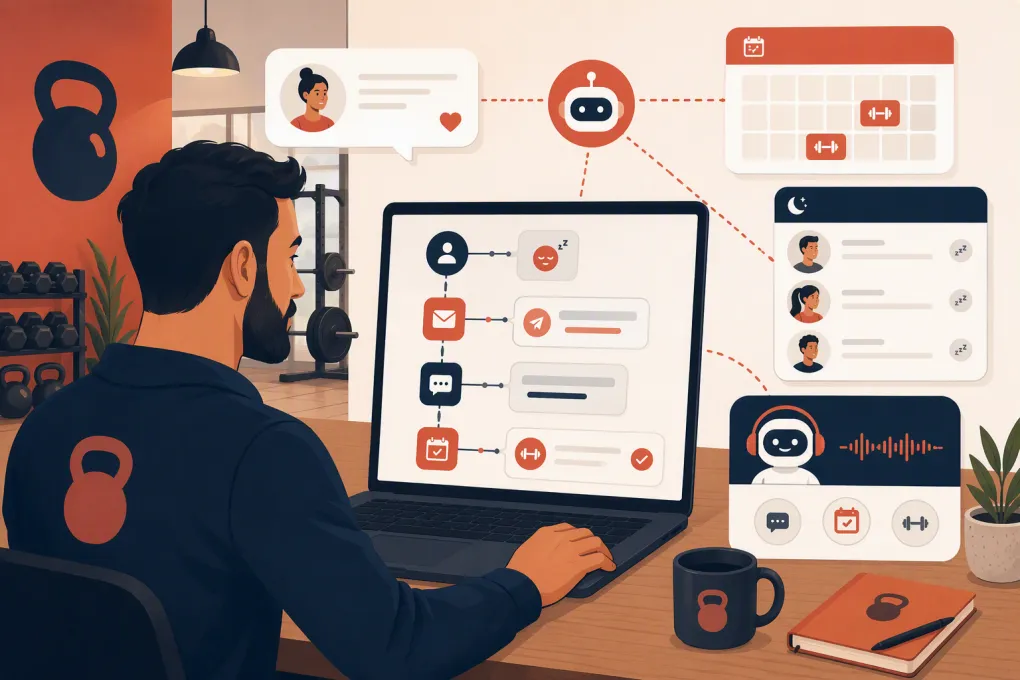
Automation fixes the consistency problem. It does not mean blasting the same discount to every contact. A useful gym lead reactivation workflow identifies who should be contacted, sends a relevant message, handles replies, and moves interested prospects directly toward a visit or membership conversation.
See how Fitty can reactivate old gym leads and book the next step →
What gym lead reactivation should accomplish
Reactivation is the process of restarting conversations with leads who previously showed interest but did not buy. The objective is not simply to generate replies. It is to create qualified next actions, such as:
- Booking an intro session, consultation, tour, or first class
- Rescheduling a missed appointment
- Answering the question that blocked a decision
- Routing a high-intent prospect to the right staff member
- Removing someone who is no longer interested
- Updating bad or incomplete CRM data
That last point matters. A campaign that produces clear “not interested” responses can still improve future marketing by cleaning the database and preventing wasted outreach.
Former members require a separate workflow. They already know the business, and their reasons for leaving may involve price, schedule, experience, injury, relocation, or billing. Do not mix them into a generic cold-lead campaign.
Start with an eligible, clean lead list
Automation amplifies whatever data you give it. If the source list contains duplicate records, current members, unsubscribed contacts, or people who never agreed to receive marketing messages, the campaign starts with avoidable risk.
Before activating a workflow, define eligibility in writing.
Include leads with a real signal of interest
Useful reactivation groups can include:
- Website inquiries that never booked
- Prospects who started but abandoned a booking
- Missed inbound calls without a completed follow-up
- Intro appointments or tours marked as no-shows
- Trial participants who did not convert
- Leads marked “follow up later” whose date has passed
- Prospects who stopped replying after asking about price or schedule
Suppress contacts who should not receive the campaign
Exclude:
- Current members and active clients
- Contacts with open sales conversations
- Anyone who opted out of the relevant channel
- Records on applicable do-not-call or internal suppression lists
- Duplicate profiles
- Leads with missing or unreliable contact information
- Minors unless your process appropriately involves a parent or guardian
Keep the suppression logic dynamic. A person who joins after entering the workflow should be removed automatically rather than receiving another prospect offer two days later.
Segment by intent, age, and reason for going cold
The most effective message depends on what the lead did before disappearing. “Still interested?” is easy to automate, but it ignores context.
Build segments around three questions:
- What did the person originally want? Strength training, yoga, personal training, recovery, massage, weight management, or another service.
- How far did the person get? Inquiry, conversation, booking, attendance, or trial completion.
- How long has the record been inactive? A recent no-show should not receive the same message as a year-old website inquiry.
You can then create focused workflows such as:
- No-show recovery
- Trial-to-membership follow-up
- Unbooked website inquiry
- Abandoned appointment request
- Seasonal interest reactivation
- Former-member win-back
Start with one or two high-intent segments instead of attempting to automate the entire database at once. Recent no-shows and completed trials usually give staff more context than old records with no notes.
Build the automated reactivation workflow
A reliable workflow needs more than a scheduled text. It should cover entry criteria, messages, reply handling, booking, staff handoff, and exit rules.
1. Choose a specific conversion event
Every campaign needs one primary next step. For example:
- Book a free consultation
- Reserve an intro class
- Reschedule a missed tour
- Speak with a membership advisor
- Review suitable appointment times
Avoid giving five different options in the first message. One clear action is easier for the prospect and easier to measure.
2. Use the original context in the opener
A reactivation message should explain why the business is contacting the lead. Use fields that are reliable, such as first name, location, service interest, and previous appointment type.
For an unbooked class lead:
Hi {{first_name}}, you previously asked about {{program}} at {{location}}. Are you still looking for a place to train, or should we close out your request?
For a no-show:
Hi {{first_name}}, we missed you for your {{appointment_type}}. Would you like to find another time, or has your schedule changed?
For a completed trial:
Hi {{first_name}}, I wanted to follow up after your trial at {{location}}. Is there anything about the schedule, membership options, or training format that you still need to figure out?
These messages invite an honest response without manufacturing urgency.
3. Use a short multichannel cadence
A practical starting cadence might be:
- Day 0: Contextual text or email with one question
- Day 2: Short follow-up acknowledging the earlier message
- Day 5: Helpful detail tied to the lead’s likely concern
- Day 9: Close-the-loop message with an easy opt-out
Treat this as a starting framework, not a universal rule. Adjust timing based on lead source, service type, consent, operating hours, and actual response data.
Do not send every message through every channel simultaneously. That feels less like service and more like a collection attempt. Use channel preference when known, and stop promotional follow-up when the person opts out.
4. Automate replies, not just sends
This is where many reactivation campaigns break. A prospect replies at night with “What does it cost?” or “Do you have a 6 a.m. class?” and the automation merely creates a task for tomorrow. By then, the conversation may be cold again.
An AI receptionist can handle common questions using approved business information, check availability, collect missing details, and guide the lead toward booking. It should also know when to escalate.
Useful handoff triggers include:
- Requests for a custom price or exception
- Medical or injury-related questions
- Complaints about a previous experience
- Billing disputes
- Corporate or group inquiries
- Messages showing confusion, frustration, or unusual circumstances
Fitty, WTF Go’s AI receptionist, is designed to answer leads, follow up, and book classes around the clock. That gives reactivated prospects a path forward even when the front desk is closed.
See how Fitty handles reactivation replies and books interested leads →
5. Add immediate exit rules
Every workflow should stop when the lead:
- Books the target appointment
- Purchases or becomes a member
- Explicitly declines
- Opts out
- Enters a live staff conversation
- Is identified as an existing client
- Has invalid contact information
Without exit rules, automation creates awkward experiences: booked prospects still receiving reminders to book, members receiving intro offers, or staff and software sending conflicting messages.
Make the offer fit the reason the lead stalled
Discounting is not the only reactivation lever. Many leads stop because they are confused, busy, uncertain about fit, or unable to find the right time.
Match the response to the barrier:
- Schedule concern: Share relevant class or appointment times.
- Uncertainty about fit: Offer a consultation, tour, or beginner-friendly session.
- Price question: Explain available membership structures accurately without hiding required terms.
- Intimidation: Clarify what happens during the first visit and what experience level is expected.
- No-show: Make rescheduling easy without scolding the prospect.
- Not ready: Ask permission to follow up at a specific future time.
If you use a promotion, define its eligibility, expiration, locations, services, and exclusions before the campaign launches. The AI and staff must work from the same approved offer details.
Keep the campaign compliant and trustworthy
Automated outreach must follow applicable federal and state rules, carrier requirements, and platform policies. Requirements differ by channel and situation, so obtain legal guidance for your business rather than treating a software setting as legal advice.
Operationally, your process should preserve:
- The source and timestamp of consent where required
- Channel-specific opt-out status
- Internal do-not-contact records
- Accurate business identification
- Clear opt-out instructions where applicable
- Reasonable sending hours based on the recipient’s location
- A record of the messages sent and replies received
Do not upload a purchased list and label it “reactivation.” These contacts should have a legitimate prior relationship or inquiry history, with outreach conducted on an appropriate legal basis.
Measure downstream results, not message volume
A campaign is not successful because the software sent thousands of messages. Track the stages that matter operationally:
- Eligible leads entered
- Successfully delivered messages
- Positive replies
- Negative replies and opt-outs
- Appointments booked
- Appointment show rate
- Memberships or packages sold
- Time from reply to booking
- Staff handoffs created and completed
Review results by segment, location, lead source, and message version. A high reply rate can be misleading if replies are mostly opt-outs. A booking count can also hide a weak process if few prospects actually show.
Tag every booking and sale back to the workflow that influenced it. Otherwise, reactivated prospects may be counted as walk-ins or organic conversions, making the campaign difficult to evaluate.
A practical rollout plan
You can launch without rebuilding the entire CRM:
- Select one location and one high-intent segment.
- Audit consent, duplicates, membership status, and suppression fields.
- Choose one conversion event and confirm calendar availability.
- Write the opener, follow-ups, and close-the-loop message.
- Document approved answers for price, schedule, amenities, and first-visit questions.
- Define AI and staff escalation rules.
- Test the workflow using internal contact records.
- Launch to a controlled batch and inspect conversations manually.
- Fix routing, data, or messaging issues before expanding.
- Review bookings, shows, sales, and opt-outs by segment.
The goal is a closed loop: the system finds an eligible lead, starts a relevant conversation, answers routine questions, books the next step, and stops outreach at the right time.
WTF Go brings those workflows together with Fitty, so reactivation does not end with a notification sitting in a staff inbox.
Explore automated gym lead reactivation with WTF Go →
Frequently asked questions
How old can a gym lead be before reactivation is no longer useful?
There is no universal cutoff. Segment leads by age and prior intent, then test older records separately while honoring consent, opt-outs, and applicable outreach rules.
Should gym lead reactivation start with a text, email, or call?
Use the channel the prospect selected or previously engaged with when possible. Text can support quick conversations, email allows more context, and calls are useful for high-intent leads who have provided appropriate permission.
How many follow-up messages should an automated campaign send?
Use a short, controlled sequence and stop when the lead books, declines, opts out, or enters a staff conversation. Review response and opt-out patterns before adding more touches.
Can AI book appointments from a reactivation campaign?
Yes, if the AI has access to accurate schedules, booking rules, service details, and approved answers. It also needs clear escalation rules for complaints, exceptions, billing issues, and sensitive questions.
Should former gym members be included with old sales leads?
No. Former members should have a separate win-back workflow because they have purchase history and may have left for reasons that require different messaging or staff attention.
Keep reading



Run your gym on autopilot with WTF Go
Fitty — your AI receptionist — answers calls and DMs, fills classes, follows up with every lead, and collects dues while you coach.