AI & Automation
How to Automate Fitness Class Reminders That Cut No-Shows
Learn how to automate fitness class reminders across SMS, email, and voice, with timing, templates, reply handling, and no-show follow-up workflows for gyms.
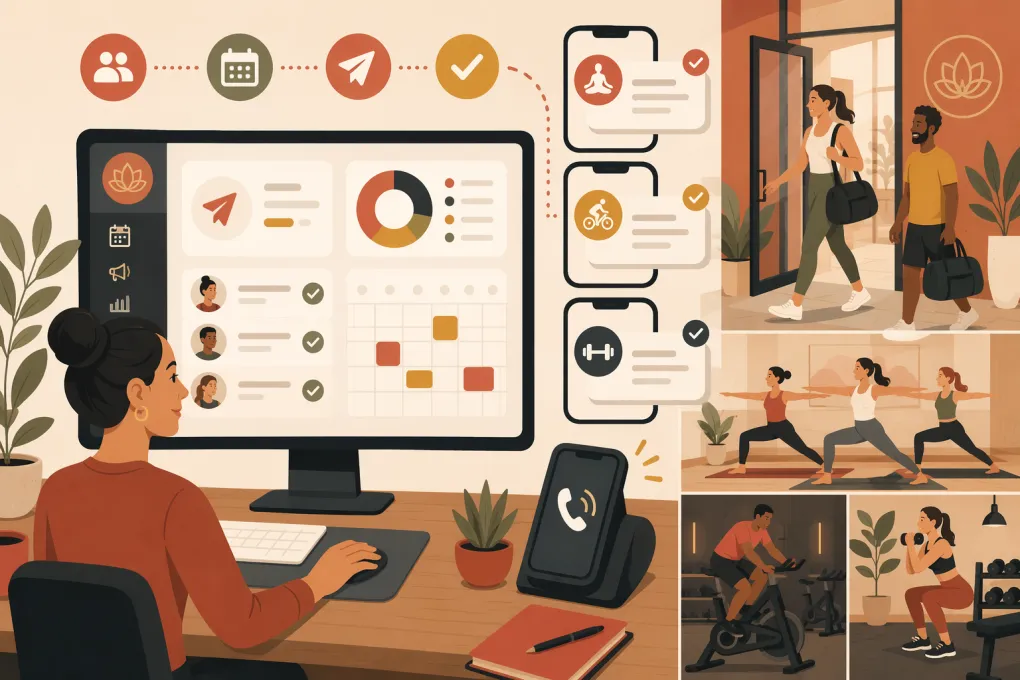 Watch · 20s
A class reminder should do more than tell someone where to be. It should confirm the booking, make cancellation easy, protect the waitlist, and give your staff a clear next step when a member replies.
Most reminder systems handle only the first part. They send a generic text before class, but replies go unanswered, cancellations never update the roster, and front-desk staff still spend the morning calling members. That is messaging, not automation.
To automate fitness class reminders properly, you need a workflow tied to live booking data, attendance status, communication consent, and two-way conversations.
See how Fitty handles class questions, bookings, and follow-ups 24/7 →
What a complete class reminder workflow should do
A useful automation begins when the booking is created and ends only after attendance is recorded. It should cover five stages:
- Confirm the reservation. Send the class name, date, time, location, and any arrival instructions.
- Remind the member. Trigger messages based on the actual class start time and location time zone.
- Process replies. Recognize questions, confirmations, and cancellation requests instead of leaving them in an inbox.
- Update capacity. When someone cancels, release the spot and notify the waitlist according to your booking rules.
- Follow up after class. Use attendance data to send the right message to attendees, late cancels, and no-shows.
The workflow must connect to your source of truth. If reminders run from a separate spreadsheet or marketing list, they can continue after a reservation is canceled or miss bookings made close to class time.
Start with clean booking and member data
Automation exposes weak data quickly. Before building a sequence, confirm that every reservation includes:
- Member or lead name
- Mobile number and email address
- Messaging consent status
- Class name and start time
- Location and time zone
- Instructor, when relevant
- Booking status
- Waitlist position or status
- Attendance outcome
- Package, membership, or payment status when it affects eligibility
Use one consistent status for each outcome, such as booked, canceled, late canceled, attended, and no-show. If staff use these labels differently, post-class automations will target the wrong people.
Also decide which system owns the class roster. Your reminder tool should read from and write back to that system whenever possible. A one-way connection can send accurate reminders, but it may not be able to remove a canceled member or promote someone from the waitlist.
Choose the right channels
SMS for time-sensitive reminders
SMS is appropriate for short, operational messages: booking confirmations, upcoming-class reminders, waitlist openings, and schedule changes. Keep the key information visible without requiring a link.
Do not turn every transactional reminder into a promotion. Members are more likely to pay attention when operational messages remain useful and predictable.
Email for detail-heavy instructions
Email works well when a class requires preparation, forms, equipment, parking directions, or a longer first-visit explanation. It is also useful for booking receipts and calendar links.
Email alone is easier to overlook close to class time, so many operators pair it with a short SMS reminder.
Voice and AI for conversations
Some members call instead of clicking. Others reply with questions such as, “Can I move to the later class?” or “Do I need gloves?” A fixed reminder cannot complete those tasks.
An AI receptionist can answer routine questions, book or move reservations, and follow up when a conversation requires more than a yes-or-no response. The important distinction is that the agent should have access to current schedules and booking rules—not merely provide a generic chatbot answer.
Build the reminder sequence around class time
There is no universal timing sequence for every business. A morning boot camp, an appointment-based recovery session, and a drop-in yoga class have different commitment levels. Start with this practical framework, then adjust it using your own cancellation and attendance patterns.
Immediately after booking
Send a confirmation as soon as the reservation is created. Include:
- Class and location
- Local date and time
- Arrival guidance
- Cancellation method
- A contact or reply option
For first-time visitors, add what to bring, where to park, and how early to arrive. Avoid sending the full new-member orientation to regulars on every booking.
The day before class
A day-before reminder gives the member time to cancel within your policy and gives you time to refill the spot. For very early classes, consider sending this during the prior evening rather than during overnight quiet hours.
The message should provide a direct action: confirm, cancel, or ask a question. A reminder that says only “See you tomorrow” leaves the next step unclear.
Shortly before class
A same-day reminder can reduce forgetfulness and clarify logistics. Keep it brief. At this point, members need the start time, location, and any immediate arrival instruction—not a sales pitch.
Avoid stacking multiple texts too close together. If someone books shortly before class, suppress earlier steps that no longer make sense. They should receive a booking confirmation, not a “day-before” reminder generated minutes later.
After attendance is recorded
Branch the workflow by outcome:
- Attended: Thank the member and provide the next logical booking action.
- First visit attended: Send onboarding guidance and invite them to book an appropriate next class.
- Canceled on time: Confirm the cancellation and make rebooking easy.
- Late canceled: State the recorded status and direct questions to the correct policy or staff contact.
- No-show: Check in without sounding accusatory, then offer a simple rebooking path.
See how Fitty automates booking conversations and member follow-up →
Write reminder messages that prompt action
Good reminders are specific, short, and easy to answer. Use merge fields only when the underlying data is reliable.
Booking confirmation template
Hi {{first_name}}, you’re booked for {{class_name}} at {{location}} on {{date}} at {{time}}. Please arrive {{arrival_time}} early. Reply here if you need help changing your booking.
Day-before reminder template
Reminder: {{class_name}} starts tomorrow at {{time}} at {{location}}. Reply C to confirm or CANCEL if you can’t make it so we can release your spot.
Use reply keywords only if your system can process them consistently. If it cannot, send a direct cancellation link or route replies to a monitored conversation queue.
First-visit reminder template
Hi {{first_name}}, we’re looking forward to your first {{class_name}} tomorrow at {{time}}. Please arrive {{arrival_time}} early and bring {{required_item}}. Reply with any questions.
No-show follow-up template
Hi {{first_name}}, we missed you at {{class_name}} today. If your plans changed, no problem—here’s the easiest way to choose another time: {{booking_link}}. Reply if you need help.
Match the wording to your actual cancellation policy. Do not threaten a fee in a reminder unless the fee, cutoff, and member agreement support it.
Automate cancellations and waitlists, not just reminders
This is where many setups break down. A member replies “I can’t come,” but the reservation remains active because the message is not connected to the roster.
Your cancellation workflow should:
- Verify which upcoming booking the member means.
- Check whether the request falls inside the cancellation window.
- Apply the correct booking status.
- Confirm the outcome to the member.
- Release capacity.
- Trigger the waitlist process.
- Escalate exceptions to staff.
For waitlists, set a clear claim method. You can automatically promote the next eligible person or offer the spot for a limited period before moving down the list. Whichever model you use, the message should identify the class, deadline, and confirmation action.
AI is especially useful when the response does not match a clean keyword. Fitty can handle natural-language questions and booking conversations rather than forcing every member through a rigid command tree.
Explore Fitty as your 24/7 gym or studio receptionist →
Set guardrails before turning automation on
Automation should reduce repetitive work without hiding exceptions. Configure:
- Quiet hours: Use each location’s time zone and avoid routine overnight messages.
- Consent and opt-outs: Record channel-specific consent and honor opt-out requests. Review applicable federal and state requirements with qualified counsel.
- Frequency limits: Prevent overlapping marketing campaigns and operational reminders from flooding the same member.
- Human escalation: Route billing disputes, injuries, sensitive complaints, and unusual policy questions to staff.
- Fallbacks: Alert the team when a message fails, booking data is missing, or an integration stops syncing.
- Role permissions: Limit who can change templates, policies, and automation rules.
Test the workflow with staff accounts before using it on members. Cover normal bookings plus edge cases: a late booking, two classes on one day, a canceled class, an overnight time-zone difference, a waitlist promotion, and a member who has opted out of SMS.
Measure whether the automation is working
Do not judge the workflow only by message delivery. Review operational outcomes by class type, location, instructor, and booking source.
Useful measures include:
- Confirmed, canceled, attended, and no-show counts
- How early members cancel
- Waitlist spots offered and filled
- Replies resolved automatically versus escalated
- Failed messages and invalid contact records
- Rebookings after cancellation or no-show follow-up
- Staff time spent handling routine reminder conversations
Compare performance before and after meaningful workflow changes. Change one major variable at a time—such as timing, channel, or call to action—so you can understand what affected the result.
The goal is not to send more reminders. It is to create a reliable attendance workflow: accurate booking data, well-timed communication, easy cancellation, faster waitlist recovery, and a clear response whenever a member asks for help.
Frequently asked questions
What is the best time to send a fitness class reminder?
Send a confirmation immediately after booking, then test a day-before and short same-day reminder. Adjust timing by class type, cancellation window, location time zone, and your own attendance data.
Should class reminders be sent by text or email?
Use SMS for brief, time-sensitive updates and email for detailed preparation or first-visit instructions. Many gyms use both while respecting each member’s consent and channel preferences.
Can an automated reminder cancel or move a booking?
Yes, if the reminder system can process replies and update the live booking platform. Otherwise, it should provide a cancellation link or route the request to staff.
How can gyms automate waitlist notifications?
Trigger the waitlist workflow when a booked spot is released, then automatically promote the next eligible member or offer the opening with a clear response deadline.
How many class reminders should a studio send?
Use the fewest messages needed to support attendance and timely cancellation. A booking confirmation plus one or two well-timed reminders is a practical starting point, but frequency should reflect the class and member relationship.
Keep reading



Run your gym on autopilot with WTF Go
Fitty — your AI receptionist — answers calls and DMs, fills classes, follows up with every lead, and collects dues while you coach.