Comparisons
Gym Scheduling Software: Compare the Best Options for 2026
Compare gym scheduling software for booking, billing, apps, integrations, reporting, and AI. Build a defensible shortlist with an operator scorecard.
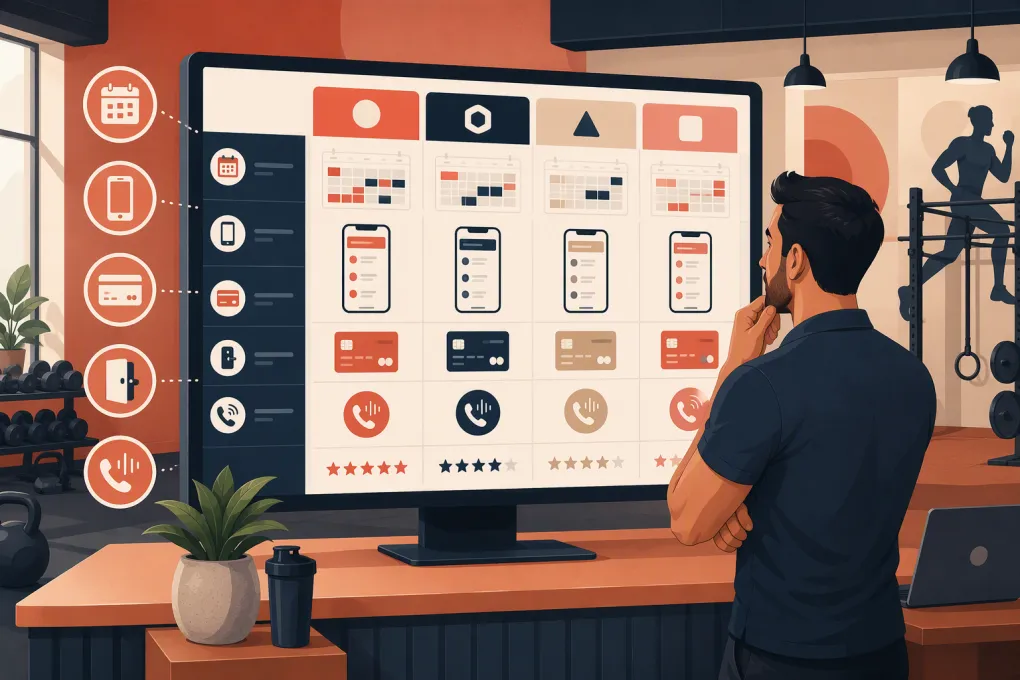
Gym scheduling software sits at the intersection of sales, service delivery, billing, and member experience. A weak system may publish a timetable but still leave staff manually answering availability questions, moving people off waitlists, chasing failed payments, and reconciling separate customer records.
The right platform depends on the operation. A martial arts school may need family accounts and rank tracking. A strength gym may prioritize recurring classes, memberships, and lead nurture. A spa needs provider availability, rooms, service durations, and appointment buffers. Multi-location operators need consistent permissions and consolidated reporting without losing location-level control.
This comparison uses publicly available vendor documentation and named operational criteria. It is not a claim that every platform was independently implemented in a live gym. Product packaging changes, so use the linked vendor materials as a starting point and require each finalist to demonstrate your workflows in a sandbox or live demo.
See how WTF Go connects scheduling with Fitty’s lead-response workflows →
Gym scheduling software comparison
The table focuses on defensible differences rather than treating every product as an interchangeable calendar. Vendor descriptions are linked so you can inspect the underlying product claims.
| Platform | Documented strengths | Apps and integrations | Automation and reporting | Best shortlist fit | Material tradeoffs to test |
|---|---|---|---|---|---|
| WTF Go | Combines scheduling and member operations with Fitty, an AI receptionist positioned to answer inquiries, book classes, follow up, and assist with dues collection | Intended as an all-in-one operating system; confirm compatibility with your processor, access hardware, website, phone setup, and existing data | Differentiator is conversational lead and member handling rather than schedule-triggered messages alone | Operators trying to replace separate scheduling, CRM, phone-response, and follow-up tools | Public product documentation is less extensive than that of larger incumbents. Require a live demonstration of each Fitty workflow, escalation rules, reporting, and integration dependencies |
| Mindbody | Broad support for classes, appointments, memberships, staff management, payments, and consumer discovery through the Mindbody marketplace | Offers business and consumer mobile experiences, with branded app options and a large partner ecosystem | Marketing, messaging, and reporting capabilities are broad, but availability can depend on package and add-ons | Established studios, spas, salons, and multi-service wellness businesses that value marketplace reach and ecosystem breadth | Breadth can create more setup and training work. Determine which app, marketing, messaging, and reporting functions are included in the proposed package |
| Glofox | Fitness-specific class scheduling, memberships, lead management, member booking, and branded digital experiences | Emphasizes branded member apps and fitness integrations rather than spa or salon workflows | Provides sales and member-engagement tools alongside operational reporting | Boutique fitness studios and gyms that want a fitness-first member experience | Operators with treatment rooms, complex appointment resources, or nonfitness services should test those workflows carefully. Confirm data export and cross-location reporting requirements |
| Zen Planner | Fitness scheduling and billing plus functionality relevant to martial arts businesses, including skill or rank-oriented member management | Provides member-facing mobile access and connections for common gym operational needs | Includes attendance, billing, member, and business reporting | Martial arts schools, boutique gyms, and membership businesses where progression tracking matters | Evaluate staff interface speed, report flexibility, communication workflows, and whether required website or marketing services add operational complexity |
| PushPress | Gym-focused core management with scheduling, billing, check-in, lead generation, and related products organized around fitness operations | Member-facing app options and connections to a broader gym technology stack | Lead nurture and marketing functions are associated with its product suite, while core gym reporting supports day-to-day management | Strength, functional fitness, and community-based gyms seeking software designed around gym workflows | Some capabilities sit in separate products or packages. Compare the complete bundle needed for CRM, website, app, messaging, and analytics—not Core alone |
| WellnessLiving | Supports both classes and appointments, plus memberships, staff, client management, rewards, and marketing-oriented features | Offers client and staff mobile experiences and tools for a broad range of fitness, beauty, and wellness categories | Includes automated communications, marketing functions, and business reporting | Operators mixing fitness classes with appointments, services, or wellness offerings | A broad feature set can require substantial configuration. Test resource scheduling, payroll or commission rules, report usability, and limits tied to the selected plan |
None of these is automatically the “best.” Mindbody has ecosystem and marketplace advantages. Glofox is more narrowly fitness-oriented. Zen Planner has a clearer martial arts use case. PushPress is shaped around gym operations. WellnessLiving spans classes and appointment-led wellness businesses. WTF Go’s central distinction is Fitty, but operators should apply the same proof standard to its AI claims that they apply to every vendor’s automation claims.
What Fitty can—and cannot—be assumed to do
WTF Go describes Fitty as an AI receptionist that answers leads, books classes, follows up, and collects dues 24/7. Those capabilities should not be interpreted as unconditional autonomy in every channel or software environment.
Effective AI handling depends on implementation details such as:
- Accurate schedules, prices, policies, and membership data
- Connection to the booking and payment workflows involved
- Defined permissions for changing reservations or discussing balances
- Approved communication channels
- Escalation rules for refunds, injuries, disputes, and unusual requests
- Human review of transcripts, outcomes, and incorrect responses
Ask WTF Go to demonstrate an inquiry arriving outside staffed hours, Fitty identifying the appropriate service, reading real availability, completing a booking, recording the interaction, and handing off an exception. For dues, distinguish between sending a payment link, prompting a member to update payment details, and directly changing or charging an account. Those are different workflows with different authorization requirements.
Request a workflow demo using your real booking and dues scenarios →
Eight criteria that produce a defensible shortlist
1. Scheduling depth
Test more than class creation. Build recurring sessions, change one occurrence, substitute an instructor, close a room, add a booking buffer, cancel a nearly full class, and move a member from the waitlist.
Appointment-led businesses should verify service duration, cleanup time, provider qualifications, room or equipment assignment, and simultaneous resource limits. Class-led gyms should focus on capacity, recurring reservations, booking windows, guest rules, and late-cancel enforcement.
2. Payments and membership rules
Determine whether the platform requires or favors its own payment service, supports your region, and permits external processors. Review processing terms separately from the software subscription.
Demonstrate a failed recurring payment, expired session pack, membership freeze, prorated change, refund, chargeback, family account, and past-due member attempting to book. The schedule and billing ledger should not produce conflicting answers about eligibility.
3. Integrations and API access
Create a written integration inventory before the demo. Common categories include accounting, email marketing, ad attribution, phone and SMS, access control, websites, analytics, payroll, and workout programming.
For every critical connection, ask whether it is native, partner-built, API-based, or dependent on middleware. Confirm which company supports it when data stops syncing. An integration logo on a marketplace page does not establish that it supports the fields or triggers you need.
4. Member and staff mobile apps
Have a nontechnical staff member and an actual member complete common tasks. Members should be able to purchase, book, cancel, join a waitlist, view credits, and update basic information without calling the desk.
Staff should be able to check people in, review account status, contact attendees, and manage routine schedule changes. If a branded app costs extra or requires separate app-store deployment, include that in the decision.
5. Reporting and multi-location control
Request reports for attendance, utilization, revenue, unpaid balances, intro appointments, lead source, conversion stages, cancellations, and membership changes. Check whether data can be filtered by date, service, instructor, membership, and location.
Multi-location operators should test shared memberships, home-location attribution, cross-location booking, staff permissions, consolidated dashboards, intercompany reporting, and location-specific prices. “Multi-location supported” does not explain how these rules work.
6. Door and facility access
If members enter outside staffed hours, access control is a core dependency. Verify that active status, overdue balances, freezes, and cancellations update door permissions at the expected speed.
Ask what happens during an internet outage, whether staff can override access, how audit logs are retained, and who supports the hardware. Do not replace a functioning door system until the full member-status workflow has been tested.
7. Support and implementation
Clarify onboarding ownership, data-cleaning responsibility, training format, support hours, escalation paths, and post-launch assistance. Ask whether support is delivered by the vendor, a reseller, or an integration partner.
A strong implementation plan names who will configure memberships, taxes, waivers, schedules, automations, permissions, and reports. If those decisions are left unresolved, even capable software will launch badly.
8. Security, compliance, and data portability
Request current documentation covering access controls, encryption, backups, incident response, subprocessors, and independent security assessments where available. Businesses handling health-related notes should determine whether their use case creates additional legal or contractual requirements; generic “secure” language is not enough.
For payments, ask how card data is tokenized and which party manages payment-card compliance responsibilities. For communications, confirm how consent, opt-outs, call recording, and message retention are handled under applicable federal and state rules.
Finally, request a sample export. Confirm whether you can retrieve member profiles, memberships, attendance, bookings, notes, waivers, transaction history, credits, and communication history in usable formats. Payment tokens may not be portable between processors, which can materially affect migration.
Use a scripted evaluation instead of a feature checklist
Give every finalist the same scenarios and score each from 0 to 3: unsupported, manual workaround, partially automated, or complete. Record the number of staff steps, member steps, system handoffs, and exceptions.
Use these scenarios:
- A first-time prospect asks about beginner options after hours and books an intro.
- A full class has two cancellations, triggering waitlist offers and confirmations.
- A member’s payment fails before a reservation.
- An instructor calls out shortly before class.
- A member books at a second location with different eligibility rules.
- A lead misses an intro and needs follow-up plus rebooking.
- A manager exports attendance, revenue, and lead-conversion data.
- A canceled member’s facility access is removed and logged.
Save recordings or screenshots from vendor demos when permitted, and attach written answers to your scorecard. That gives your team evidence to revisit after the sales calls blur together.
Make the decision on complete operating cost
Compare the full configuration: software, payment terms, messaging usage, phone service, branded apps, CRM or marketing modules, website tools, access-control connections, migration, and training. Also count the systems that can actually be retired.
WTF Go is most relevant when scheduling is only one part of the problem and staff are also carrying lead response, follow-up, and collections work. Its value should be proved through fewer handoffs and completed workflows—not merely by adding “AI” to a feature list.
See whether WTF Go can replace your disconnected scheduling and follow-up stack →
The final choice should survive a busy Monday, an instructor cancellation, a failed payment, and a midnight inquiry. Select the platform that handles those moments with the fewest manual exceptions while preserving control, reporting, and access to your data.
Frequently asked questions
What is the best gym scheduling software?
There is no universal winner. PushPress and Glofox are strong fitness-first candidates, Zen Planner merits consideration for martial arts, Mindbody and WellnessLiving cover broader wellness services, and WTF Go is differentiated by its AI receptionist workflow.
How should I compare gym scheduling software demos?
Give every vendor the same real-world scenarios and score staff effort, member effort, automation, reporting, and exceptions. Require demonstrations using your booking, billing, waitlist, and multi-location rules.
Does gym scheduling software integrate with door access and payment processing?
Many platforms support integrated payments and access-control connections, but compatibility varies by vendor, processor, hardware, and plan. Verify the exact data flow, support ownership, and failure behavior before signing.
Can AI scheduling software collect overdue gym dues automatically?
AI can support reminders, conversations, payment links, and configured account workflows. Actual charging or account changes depend on payment integrations, member authorization, business rules, and escalation controls.
What data should I export before changing gym software?
Export member profiles, memberships, credits, future bookings, attendance, waivers, notes, balances, transactions, and communications where available. Confirm separately whether stored payment tokens can move to the new processor.
Keep reading



Run your gym on autopilot with WTF Go
Fitty — your AI receptionist — answers calls and DMs, fills classes, follows up with every lead, and collects dues while you coach.