Guides
Gym Front Desk Software Buying Guide: What Owners Need Now
Use this gym front desk software buying guide to compare booking, billing, CRM, AI, reporting, integrations, migration, security, and support before you buy.
 Watch · 20s
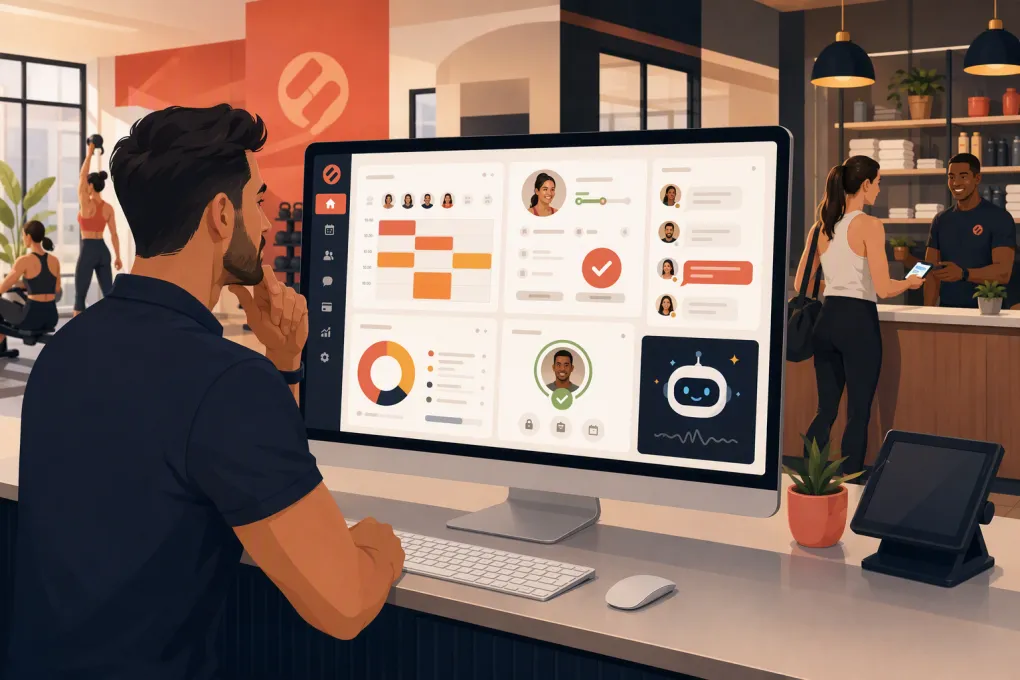
Buying gym software is easy. Buying software that reliably handles the front desk when staff are busy, off shift or working with members is much harder. This gym front desk software buying guide focuses on the workflows that affect revenue and member experience: lead response, booking, check-in, billing, follow-up and reporting.
The wrong platform creates duplicate data, manual work and awkward handoffs between sales and operations. The right one gives staff a clear operating system and handles routine work without making members fight the technology.
Before booking demos, define what your front desk actually does. A yoga studio built around reservations has different needs from a martial arts school managing families, ranks and long-term memberships. A multi-location gym needs controls that a single-site operator may never use.
See how WTF Go and Fitty cover front-desk work around the clock →
Start with workflows, not feature lists
Long feature lists hide operational gaps. Map the member journey first, then require vendors to demonstrate each step inside the product.
At minimum, document these workflows:
- A new lead asks about pricing after staffed hours.
- A prospect books an intro, consultation or trial class.
- Staff convert that prospect into the correct membership.
- A member checks in, changes a booking or joins a waitlist.
- A payment fails and requires follow-up.
- A member requests a freeze, cancellation or account update.
- A manager reviews sales, attendance and outstanding balances.
- Staff need to work across more than one location.
For each workflow, identify the trigger, responsible person, expected response and system of record. If the vendor requires staff to copy information into another tool, include that extra work in your evaluation.
Separate must-haves from preferences
Label requirements in three groups:
- Must-have: The business cannot operate correctly without it.
- Important: It materially improves efficiency or member experience.
- Optional: Useful, but not worth choosing the wrong core platform.
A branded app may be attractive, for example, but dependable billing and fast lead response usually have more operational impact. Your priorities should reflect your business model rather than a generic software checklist.
The capabilities worth evaluating
Lead capture and CRM
Your CRM should create one usable record for every inquiry, regardless of whether it came from a website form, campaign, phone interaction or staff entry. Test whether employees can immediately see the lead’s source, conversation history, assigned owner, status and next action.
Look for:
- Automatic lead capture and routing
- Customizable sales stages
- Conversation and activity history
- Tasks, reminders and follow-up sequences
- Attribution that is understandable to operators
- Conversion reporting by source, location and offer
Ask what happens when a returning lead uses a different email address or phone number. Duplicate records make follow-up unreliable and reporting less credible.
Class, appointment and resource booking
Do not settle for seeing a calendar. Recreate your hardest scheduling rules during the demo.
Test class capacity, waitlists, recurring appointments, instructor substitutions, late-cancel policies, no-show handling and room or equipment conflicts. If you sell appointments and classes, confirm that both can operate under the same customer account without confusing staff.
Members should be able to book, cancel and reschedule within your rules. Staff should be able to override those rules when appropriate, with enough visibility to understand what changed.
Billing and membership management
Billing is where small configuration problems become member complaints. Confirm how the platform handles recurring dues, introductory offers, class packs, family accounts, freezes, prorations, failed payments, refunds and cancellations.
Ask vendors to show the exact sequence for:
- Creating and editing a membership
- Updating a payment method
- Retrying or collecting a failed payment
- Applying a credit or refund
- Freezing and reactivating an account
- Recording authorization and agreement acceptance
Also clarify which payment processor is used, how processing fees are presented, when funds are deposited and whether changing processors is possible. Do not evaluate subscription fees without evaluating payment terms.
AI and automation
Automation should complete work, not merely generate another staff notification. A useful system can respond to common questions, qualify leads, book the next step, continue follow-up and help resolve routine balance issues while preserving context for employees.
Ask vendors to demonstrate the result rather than describe the AI. Give the system realistic scenarios: a prospect asking which class suits a beginner, a member trying to reschedule and an account with overdue dues. Then inspect what is recorded in the CRM and how a staff member takes over.
Fitty, WTF Go’s AI receptionist and agent, is designed for this operating gap. It answers leads, books classes, follows up and collects dues 24/7, so the workflow does not stop when the desk is unstaffed.
See how Fitty handles lead response, booking and dues follow-up →
Check-in and staff usability
Front-desk screens need to work under pressure. Test the product on the devices and internet connection you intend to use. A polished admin dashboard is not enough if checking in a member requires several screens.
During the demo, ask a staff member—not only the owner—to complete common tasks. Watch for unnecessary clicks, unclear account alerts and permissions that expose information employees do not need.
Useful controls include role-based access, location-specific permissions, searchable member records and a clear audit trail for account changes.
Reporting and multi-location control
Reports should answer operating questions without requiring a spreadsheet cleanup project. Confirm that managers can view:
- New leads and conversion progress
- Membership sales and cancellations
- Attendance, capacity and no-shows
- Failed and outstanding payments
- Revenue by location, service or product
- Staff activity and follow-up status
Multi-location operators should test shared memberships, cross-location booking, centralized reporting, local permissions and location-specific pricing. Ask whether a member has one profile across the business or separate records at each site.
Gym front desk software comparison
No platform is best for every facility. Use this table to build a shortlist, then verify current packaging and capabilities directly with each vendor.
| Platform | Core strength | Automation and AI | Multi-location considerations | Potential limitation to verify | Best fit |
|---|---|---|---|---|---|
| WTF Go | Unified operations for gyms, studios, spas and wellness businesses | Fitty handles lead response, booking, follow-up and dues collection 24/7 | Evaluate shared operations, permissions and reporting against your location structure | Confirm any specialty programming, processor or integration requirements during discovery | Operators wanting front-desk workflows and an AI agent in one system |
| Mindbody | Broad business management, booking and consumer discovery ecosystem | Marketing and communication capabilities vary by product and package | Commonly considered by established and multi-location wellness businesses | Packaging, add-ons, implementation complexity and total cost should be reviewed carefully | Studios and wellness businesses that value a broad, established ecosystem |
| Glofox | Boutique fitness booking, member management and branded digital experiences | CRM and engagement tools are available; verify the depth of native AI workflows | Supports operators with multiple sites and franchise-oriented needs | Advanced functionality may depend on package or connected tools | Boutique fitness brands focused on a modern member booking experience |
| Zen Planner | Membership, scheduling and attendance workflows for fitness and martial arts businesses | Ask how much follow-up is native versus configured through other tools | Verify centralized reporting and account behavior for your exact structure | AI receptionist coverage and specialty integrations should be confirmed | Membership-based gyms and martial arts schools |
| PushPress | Streamlined gym management, billing, check-in and staff workflows | Automation options exist; verify whether your desired conversations require separate products | Review controls and reporting for larger location groups | Confirm appointment-heavy, spa or complex resource-booking needs | Independent gyms seeking relatively focused fitness operations |
| WellnessLiving | Broad class and appointment management with marketing and client-facing tools | Includes business automation features; test the exact lead and service scenarios you need | Offers capabilities relevant to growing wellness businesses | Breadth can require careful setup, permissions and staff training | Studios, salons and wellness operators combining classes and appointments |
Run a structured demo instead of a sales tour
Send every vendor the same demo script. That makes differences visible and prevents the presentation from staying inside the product’s strongest areas.
Include these tasks:
- Capture a new lead and book an intro.
- Send follow-up when the lead does not respond.
- Sell the correct membership and obtain agreement acceptance.
- Check the member into a full class with a waitlist.
- Process a failed payment and record the communication.
- Freeze the account, then reactivate it.
- Produce a report for leads, conversions, attendance and balances.
- Restrict a front-desk employee from sensitive settings.
Score each platform on workflow completion, staff effort, member experience, reporting and implementation risk. Weight the categories based on your operation. Avoid giving every feature equal value.
Calculate the real cost of ownership
The advertised subscription is only one component. Request a written breakdown covering setup, data migration, payment processing, messaging usage, branded apps, integrations, support levels, additional locations and optional modules.
Review contract length, renewal terms, cancellation requirements and data-export provisions. Ask what happens to stored agreements, payment tokens, conversation history and attendance records if you leave.
A lower software fee can be a poor trade if employees must manually chase every lead or reconcile disconnected systems. Conversely, paying for a broad platform makes little sense if your team will use only a narrow part of it.
Treat migration as an operating project
Request a sample migration plan before signing. Define which records will move, who cleans the data, how duplicates are handled and what will remain available only in the old system.
Your checklist should cover:
- Active and inactive member profiles
- Membership status and renewal dates
- Payment methods or token migration options
- Credits, balances and class packs
- Future bookings and recurring appointments
- Signed agreements and waivers
- Attendance and sales history
- Staff roles and permissions
- Forms, automations and message templates
Run a test import and reconcile sample accounts before launch. Plan how staff will operate during the cutover, and avoid changing pricing, policies and software simultaneously unless necessary.
Verify security, support and accountability
Ask how the vendor handles payment security, account access, data backups, incident response and employee permissions. Request current documentation rather than relying on a salesperson’s summary.
Support also needs operational definition. Identify available channels, standard hours, escalation procedures and who assists during implementation. If your busiest classes happen outside the vendor’s normal support window, understand the fallback process.
Finally, assign an internal owner. Software cannot repair unclear cancellation rules, inconsistent sales stages or neglected follow-up. The platform should enforce a sound process, while one accountable operator maintains that process.
Make the decision on completed work
Choose the platform that completes your highest-value workflows with the least avoidable staff effort. Demand proof using your membership types, policies and scheduling rules. Then compare total cost, migration risk and support—not just the demo interface.
For operators who want lead response, booking, follow-up and dues collection to continue beyond staffed desk hours, WTF Go puts those workflows in one operating system with Fitty as the AI receptionist.
Explore WTF Go with your actual front-desk workflow in mind →
Frequently asked questions
What should gym front desk software include?
At minimum, it should cover lead management, booking, check-in, memberships, recurring billing, failed-payment follow-up, staff permissions and useful reporting. The exact requirements depend on whether you run classes, appointments, open gym access or multiple locations.
How should I compare gym software pricing?
Compare total operating cost, including subscription tiers, setup, migration, payment processing, messaging, integrations, additional locations and optional modules. Review contract and data-export terms before signing.
Can AI replace a gym front desk employee?
AI can handle repetitive work such as answering common questions, following up, booking and addressing routine dues issues. Staff are still important for exceptions, sensitive conversations and the in-person member experience.
How long does gym software migration take?
Timing depends on data quality, business complexity, payment migration and the amount of configuration required. Ask each vendor for a written plan, test import and clear division of responsibilities before committing to a launch date.
What is the best gym front desk software for multiple locations?
The best choice is the one that supports shared member profiles, cross-location access, centralized reporting, local permissions and your pricing structure. Test these workflows directly because multi-location behavior varies by platform and package.
Keep reading



Run your gym on autopilot with WTF Go
Fitty — your AI receptionist — answers calls and DMs, fills classes, follows up with every lead, and collects dues while you coach.