Comparisons
Gym CRM Software: Features, Workflows, and Best Options
Learn how to choose and run a gym CRM that captures leads, automates follow-up, improves booking, and gives operators a clean sales pipeline every day.
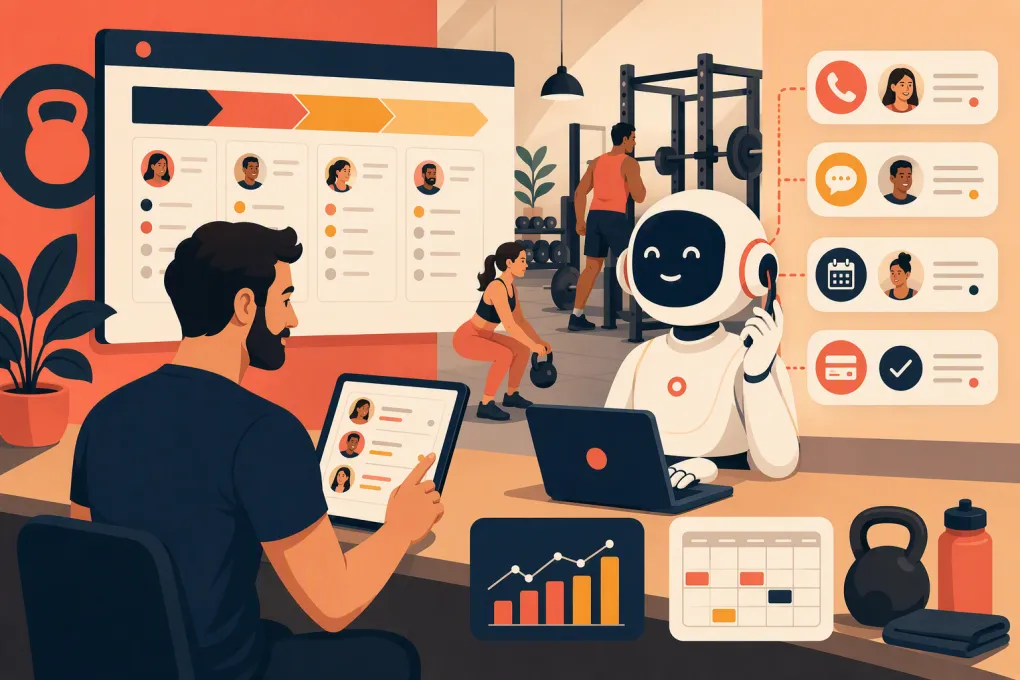
A gym CRM should tell your team who needs attention, what should happen next, and whether leads are turning into paying members. If it is only a contact database, it is not doing enough.
The operational problem is usually fragmentation. A prospect submits a form, calls the front desk, sends an Instagram message, or books an intro session. Staff then jump between inboxes, spreadsheets, calendars, and billing software to reconstruct the conversation. Follow-up becomes inconsistent, especially after hours or during busy classes.
The right gym CRM creates one usable sales process. It captures inquiries, records communication, assigns next steps, supports booking, and shows where each prospect sits in the pipeline. The best fit depends on your business model, staff structure, and how much automation you actually want.
See how Fitty handles gym inquiries, booking, and follow-up 24/7 →
What is a gym CRM?
A gym CRM, or customer relationship management system, organizes the relationship between your business and its leads, members, and former members. Unlike a generic CRM built around corporate sales accounts, fitness CRM software should understand gym-specific actions such as:
- Booking a trial, consultation, or first class
- Completing a waiver or intake form
- Purchasing a membership or class package
- Missing an appointment or failing to show
- Pausing, canceling, or renewing a membership
- Developing an overdue balance
- Returning after a lapse
Some gym management platforms include CRM capabilities inside a broader system covering schedules, billing, attendance, and member accounts. Others sell lead management or marketing automation as a separate module. Confirm what is included before comparing prices.
The gym CRM features that matter operationally
A long feature list can hide weak execution. Evaluate each platform against the workflows your staff performs every day.
Centralized lead capture
Every inquiry should enter the same pipeline with its source, contact details, consent status, and relevant service interest. Common sources include website forms, calls, walk-ins, referrals, advertising campaigns, social channels, and third-party marketplaces.
Ask whether the CRM creates duplicate records when the same person calls after submitting a form. Staff should be able to see one relationship history rather than several partial profiles.
A clear, customizable sales pipeline
Your stages should reflect real buying steps. A practical starting pipeline might be:
- New inquiry
- Contact attempted
- Conversation started
- Intro booked
- Intro attended
- Offer made
- Won or lost
Do not create stages for every tiny action. Stages should represent meaningful changes in sales status. Tasks, tags, and notes can handle the detail.
Two-way communication history
Calls, texts, emails, notes, and booking activity should be visible in one timeline. This prevents a coach from asking a lead to book an intro that was already scheduled by another employee.
Look closely at whether communication is truly two-way. Sending a campaign is not the same as receiving replies, continuing a conversation, and updating the lead record.
Fast, consistent follow-up
A useful CRM can trigger an appropriate response when someone submits a form, misses a call, books an intro, or fails to attend. Automation should remove delay without trapping prospects in an irrelevant message sequence.
Strong systems let an operator stop or branch automation when a lead replies, books, buys, or opts out. That matters because a person who already scheduled a class should not keep receiving messages asking them to schedule.
Booking and membership context
Lead management works better when the CRM knows what happens in the operating system. Your team should be able to see whether a prospect booked, attended, bought, canceled, or owes a balance without manually comparing systems.
This is where an integrated gym platform can have an advantage over a generic CRM connected through several third-party tools.
Ownership and accountability
Every active lead should have an owner or an automated next action. Managers need filters for records with no response, no future task, missed appointments, and stale pipeline stages.
A dashboard is useful, but an actionable work queue is better. Your staff needs to know what to do at the start of a shift.
Build the workflow before buying the tool
Software cannot repair an undefined sales process. Map the desired journey first, then test whether each gym CRM can support it.
For example, a new website inquiry could follow this workflow:
- Create or update the lead record.
- Record the source and service of interest.
- Send an immediate, relevant acknowledgment.
- Answer common questions about schedules, pricing structure, and prerequisites.
- Offer an eligible class or consultation time.
- Confirm the booking and send instructions.
- Follow up after a missed or completed appointment.
- Move the record when the prospect buys or declines.
Decide which steps require a person. A high-intent pricing question may need a salesperson, while schedule questions and booking can often be handled automatically.
Fitty, WTF Go’s AI receptionist, is built for the gaps that commonly cost operators leads: unanswered inquiries, after-hours conversations, booking requests, follow-up, and dues collection. It works inside an all-in-one platform rather than acting as another disconnected inbox.
Explore how Fitty turns incoming gym leads into booked conversations →
Gym CRM software comparison
There is no universal winner. A single-location strength gym, a yoga studio group, and a full-service spa may prioritize different workflows. Product packaging and feature availability can also change, so verify current details during a live demo.
| Platform | Core strengths | Automation and AI | Multi-location fit | Pricing approach | Potential limitation | Best fit |
|---|---|---|---|---|---|---|
| WTF Go | Unified lead management, operations, booking, follow-up, and payment-related workflows | Fitty can answer leads, book classes, follow up, and collect dues 24/7 | Designed for independent and multi-location fitness and wellness operators | Confirm current plan and implementation details directly | Businesses should validate specialized integrations required by their existing stack | Operators wanting an all-in-one system with an active AI receptionist |
| Mindbody | Broad scheduling, payments, consumer discovery, and wellness-business functionality | Marketing and client communication tools are available; capabilities vary by package | Commonly used by established and multi-location wellness businesses | Tiered or quote-based packaging may include add-ons | Breadth can bring more setup and administrative complexity than a focused operator needs | Studios, salons, and wellness businesses valuing a broad ecosystem and marketplace presence |
| Glofox | Gym-focused scheduling, memberships, lead management, and branded member experiences | Sales and engagement automation is available; verify AI and package-specific functions | Suitable for boutique fitness brands and growing groups | Generally sold through a tailored sales process | Reporting, integrations, and advanced functions should be checked against the selected package | Boutique gyms and studios prioritizing branded digital experiences |
| Zen Planner | Membership management, scheduling, billing, and fitness-business administration | Includes communication and marketing functions, but conversational AI may require other tools | Can support multiple programs and locations; confirm structure during evaluation | Plan availability depends on business requirements | Operators seeking advanced AI-led conversations may need a connected product | Martial arts schools, gyms, and studios wanting established membership tools |
| PushPress | Gym management, billing, class operations, and fitness-oriented workflows | CRM and lead nurture capabilities are available through its product ecosystem | Relevant to independent gyms and expanding operators | Features may be divided across products or packages | Buyers should confirm which CRM capabilities are included versus separately packaged | Functional fitness and strength gyms wanting an operator-focused platform |
| WellnessLiving | Scheduling, memberships, client management, marketing, and wellness-business features | Offers automated communication and marketing tools; verify current AI capabilities | Supports businesses with multiple staff members and locations | Package-based pricing with features that can vary by tier | A broad system can require careful configuration and staff training | Fitness and wellness operators needing wide scheduling and client-management coverage |
How to choose the right gym CRM
Use a structured demo instead of letting each vendor control the presentation. Give every provider the same real scenarios to complete.
Test complete workflows
Ask the vendor to demonstrate what happens when:
- A prospect calls after the gym closes.
- An existing lead submits another form.
- A trial participant does not attend.
- A lead replies with a question during an automated sequence.
- A member’s payment fails.
- A manager wants to review untouched leads across locations.
Watch how many screens, manual updates, and external tools are required. A feature may technically exist but still be too cumbersome for daily use.
Clarify the total operating setup
Ask what is native, what requires an integration, and what costs extra. Review messaging, phone service, forms, websites, data migration, payment processing, onboarding, support, and additional locations.
Also ask how your data can be exported. You should understand how contacts, notes, memberships, payment records, and communication history are handled if you later change systems.
Review controls and compliance
Your CRM should support consent records, opt-outs, staff permissions, and secure account access. Email, text, automated calling, and call recording can be subject to federal and state requirements. Obtain appropriate legal guidance for your channels and jurisdictions rather than assuming the software makes every campaign compliant.
A practical gym CRM rollout plan
Avoid importing years of messy data and immediately activating every automation. Roll out the system in controlled steps:
- Define lifecycle stages. Agree on what each stage means and who can change it.
- Clean the database. Merge duplicates, standardize fields, and separate active leads from old records.
- Set required fields. Keep these limited to information staff will actually use.
- Connect lead sources. Test forms, phone numbers, advertising sources, and booking pages.
- Create core messages. Start with new inquiry, booking confirmation, missed appointment, and post-visit follow-up.
- Assign ownership rules. Decide whether leads route by location, service, shift, or salesperson.
- Test exceptions. Use internal records to test replies, opt-outs, rescheduling, duplicate submissions, and failed payments.
- Train from a work queue. Teach staff how to process today’s actions, not just how to navigate menus.
- Audit weekly. Review unassigned leads, stale stages, failed automations, and inaccurate source data.
See how WTF Go unifies your gym CRM, booking, follow-up, and collections →
Metrics your CRM should make visible
Focus on measures that expose a decision or process problem:
- Lead volume by source
- Time to first response
- Contact rate
- Intro or trial booking rate
- Show rate
- Lead-to-member conversion rate
- Lost reasons
- Number of leads with no next action
- Sales performance by location or owner
- Reactivation and overdue-balance outcomes
Define each metric before using it. For example, decide whether a rescheduled intro counts as booked once or twice and when a lead officially becomes lost. Consistent definitions make reports more useful than visually impressive dashboards.
The bottom line
A gym CRM should function as an operating system for revenue conversations, not a digital address book. Choose the platform that can reliably capture demand, continue the conversation, secure the booking, and show your staff the next action.
For operators who do not want lead response to depend on front-desk availability, WTF Go adds a concrete advantage: Fitty can keep answering, booking, following up, and handling dues workflows when employees are coaching, helping members, or off the clock.
Frequently asked questions
What is the difference between a gym CRM and gym management software?
A gym CRM focuses on leads, communication, sales stages, and relationship history. Gym management software typically handles schedules, memberships, attendance, billing, and operations, although many platforms combine both.
Can a gym CRM automatically follow up with leads?
Yes. Many systems can trigger texts or emails after inquiries, bookings, missed visits, and other events. Confirm whether automation stops or changes when a lead replies, books, buys, or opts out.
Should a small gym use a CRM?
A small gym benefits from a CRM when inquiries arrive through multiple channels or follow-up depends on one busy owner. The system should reduce administrative work rather than add a complicated process.
What should I ask during a gym CRM demo?
Ask the vendor to show lead capture, duplicate handling, two-way messaging, after-hours response, booking, missed-visit follow-up, reporting, migration, exports, permissions, and the full cost of required modules.
Can AI replace a gym salesperson?
AI can handle routine questions, qualification, booking, reminders, and follow-up at any hour. Staff should still manage sensitive situations, complex sales conversations, exceptions, and high-value personal relationships.
Keep reading



Run your gym on autopilot with WTF Go
Fitty — your AI receptionist — answers calls and DMs, fills classes, follows up with every lead, and collects dues while you coach.