Comparisons
Gym Childcare Management Software: Features That Matter
Compare gym childcare management software for check-in, capacity, billing, waivers, and parent alerts. Use this practical checklist to choose the right system.
 Watch · 20s
Gym childcare can be a strong retention tool, but it adds an operational layer that ordinary class scheduling software may not handle well. Your team needs to know which children are present, who can pick them up, whether capacity is available, and what parents have authorized—all while the front desk handles calls, tours, check-ins, and member questions.
The right gym childcare management software connects those workflows without forcing employees to maintain paper lists or duplicate family records. The wrong system merely adds another calendar, leaving staff to bridge safety, billing, and communication gaps manually.
Before comparing vendors, define whether you operate a supervised play area, reservation-based kids club, licensed childcare program, or some combination. Those models can have different staffing, recordkeeping, and licensing requirements. Software supports compliance; it does not determine which rules apply to your facility.
See how Fitty handles childcare questions and missed gym calls after hours →
What gym childcare management software should do
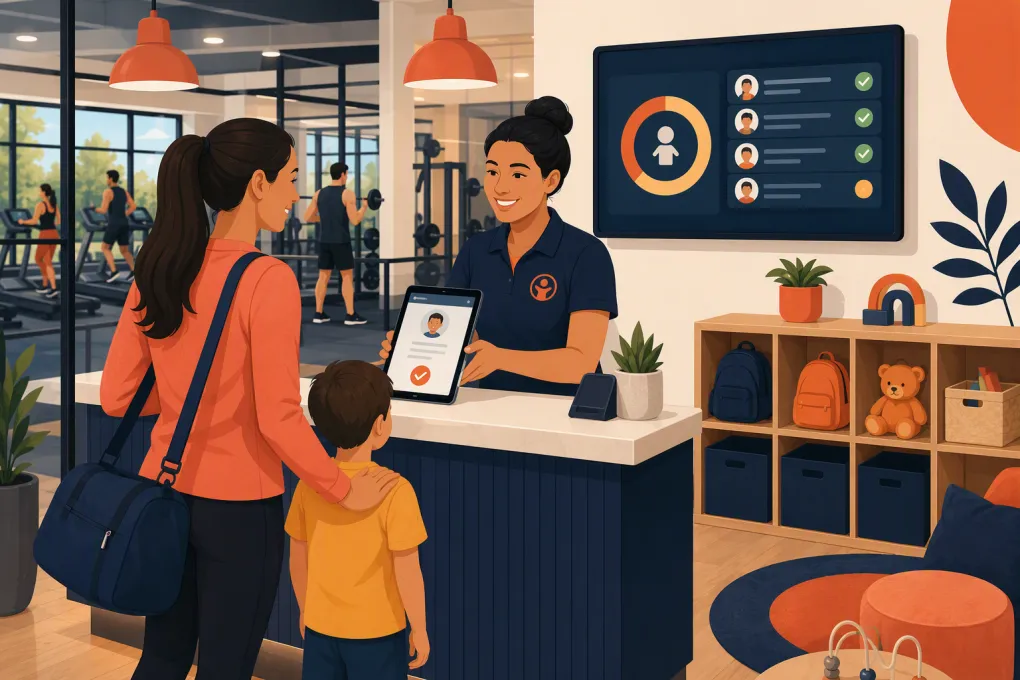
Gym childcare software should manage the full visit, not just reserve a time slot. A practical workflow looks like this:
- A parent reviews eligibility, hours, pricing, and reservation rules.
- The parent adds a child profile and completes required acknowledgments.
- The system checks availability for the requested time.
- Staff verify the child and authorized adult at arrival.
- Attendance and current room capacity update immediately.
- Staff can access relevant care notes without searching through paper files.
- The correct adult is verified at pickup.
- The visit is charged, deducted from a package, or included with the membership.
- The business retains an appropriate activity record.
A product that only handles step three is a booking tool, not a complete childcare management system.
The features that matter most
Secure child check-in and pickup
Child check-in should be separate from ordinary member access. A parent scanning into the gym does not automatically establish which child entered the childcare room or who later collected that child.
Look for:
- Individual child profiles linked to a parent or household
- Authorized pickup records
- A clear method for matching the pickup adult to the child
- Time-stamped arrival and departure records
- Allergy, medical, behavioral, and care notes with controlled access
- Current photo and emergency contact fields
- Digital waivers and policy acknowledgments
- An audit trail showing who changed important information
Ask vendors how sensitive information is permissioned. A coach may need to know that childcare is available, but that does not mean the coach should see every child’s medical notes.
Capacity, reservations, and waitlists
Capacity management is where generic appointment software often falls short. A kids club may have different limits by room, age band, time, or staffing level. A single overall appointment count may not represent the operating reality.
Your system should support the rules you actually enforce, including:
- Advance reservations and walk-ins
- Per-session or concurrent capacity
- Age-specific eligibility
- Sibling reservations
- Cancellation deadlines
- Waitlist promotion
- Visit-length limits
- No-show tracking
- Temporary closures or adjusted hours
If staffing changes during the day, determine whether capacity can be adjusted without deleting existing reservations. Also ask whether staff receive a warning before a room exceeds its limit.
Software should not be your only control for staff-to-child ratios or licensing obligations. Confirm applicable requirements with the appropriate state and local authorities, then configure operational limits accordingly.
Household billing and membership rules
Childcare billing rarely fits a single model. A gym may include access in premium memberships, sell monthly add-ons, offer visit packs, or charge a drop-in rate. Some businesses use different rules for siblings or non-member guests.
Test whether the software can handle:
- Household relationships
- Membership-based eligibility
- Recurring childcare add-ons
- Visit packs and remaining balances
- Drop-in charges
- Sibling pricing rules
- Expiration dates
- Refunds and account credits
- Failed-payment follow-up
The important question is not whether the vendor supports billing in general. It is whether one childcare visit can be applied to the right parent account, entitlement, and revenue category without an employee correcting it later.
Parent communication and front-desk coverage
Parents repeatedly ask about minimum ages, hours, reservations, what to bring, illness policies, and late pickup. If those answers live only in an employee handbook, your front desk becomes the search engine.
Create one approved knowledge source for childcare policies. Your software and automated communication tools should draw from the same current information. When a policy changes, assign one owner to update it everywhere.
Useful communication workflows include:
- Reservation and waitlist confirmations
- Cancellation notifications
- Closure or schedule-change alerts
- Missing waiver reminders
- Package balance notices
- Failed-payment follow-up
- Escalation to a staff member when a question requires judgment
Fitty, WTF Go’s AI receptionist, can answer routine lead and member questions, book classes, follow up, and collect dues around the clock. For childcare, it can reduce the communication burden by using your approved policies to answer common questions and capture requests that need staff attention.
See how Fitty answers routine parent questions and follows up automatically →
Reporting and accountability
At minimum, operators should be able to review attendance, peak usage, no-shows, package utilization, and childcare revenue. Multi-location businesses also need consistent definitions across sites; otherwise, one location may report reservations while another reports completed visits.
Ask whether reports can distinguish:
- Reserved visits from actual attendance
- Members from guests
- Included access from paid visits
- First-time users from repeat users
- Cancellations from no-shows
- Revenue by location or service type
Export access matters. You should be able to retrieve operational records without relying on screenshots or manual transcription.
Comparing gym childcare software options
There is no universal best platform. Some products specialize in secure child check-in, while others manage the broader gym or licensed childcare operation. The right choice depends on which system will be your primary record and which gaps require a companion tool.
| Option | Core strength | Childcare workflows | Automation and communication | Multi-location fit | Pricing approach | Main limitation |
|---|---|---|---|---|---|---|
| WTF Go with Fitty | Whole-business gym, studio, and wellness operations with an AI receptionist | Best evaluated as the member operations and communication layer around your childcare process; confirm required child-specific security and compliance controls during a demo | Fitty answers leads and common questions, books classes, follows up, and collects dues 24/7 | Discuss location structure, shared workflows, and reporting during evaluation | Contact WTF Go for current packaging | Not positioned solely as a dedicated licensed-childcare platform |
| Daxko | Broad membership and operational tools for community-focused fitness organizations | Relevant for organizations managing family programs and childcare alongside memberships | Offers broader member communication and operational capabilities; exact tools depend on product and configuration | Commonly considered by larger and multi-site organizations | Typically sales-led; scope affects cost and implementation | May be more platform and implementation complexity than a small independent gym needs |
| KidCheck | Dedicated secure children’s check-in | Strong focus on child profiles, authorized guardians, check-in records, labels, and pickup security | Parent communication is centered on the child check-in workflow | Suitable for organizations needing child check-in across sites; verify administration needs | Plan-based or quoted depending on setup and services | Does not replace a full gym CRM, membership, class, or sales platform |
| Procare | Childcare-center administration | Attendance, family records, billing, and parent communication for childcare operations | Stronger childcare-specific administration than a generic gym scheduler | Designed to support childcare organizations with broader administrative needs | Packaging varies by product and services | Not built to manage the gym sales funnel, fitness memberships, or class operations |
| Mindbody | Fitness and wellness scheduling, payments, and client management | Can schedule services, but operators should verify child profiles, guardian matching, room capacity, and pickup controls | Provides marketing and client communication tools, with capabilities varying by plan | Supports businesses with multiple locations, subject to account configuration | Packaging and add-ons vary; check current terms directly | A gym may still need dedicated child check-in software for security-focused workflows |
Product capabilities and packaging change. Use this table to create a shortlist, then ask each vendor to demonstrate your actual process rather than relying on a feature checklist.
How to evaluate the software in a live demo
Send vendors a scenario before the meeting. A useful demo script is more revealing than a polished product tour.
Ask the vendor to show these tasks without skipping steps:
- Add a parent with two children in different age groups.
- Record an allergy and limit who can view it.
- Sell the parent a childcare visit pack.
- Reserve both children while one age group is near capacity.
- Add a different authorized pickup adult.
- Check the children in and display live room attendance.
- Attempt an unauthorized or mismatched pickup.
- Cancel a reservation and move someone from the waitlist.
- Apply the correct charge or package deduction.
- Export attendance and transaction records for that day.
Also ask what happens when the internet is unavailable, a label printer fails, a parent forgets a phone, or two adults share custody with different permissions. Edge cases expose the difference between a feature that exists and a workflow your staff can trust.
Walk through your childcare and front-desk workflow with WTF Go →
Plan the implementation before signing
Software migration affects parents and children, so avoid switching everything on without a controlled rollout.
Start by cleaning household records. Remove duplicates, verify emergency contacts, review authorized pickup lists, and identify expired forms. Decide which historical records must be retained and how they will be accessed after migration.
Next, document responsibility:
- Who approves child profiles?
- Who can change pickup permissions?
- Who monitors capacity and staffing?
- Who updates policies used by staff and AI tools?
- Who reviews incidents and attendance records?
- Who owns billing corrections?
Run several staff-only simulations, then pilot the workflow during a quieter period. Give parents concise instructions before their first visit under the new process. At launch, assign one person to observe the check-in line and record friction instead of asking active childcare staff to troubleshoot while supervising children.
Choose for the whole operation
A dedicated check-in product may be the right answer when pickup security is the primary gap. A childcare administration platform may make sense when the program operates like a separate center. A broader gym operating system is more appropriate when childcare must connect to lead response, memberships, class booking, payments, and ongoing communication.
Do not buy based on the longest feature list. Map the complete parent-and-child journey, identify which platform owns each record, and eliminate the manual handoffs most likely to create errors. The best gym childcare management software is the system—or deliberate combination of systems—that your team can run consistently during the busiest hour of the day.
Frequently asked questions
Can regular gym management software handle childcare?
Some gym platforms can manage reservations and billing, but many lack child-specific controls such as authorized pickup, guardian matching, care notes, and room-level capacity. Test those workflows directly before relying on a general scheduler.
Does gym childcare software help with legal compliance?
It can support attendance records, capacity controls, waivers, and access permissions, but it does not determine your legal obligations. Licensing, staffing, recordkeeping, and ratio requirements should be confirmed with qualified state and local authorities.
Should childcare be included in a gym membership or billed separately?
Either model can work. Choose based on your positioning and costs, then make sure the software can enforce eligibility, add-ons, visit packs, drop-in fees, sibling rules, and expiration dates without manual adjustments.
Can Fitty answer questions about a gym’s childcare program?
Fitty can use approved business information to answer routine questions, handle leads, follow up, book classes, and collect dues. Childcare-specific requests that require staff judgment can be captured or escalated according to the workflow you establish.
Keep reading



Run your gym on autopilot with WTF Go
Fitty — your AI receptionist — answers calls and DMs, fills classes, follows up with every lead, and collects dues while you coach.