Comparisons
Gym Access Control and Membership Software Buying Guide
Compare gym access control and membership software by hardware, credentials, offline use, security, total cost, integrations, and a weighted scorecard.
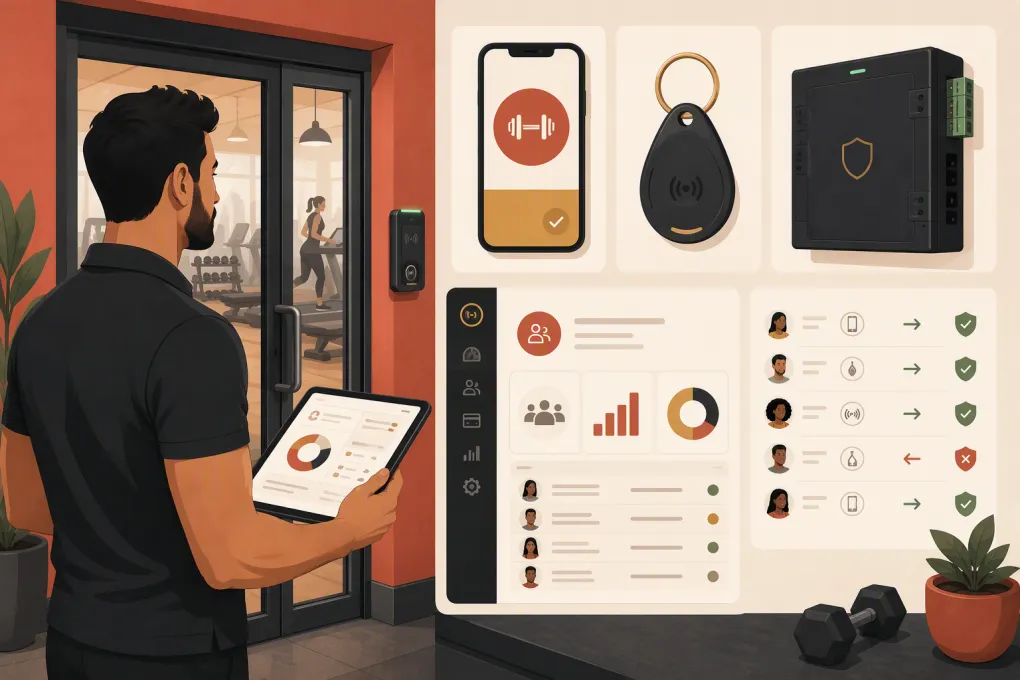 Watch · 20s
Buying gym access control and membership software is not a single software decision. It is a stack decision involving member records, billing rules, credentials, door hardware, internet connectivity, installation, security, and after-hours support.
Get one connection wrong and active members may be denied entry—or canceled members may retain it. Staff then become the integration layer, manually updating records and answering lockout calls.
The first question is not, “Which platform has access control?” It is: Which system controls the door, which system determines eligibility, and how reliably do they exchange data?
WTF Go belongs on the membership-operations side of that stack. It manages workflows around leads, booking, billing follow-up, and member communication. WTF Go and Fitty should not be treated as native physical access-control hardware: they do not replace the door reader, lock, controller, emergency-egress equipment, or qualified installer. If door automation is required, confirm the supported access partner or API workflow in writing before purchasing.
Map your membership, communication, and after-hours workflows with WTF Go →
Access control, check-in, and membership software are different
A membership platform stores plans, status, payments, waivers, bookings, and contact history. A check-in tool records attendance. A physical access-control system decides whether a secured door unlocks.
A complete 24-hour gym setup normally includes:
- Membership software as the source of member eligibility
- An integration, API, or scheduled synchronization
- Credentials such as mobile passes, cards, fobs, PINs, or barcodes
- Readers and door controllers
- Electric strikes or magnetic locks installed for the building
- Request-to-exit and emergency-egress equipment
- Internet, power, and preferably backup-power planning
- Logs showing access attempts and administrative changes
A tablet check-in app does not become access control merely because members scan a barcode. Ask every vendor to demonstrate a real locked-door workflow.
Product comparison: what each option actually provides
The table below is a procurement snapshot for September 2026. Vendor packaging changes, so use the linked product pages as starting points and put required features into your order form or contract.
| Option | Membership and integration model | Credentials and hardware | Offline behavior | Pricing and support model | Best fit and limitation |
|---|---|---|---|---|---|
| WTF Go + separate access system | WTF Go handles membership-adjacent operations, leads, booking, communication, and billing follow-up. Fitty provides AI receptionist workflows. A separate physical access platform is required; confirm any API or partner connection during procurement. | No native WTF Go reader, door controller, or lock should be assumed. Hardware comes from the selected access vendor and installer. | Determined entirely by the physical access platform. WTF Go should not be considered the offline door authority. | Software pricing is obtained from WTF Go. Access subscriptions, hardware, installation, permits, and service are separate unless explicitly bundled in a proposal. | Best when the operator wants AI-assisted sales and member communication around an existing or separately selected door system. Not a standalone door-control purchase. |
| GymMaster | GymMaster combines gym membership management with its own access-control offering. Its vendor product information describes integrated member access tied to membership status. | Supports RFID-style cards or fobs and mobile/Bluetooth access where the selected hardware and app configuration support it. Dedicated readers, controllers, locks, cabling, and installation may be required. | Do not infer outage behavior from “24/7 access.” Require written confirmation of locally cached permissions, log storage, reconnection behavior, and battery-backup requirements for the quoted controller. | Generally sold as software plus access hardware and implementation. Support ownership may span GymMaster and a local installer, so identify the first contact for door failures. | Strong candidate for gyms wanting membership and door management from one gym-focused vendor. Validate hardware availability, installer coverage, and offline specifications for each site. |
| Gymdesk + Kisi or Brivo | Gymdesk provides memberships, billing, attendance, booking, and CRM functions. Its integrations information identifies door-access connections; confirm the currently supported Kisi or Brivo workflow for your account and region. | Credential and hardware options come from Kisi or Brivo rather than Gymdesk. Expect readers, controllers or panels, locks, network connectivity, power, and professional installation. | Controlled by the access vendor. Kisi and Brivo systems can make certain door decisions using data held by local hardware during an internet interruption, but remote changes and cloud functions may be unavailable. Obtain the exact controller specification. | Gymdesk software, the access-control subscription, hardware, and installation may be separate charges and contracts. Support can cross three parties: Gymdesk, access vendor, and installer. | Useful when operators prefer Gymdesk but want a recognized physical-security platform. The integration boundary creates more support and implementation questions. |
| Kisi + membership platform | Kisi is a cloud-based physical access-control platform, not full gym membership software. Membership eligibility must arrive through a supported integration, automation platform, or API. | Supports mobile credentials and compatible cards or fobs, depending on the reader. A Kisi controller, compatible readers, locks, power, and network installation are normally part of the deployment. | Controllers can retain access information for operation during certain internet outages. Remote administration and new cloud-delivered changes may be limited until connectivity returns. Power loss still requires backup power or the door’s designed fail-safe/fail-secure response. | Typically involves software licensing plus hardware and installation. Sales, deployment, and support arrangements depend on whether the project is direct or partner-led. | Best when modern, centrally administered physical access is the priority. Membership billing, booking, collections, and retention require another system. |
| Brivo + membership platform | Brivo is a cloud-managed physical-security platform. Gym membership status normally reaches Brivo through an integration, middleware, or custom API implementation. | Supports mobile credentials and compatible cards, fobs, and reader-dependent credential formats. Brivo panels, readers, locking hardware, power, and professional installation are generally required. | Local control panels can continue evaluating previously downloaded permissions during an internet outage. Cloud administration, synchronization, and remote actions may be interrupted. Confirm panel capacity and exact outage behavior. | Commonly quoted through authorized dealers, with recurring cloud licensing, hardware, and installation. The dealer may own first-line hardware support. | Appropriate for operators prioritizing enterprise-style physical security or multiple secured areas. It is not a replacement for membership, booking, or sales software. |
| Mindbody + access partner | Mindbody focuses on memberships, classes, appointments, payments, staff management, and consumer discovery. Physical door control requires a compatible third-party solution or custom integration. | Credentials, controllers, and locks depend on the access partner. Do not assume a Mindbody check-in barcode can unlock a door. | Determined by the selected physical system, not Mindbody. Require both vendors to document synchronization and outage behavior. | Mindbody subscription costs and access-control costs are generally separate. Confirm package requirements, API access, partner fees, installation, and contract terms. | Best for class- and appointment-heavy businesses already committed to Mindbody. Less direct than a single-vendor gym access deployment. |
Costs to include beyond the software subscription
Comparing monthly software quotes alone produces a misleading result. Build a three-year total-cost model that includes:
- Membership-management subscription
- Access-control cloud licensing by door, location, user, or credential
- Readers, controllers, panels, locks, power supplies, and enclosures
- Cabling, locksmith, electrician, and low-voltage labor
- Permits, inspections, and life-safety modifications
- Cards, fobs, replacements, and shipping
- Mobile credential fees, if applicable
- Integration, API, or middleware charges
- Data migration and implementation services
- Staff training
- Cellular backup, internet, and battery backup
- Ongoing maintenance and after-hours service calls
- Hardware replacement at lease end or contract termination
Ask whether the hardware is purchased, financed, leased, or unusable after cancellation. Also ask whether the subscription renews automatically and whether pricing can change during the initial term.
Contract, data, and security questions operators miss
Data portability and API access
Get a sample export before signing. Confirm that you can export member profiles, plan status, billing history, waivers, attendance, access events, notes, and communication consent in usable formats.
Ask whether API access is included, restricted to certain plans, rate-limited, or available only to approved partners. An “open API” is not useful if the endpoint you need cannot change door permissions promptly.
Cybersecurity and privacy
Access logs reveal when people enter a location. Mobile credentials may also involve device identifiers and personal data. Ask vendors about:
- Encryption in transit and at rest
- Multi-factor authentication for administrators
- Role-based permissions
- Administrative audit logs
- Security incident notification
- Data retention and deletion controls
- Subprocessors and data-hosting locations
- Independent security assessments or certifications they can document
- Procedures for lost phones, fobs, and terminated staff accounts
Do not collect more access data than you need. Your privacy notice should accurately describe what is collected, why, and how long it is retained.
Uptime and outage commitments
A general cloud uptime claim does not guarantee that a specific door will open. Review the service-level agreement for exclusions, support response targets, maintenance windows, credits, and the components actually covered.
Test internet failure, power failure, controller failure, expired credentials, and delayed membership synchronization separately.
Use this weighted scorecard
Score each category from 1 to 5, multiply the score by the weight, then divide by 5. The maximum total is 100. Adjust weights before demos—not after a preferred salesperson has influenced the process.
| Category | Weight | What earns a score of 5 |
|---|---|---|
| Membership-to-door reliability | 20 | Demonstrated activation, freeze, cancellation, and restored-payment updates with error alerts |
| Hardware and credential fit | 12 | Works with required doors, credentials, building conditions, and installer coverage |
| Offline and emergency operation | 12 | Documented behavior for internet and power loss, with tested egress and recovery procedures |
| Total three-year cost | 12 | Complete quote covering software, hardware, installation, integration, support, and replacements |
| Security and privacy | 10 | MFA, permissions, audit logs, documented security controls, and practical retention settings |
| API and data portability | 8 | Documented API access and complete, usable exports without punitive restrictions |
| Support ownership | 8 | One clear escalation path with after-hours coverage appropriate to operating hours |
| Multi-location administration | 7 | Central policies with location-, door-, schedule-, and plan-specific permissions |
| Implementation and migration | 6 | Named project owner, test plan, migration scope, and credible dependencies |
| Contract flexibility | 5 | Clear renewal, termination, hardware-ownership, and data-return provisions |
Copy the table into a spreadsheet, add one column per vendor, and require evaluators to attach evidence for every score above 3.
Make vendors prove the complete workflow
A polished dashboard demo is insufficient. Give every finalist the same scripted scenarios:
- Sell a new membership and issue access.
- Freeze the membership and show when the door permission changes.
- Trigger your chosen delinquency rule and member notification.
- Restore payment and demonstrate access recovery.
- Issue a guest credential that expires automatically.
- Disconnect the internet and test an existing credential.
- Reconnect and show log synchronization.
- Export the member and access data.
- Show who changed an access rule and when.
- Escalate an after-hours lockout through the actual support process.
Fitty’s role should also be demonstrated rather than accepted as a general AI claim. Ask WTF Go to show Fitty answering a plan-specific question, booking a visit, following up with a lead, and handling a dues-related conversation according to your policy. Confirm escalation rules, communication channels, operating hours, logs, and staff handoff before relying on it.
Ask WTF Go to demonstrate Fitty against your real after-hours and dues workflows →
Plan implementation realistically
Timelines depend on door count, existing locks, permitting, installer availability, electrical work, data quality, and integration complexity. A software account can be configured faster than a compliant physical installation.
Use these phases instead of promising an arbitrary launch date:
- Site survey: inspect every door, lock, power source, network path, and egress requirement.
- Workflow design: define active, frozen, delinquent, canceled, staff, guest, and vendor states.
- Data cleanup: remove duplicates and correct invalid plans, contact details, and location assignments.
- Hardware installation: complete physical work and required inspections.
- Integration testing: test every status, credential, door, schedule, and outage scenario.
- Pilot: launch with staff and a controlled member group.
- Member rollout: explain setup, credential use, privacy, and support options.
- Post-launch audit: compare access logs with membership records and resolve mismatches.
The strongest purchase is not the platform with the longest feature list. It is the documented combination of membership software, integration, physical hardware, installer, and support model that behaves correctly when the building is staffed—and when nobody is there.
Frequently asked questions
Does WTF Go provide native gym door-access hardware?
WTF Go should be evaluated as the membership, booking, billing-follow-up, and communication layer—not as a native reader, controller, lock, or emergency-egress system. Confirm the access partner or API design required for your facility during the sales process.
What is the difference between gym check-in and access control?
Check-in records attendance. Access control physically unlocks or denies a secured door using credentials, permissions, schedules, and local door hardware.
Will gym doors still work if the internet goes down?
That depends on the controller and configuration. Some systems retain permissions locally for limited offline operation, but remote updates may stop; power loss requires separate battery-backup and life-safety planning.
How should I compare gym access-control pricing?
Compare three-year total cost, including software, per-door licensing, hardware, installation, credentials, integration, maintenance, backup connectivity, support, and contract termination costs.
How long does gym access-control implementation take?
It depends on door hardware, permitting, installer availability, electrical work, data cleanup, and integration testing. Require a project plan with dependencies and acceptance tests rather than relying on a generic estimate.
Keep reading



Run your gym on autopilot with WTF Go
Fitty — your AI receptionist — answers calls and DMs, fills classes, follows up with every lead, and collects dues while you coach.