Guides
Fitness Studio Software Migration Checklist for Operators
Use this fitness studio software migration checklist to protect member data, payments, bookings, automations, and staff workflows for a safer go-live.
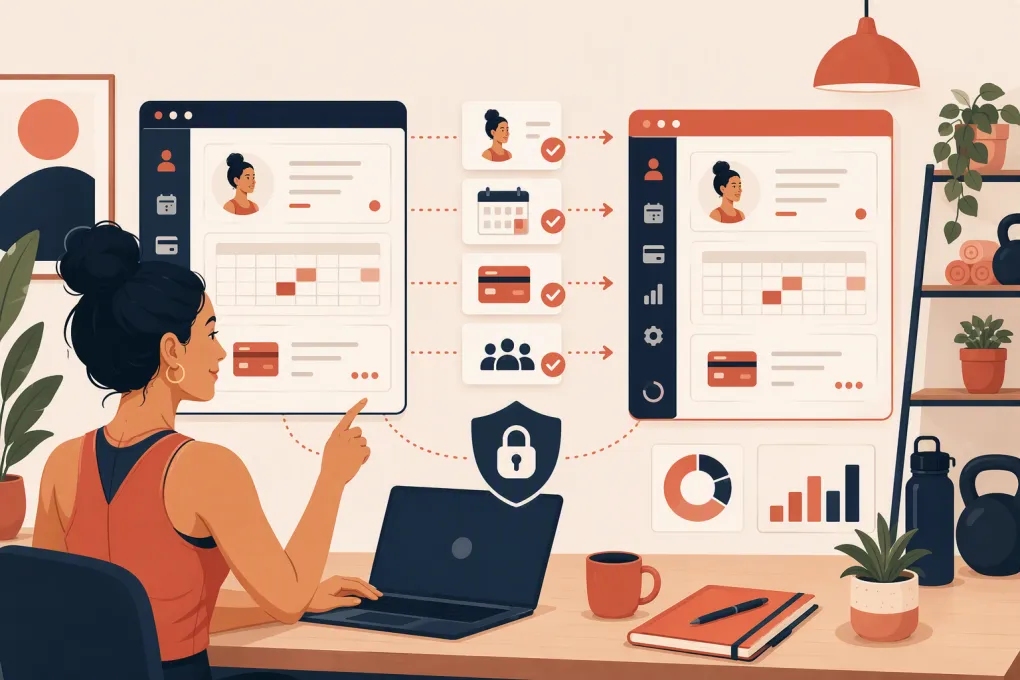 Watch · 20s
Changing fitness studio software is not an ordinary subscription switch. Your member records, recurring payments, class capacity, staff permissions, waivers, door access, automations and reporting may all depend on the current system.
A rushed migration can leave staff working from conflicting records, members unable to book and failed payments sitting unnoticed. A controlled migration gives every record an owner, every workflow a test and every problem a recovery path.
Use this fitness studio software migration checklist before signing the new contract, during implementation and through the first billing cycle after launch.
See how WTF Go brings booking, CRM, payments and Fitty into one operating system →
1. Define what a successful migration means
Do not start by exporting a CSV. Start by defining the business outcomes the new system must support.
Write down the workflows that cannot break:
- A lead submits an inquiry and receives a timely response.
- A prospect can book an intro session or class.
- An active member can reserve, cancel or join a waitlist.
- Recurring dues process under the correct agreement.
- Staff can check members in and verify account status.
- Coaches can see accurate rosters and relevant member notes.
- Failed payments trigger the right follow-up.
- Owners can view sales, attendance and revenue reporting.
- Members can sign required waivers and agreements.
- Access-control rules reflect current membership status.
Assign one person to approve each workflow. The owner may approve billing, while a head coach validates rosters and a front-desk manager checks booking rules. Migration fails when everyone assumes someone else tested the details.
Also establish measurable acceptance criteria without inventing arbitrary targets. For example: all active memberships must have the correct plan and next billing date; every future appointment must appear under the correct client and provider; every staff role must be tested with a real login.
2. Confirm data ownership before signing
Ask both the outgoing and incoming vendors what can be exported, imported and preserved. Get the answers in writing.
Data to inventory
Your migration inventory should include:
- Member and lead contact records
- Membership status, plan and start date
- Recurring billing schedules and next charge dates
- Account balances, credits and gift cards
- Packages, session counts and expiration dates
- Future classes, appointments and waitlists
- Attendance and purchase history
- Waivers, contracts and agreement acceptance records
- Staff accounts, roles, schedules and compensation inputs
- Tags, lead sources, notes and custom fields
- Marketing consent and communication preferences
- Failed-payment status and collection activity
- Products, taxes, discounts and promotional codes
- Multi-location access and home-location assignments
For each category, record whether it will be imported automatically, imported manually, retained in an archive or intentionally excluded.
Never assume payment details will transfer
Card data is normally stored through a payment processor using secure tokens, not as portable card numbers in your studio database. Whether those tokens can move depends on the processors, vendors and migration process involved.
Ask these questions early:
- Will existing payment tokens transfer to the new processor?
- Who initiates and approves the token migration?
- Which records are excluded?
- Will members need to re-enter payment methods?
- How will active subscriptions be matched to imported members?
- What happens to pending refunds, disputes and failed charges?
- When should recurring billing stop in the old platform and begin in the new one?
Do not download or manually handle raw card information. Follow the approved process provided by the payment vendors and your PCI-compliance guidance.
3. Compare migration support, not just feature lists
A polished demo does not tell you how your data will arrive or who fixes mismatches. Evaluate migration support alongside day-to-day functionality.
| Platform | General strengths | Migration questions to verify | Often considered by |
|---|---|---|---|
| WTF Go | All-in-one operating workflows with CRM, booking and Fitty for lead response, follow-up, booking and dues collection | Confirm the import scope, payment setup, workflow configuration and launch responsibilities for your specific source system | Gyms, studios, spas and wellness operators wanting operations and AI-driven front-desk workflows together |
| Mindbody | Broad booking marketplace presence and established business-management functionality | Review export formats, historical-data availability, payment processing, custom fields and any marketplace dependencies | Studios and wellness businesses that value a large consumer booking ecosystem |
| Glofox | Fitness-focused membership, booking and branded member experiences | Confirm how memberships, credits, future bookings, payment tokens and app rollout will be handled | Boutique gyms and studios seeking a fitness-specific platform |
| Zen Planner | Membership, scheduling and operational tools commonly associated with gyms and martial arts schools | Verify contract, rank or program data, billing records, attendance history and website-form transitions | Membership-based gyms, schools and training facilities |
| PushPress | Gym-oriented member management with an emphasis on straightforward operational workflows | Check processor requirements, package balances, attendance history, integrations and website changes | Independent gyms and functional fitness operators |
| WellnessLiving | Scheduling, client management and marketing functionality across fitness and wellness categories | Confirm migration coverage for appointments, resources, forms, rewards, payments and multi-location records | Studios, salons, spas and wellness businesses with mixed service types |
Features, packaging, integrations and migration services can change. Ask each vendor to demonstrate your actual workflows and provide a written migration scope. If pricing requires a quote, compare the full operating cost, including payment processing, add-ons, messaging, branded apps, onboarding and contract terms.
4. Clean and map the data
Migrating bad data faster does not improve it. Clean the source before the final export.
Start with obvious problems:
- Duplicate member profiles
- Invalid email addresses or phone numbers
- Former members incorrectly marked active
- Expired packages showing available sessions
- Unresolved credits or account balances
- Test accounts mixed with real customers
- Inconsistent tags and lead sources
- Staff accounts with excessive permissions
- Old automations that should not be recreated
Then build a field-mapping document. It can be a spreadsheet with four columns: source field, destination field, transformation rule and owner.
For example, an old status called Trial may map to Prospect in the new CRM. A membership name such as Unlimited Monthly 2022 may need to map to a current plan while preserving the member’s existing rate and billing terms. Never merge plans based only on similar names.
Keep untouched copies of every original export. Add the export date, source system and record count to the filename. Store exports in a restricted location rather than emailing member files between staff.
5. Map every integration and automation
Your management platform rarely operates alone. Build an integration register covering:
- Website lead and trial forms
- Email and text messaging
- Accounting software
- Payment processing
- Access-control hardware
- Mobile or branded apps
- Advertising lead sources
- Analytics and conversion tracking
- Payroll or staff scheduling
- Video platforms and on-demand content
- Zapier, webhooks or custom API connections
For each connection, document the trigger, destination, owner and failure alert. Reconnecting an app is not enough; you must verify that the right event creates the right outcome.
Automations need the same treatment. List the exact triggers and stopping conditions for lead nurture, booking reminders, no-show follow-up, failed-payment outreach, expiring-card messages and membership cancellation workflows.
This is where Fitty can replace fragmented front-desk tasks. It can answer leads, book classes, follow up and collect dues around the clock within WTF Go’s operating environment.
See how Fitty handles lead response and follow-up during and after a software transition →
6. Build a migration timeline with a freeze window
Choose the launch date around your operating calendar, not the vendor’s earliest opening. Avoid major events, promotions, seasonal enrollment periods and unusually heavy billing days when possible.
A practical sequence is:
Before the final migration
- Complete the data inventory and mapping.
- Configure plans, schedules, rooms, staff roles and booking rules.
- Connect approved integrations.
- Run a sample import using representative records.
- Test payment and refund workflows in the available test environment.
- Prepare staff and member communications.
During the freeze window
Set a clear period when changes in the old system are limited or manually logged. This prevents the final export from missing a new sale, cancellation, booking or account update.
Maintain a change log for anything that happens after the final export. Assign someone to enter those changes into the new platform before launch.
At cutover
- Disable old booking links and forms.
- Publish the new links on the website, social profiles and business listings.
- Confirm staff and member login paths.
- Activate required integrations and automations.
- Verify the next scheduled billing run.
- Keep the old system accessible in read-only form if your contract and vendor permit it.
Do not cancel the old software until required records have been validated and your retention obligations are understood.
7. Test with real operating scenarios
A successful login is not a successful migration. Create a test script that follows actual customer journeys.
Test at least these scenarios:
- A new lead asks a question outside staffed hours.
- The lead books an intro offer.
- A member purchases the correct plan and signs an agreement.
- The member books, cancels and joins a waitlist.
- A staff member checks the person in.
- A payment succeeds and appears in reporting.
- A payment fails and starts the intended follow-up.
- A package loses one session after attendance.
- A member with multi-location access visits another site.
- A manager issues a refund or account credit.
Test on desktop and mobile. Use accounts with different roles and membership types. Record the expected result, actual result, tester and resolution for each scenario.
For multi-location businesses, test location-specific pricing, schedules, tax settings, permissions and reporting separately. A workflow working at the flagship does not prove it works everywhere.
8. Prepare staff and members for launch
Staff need role-based instructions, not a generic tour of every feature. Front-desk employees should practice check-in, booking changes and account lookup. Coaches need rosters and attendance. Managers need sales, billing and exception handling.
Give staff one place to report issues and define severity levels. A typo in a description is not equal to blocked check-in or incorrect billing.
Member communication should explain only what affects the member:
- Launch date
- Where to log in or download an app
- Whether a password reset is required
- Whether payment details must be updated
- How existing bookings and credits are handled
- Where to get help
Avoid promising that nothing will change. State the required actions clearly and send reminders through more than one appropriate channel.
9. Audit the first billing and booking cycles
Migration work continues after launch. Review daily exceptions first, then settle into a regular audit cadence.
Check:
- Active members missing subscriptions
- Duplicate or unexpected charges
- Failed payments without follow-up
- Incorrect next billing dates
- Missing credits or package balances
- Unrecognized revenue or tax treatment
- Bookings without matching member records
- Automations firing twice or not at all
- Leads entering without an assigned source or owner
- Staff retaining permissions they no longer need
Reconcile the new platform against your source exports and payment reports. Keep a decision log for corrections so staff do not solve the same issue in different ways.
Once billing, booking and communications are stable, document the final workflows as your new operating standard.
Talk to WTF Go about consolidating your studio’s booking, CRM, follow-up and collections workflows →
Frequently asked questions
How long does a fitness studio software migration take?
The timeline depends on data volume, payment-token portability, integrations, locations and workflow complexity. Do not set a launch date until the new vendor confirms the migration scope and a sample import has been tested.
Can recurring payment details move to new fitness studio software?
Sometimes, but payment tokens are controlled by the processors and vendors involved. Confirm token portability, excluded records and member re-entry requirements before changing platforms.
Should I keep my old studio software after launch?
Keep appropriate read-only access or secure exports until records, billing and reporting are validated and applicable retention needs are addressed. Check contract terms before assuming old access will remain available.
What data should be tested first after migration?
Prioritize active memberships, next billing dates, payment methods, future bookings, package balances, waivers and access permissions. These records have the greatest immediate effect on members and daily operations.
How should a multi-location studio handle migration?
Assign a local owner for each site and test location-specific pricing, taxes, schedules, access rules and staff permissions. Validate consolidated reporting only after each location's records are correct.
Keep reading



Run your gym on autopilot with WTF Go
Fitty — your AI receptionist — answers calls and DMs, fills classes, follows up with every lead, and collects dues while you coach.